
Most cloud platforms run on Linux. AWS, Google Cloud, and Azure—underneath all the dashboards and drag-and-drop menus, it is Linux doing the heavy lifting. If you are building a career in cloud engineering, skipping Linux is not really an option.
Here is the thing — nobody expects you to know everything about Linux before they hire you. What they do expect is that you know the parts that actually show up in the job. This guide covers those parts specifically, along with how to learn them without spending half a year on material that never comes up in real work.
Why Linux Still Runs the Cloud in 2026
Cloud computing has changed a lot over the last few years. Kubernetes, serverless functions, AI-powered infrastructure — the tools keep changing. But one thing has stayed the same: Linux is the operating system that runs most of it.
Over 90% of workloads running in public cloud environments today sit on Linux- based servers. Most Docker containers are built on Linux. Most CI/CD pipelines run on Linux agents. If you are writing infrastructure as code, deploying microservices, or managing cloud storage, you will interact with a Linux environment—often directly through a terminal.
The cloud engineers who move fast are the ones who are comfortable in that terminal. They do not need to search for basic commands. They do not get stuck when a server behaves unexpectedly. They just know what to do.
The Core Linux Skills Cloud Engineers Need Right Now
Mastering Linux is no longer optional for cloud engineers because most cloud infrastructure runs on Linux-based systems. These core skills help engineers manage servers, automate workflows, troubleshoot issues, and work efficiently at scale.
1. Command Line Fluency
This is where everything starts. You need to be comfortable working in a terminal—navigating directories, managing files, reading logs, and running commands without hesitation.
The commands that come up most often in cloud work include things like ls, cd, cp, mv, rm, cat, grep, find, and chmod. None of these are complicated on their own, but you need to be fast with them. In a real environment, you might be SSHing into a server, diagnosing a problem under pressure, and you cannot afford to go slow.
Redirection and piping also matter a lot. Being able to chain commands together — like using grep to filter a log file and pipe the output into another command — is something cloud engineers use constantly.
2. File Permissions and User Management
One of the most common mistakes junior cloud engineers make is setting up permissions incorrectly. This leads to either broken deployments or serious security holes.
You need to understand how Linux handles file ownership and permissions — what read, write, and execute mean for users, groups, and others. The chmod and chown commands are tools you will use regularly. Understanding sudo and knowing when to use it (and when not to) is equally important.
In cloud environments, you often work with service accounts, IAM roles, and system users. A solid understanding of how Linux user management works makes it easier to understand how cloud identity and access management (IAM) works, too.
3. Shell Scripting
If you are doing the same task more than twice, you should probably be scripting it. Shell scripting — writing small programs in Bash — is one of the most practical skills a cloud engineer can have.
You do not need to write complex scripts right away. Start with basic things: automating a backup process, writing a script that checks if a service is running and restarts it if not, or looping through a list of files to do something with each one.
As you get more comfortable, you can write scripts that interact with cloud APIs, parse JSON responses, and trigger deployments. These are real tasks that come up in cloud engineering work every week.
4. Process and Service Management
Cloud servers run lots of processes. Knowing how to check what is running, how much CPU or memory it is using, and how to stop or restart a process is essential.
Commands like ps, top, htop, kill, and systemctl are your tools here. In 2026, most Linux systems use systemd to manage services, so understanding how to start, stop, enable, and check the status of a service with systemctl is a basic requirement.
When something breaks in production, the first thing you often do is check what processes are running and what the logs say. Being fast at this can mean the difference between a five-minute fix and a two-hour outage.
5. Networking Basics on Linux
Cloud engineering is deeply tied to networking—VPCs, subnets, security groups, and load balancers. But before you can really understand those cloud concepts, you need to understand how networking works at the Linux level.
Start with the basics — checking what IP address a machine is using, testing whether two systems can actually talk to each other, and seeing which ports are open. Tools like `ip addr`, `ping`, `curl`, and `ss` cover most of that. DNS is another area worth spending time on. When something stops resolving correctly, knowing your way around /etc/hosts and /etc/resolv.conf saves a lot of guessing.
When a cloud application cannot connect to a database, or a container cannot reach an external API, these Linux networking tools are what you use to figure out why.
6. Working with Logs
Logs are how you understand what is happening on a server. In cloud environments, you need to be able to pull logs from multiple places—system logs, application logs, and container logs—and make sense of them quickly.
On modern Linux systems, journalctl is usually your first stop when something goes wrong — it pulls up system logs fast. When you need to watch what a running service is doing right now, tail -f on the log file does the job. And when you are hunting for a specific error buried in thousands of lines, grep is what you reach for.
Cloud platforms like AWS and Google Cloud have their own logging dashboards, but troubleshooting still starts at the terminal. If you are not comfortable reading logs there, the dashboards will not save you.
7. Storage and Disk Management
Cloud engineers regularly deal with storage — attaching a new disk to a server, checking how much space is left, or understanding why an application is running out of storage.
Commands like df (disk free), du (disk usage), lsblk, and mount are practical tools you will use. Knowing how to format a new disk, mount it, and add it to /etc/fstab so it persists after a reboot is a real skill that comes up when you are provisioning cloud servers.
8. Basic Text Editing (Vim or Nano)
At some point, you will need to edit a config file on a server that has no graphical interface. Knowing how to use a terminal-based text editor is not optional.
Vim has a steeper learning curve but is available on almost every Linux system. Nano is simpler and easier to pick up. For most cloud work, being comfortable with at least one of these editors—knowing how to open a file, make changes, and save—is enough to get started.
9. SSH and Secure Remote Access
You will rarely be sitting at the physical server. You will be accessing it remotely over SSH. Understanding how SSH works — generating key pairs, copying your public key to a server, connecting securely — is a day-one skill for cloud engineers.
Once you are past the basics, port forwarding via SSH tunnels comes up more than you would expect — especially when you are trying to reach a service that is not publicly exposed. Managing an SSH config file is also worth learning early. When you are regularly connecting to five or six different servers, having shortcuts set up properly saves a lot of time. And knowing how to read an SSH error message — rather than just copying it into a search engine — is what separates people who get unstuck quickly from those who do not.
10. Containers and Linux Namespaces
In 2026, containers are everywhere. Docker and Kubernetes dominate most cloud environments. But containers are a Linux technology at their core — they use Linux features called namespaces and cgroups to isolate processes and resources.
Understanding this connection makes you a better cloud engineer. You understand why container images are usually based on slim Linux distributions, why container security is tied to Linux user permissions, and how to debug containers by dropping into a shell inside them.
Quick Comparison: Linux Skills by Cloud Role
|
Cloud Role |
Must-Have Linux Skills |
|
Cloud DevOps Engineer |
Shell scripting, systemd, SSH, log management |
|
Site Reliability Engineer (SRE) |
Process management, networking, storage, logs |
|
Cloud Security Engineer |
File permissions, user management, and SSH hardening |
|
Cloud Developer |
CLI fluency, containers, environment variables |
|
Cloud Architect |
Networking basics, storage concepts, and services |
The Fastest Way to Learn These Skills in 2026
Reading about Linux and actually using Linux are two different things. The fastest learners are the ones who get their hands dirty early and stay consistent.
Here is what a practical learning path looks like:
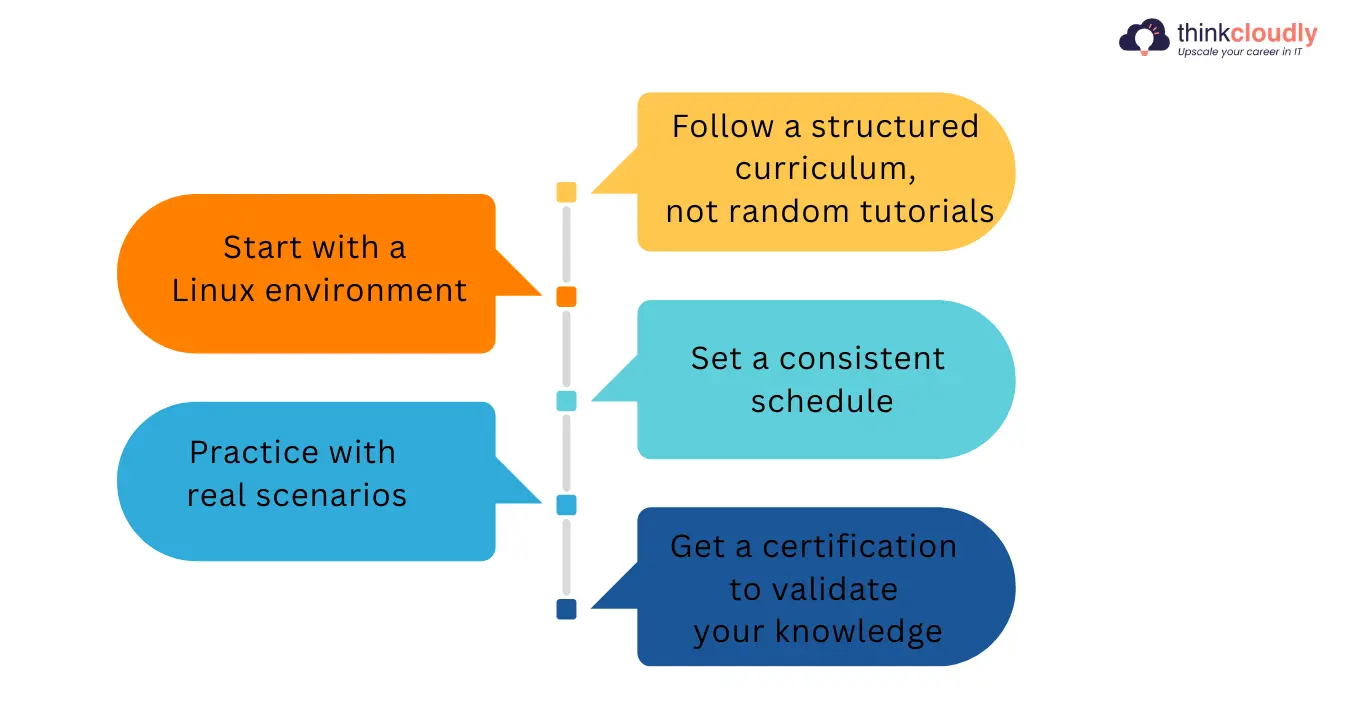
Start with a Linux environment
You do not need to install Linux on your laptop (though you can). You can use a free cloud VM, a tool like VirtualBox, or even the Windows Subsystem for Linux (WSL) if you are on Windows. The point is to have a terminal you can practice in.
Follow a structured curriculum, not random tutorials
Random YouTube videos and blog posts will give you scattered knowledge. A well-designed course that builds concepts in the right order is much faster. Look for programs that include hands-on labs, not just theory.
Practice with real scenarios
The best way to learn grep is not by memorizing its flags—it is by using it to find an error in a real log file. Build small projects: set up a web server on a Linux VM, write a script that automates a backup, and practice diagnosing a broken service.
Set a consistent schedule
Even 30 to 45 minutes a day, done consistently over 8 to 10 weeks, will take you from beginner to confident with Linux fundamentals. Irregular cramming sessions are far less effective.
Get a certification to validate your knowledge
The Linux Foundation Certified System Administrator (LFCS) and the CompTIA Linux+ are both respected in the cloud industry. Preparing for either of these gives you a clear roadmap and a credential that matters to employers.
Common Mistakes to Avoid
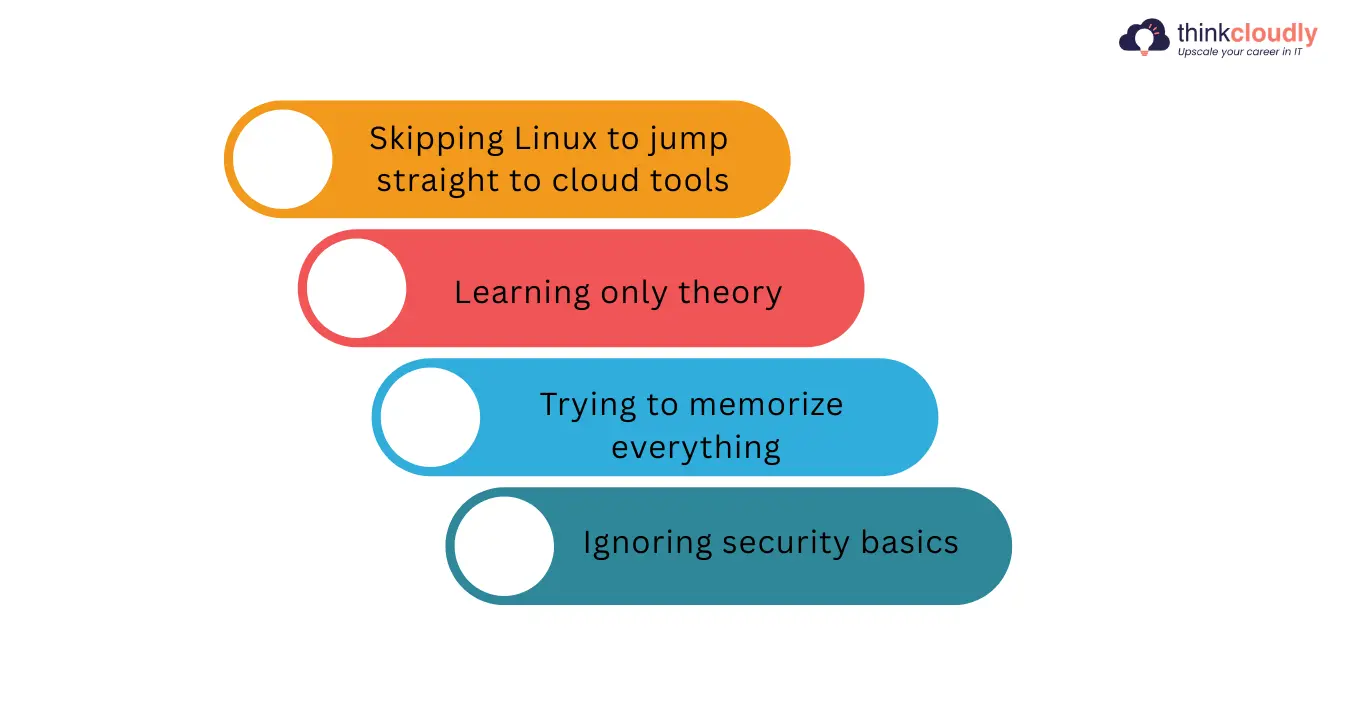
Skipping Linux to jump straight to cloud tools
Many beginners rush to learn Terraform or Kubernetes before they understand the Linux environment in which those tools run. This creates knowledge gaps that cause problems later.
Learning only theory
If you have not typed a command in a real terminal, you have not really learned it. Always pair theory with practice.
Trying to memorize everything
You do not need to memorize every command flag. You need to know what is possible and how to look things up quickly. Experienced engineers use man pages and –help flags all the time.
Ignoring security basics
Setting weak file permissions, reusing SSH keys, or running everything as root are habits that will cause real problems in cloud environments. Build good habits from the start.
What 2026 Is Changing
A few things are different about Linux skills in 2026 compared to just a couple of years ago.
AI-assisted tooling is now part of many cloud workflows — tools that help generate scripts, diagnose errors, or suggest configurations. But these tools work best in the hands of people who already understand Linux. If you do not know what a command does, you cannot evaluate whether an AI-generated script is correct or safe.
Kubernetes and container orchestration have also made Linux namespace and cgroup knowledge more relevant than ever. Cloud engineers who understand what is happening at the Linux level are better at debugging container issues, optimizing resource usage, and securing their clusters.
The fundamentals have not changed. But the context in which you use them keeps expanding.
Sources & Further Reading
The data and statistics in this article are drawn from the following sources:
- Linux Foundation — State of Linux in Cloud Environments — Statistic that over 90% of public cloud workloads run on Linux-based infrastructure.
- Stack Overflow Developer Survey 2024 — Most Used Operating Systems — Developer usage trends around Linux in professional environments.
- CompTIA Linux+ Certification Overview — Certification pathway information and skill domain coverage.
- Linux Foundation Certified System Administrator (LFCS) — LFCS certification structure and its relevance to cloud engineering roles.
- Red Hat Enterprise Linux Documentation — systemd and Service Management — Accuracy of systemd service management commands and behavior.
- Docker Official Documentation — Containers and Linux Namespaces — How containers use Linux namespaces and cgroups.
- AWS Documentation — Amazon Linux and EC2 Best Practices — Amazon Linux distribution context and cloud VM usage guidance.
All sources reflect global data and industry surveys current as of 2024–2026. Statistics and certification details may be updated by their respective organizations over time.