Open your inbox right now and there is a good chance at least one message in it is not what it claims to be. Phishing is no longer the clumsy, typo-ridden email your grandparents joked about—it is a fast, automated, and increasingly AI-written industry.
According to the Anti-Phishing Working Group’s Q1 2026 report, unique phishing attacks jumped 13.8% in a single quarter, climbing to 971,181 reported incidents in just three months. That is not a slow drift upward; it is an arms race, and it is one reason phishing protection software has moved from “nice to have” to essential for students, employees, and anyone who checks a phone.
This guide breaks down what this category of security software actually does, how its different layers work together, what to look for before you install one, and how to build habits that no tool can fully replace on its own.
It is written for students and early-career professionals who want to understand the topic in plain, practical language rather than marketing jargon, and it leans on verified 2026 data rather than guesswork.
Why Is Phishing Getting Worse in 2026, Not Better?
For years, security teams told people to “watch for bad grammar.” That advice is largely useless now. Generative AI has made phishing emails grammatically flawless, personally tailored, and disturbingly convincing.
Large-scale telemetry shows that the share of phishing emails carrying clear signs of AI involvement jumped from roughly 4% in late 2025 to more than 80% by early 2026, a shift that has quietly rewritten what modern detection systems are built to catch.
The financial damage backs this up. The FBI’s Internet Crime Complaint Center reported that Americans lost close to $21 billion to internet-enabled crime in 2025, with phishing and spoofing remaining the single most reported category of complaint out of more than one million total filings.
Business email compromise alone accounted for over $3 billion of that figure, and attackers are now blending email, text messages, QR codes, and even cloned voices into a single coordinated campaign. When attacks operate at this scale and speed, manual vigilance alone stops being enough, and that gap is exactly where phishing protection software steps in.
What Is Phishing Protection Software?
Phishing protection software is a category of security tools designed to identify, block, and report deceptive messages, links, and websites before a person ever gets the chance to click, download, or type in a password. It usually sits at one or more points in your digital life at once: your email provider, your web browser, your mobile device, or your school or employer’s network gateway.
Rather than relying on a tired, distracted human to spot every red flag, this kind of protection automates the repetitive, high-stakes job of checking whether a sender, link, or attachment is trustworthy—thousands of times a second, across millions of messages.
A well-built security tool does not just block previously known threats; it uses behavioral analysis and machine-learning-driven threat detection to flag brand-new scams on the same day they first appear, before a human analyst has even seen one.
The Core Layers Inside Phishing Protection Software
Not every product in this category is built the same way. Most reputable tools combine several distinct layers, each one catching a different stage of an attack. Here is what actually happens under the hood and why each piece matters on its own.
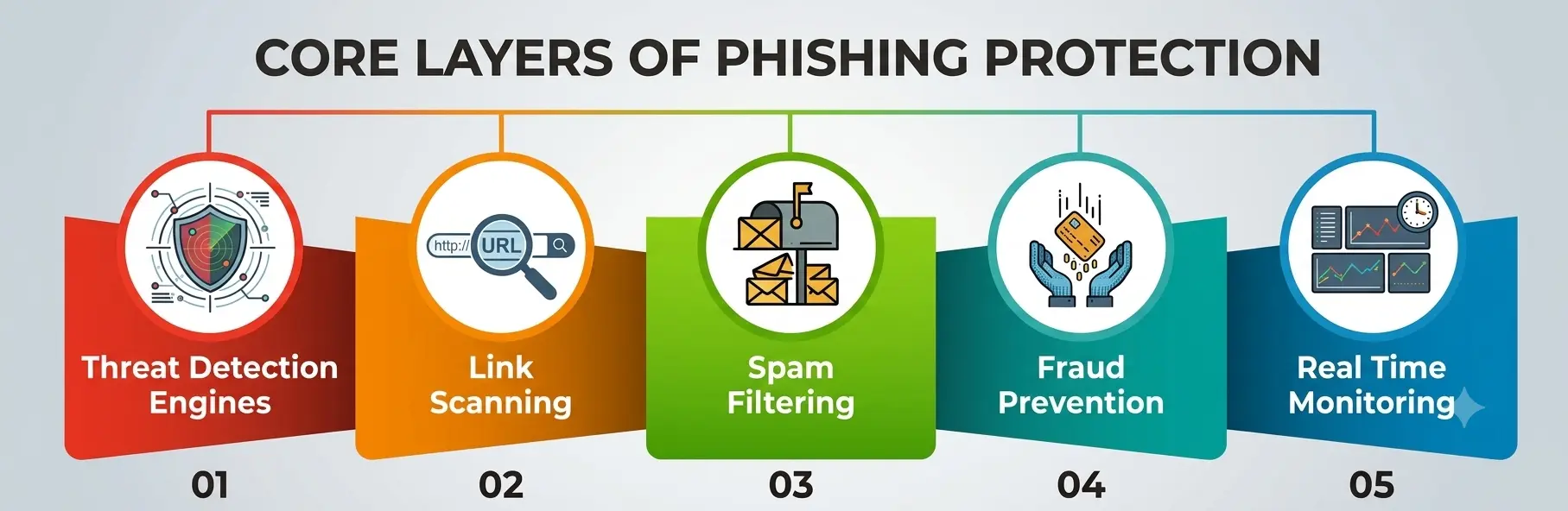
1. Threat Detection Engines
At the center of nearly every serious security tool in this space is a detection engine. This component analyzes incoming email headers, sender reputation, domain age, and message content to score how likely a message is to be malicious.
Modern threat detection has moved well beyond simple keyword matching; it now uses models trained on millions of confirmed phishing samples to catch subtle patterns, such as a message that mimics your university’s login page from a domain that was registered only three days ago. Strong detection capability is the difference between a tool that reacts to yesterday’s attacks and one that catches today’s.
2. Link Scanning
A huge share of phishing still depends on getting someone to click a link, so this layer is among the most heavily used defenses inside any capable security suite. Link scanning works by checking a URL against databases of known-malicious sites, opening the destination page inside a sandboxed environment before your browser ever loads it, and re-checking the same link again at the exact moment you click, not only when the email first arrives.
This “time-of-click” approach to scanning matters because attackers frequently activate a malicious page only after it has already slipped past the initial filter.
3. Spam Filtering
Spam filtering is the oldest layer in this stack, but it has evolved considerably since the days of blocking obvious junk mail. Today’s filtering engines also separate bulk unsolicited email, flag suspicious newsletters, and work alongside authentication protocols like DMARC and SPF to catch spoofed sender addresses before delivery.
Effective filtering reduces the sheer volume of messages a person has to personally evaluate, which lowers the odds that a well-disguised phishing attempt slips through simply because someone is scrolling quickly through a crowded inbox between classes.
4. Fraud Prevention
This layer focuses specifically on the financial end goal of most phishing campaigns: stolen credentials, wire transfers, or gift card scams. Fraud prevention tooling inside this kind of platform watches for patterns tied to business email compromise, such as a “CEO” suddenly requesting an urgent payment or a login attempt from an unfamiliar location right after a password reset request.
These features often integrate directly with banking and payment platforms to flag or briefly delay suspicious transactions, buying enough time for a human to verify what is actually happening.
5. Real-Time Monitoring
Finally, real-time monitoring ties every other layer together. Rather than scanning a message once and forgetting about it, this layer continuously reassesses links, attachments, and sender behavior for as long as a message sits in an inbox.
That matters because attackers sometimes weaponize a link only after it has already been delivered to thousands of recipients. With real-time monitoring active, a link that was harmless an hour ago can be blocked the moment it turns malicious, without waiting on a scheduled scan to catch up.
How Do the Layers Work Together?
The table below breaks down how each layer of phishing protection software contributes to stopping a single attack, using a typical phishing email as the running example.
|
Protection Layer |
What It Checks |
Example Catch |
|
Threat detection |
Sender reputation, domain age, content patterns |
Blocks an email impersonating a bank from a domain registered two days ago |
|
Link scanning |
URL destination, redirect chains, page content |
Stops a click on a link that leads to a fake login page |
|
Spam filtering |
Bulk sending patterns, authentication headers |
Routes a spoofed “IT helpdesk” email to junk before it is ever opened |
|
Fraud prevention |
Payment requests, urgency language, account changes |
Flags a wire transfer request that doesn’t match normal billing patterns |
|
Real-time monitoring |
Ongoing link and attachment status after delivery |
Blocks a link that turns malicious hours after the email was already delivered |
Choosing the Right Software: What Actually Matters
Students and individuals often default to whatever protection comes bundled with their email provider, and for casual day-to-day use, that baseline filtering can be reasonably effective. But if you manage sensitive accounts, freelance income, or a small side business, it is worth being more deliberate about what you rely on. A few things worth checking before choosing phishing protection software:
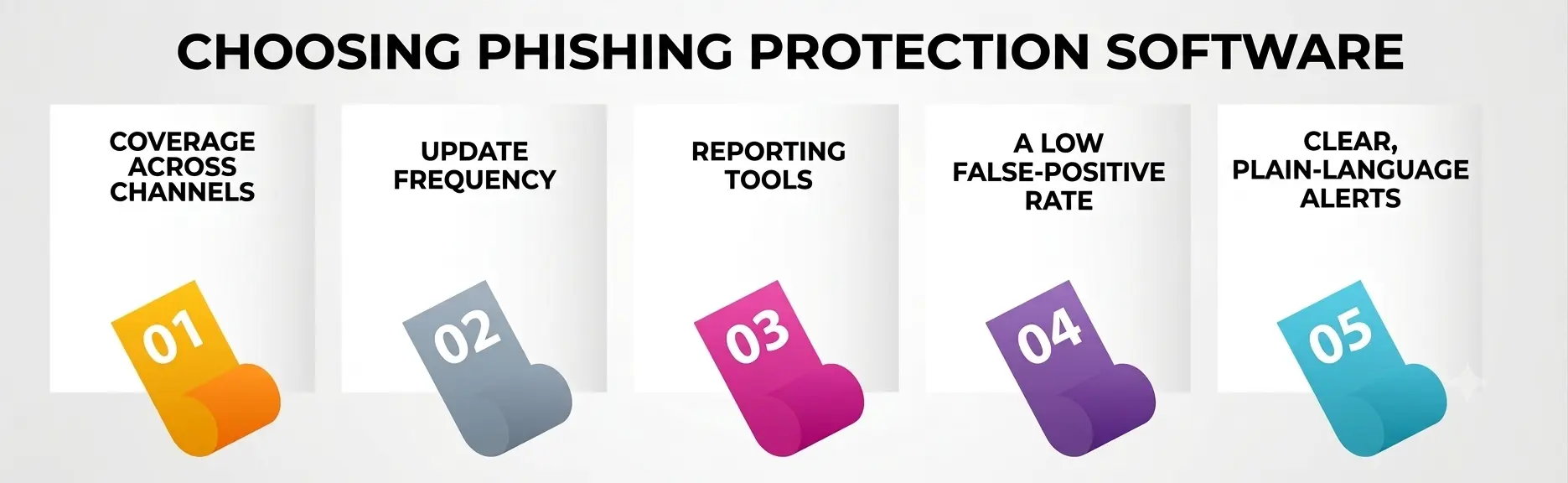
- Coverage across channels. A strong product should not stop at email; it should extend scanning to text messages, social media, and QR codes, since attackers increasingly split their lures across all four at once.
- Update frequency. Detection models that refresh hourly catch new campaigns far faster than ones updated only once a week.
- Reporting tools. The ability to flag a suspected message with one click, feeding straight back into the provider’s own detection systems, helps the whole network get smarter over time.
- A low false-positive rate. Overly aggressive filtering that buries legitimate mail quietly trains people to distrust every warning, which defeats the entire purpose of having the tool.
- Clear, plain-language alerts. If a warning is full of jargon, students and non-technical users are more likely to dismiss it out of confusion rather than caution.
For official, vendor-neutral guidance on recognizing and reporting suspicious messages, the CISA Recognize and Report Phishing guide is a solid, free starting point that pairs well with any tool you eventually choose.
Free vs. Paid: What Actually Changes
A common question from students is whether it’s worth paying for a dedicated security tool when free options already exist. The honest answer is that it depends on what you’re protecting.
- Free tiers bundled into major email platforms generally handle basic spam filtering and catch the most obvious, high-volume scams well. What they tend to skimp on is depth: fewer scanning passes per message, slower model updates, and little to no coverage outside of email itself.
- Paid tools usually add continuous link scanning that re-checks a URL at the moment of the click rather than only once on arrival, broader filtering rules tuned for your specific region or industry, and dashboards that show exactly what was blocked and why.
For a student managing only a personal inbox, free protection paired with good habits is often enough. For anyone freelancing, running a small shop, or handling other people’s data, the gap between free and paid coverage is usually worth closing.
Phishing Tactics Worth Knowing in 2026
Any security tool works better once you understand what it is actually defending against. A few tactics dominating this year:
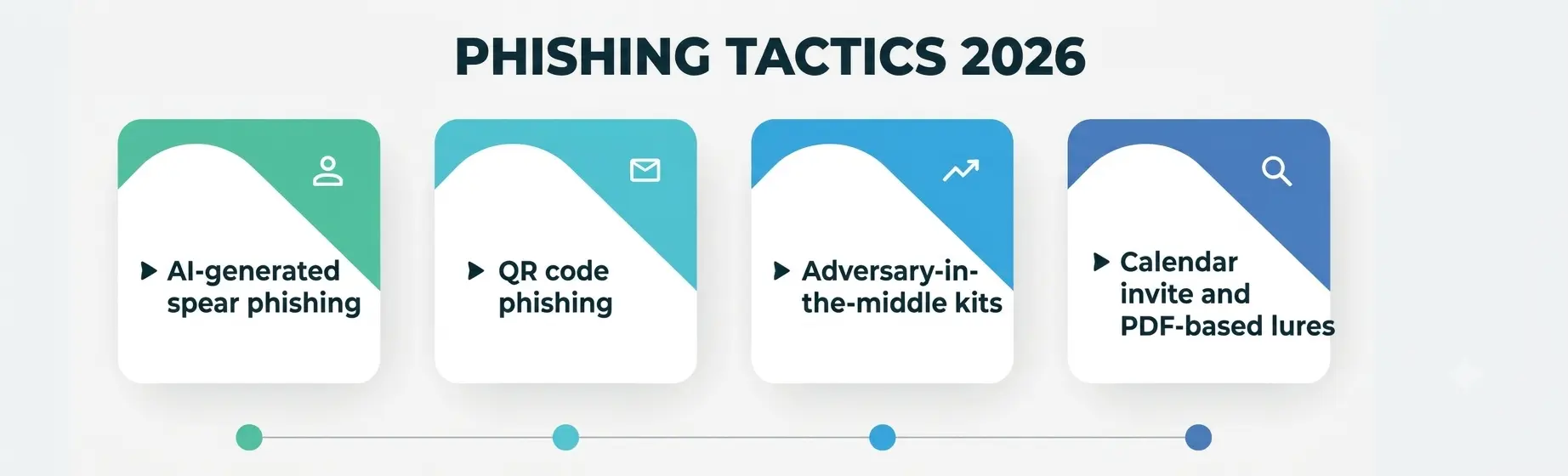
- AI-generated spear phishing that references real coworkers, real projects, and a correct writing style, making the old “look for errors” advice mostly obsolete.
- QR code phishing (“quishing”), which routes around traditional scanning because the malicious URL is hidden inside an image rather than clickable text.
- Adversary-in-the-middle kits that steal live session tokens, letting attackers bypass multi-factor authentication entirely once a victim logs into a convincing fake page.
- Calendar invites and PDF-based lures, which slip past filtering rules that were originally written mainly for plain-text, link-based emails.
Joint CISA, NSA, and FBI phishing prevention guidance specifically calls out this shift away from simple link-based lures, which is exactly why modern detection systems now have to evaluate attachments and embedded content, not just message text and visible links.
Best Practices That Work Alongside Your Software
No security tool, however well built, replaces basic digital hygiene. A few habits worth building now, especially while you’re a student setting up accounts you will still be using a decade from now:
- Verify urgency independently. If a message pressures you to act immediately, contact the organization through a channel you already trust, not the one provided inside the message itself.
- Check the actual sender address, not just the display name, before trusting an email that claims to be from “your university” or “your bank.”
- Turn on multi-factor authentication everywhere it’s offered, so a single stolen password isn’t enough on its own to compromise an account.
- Report suspicious messages instead of just deleting them, since reporting feeds the shared detection systems that protect everyone else on the same platform.
- Keep your software and browser updated, since scanning and monitoring features rely on current threat data to work properly, and outdated software checks against outdated lists.
A Personal Note
I have watched too many smart, careful people get caught by a phishing email that simply arrived at the wrong moment, when they were tired, distracted, or rushing between classes or back-to-back meetings. That is not a failure of intelligence; it is exactly what these attacks are engineered to exploit.
No single article or piece of software will make you unhackable, and I would be doing you a disservice if I claimed otherwise. What I can tell you, after years of watching this space evolve, is that pairing decent phishing protection software with a habit of pausing for ten quiet seconds before you click is one of the highest-return security decisions you will ever make—and it costs you almost nothing to start today.