You’ve seen the posts. “Passed my AWS exam in 4 weeks!” “Got certified over a weekend!” It all looks very easy on LinkedIn.
But here’s what those posts don’t tell you: most people who attempt an AWS certification without a proper plan don’t pass. And many who do pass the first time spend far more time and effort than they expected.
This guide is different. It covers everything you actually need to know before you start — the real-time commitment, the hard parts, the exam tricks, and the truth about what certification can and can’t do for your career.
Why AWS Certification Still Matters in 2026
Before you invest 8 weeks of your life, let’s make sure it’s worth it.
AWS currently holds around 31% of the global cloud infrastructure market — more than Microsoft Azure (21%) and Google Cloud (13%) combined. That dominance hasn’t slipped. AWS’s clientele grew by 4.20 million in 2025 alone.
What does that mean for you? It means companies everywhere need people who understand AWS. The AWS Solutions Architect Associate appears in roughly 80% of cloud job postings.
The salary data backs it up, too. Across 50,000+ job postings and industry surveys, the average salary increase from AWS certification is around 26%, with the Solutions Architect Associate delivering some of the best ROI — average salary of around $125,000 after just 4–8 weeks of study.
According to a Jefferson Frank survey, 73% of AWS professionals received a raise after getting certified, averaging a 27% increase in salary.
That’s not marketing. That’s real labor market data.
As of early 2025, there were more than 1.42 million active AWS certifications held by over 1.05 million unique individuals worldwide. The market is large — and still growing.
The 8-Week Plan Nobody Gives You Straight
Here’s what a realistic 8-week study schedule actually looks like, based on structured coaching and real-world outcomes.
This plan assumes roughly 12–15 hours per week of study time — about 8 hours of video content and 4–6 hours of hands-on labs per week.
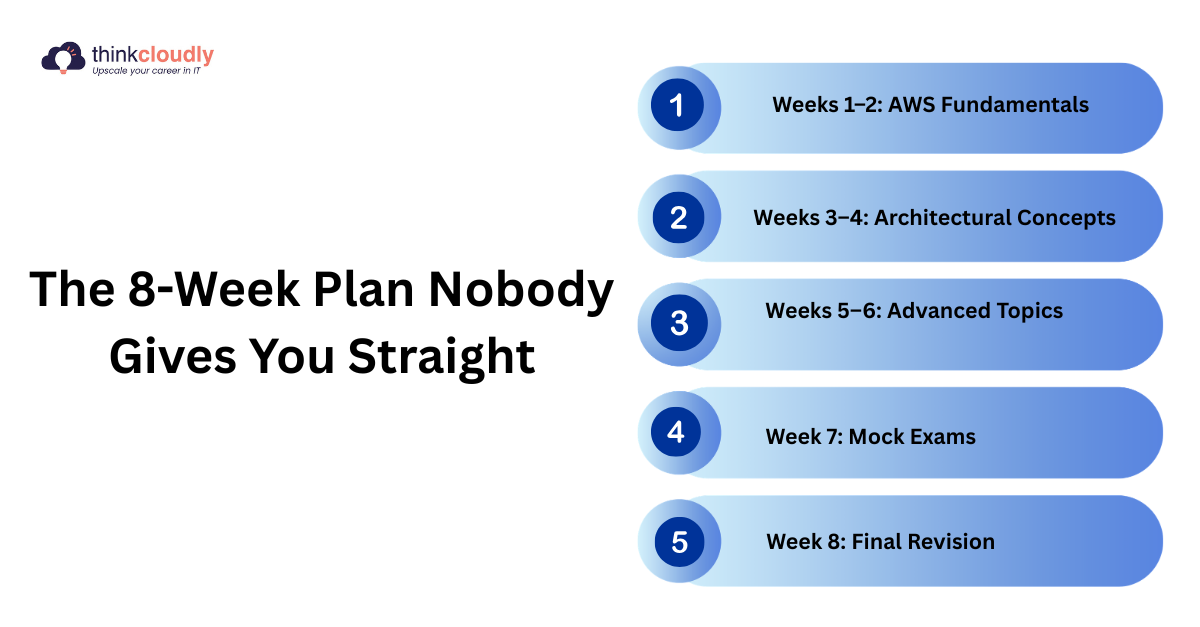
Weeks 1–2: AWS Fundamentals
Focus on EC2, S3, IAM, and VPC basics. These aren’t optional topics — they show up in almost every exam question in some form. Don’t rush this phase. If your fundamentals are shaky, everything else falls apart.
Weeks 3–4: Architectural Concepts
Load balancing, auto-scaling, availability zones, and networking. Dedicate at least one full lab session to creating an S3 bucket with lifecycle policies that transition objects from Standard to Infrequent Access and then to Glacier.
For databases, stand up both an RDS Multi-AZ deployment and a DynamoDB table to compare the operational differences firsthand.
Weeks 5–6: Advanced Topics
Serverless (Lambda, API Gateway), monitoring (CloudWatch), disaster recovery strategies, and cost optimization. This is where most self-learners start cutting corners. Don’t.
Week 7: Mock Exams
Take full-length practice tests. Target a consistent score of 80% or higher across all practice exams before scheduling your real exam date. After each practice exam, review every incorrect answer and write a one-sentence explanation of why the correct answer is right.
Week 8: Final Revision
AWS whitepapers, FAQs, and hands-on review. Schedule the exam at least one week in advance — popular time slots fill up fast.
The Part Nobody Talks About: What Makes People Fail
Industry data and community reports consistently show that the majority of candidates do not pass the SAA-C03 on their first attempt. The exam is genuinely difficult — AWS designs it to test real architectural reasoning, not surface-level memorization.
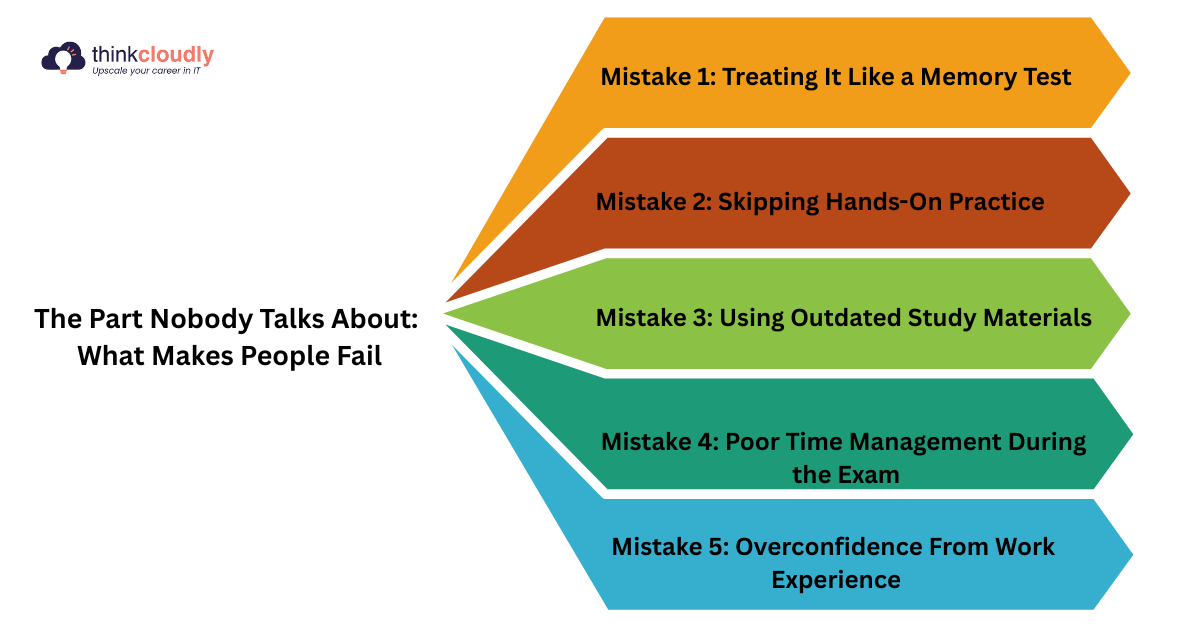
The exam has a genuinely high failure rate, and community forums are full of people who prepared poorly and paid twice. Here’s what trips candidates up most
Mistake 1: Treating It Like a Memory Test
The biggest misconception is that AWS exams are about memorizing service names and features. They’re not. The 2025/2026 exams have a sharper focus on scenario-based questions that test your ability to make cost-effective, secure, and efficient architectural decisions under pressure.
You won’t be asked, “What is Amazon S3?” You’ll be asked something like: “A company needs to store 50TB of infrequently accessed data at the lowest possible cost with retrieval time under 12 hours — which storage solution should they use?” You need to reason, not just recall.
Mistake 2: Skipping Hands-On Practice
AWS exams are designed to assess your ability to apply knowledge, not just recall information. Memorizing answers without understanding the underlying concepts will not suffice, as exams often feature scenario-based questions that test practical application.
The AWS Free Tier gives you 12 months of access to core services at no cost. Use it. Deploy EC2 and S3, build custom VPCs, configure auto-scaling, create IAM roles and policies, and experiment with Lambda functions. Hands-on experience is what separates people who pass from people who don’t.
Mistake 3: Using Outdated Study Materials
AWS updates its exams regularly. Relying solely on 2024 video tutorials is a recipe for disappointment. Always check that your courses are aligned with the current exam version (for the Solutions Architect, that’s SAA-C03 in 2026).
Mistake 4: Poor Time Management During the Exam
Poor time management during the exam can prevent you from answering all questions, leading to failure. The SAA exam gives you 130 minutes for 65 questions — that’s exactly 2 minutes per question. Practice under timed conditions so this doesn’t catch you off guard.
Mistake 5: Overconfidence From Work Experience
A surprisingly common failure pattern: engineers who work with AWS every day assume they don’t need to study. As one developer shared on the DEV Community forum, the experience of using AWS daily made them feel over-prepared — only to discover the exam tests architectural reasoning and service-selection logic in ways daily work never does.
Real-world experience helps, but it doesn’t replace structured exam prep.
Which Certification Should You Start With?
There are 12+ AWS certifications. Here’s a simple framework to choose:
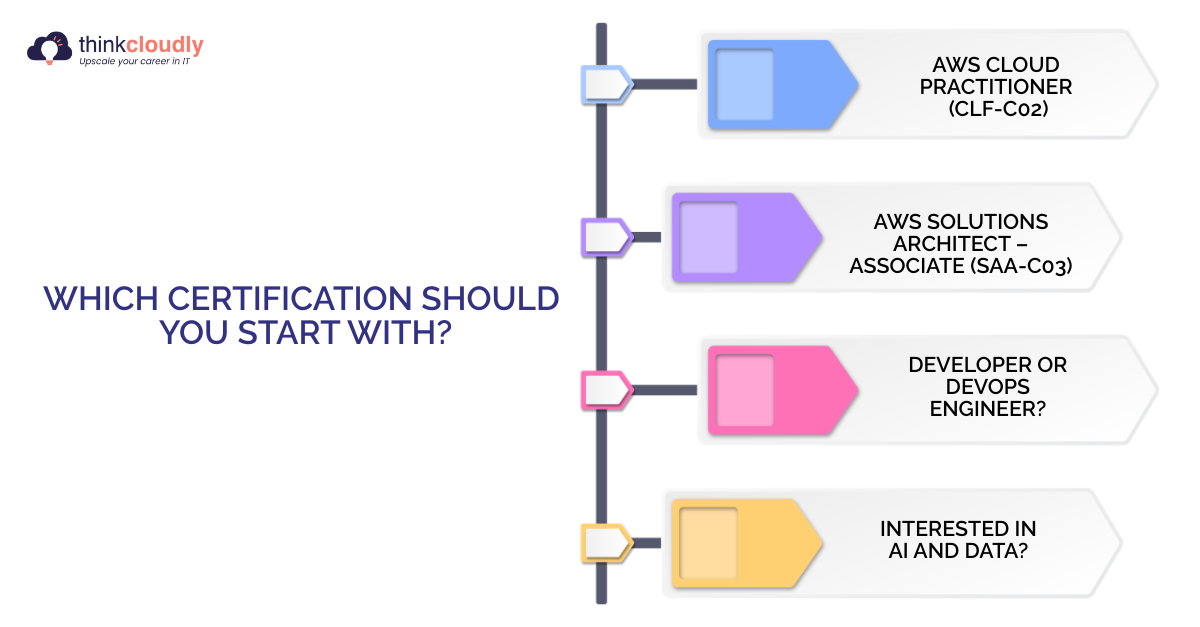
Brand new to cloud?
Start with the AWS Cloud Practitioner (CLF-C02). It requires roughly 30 hours of study, costs $100, and validates the foundational knowledge that employers expect from anyone working in or around AWS environments.
IT professional moving to the cloud?
Go straight to the AWS Solutions Architect – Associate (SAA-C03). It provides the broadest, most applicable architecture mindset and is the most strategic first step for IT professionals transitioning to the cloud.
Developer or DevOps engineer?
Consider the Developer Associate (DVA-C02) or SysOps Administrator (SOA-C02), depending on your day-to-day work.
Interested in AI and data?
New AWS AI and data certifications — including AI Practitioner, ML Engineer Associate, Data Engineer Associate, and GenAI Pro — are seeing exploding demand in 2026.
Exam cost quick reference:
- Cloud Practitioner: $100
- Associate-level (SAA, DVA, SOA): $150
- Professional-level: $300
- Specialty certifications: $300
One useful perk: if you hold any active AWS certification, you get a 50% discount on your next exam.
The Best Free Resources (That Actually Work)
You don’t need to spend hundreds of dollars on prep courses.
Here are the best free and low-cost tools:
AWS Skill Builder — Free digital training directly from AWS, including official exam readiness courses and a free practice question set. Start here.
AWS Free Tier — 12 months of free access to core services, including EC2, S3, Lambda, RDS, and more. Use it to build and test real architectures.
AWS Well-Architected Framework — Read this whitepaper. It’s the philosophical backbone of every AWS exam. The six pillars (Operational Excellence, Security, Reliability, Performance Efficiency, Cost Optimization, Sustainability) appear in questions constantly.
Stephane Maarek or Adrian Cantrill courses — Both are highly recommended by the community for structured video content. These are paid but reasonably priced (often under $15 on sale).
TutorialsDojo Practice Exams — One of the most respected third-party practice test providers. Widely used and closely aligned with real exam difficulty.
What the Exam Actually Looks Like
Here’s what to expect on exam day for the SAA-C03:
- 65 questions (50 scored, 15 unscored pilot questions — you won’t know which is which)
- 130 minutes to complete
- Passing score: 720 out of 1,000 (scaled scoring)
- Format: Multiple choice and multiple responses
- Delivery: Online proctored or at a Pearson VUE test center
The unscored pilot questions are important to understand — they’re tested on real candidates before being added to future exams. You can’t identify them, so treat every question as if it counts.
Most questions are scenario-based. You’ll often see two answers that both seem correct. The key is identifying the most cost-effective, most secure, or most operationally simple solution — the exam almost always rewards the simplest answer that meets the requirements.
If You Fail — What Happens Next
Failing is more common than most guides admit. Here’s what to do:
AWS’s retake policy is generous: if you do not pass, you wait 14 days before retaking. There is no limit to how many times you can retake AWS certification exams.
Each retake costs the full exam fee again ($150 for Associate-level). So it pays to be prepared before booking.
When you retake, don’t return to the same study method that led to failure. If you used video courses, add textbooks or official guides. If you studied alone, consider an instructor-led approach. Increase practical experience — theory memorization often fails under exam pressure.
Use your score report to identify your weakest domains, then dedicate most of your remaining study time there.
What Certification Won’t Do For You
Let’s be honest for a moment.
Passing an AWS exam does not automatically get you hired. Employers still evaluate practical skill first — hands-on experience matters alongside your certification.
A certificate with no real projects to show for it is a weak resume.
The people who get hired quickly after certifying are the ones who also:
- Built something on AWS during their study period (a web app, a serverless API, a CI/CD pipeline)
- Wrote about what they built on LinkedIn or GitHub
- Applied their skills to their current role if possible
The certification proves knowledge. Your projects prove your ability. You need both.
The Real Time Commitment
A cloud engineer with 2+ years of hands-on AWS experience can often prepare for the Solutions Architect Associate exam in just 2–3 weeks. The same certification might require 4–5 months for someone starting from scratch.
The “8 weeks” timeline is realistic for someone with some IT background who can commit 12–15 hours per week. Here’s a breakdown by starting point:
|
Your Background |
Realistic Timeline |
|
2+ years AWS hands-on |
2-4 weeks |
|
General IT experience, no AWS |
6-8 weeks |
|
Complete beginner |
10-14 weeks |
|
Starting with a cloud practitioner first |
12-17 weeks total |
If you’re a complete beginner trying to do this in 8 weeks, you’ll need to be aggressive — roughly 20+ hours per week. That’s doable, but it’s a serious commitment.
The 5 Things Nobody Tells You Before You Start
1. The exam is not about knowing everything — it’s about choosing the best option. Many questions have multiple technically correct answers. You must pick the one AWS considers most aligned with best practices.
2. VPC and networking will trip you up. The areas that trip up most candidates are networking (VPC design and security group rules) and understanding when to choose one service over another in cost-optimization scenarios. Give this topic extra time.
3. You’ll want to skip the whitepapers. Don’t. The AWS Well-Architected Framework and the AWS FAQs are dense, dry reading. But exam questions are literally written based on them.
4. Practice exams are the most important study tool. Practice exams are the single most effective tool for passing. Take one full practice exam before you even start studying — score it honestly to identify where you stand and which domains need attention.
5. Passing score isn’t 100%. It’s 720/1000. That’s roughly 72%. You can get several questions wrong and still pass. That knowledge should reduce exam anxiety — aim for 80%+ in practice tests so you have a buffer on the real day.
Sources and References
1. AWS Certification — Official Exam Details, Cost & Retake Policy SAA-C03 exam structure, $150 cost, 130 mins, 3-year validity, 50% discount on next exam, retake policy (14-day wait, unlimited retakes) AWS Official Certification Page
2. AWS Certified Solutions Architect – Associate — Exam Guide Exam format (65 questions, 720/1000 passing score), service coverage, and exam preparation details AWS SAA-C03 Official Page
3. AWS Skill Builder — Free Official Training Free study resource recommendation including official exam readiness courses and practice question sets AWS Skill Builder
4. AWS Well-Architected Framework The six pillars (Operational Excellence, Security, Reliability, Performance Efficiency, Cost Optimization, Sustainability) referenced throughout exam strategy section AWS Well-Architected Framework
5. AWS Free Tier — Hands-On Practice Free 12-month access to EC2, S3, Lambda, RDS and other core services for exam preparation AWS Free Tier
6. Jefferson Frank Careers & Hiring Guide: AWS Edition 2025 73% of AWS professionals received a raise after certification, averaging 26–27% salary increase. Largest AWS salary survey in the world based on 69,000+ data points Jefferson Frank AWS Careers & Hiring Guide
7. Flexera 2024 State of the Cloud Report Multi-cloud adoption data — 89% of enterprises use multi-cloud strategies. AWS, Azure and GCP market adoption figures. Survey of 753 IT professionals and executive leaders worldwide Flexera State of the Cloud Report
8. Flexera 2024 State of the Cloud Report — Detailed multi-cloud workload distribution data and year-over-year cloud adoption trends Flexera Report PDF
9. Pearson VUE — AWS Exam Delivery Online proctored and test center exam delivery information Pearson VUE AWS Exams
10. Microsoft Learn — AZ-104 & AZ-305 Exam Details Azure Solutions Architect Expert exam structure and study guides Microsoft Azure Solutions Architect Expert
11. Google Cloud — Professional Cloud Architect Certification GCP exam cost ($200), 2-year validity, and exam preparation details Google Professional Cloud Architect
12. Skillsoft IT Skills & Salary Report 2025 GCP salary benchmarks — Google Cloud Security Engineer at $159,000+, Professional Cloud Architect at $146,000–$150,000+ Skillsoft IT Skills & Salary Report
13. LinkedIn Salary Insights Multi-cloud certified professionals (AWS + GCP) earn 18–25% more than single-platform engineers LinkedIn Salary Tool
14. Glassdoor — Cloud Engineer Salary Data AWS Solutions Architect average US salary of $153,000, Azure Solutions Architect average $145,000+ Glassdoor Cloud Engineer Salaries