

In this article, you will find the top 25 cloud computing terminologies explained in very simple words, without heavy technical jargon.
The Top 25 Cloud Computing Terminologies
1. Cloud Computing:
Cloud computing means using the internet to store data, run applications, and access services instead of using your own computer or physical servers. Earlier, companies had to buy servers, maintain them, and keep them in their offices. With cloud computing, all of this is handled by cloud providers, and users simply access services online.
Example:
- Google Drive for storage
- Gmail for email
- Netflix for streaming
2. AWS
AWS is the world’s largest cloud computing platform, provided by Amazon. Instead of buying servers, companies rent resources from AWS and pay only for what they use. It offers a wide range of cloud services like servers, databases, storage, networking, and security.
3. Azure
Azure is Microsoft’s cloud service for building, deploying, and managing application online. It provides similar services to AWS, such as storage, databases, and networking.
4. Application Programming Interface
An API is a bridge that allows two applications to talk to each other. When one application wants data or functionality from another application, it uses an API to make that request. In simple words, an API is a messenger that carries requests and responses between software applications.
Example:
- A weather app uses an API to get weather data
- A payment app uses an API to process payments
5. Cloud Backup:
Cloud backup means saving copies of your data to the cloud so it can be recovered if something goes wrong. If your system crashes, gets hacked, or data is accidentally deleted, cloud backup helps restore your information.
6. Data Center:
A data center is a physical building where computers, servers, storage systems, and networking equipment are kept. Cloud providers like AWS, Azure, and Google Cloud own huge data centers around the world. These data centers store data and run applications for millions of users.
7. Virtualization
Virtualization is a technology that allows one physical computer to act like multiple computers. Instead of running only one operating system on a server, virtualization lets you create multiple virtual machines (VMs) on the same hardware.
Benefits of virtualization:
- Better use of hardware
- Reduced cost
- Faster setup of systems
- Easy scaling
8. Bare Metal
Bare metal refers to a physical server without virtualization. When you use bare metal, one user or one application gets the entire server. You can think of it as having the whole computer to yourself, not sharing it with anyone.
Why Bare Metal is Used
Bare metal is chosen when applications need:
- High performance
- Low latency
- Full hardware control
- Strong security
9. Shared Responsibility Model
The shared responsibility model is a security and compliance framework that outlines the responsibilities of cloud service providers for security cloud environment. This model explains who is responsible for security and management in cloud computing.
In simple words basically it is responsible for securing data, application, and access inside the cloud.
Why Shared Responsibility Model Is Important
- Clearly defines roles
- Improves cloud security
- Avoids confusion
- Prevents data breaches
- Helps in audits and compliance
Many cloud security issues happen not because the cloud is unsafe, but because customers misunderstand their responsibilities.
10. On-Premises
On-premises refers to a traditional IT setup where all applications, data, and system are stored and managed within a company’s own office or building, rather than using cloud services. In an on-premises environment, the company buys its own physical servers, networking equipment, and storage devices. In an on-premises setup, the company is fully responsible for maintaining the hardware.
11. Public Cloud
A public cloud is a cloud computing model where services like servers, databases, storage, and application are provided over the internet by a third-party cloud provider such as Azure, AWS, or Google Cloud. In a public cloud, companies do not need to buy or maintain physical servers.
Public cloud services are highly scalable, meaning users can easily increase or decrease resources based on their needs. In simple words, A public cloud means renting shared cloud resources from a provider instead of owning your own servers.
12. Multi-Cloud
Multi-cloud means using cloud services from more than one cloud provider at the same time. In a multi-cloud setup, different cloud providers are used for different purposes. If any organization relies on only one cloud provider, switching later can be difficult and expensive.
Managing multiple cloud platforms can be more complex. It requires proper planning, skilled teams, and strong security management to handle multicloud environment.
13. Community Cloud
Community cloud is designed for a specific community of users, such as organizations, educational institutions, or financial companies. A community cloud is a cloud computing model where the infrastructure is shared by several organizations that have similar needs.
14. Data Migration
Data migration is the process of moving data from one system to another. Data migration is commonly done when an organization upgrades its technology, moves to cloud, or switches from old systems to new ones. In cloud computing, data migration often means moving data from on-premises servers to the cloud.
There are different types of data migration depending on the situation. Storage migration, Database migration, and Application migration.
So, when we put it simply then data migration means shifting data from one place to another without losing or damaging it.
15. Middleware
Middleware is a software that acts as a bridge between different applications, systems, or components, allowing them to communicate and work together smoothly. It sits in the middle of the operating system and the applications, which is why it is called middleware.
Middleware also handles tasks such as authentication, messaging, and error handling. It is basically a translator and connector that helps different software systems work together.
16. Service Level Agreement (SLA)
A Service Level Agreement (SLA) is a formal contract or agreement between a cloud service provider and a customer. It clearly defines what level of service that provider promises to deliver and what the customer can expect in terms of performance, availability, and support.
An SLA usually includes details such as uptime guarantees, and also describes response times for technical support, maintenance schedules, and how issues will be handled if something goes wrong. It is a promise in writing that explains how reliable a cloud service will be and what happens if that promise is not met.
17. Software Stack
A software stack is a collection of software tools and technologies that work together to build and run an application. It includes an operating system, a programming language, a framework, a database, and sometimes web servers and tools.
18. Bandwidth
Bandwidth refers to the amount of data that can be transmitted over a network in a given period of time. Bandwidth is usually measured in bits per second, such as Mbps or Gbps. In cloud computing and networking, bandwidth is very important because it affects how quickly users can access applications, upload files, or download data.
Applications that handle large amounts of data such as video streaming, cloud backups, or file sharing requires high bandwidth to work smoothly. If bandwidth is low, data transfer becomes slow, even if the system itself is powerful.
19. Latency
Latency is the time you have to wait after doing something before you get a response. When a user clicks a button or accesses an application hosted on the cloud, the data travels from the user’s device to the cloud server and then returns with the result.
The time taken for this round trip is called latency. If the cloud server responds quickly, it is known as low latency, which gives a smooth and fast user experience. If the response takes more time, it is called high latency
20. Snapshot
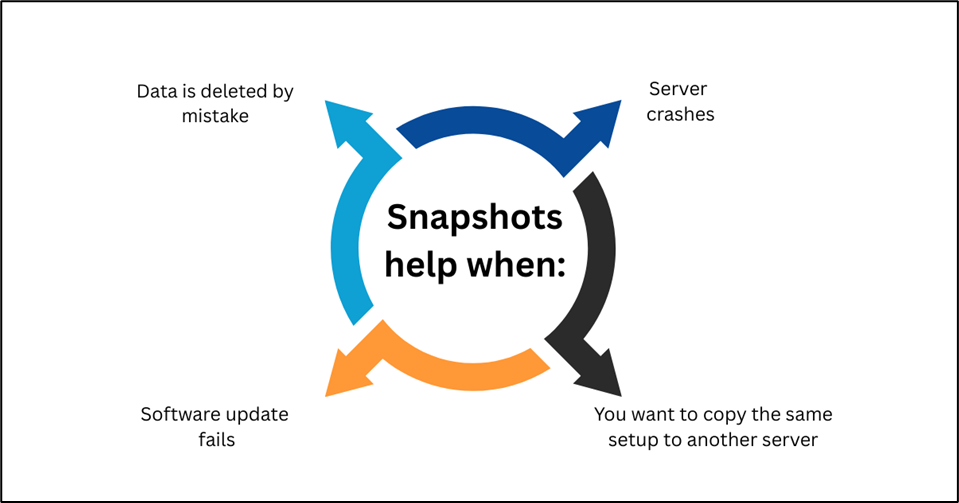
A snapshot is like taking a photo of your server or storage at one moment.
21. Data Replication
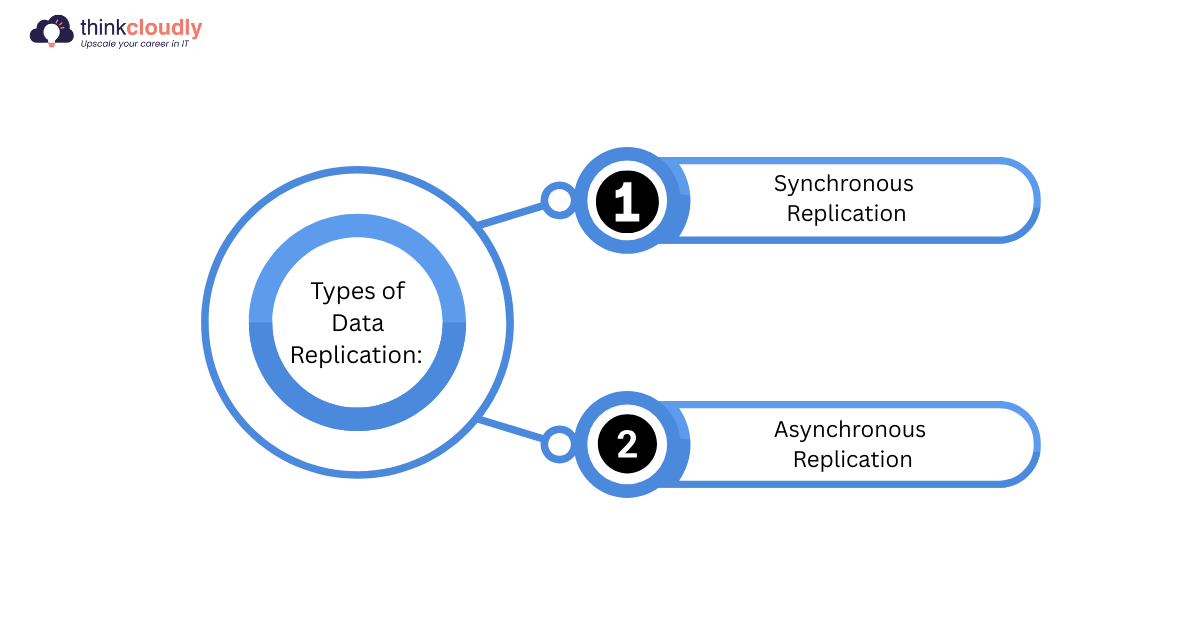
Data replication means copies the same data and storing them in multiple locations to ensure availability and reliability.
22. Data Redundancy
Data redundancy means storing the same data in more than one location to ensure data safety and availability. In cloud computing, this helps prevent data loss if a server, disk, or data center fails. By keeping multiple copies, systems can continue working without interruption.
Data redundancy is important for disaster recovery and high availability. However, it should be managed properly to avoid unnecessary storage costs.
23. Cost Optimization
Cost optimization in cloud computing means using resources efficiently to reduce unnecessary expenses. It involves choosing the right services, shutting down unused resources, and scaling systems based on demand.
Cloud platforms provide tools to monitor usage and control spending. Proper cost optimization helps businesses save money while maintaining performance. It is a key part of cloud management.
24. IAM (Identity and Access Management)
IAM is a security service that controls who can access cloud resources and what actions they can perform. It allows organizations to create users, roles, and permissions securely. IAM ensures that only authorized users can access sensitive data or services.
By following the principle of least privilege, IAM reduces security risks. It plays a crucial role in protecting cloud environments.
25. Logging
Logging is the process of recording events and activities that happen in a system. In cloud computing, logs help track user actions, system changes, and errors. Logging is useful for monitoring performance, troubleshooting issues, and detecting security threats.
It also helps in audits and compliance requirements. Proper logging improves system visibility and reliability.
Conclusion:
Cloud computing has become a foundation of modern IT, and understanding its basic terminology is essential for anyone working with or learning cloud technologies. Concepts like cloud platforms (AWS, Azure), infrastructure models (public cloud, on-premises, multi-cloud), and core technologies such as virtualization, APIs, and middleware help explain how cloud systems are built and operated.
By learning these cloud computing terminologies in simple words, beginners and professionals alike can better understand how cloud environments work and why cloud computing is widely adopted today.

