Here’s a number that stopped me mid-scroll this year: more than 90% of organizations worldwide are expected to face serious IT skills shortages in 2026, a gap estimated to cost businesses $5.5 trillion, according to IDC data. So if you’ve been wondering whether it’s worth investing in Microsoft Azure training this year, the honest answer is yes — but only if you pick the right program. With bootcamps, self-paced courses, and every kind of professional certification competing for your attention, choosing well matters more than choosing fast.
I’ve spent the last few years helping colleagues map out their cloud learning paths, and I’ve watched too many people waste months on a course that looked impressive but taught nothing practical. This guide walks through what to look for, backed by fresh 2026 data, so you don’t repeat the mistake.
Why Is Microsoft Azure Training a 2026 Priority?
Cloud adoption isn’t a future trend anymore — it’s the operating reality of almost every mid-size and large business today. Azure has become the fastest-growing hyperscaler in the market, and organizations everywhere are racing to close the gap between the cloud tools they’ve bought and the staff who actually know how to run them. That gap is exactly why demand for solid Microsoft Azure training keeps climbing, even as the wider tech hiring market cools down in other areas.
Gartner’s most recent forecasting work highlights just how fast this shift is accelerating: the firm expects AI-related workloads to make up roughly 50% of all cloud computing by 2029, up from less than 10% only a few years ago. That kind of growth doesn’t happen without people who complete real cloud training and can build, secure, and manage these systems day to day. Meanwhile, ISC2’s 2026 workforce research found that cloud security is now the second most commonly cited skills gap among cybersecurity teams globally, just behind AI itself, and the gap has widened compared to last year.
None of this is abstract for someone job-hunting or angling for a promotion. It means recruiters are actively screening resumes for verified Azure skills, and a well-chosen credential can be the difference between a callback and silence.
Cloud Training vs Traditional IT Training: The 2026 Shift
Not long ago, IT training mostly meant classroom-based courses covering networking, hardware, and on-premises systems. That world hasn’t disappeared, but it has shrunk. Traditional coursework now shares space with cloud training that’s built around real, browser-based labs instead of theory-heavy lectures.
The difference matters because employers have changed what they test for. A generic certificate that never touches a live cloud console won’t demonstrate the hands-on skills hiring managers now expect. Good cloud training, by contrast, puts you inside an actual Azure environment—spinning up virtual machines, configuring storage, or setting access permissions—so you finish the course able to do the job, not just describe it.
This is also where Microsoft’s own credential strategy has shifted. Since February 2026 alone, Microsoft has rolled out 17 new certifications and exams, according to its own Tech Community credentials roundup, moving away from pure theory toward task-based “Applied Skills” credentials that prove you can perform specific real-world actions. If you’re comparing Azure training options online, favor programs that mirror this shift rather than ones stuck teaching outdated exam objectives.
Key Factors to Consider Before Choosing Your Microsoft Azure Training
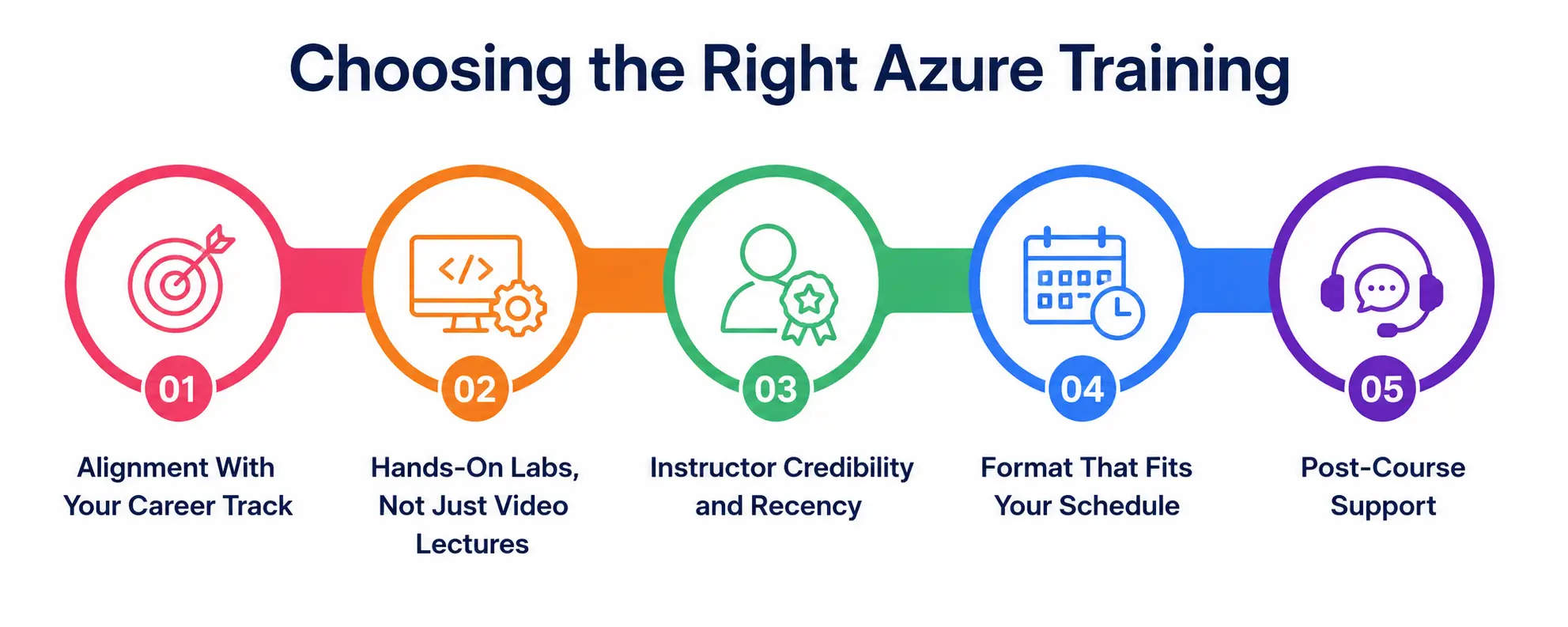
Picking the right program isn’t about finding the cheapest option or the flashiest marketing page. Here are the factors that actually separate a worthwhile investment from wasted money and time.
1. Alignment With Your Career Track
Not every Azure certification leads to the same job. Decide first whether you’re aiming at administration, security, development, data, or architecture, then choose training built around that specific exam path rather than a generic overview course.
2. Hands-On Labs, Not Just Video Lectures
Look for programs offering live or sandboxed Azure environments as part of their cloud training. Watching someone else click through the portal teaches far less than doing it yourself under a guided exercise.
3. Instructor Credibility and Recency
Course content tied to Azure services gets outdated fast, especially with exams like AZ-204 retiring in mid-2026 and being replaced by newer AI-focused tracks. Check that the instructor or provider updates material within the current year, since dated training does more harm than good.
4. Format That Fits Your Schedule
Some learners thrive with structured, cohort-based classes; others need flexible, self-paced remote learning they can fit around a full-time job. Be honest about which Azure training format you’ll actually finish.
5. Post-Course Support
A strong program includes exam vouchers, practice tests, and access to a community or mentor for questions after the lessons end — not just a certificate of completion.
Remote Learning: Is It the Right Fit for Azure Certification?
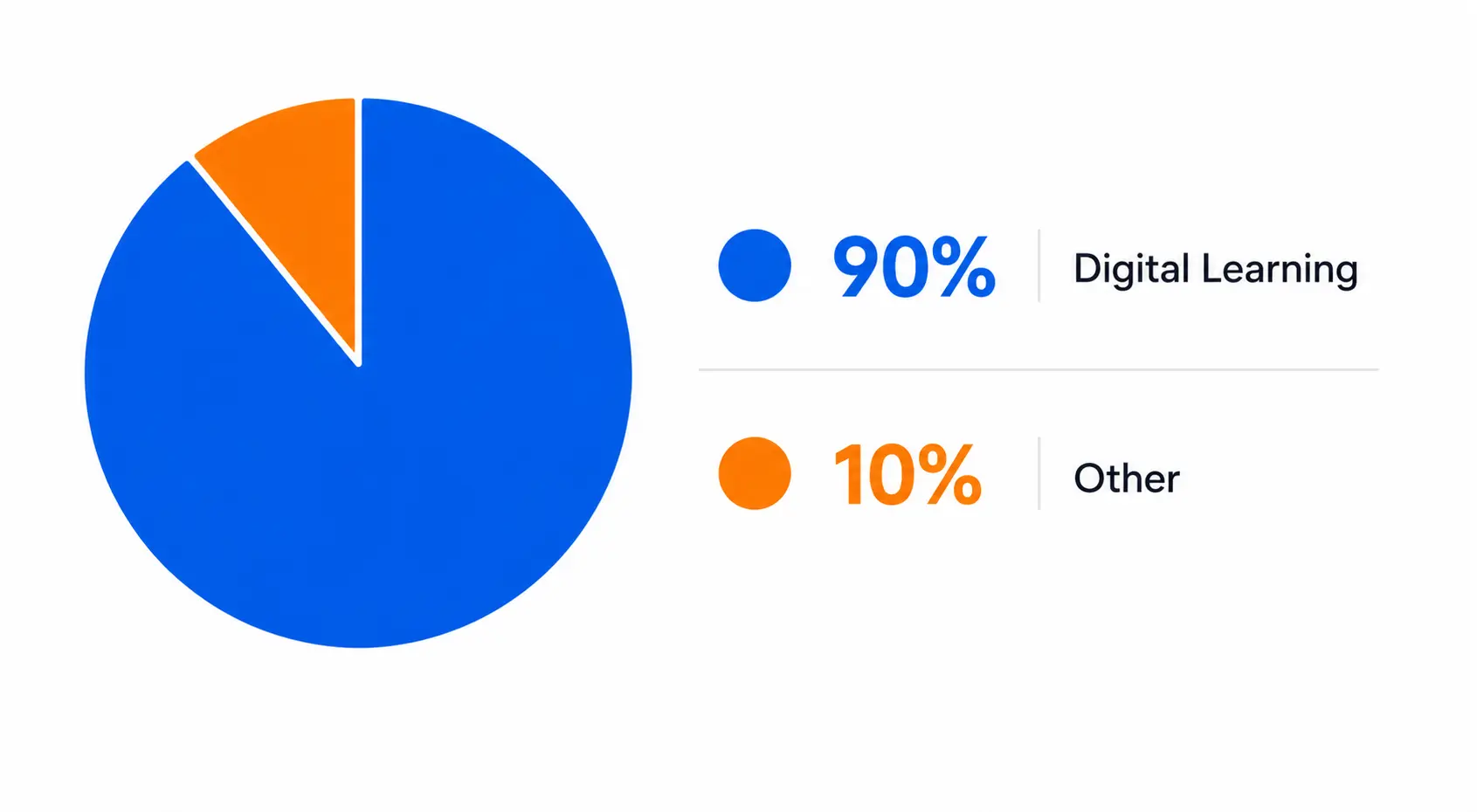
Remote learning has moved from a pandemic-era workaround to the default way most working professionals build new skills. Nearly 90% of organizations now use some form of digital learning for employee training and development, and platforms built around professional certification content continue reporting steady enrollment growth year over year, based on figures compiled by Skillscouter’s 2026 learning report.
For busy adults, remote learning solves the scheduling problem that used to keep people out of classroom-based IT training altogether. You can study early in the morning, during a lunch break, or late at night and pause a lesson midway without losing your seat in a cohort. The tradeoff is that this kind of self-directed study demands more discipline; nobody is going to chase you down if you skip three weeks of lessons. If you know you need external accountability, look for a program that layers live sessions, cohort deadlines, or mentor check-ins on top of the remote format, so your professional certification goal doesn’t quietly slip.
Comparison Table: Popular Microsoft Azure Training Formats
Different formats suit different learning styles and budgets. Here’s how the most common options for Azure training stack up against each other in 2026.
|
Training Format |
Typical Cost | Best For | Hands-On Labs |
Pace |
|
Official Microsoft Learn (free) |
Free | Self-starters, beginners | Limited free sandboxes |
Fully self-paced |
|
Instructor-led bootcamp |
$800–$2,500 | Career changers wanting structure | Extensive, guided |
Fixed schedule |
|
Self-paced video course |
$20–$300 | Budget-conscious learners | Varies by provider |
Fully self-paced |
|
University or college program |
$1,000–$5,000+ | Learners wanting academic credit | Moderate |
Semester-based |
|
Corporate internal training |
Employer-funded | Employees upskilling on the job | Often strong, role-specific |
Flexible |
No single format is objectively “best” for every Azure certification goal—the right choice depends on how much structure, budget, and time you have available.
My Personal Experience Choosing Microsoft Azure Training
When I first decided to build cloud skills, I made almost every mistake this guide warns against. I signed up for a flashy self-paced course because it was cheap, only to discover halfway through that half the screenshots were from an Azure portal interface that had been redesigned two years earlier. I finished it feeling like I’d memorized trivia instead of learning anything I could use at work.
The second time around, I did things differently. I picked a program built specifically around one Azure certification path, checked that it had been updated within the current year, and made sure it included real lab exercises rather than slideshow walkthroughs. I also leaned on flexible online study deliberately, blocking out the same ninety minutes every morning before work rather than hoping I’d “find time” later. That structure, more than any specific platform, is what got my Azure training back on track and carried me through the exam with confidence instead of guesswork. If there’s one thing I’d tell anyone starting today, it’s that the format matters less than your own consistency and the currency of the content in front of you.
Common Mistakes to Avoid When Choosing a Microsoft Azure Training Program
Even motivated learners fall into predictable traps that quietly undermine their professional certification goals. Watch out for these before you commit your time and money:
- Choosing a course purely because it’s the cheapest, without checking how recently it was updated
- Skipping hands-on labs and relying only on video lectures or slide decks
- Ignoring which exam or job role the course, and the training behind it are actually built around
- Ignoring exam retirement dates and studying for a certification that’s about to be replaced
- Assuming a certificate alone guarantees a job, without also building small personal projects to prove your skills
Avoiding these pitfalls alone puts you ahead of a large share of people entering the Azure training field this year.
Conclusion
Choosing the right Microsoft Azure training in 2026 isn’t about chasing the most popular course or the cheapest badge — it’s about matching your career goal, learning style, and schedule to a program built on current, hands-on content. With over 90% of organizations reporting real IT training gaps and cloud security shortfalls continuing to widen, the professionals who invest in structured, up-to-date cloud training now are positioned to benefit most.
Whether you lean toward instructor-led classes or flexible remote learning, the fundamentals stay the same: pick a clear professional certification target, demand real labs, and stay honest about what you’ll actually finish.