
If you’ve ever wondered how apps like Netflix or Amazon manage to stay online during massive traffic spikes — say, on a festival sale day or a big product launch — the answer usually comes down to one clever piece of engineering: autoscaling. It’s one of those cloud computing concepts that sounds technical at first but is actually pretty intuitive once you break it down.
And if you’re a student trying to understand cloud infrastructure, this is one topic you genuinely need to get comfortable with, because it shows up everywhere — from DevOps interviews to real production systems.
In this blog, I’ll walk you through what autoscaling actually means, why it matters so much for businesses today, and how it fits into the bigger picture of cloud scalability and everyday workload management. We’ll keep things simple, practical, and free of unnecessary jargon.
What Is Autoscaling?
Let’s start with the basics. Autoscaling is a cloud computing feature that automatically adjusts the number of computing resources—servers, virtual machines, or containers—assigned to an application, based on how much demand it’s currently facing. Instead of a human sitting there watching traffic graphs and manually spinning up new servers, the cloud platform does this job on its own, in real time.
Think of a food delivery app during dinner hours. Thousands of people open the app at once, place orders, and check delivery status. The app needs extra computing power to handle that rush without slowing down.
Once the dinner rush is over and traffic drops, that same app doesn’t need all those extra resources anymore. This is exactly the situation autoscaling is built for — it launches more servers when needed and shuts them down when the demand fades, keeping the app fast without wasting money on idle infrastructure.
Major cloud providers — AWS, Microsoft Azure, Google Cloud, Oracle Cloud, and IBM Cloud — all offer their own autoscaling tools, and each works slightly differently under the hood, but the core idea remains the same: match resources to real demand, automatically.
Why Does Autoscaling Matter So Much Today?
A few years ago, most companies manually provisioned servers. If they expected high traffic, they’d add extra machines “just in case.” If they got it wrong, either the app crashed under real load, or the company paid for servers that sat idle most of the time. Neither outcome is great for a business.
Autoscaling solves this dilemma directly. According to Middleware blogs, over 85% of organizations are expected to adopt a cloud-first approach, which makes autoscaling less of a nice-to-have feature and more of a foundational requirement for how modern systems are built.
Without autoscaling, teams are stuck choosing between overprovisioning (wasting money) and underprovisioning (risking downtime and unhappy users). This is really the heart of good resource allocation—giving an application exactly what it needs, exactly when it needs it, nothing more and nothing less.
How Does Autoscaling Actually Work?
Here’s where it gets interesting. Autoscaling isn’t magic — it runs on continuous monitoring and predefined rules. Broadly, the process works like this:
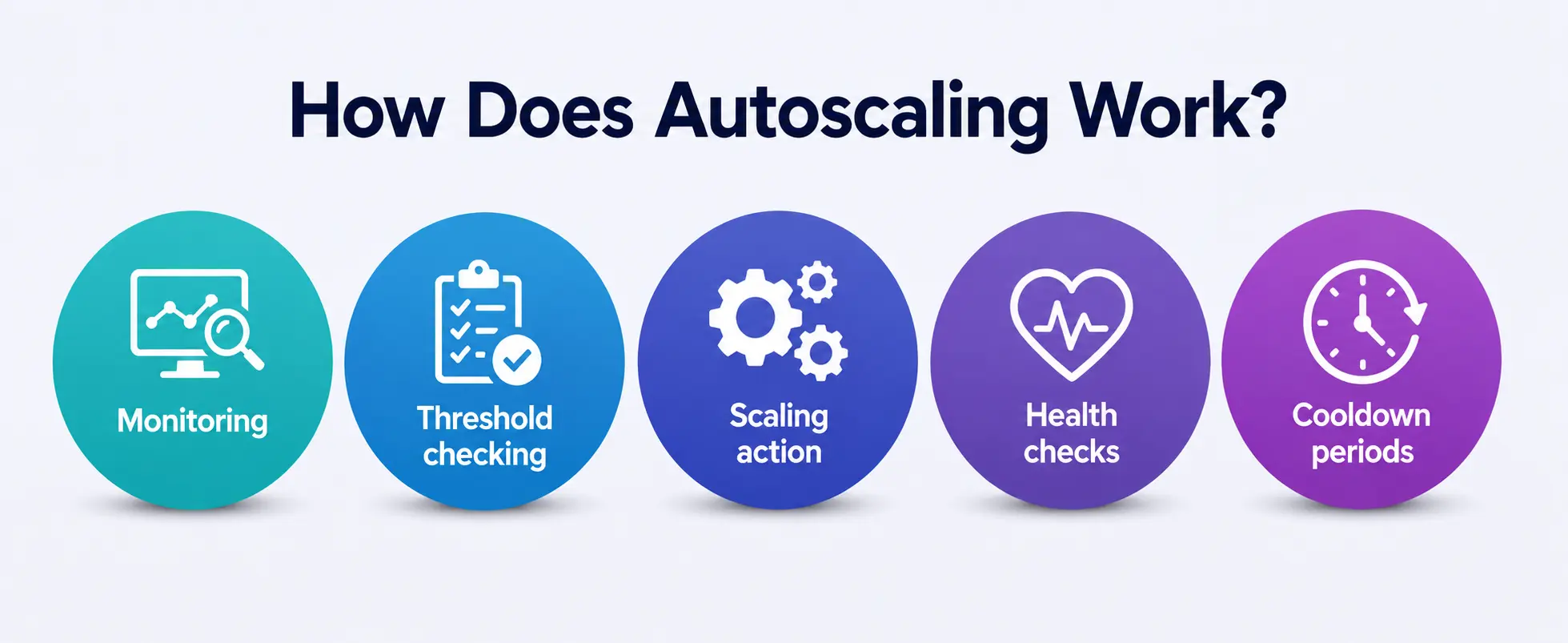
- Monitoring: The cloud platform constantly tracks metrics like CPU usage, memory consumption, network traffic, and request counts.
- Threshold checking: These metrics are compared against thresholds you (or your DevOps team) define. For example, “if CPU usage crosses 70% for 5 minutes, add two more servers.”
- Scaling action: Once a threshold is crossed, the autoscaler automatically adds (scales out) or removes (scales in) resources.
- Health checks: New instances are checked for health before traffic is routed to them, usually with the help of a load balancer.
- Cooldown periods: To avoid constantly scaling up and down (which can be wasteful), most systems build in a cooldown window before the next scaling decision is made.
This entire cycle happens without any manual intervention, which is exactly why autoscaling has become such a critical part of workload management for modern applications. Teams no longer need someone on-call at 2 AM just to add servers because traffic suddenly spiked.
Horizontal vs Vertical Scaling: What’s the Difference?
This is a question that comes up constantly, especially for students studying cloud architecture, so it’s worth spelling out clearly.
- Horizontal Scaling (Scaling Out/In): This means adding or removing instances—more servers or containers running in parallel. When traffic increases, new machines join the pool; when it drops, they’re removed. Horizontal scaling is generally the more popular approach for cloud-native apps because it’s fault-tolerant and highly flexible.
- Vertical Scaling (Scaling Up/Down): Instead of adding more machines, this approach increases the capacity of an existing machine—more CPU, more RAM, more storage on the same server. Vertical scaling is simpler to implement but has a hard ceiling, since a single machine can only be upgraded so much before you hit hardware limits.
Most modern cloud-native systems lean toward horizontal scaling for elasticity, but vertical scaling still has its place — especially for databases or legacy applications that aren’t built to run across multiple distributed nodes. A well-designed system often uses both together depending on the workload.
Key Benefits of Autoscaling
Let’s go over why so many companies now treat autoscaling as non-negotiable infrastructure.
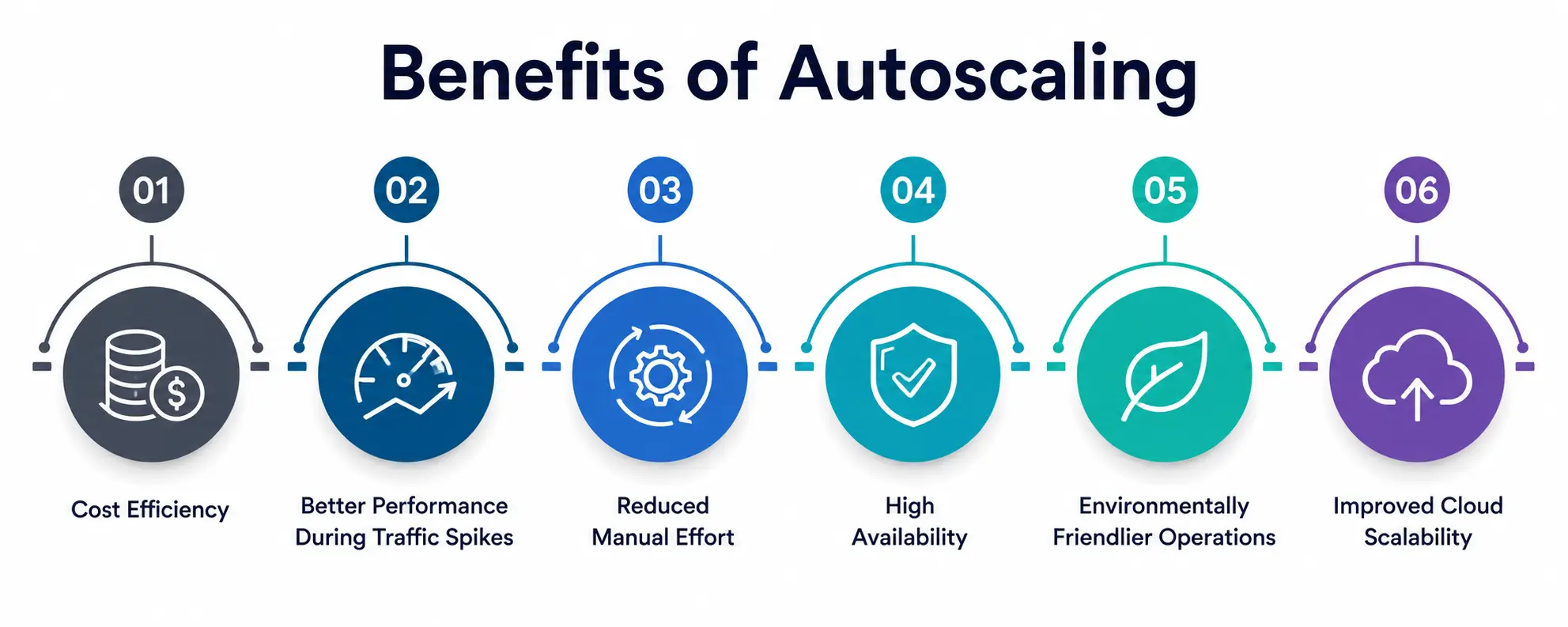
1. Cost Efficiency
You only pay for what you actually use. Instead of running servers at full capacity around the clock “just in case,” resources scale down automatically during quiet periods. This directly improves resource utilization, since idle infrastructure is minimized, and it’s usually the single biggest reason finance teams push engineering teams to adopt autoscaling in the first place.
2. Better Performance During Traffic Spikes
Whether it’s a flash sale, a viral social media post, or breaking news traffic, autoscaling ensures your application has enough horsepower to handle sudden surges without crashing or slowing to a crawl.
3. Reduced Manual Effort
Engineers no longer need to babysit dashboards and manually add servers during busy hours. This frees up time for teams to focus on building features rather than firefighting infrastructure issues, and it turns workload management from a manual chore into a background process the platform handles on its own.
4. High Availability
By distributing load intelligently and replacing unhealthy instances automatically, autoscaling contributes to more reliable uptime — a critical factor for e-commerce, banking, and streaming platforms where downtime directly costs money.
5. Environmentally Friendlier Operations
Fewer idle servers running unnecessarily also means lower energy consumption, which is becoming an increasingly important consideration as data centers scale globally.
6. Improved Cloud Scalability
Perhaps most importantly, autoscaling is what makes true cloud scalability possible. Without it, “scalability” would just be a manual, slow, error-prone process instead of something systems can do dynamically, in seconds.
Types of Autoscaling You Should Know
|
Type |
How It Works |
Best Suited For |
|
Reactive (Dynamic) Autoscaling |
Scales resources in response to real-time metrics like CPU or memory usage |
Applications with unpredictable, sudden traffic spikes |
|
Scheduled Autoscaling |
Resources scale up or down based on a predefined time schedule |
Predictable traffic patterns, like business-hour usage |
|
Predictive Autoscaling |
Uses historical data and machine learning to forecast demand before it happens |
Large-scale platforms with recurring seasonal patterns |
|
Vertical Autoscaling |
Increases or decreases the resources (CPU/RAM) of an existing instance |
Databases or single-node workloads with limits on distribution |
|
Horizontal Autoscaling |
Adds or removes entire instances/containers from a resource pool |
Cloud-native, distributed applications needing elasticity |
This table gives a quick snapshot, but in practice, most production systems combine two or more of these strategies depending on their traffic behavior and budget constraints.
Real-World Example: How Autoscaling Plays Out
Imagine an e-commerce website preparing for a major sale event. Weeks before the sale, the DevOps team sets up scheduled autoscaling to pre-warm extra servers right before the sale starts, since they already know when the traffic surge will hit.
During the sale itself, reactive autoscaling kicks in as an additional safety net — if traffic exceeds expectations, more servers are automatically added in real time. Once the sale ends and traffic normalizes, the system scales back down, and the company avoids paying for capacity it no longer needs.
This combination of predictable and reactive workload management is exactly why companies like Netflix rely so heavily on autoscaling—their traffic isn’t just high; it’s wildly inconsistent depending on time zones, new releases, and viral moments. Good workload management, in this sense, isn’t a single tool but a strategy that blends scheduling, real-time monitoring, and automation together.
Common Autoscaling Metrics Used for Resource Allocation
Cloud platforms typically monitor several metrics to decide when to trigger scaling actions:
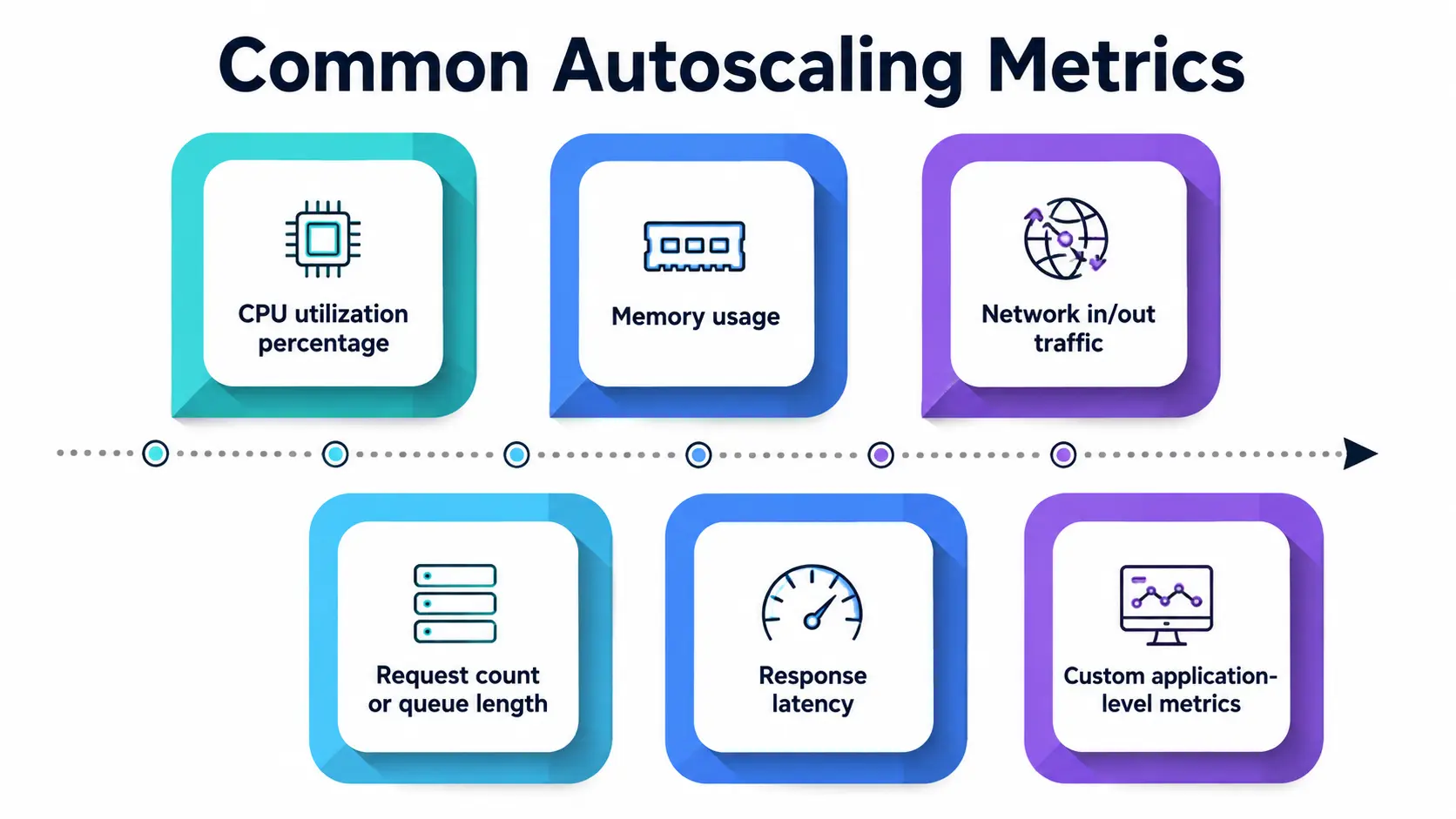
- CPU utilization percentage
- Memory usage
- Network in/out traffic
- Request count or queue length
- Response latency
- Custom application-level metrics (like active user sessions)
Setting the right thresholds is genuinely part art, part science. Set them too aggressively, and you’ll get “”flapping”—resources constantly scaling up and down, wasting money and creating instability. Set them too conservatively, and your app might lag behind actual demand.
Good resource allocation isn’t just about avoiding crashes — it also directly shapes your cloud bill. Teams that regularly review and adjust their scaling thresholds tend to see noticeably better resource utilization over time compared to teams that set a policy once and never revisit it.
Challenges to Keep in Mind
Autoscaling isn’t a “set it and forget it” solution. A few things engineers need to watch out for:
- Cold start delays: New instances take time to boot up and become fully operational, so there can be a short lag before extra capacity is actually available.
- Cost monitoring: Poorly configured autoscaling policies can still lead to unexpected cloud bills if thresholds aren’t tuned properly.
- State management: Stateless applications scale much more smoothly than stateful ones, since spinning new instances up or down doesn’t risk losing session data.
- Security spikes: A sudden traffic surge caused by something malicious, like a DDoS attack, can be harder to distinguish from genuine demand, which is why monitoring autoscaling metrics carefully really matters.
Autoscaling and Cloud Scalability: The Bigger Picture
It’s worth stepping back and connecting autoscaling to the broader concept of cloud scalability. Scalability is the capability of a system to handle growth—more users, more data, and more requests.
Autoscaling is the mechanism that makes that capability practical and automatic. Without autoscaling, scalability would still technically be possible, but it would require constant manual effort, which simply doesn’t hold up at the pace modern applications operate at.
For students learning cloud computing, understanding this relationship is genuinely important: scalability is the goal, autoscaling is one of the primary tools used to achieve it, alongside load balancing, distributed databases, and content delivery networks. And underneath all of it, strong resource utilization is really the metric that tells you whether your scalability strategy is actually working.
A Personal Note
Honestly, when I first started learning about cloud infrastructure, autoscaling felt like one of those “too good to be true” features—a system that just fixes itself without anyone touching it. But the more I dug into how it actually works, the more I appreciated the thoughtfulness behind it: the monitoring, the thresholds, the cooldowns, all working together quietly in the background so an app never buckles under pressure.
If you’re a student just getting into cloud computing, I’d genuinely encourage you to spin up a free-tier AWS or GCP account and experiment with autoscaling groups yourself—reading about it only gets you so far, but watching servers spin up and down in response to your own test traffic is when the concept truly clicks.