
If you think cybercrime is still just a “big company problem,” 2026 has already proven you wrong. Every device you own—your phone, your laptop, your college portal login—is now a potential entry point for someone who has never met you and never will. That is exactly why cyber threat prevention has stopped being an IT department’s job and become a personal survival skill, the same way locking your front door is.
This guide breaks the subject down in plain language: what the current threat landscape actually looks like in 2026, which defenses genuinely work, and how students and everyday internet users can build habits that hold up under real attack conditions—not just in theory.
Why Cyber Threat Prevention Matters More in 2026 Than Ever Before
The numbers from this year are not subtle. According to IBM’s report, the global average cost of a data breach climbed to a record $4.99 million, a 12% jump from the previous year, with breaches in the United States averaging over $11.5 million.
What’s driving the increase isn’t just bigger hacks—it’s slower response. The same report found that organizations now take an average of 247 days to identify and contain a breach, reversing five straight years of improvement.
The bigger shift is who — or what — is doing the attacking. IBM found that AI-enabled attacks rose 56% year over year, and breaches involving AI now cost roughly $1 million more than those that don’t.
The 2026 Verizon Data Breach Investigations Report, which analyzed more than 31,000 security incidents across 145 countries, confirms the same pattern: attackers are using generative AI to write more convincing phishing messages, automate reconnaissance, and scale social engineering faster than well-funded network security teams can respond.
This is precisely why staying protected can no longer be a once-a-year training video—it has to be an ongoing habit built into how you use technology every single day.
Data protection failures sit at the center of almost every one of these incidents. Whether it’s a student’s university records, a hospital’s patient files, or a small business’s customer database, the pattern is consistent: attackers go after whatever data is easiest to reach and most valuable to sell or ransom.
The 2026 Threat Landscape: What’s Actually Attacking You
Understanding how to defend yourself starts with knowing what you’re actually up against. A few trends define this year specifically:
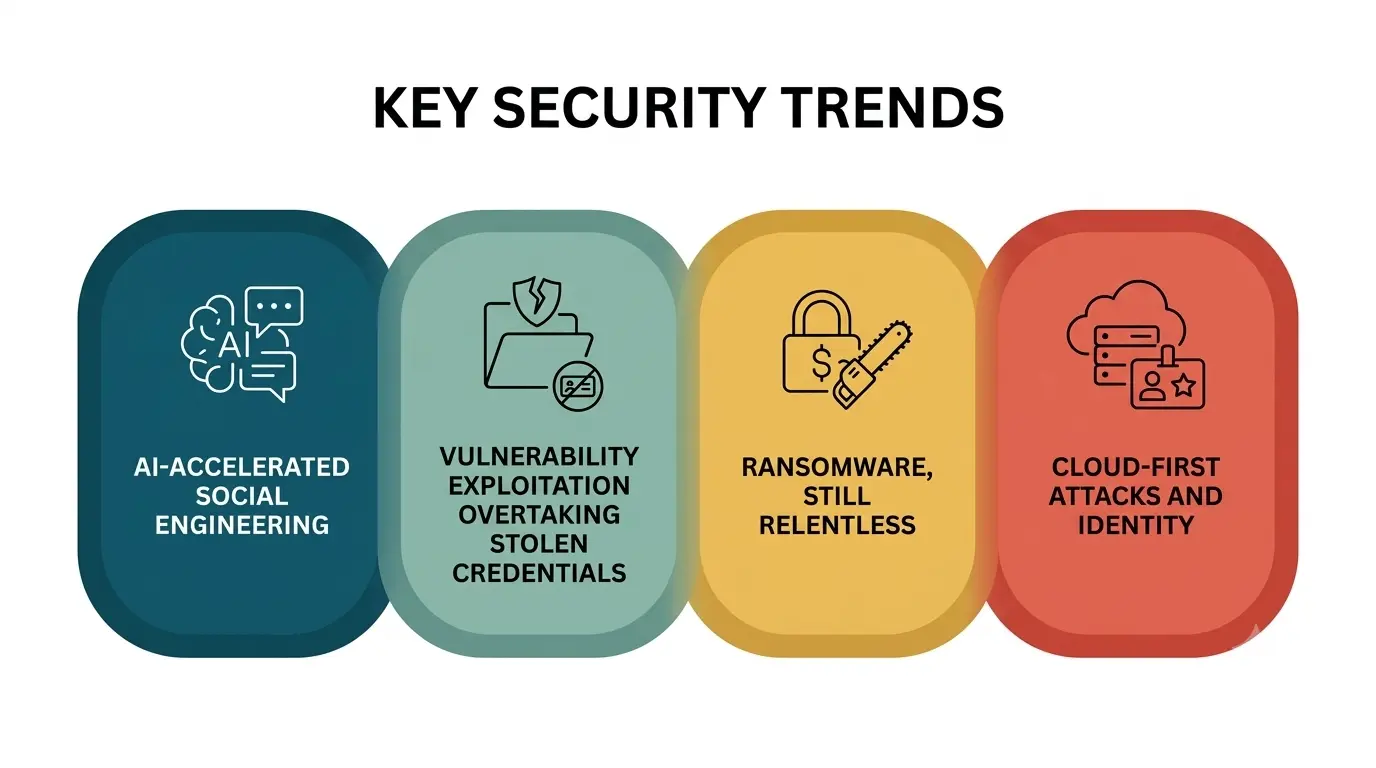
- AI-accelerated social engineering. The World Economic Forum’s Global Cybersecurity Outlook 2026, produced with Accenture, points to accelerating AI adoption and widening “cyber inequity”—a growing gap between organizations that can keep pace with attackers and those that can’t. Verizon’s 2026 data backs this up directly, noting that phishing now makes up 44% of AI-assisted initial access techniques.
- Vulnerability exploitation overtaking stolen credentials. For the first time, exploiting unpatched software has become the single most common way attackers break in, according to Verizon’s latest findings—and only about a quarter of critical vulnerabilities were fully patched in time last year.
- Ransomware, still relentless. Ransomware was involved in roughly 48% of breaches this year. The good news buried in that statistic: 69% of victims refused to pay, showing that resilience—not ransom payments—is becoming the norm.
- Cloud-first attacks and identity. Nearly 44% of incident investigations were driven by valid accounts that did not have strong multi-factor authentication, and exploitation of newly disclosed high-severity vulnerabilities increased 105% year-over-year, according to Rapid7’s 2026 Global Threat Landscape Report. Meanwhile, research from mid-year 2026 indicates that attackers are increasingly bypassing traditional endpoints altogether to attack cloud identities, SaaS platforms, and software supply chains instead.
Put together, these trends mean network security can no longer rely on defending a single fixed perimeter. The “office network” as a defensible boundary barely exists anymore—your data lives across cloud apps, personal devices, and third-party vendors, and each one needs its own layer of protection.
Threat Type vs. Defense: A Quick Reference
|
Threat Type |
How It Typically Works |
Primary Prevention Method |
|
Phishing & social engineering |
Fake emails, texts, or calls trick users into sharing credentials. |
Security awareness training, email filtering, MFA |
|
Ransomware |
Malware encrypts files and demands payment for the decryption key. |
Regular offline backups, endpoint detection, patching |
|
Unpatched software vulnerabilities |
Attackers exploit known flaws before they’re fixed. |
Automated patch management, vulnerability scanning |
|
Weak or stolen credentials |
Reused or leaked passwords grant unauthorized access. |
Password managers, multi-factor authentication |
|
Third-party & supply chain risk |
A vendor’s or partner’s weak security becomes your entry point. |
Vendor risk assessments, least-privilege access |
|
AI-generated attacks |
Deepfakes, synthetic voices, and AI-written phishing scale deception |
Verification protocols, AI-aware detection tools |
The Core Pillars of Cyber Threat Prevention
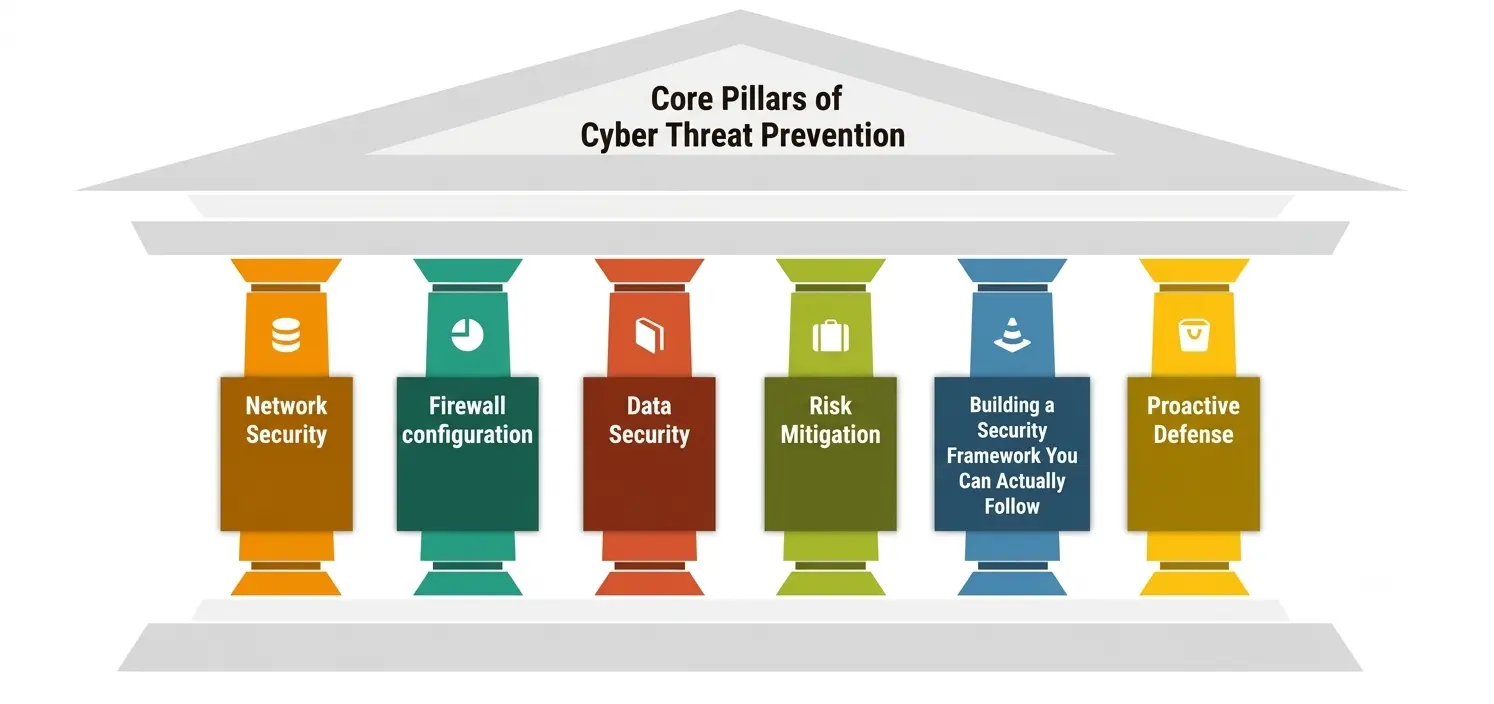
1. Network Security—Your First Line of Defense
Network security is about controlling and monitoring who and what has access to your systems and data. By 2026, it won’t be enough just to install antivirus software. That means segmenting networks so a compromised device can’t get to everything else, encrypting traffic between systems and constantly monitoring for unusual behavior instead of waiting for a known malware signature to set off an alert.
Basic network security habits go a long way for students using university Wi-Fi, personal hotspots, and public networks—like not logging into anything sensitive on open Wi-Fi and always using a trusted VPN.
2. Firewall configuration: The gatekeeper you can’t afford to ignore
A firewall is only as good as its config. A default, out-of-the-box firewall will allow far more traffic than it should, with far too many ports open to the internet. That means properly configuring your firewall to specifically allow the connections you want, blocking everything else by default, and going back and reviewing those rules periodically as new apps and devices join your network.
For individuals, this might be as simple as making sure your router’s firewall settings are correct; for organizations, this means treating it as a living document that’s audited, not a one-and-done setup task.
3. Data Security: Protecting What Matters Most
Data protection is the act of safeguarding sensitive data—financial information, personal identification numbers, and educational records—from unapproved access, loss, or corruption.
IBM’s 2026 findings are a warning here: only 37% of breached organizations encrypted sensitive data at rest and in transit, and just a little more than a third had visibility of their own cryptographic assets. Good data protection starts with understanding what data you have, encrypting it appropriately, and limiting access to it based on need, not convenience.
4. Risk Mitigation: Getting Ready for the Inevitable
Every system can be cracked, so it is as important to mitigate risk as it is to prevent it. Mitigating risk means accepting that some incidents are going to happen and building plans that limit the damage: regular offline backups, tested incident response plans, and cyber insurance where necessary.
Prioritization is also critical to effective risk mitigation—CISA’s Cross-Sector Cybersecurity Performance Goals were created for the very reason that most organizations don’t need to fix everything at once; they need to know which fixes reduce the most risk first.
5. Building a Security Framework You Can Actually Follow
A security framework gives structure to what would otherwise be a random collection of tools and habits. Frameworks like NIST’s CSF or CISA’s guidance don’t just list rules—they organize security work into recognizable stages: identify, protect, detect, respond, and recover.
According to Fortinet’s 2026 best practices guide, adopting a structured, intelligence-led security framework aligned with recognized standards is the foundation of sustainable cyber resilience going forward. You don’t need an enterprise budget to get value out of this. Even a basic personal security framework (password manager + MFA + backups + software updates) follows the same logic.
6. Proactive Defense: Staying Ahead of Attackers
Proactive defense flips the traditional “wait and respond” model of defense on its head, turning it into “anticipate and prevent.” CISA’s own zero trust guidance puts it simply: moving organizations “from reactive to proactive” through layered defenses that raise the cost of every stage of an attack.
Proactive defense means threat hunting, regular penetration testing, patching vulnerabilities before they’re exploited, and using threat intelligence to understand what attackers are likely to try next, instead of only reacting once something has already gone wrong.
A Practical Cyber Threat Prevention Checklist for Students and Everyday Users
You don’t need a cybersecurity degree to put these principles into practice. Start here:
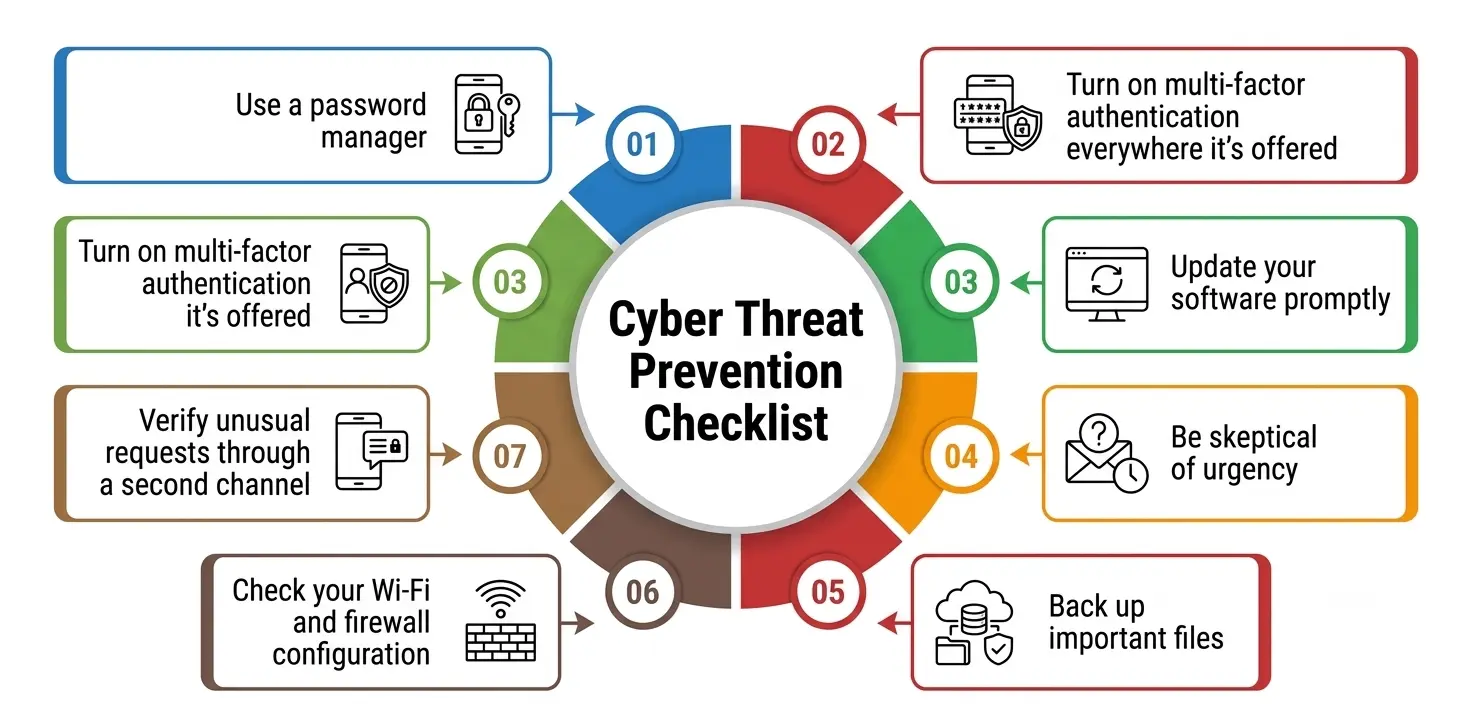
- Use a password manager and generate a unique password for every account—reused passwords are one of the easiest ways attackers move from one breach to the next.
- Turn on multi-factor authentication everywhere it’s offered, especially email, banking, and university or work accounts.
- Update your software promptly. Most exploited vulnerabilities in 2026 were ones a patch already existed for.
- Be skeptical of urgency. Messages demanding you “act now”—whether from a fake bank, a fake professor, or a fake IT department—are a classic social engineering tactic, now often AI-generated and harder to spot.
- Back up important files to a separate, offline or cloud location you control, so ransomware can’t hold your work hostage.
- Check your Wi-Fi and firewall configuration at home—default router settings are rarely secure out of the box.
- Verify unusual requests through a second channel. A “voice message” from a relative or boss asking for money or credentials should be confirmed by phone or in person before you act.
- Limit what you share publicly. Attackers use publicly available details—your school, job title, hometown—to make phishing attempts more convincing.
Common Mistakes That Undermine Cyber Threat Prevention Efforts
Even well-intentioned people make the same errors repeatedly. Treating security as a one-time setup rather than an ongoing habit is the biggest one—firewall configuration, software patches, and password hygiene all decay over time if nobody revisits them.
Another common mistake is over-trusting familiar brands and contacts; AI-generated impersonation has made it far easier for an attacker to sound exactly like your bank, your college, or a coworker. Many people also skip backups entirely, assuming a breach “won’t happen to them,” only to discover during a ransomware incident that their most important files exist in exactly one place.
Finally, plenty of individuals and small organizations delay adopting any real security framework because it sounds like something only large enterprises need—when in reality, a lightweight framework is what turns scattered good intentions into a repeatable, effective habit.
Where Cyber Threat Prevention Is Headed Next?
Looking at where 2026 is trending, a few shifts are worth watching. Zero trust architecture—the principle of never automatically trusting any user or device, even inside your own network—is becoming a default expectation rather than an advanced option, part of a broader industry move toward proactive defense instead of after-the-fact cleanup, as reflected in CISA’s recent zero trust guidance for critical infrastructure operators.
Quantum-safe encryption is moving from a research topic to early adoption as organizations start preparing for the day current encryption standards become breakable. And on both sides of the fight, AI is becoming the deciding factor: Check Point’s 2026 Cyber Security Report notes that attacker behavior is evolving in practice, not just theory, which means the organizations and individuals who treat this work as a constantly updated practice—rather than a checklist completed once—will be the ones who stay ahead.
Ultimately, cyber threat prevention isn’t about achieving some mythical state of being “unhackable.” It’s an exercise in risk mitigation—making yourself a harder, less appealing target than the next person, while building the kind of resilience that limits damage when, not if, something eventually slips through.
A Personal Note
I’ve spent enough time reading breach reports to notice a pattern that never quite makes it into the headline statistics: almost every serious incident traces back to something small and boring—an unpatched app, a reused password, a rushed click on a message that felt urgent. None of it required genius-level hacking. It required someone being tired, distracted, or unaware for thirty seconds.
That’s actually good news, because it means cyber threat prevention isn’t reserved for security experts. It’s built from unglamorous, repeatable habits—the kind anyone reading this, student or otherwise, can start today without spending a rupee, a dollar, or a euro on new software. Start small, stay consistent, and treat your digital habits with the same seriousness you’d treat locking your front door.