A quick note before we start:
If you’re stuck in a job you’re done with — retail, customer service, admin work, teaching, anything non-technical — and you’ve been wondering whether tech is actually possible for someone like you in 2026, this is the honest answer:
Yes. More than ever.
The tech industry in 2026 isn’t the same industry from five years ago. Companies have quietly stopped requiring computer science degrees for most entry-level roles. NACE’s 2026 Job Outlook report shows 70% of employers now hire based on skills, not credentials. Robert Half’s 2026 data shows 61% of tech leaders plan to increase headcount in the first half of this year.
The IT skills shortage is costing businesses an estimated $5.5 trillion globally, according to IDC. That shortage is your opening.
Below is the real roadmap — the exact paths, certifications, timelines, and common mistakes — that thousands of career-switchers are using to break into tech right now. Not theory. What actually works.
Why 2026 Is the Best Year to Break into IT
This isn’t just an encouraging statement. The numbers back it up.
According to a 2026 survey by NACE, 70% of employers now use skills-based hiring practices, up from 65% just one year ago. It means companies will hire you for what you can actually do, not where you studied. .
Research from Lightcast shows that between 2019 and 2025, the share of US job postings requiring a four-year degree dropped by 33% across mid-skill roles. At the same time, listings with no formal education requirement go up to 52% of all postings.
The shift is even bigger, especially for IT:
- 51% of tech employers now accept boot camp certificates and alternative credentials
- AI-related job listings grew significantly between 2024 and 2025, opening fresh entry points for beginners
- 61% of tech leaders plan to increase headcount in H1 2026 (Robert Half, 2026)
- The IT skills shortage is expected to cause $5.5 trillion in losses globally — and that gap is your opening (IDC)
The Honest Reality: What Is Easy vs. What Is Hard for Beginners
What has actually become easy for beginners:
- Learning resources are free of cost, including YouTube, freeCodeCamp, and Google Career Certificates
- AI tools like ChatGPT and Claude cut learning time dramatically — a task that took 3 hours in 2022 now takes 30 minutes.
- Remote work opened global opportunities — you can work from anywhere.
- Many positions at companies like Google, IBM, and Apple no longer require a degree.
- Google, AWS, and CompTIA certifications are highly valued and acknowledged.
What is still hard:
-
As many people apply for the same job, entry-level roles are competitive
-
Your portfolio should be strong enough to do all the talking for you without experience
4 Best IT Career Paths for Beginners in 2026
Tech is a very wide field. Trying to learn everything is one of the most common and costly mistakes beginners make. Your job right now is to pick one path and stick to it.
Here are the four most beginner-friendly IT paths in 2026:
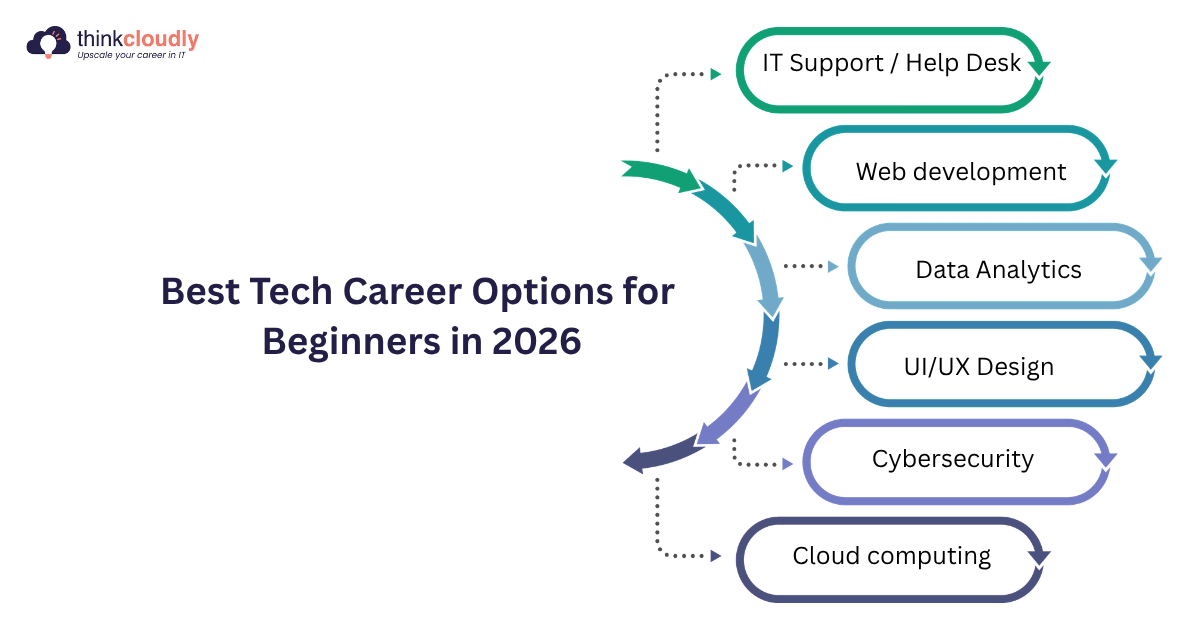
1. IT Support / Help Desk
What you actually do: Help people and organizations fix technical problems in setting up computers, solving software issues, and managing networks.
Tools and skills to learn: Windows and Linux basics, networking fundamentals, ticketing systems like ServiceNow
Average starting salary: US: $40,000–$55,000/year
Why it is great for beginners: This is the fastest and easiest entry point into IT. You can be job-ready in 1 to 3 months. Many people start here and move into higher-paying roles like cloud, cybersecurity, or system administration within 1 to 2 years.
2. Data Analytics
What you actually do: Work with data to find patterns and help businesses make smarter decisions.
Tools and skills to learn: Microsoft Excel (start here), SQL, Power BI, or Tableau
Average starting salary: US: $60,000–$80,000/year
Why it is great for beginners: Minimal coding at the start. If you are comfortable with numbers and logical thinking, this path suits you well. CompTIA projects 414% growth for data roles, making this one of the smartest long-term bets.
3. Cybersecurity
What you actually do: Protect systems, networks, and data from hackers and digital threats.
Tools and skills to learn: Networking basics, Linux command line, CompTIA Security+ certification
Average starting salary: US: $65,000–$90,000/year
Why it is great for beginners: Extremely high demand and strong job security. CompTIA projects 367% growth for cybersecurity roles. As AI-powered attacks increase, companies are urgently hiring people who can protect their systems.
4. Cloud Computing
What you actually do: Help businesses run their software, data, and infrastructure on the internet using platforms like AWS or Microsoft Azure instead of physical computers.
Tools and skills to learn: AWS Free Tier (start here), Microsoft Azure Fundamentals
Average starting salary: US: $70,000–$95,000/year
Why it is great for beginners: Cloud computing grew by 17.9% in 2025, one of the fastest-growing areas in tech. Cloud certifications are globally recognized and can be earned in just a few weeks. Companies of every size and industry need cloud skills.
Step-by-Step Tech Career Roadmap for Beginners
Here’s the exact roadmap – six simple steps, in the order that actually works. Follow it in sequence, not in random chunks.
Step 1: Choose Your Path (Week 1)
Before choosing anything else, just decide which of the four paths above aligns with your interests and goals. Don’t skip this step; a focused learner beats a scattered one every time.
Step 2: Learn the Fundamentals (Days 1–45)
Start with learning the basics. You don’t need to master everything before moving forward; you just need to learn the fundamentals to begin building.
Use free and paid resources:
- YouTube for concept videos
- Official documentation for tools you’re learning
Aim for 1–2 hours of learning daily during this phase.
Step 3: Build While You Learn
In the tech field, watching videos is not enough to gain knowledge. Tech is a hands-on field that requires practical skills. You need to apply what you’re learning as you go.
Start with:
- A basic personal website
- A simple data dashboard
- A Figma mockup of an app
- A beginner automation script
These early projects become the foundation of your portfolio.
Step 4: Build a Portfolio
In 2026, a strong portfolio carries more weight than a resume for entry-level candidates. It shows employers what you can actually do.
Your portfolio should include:
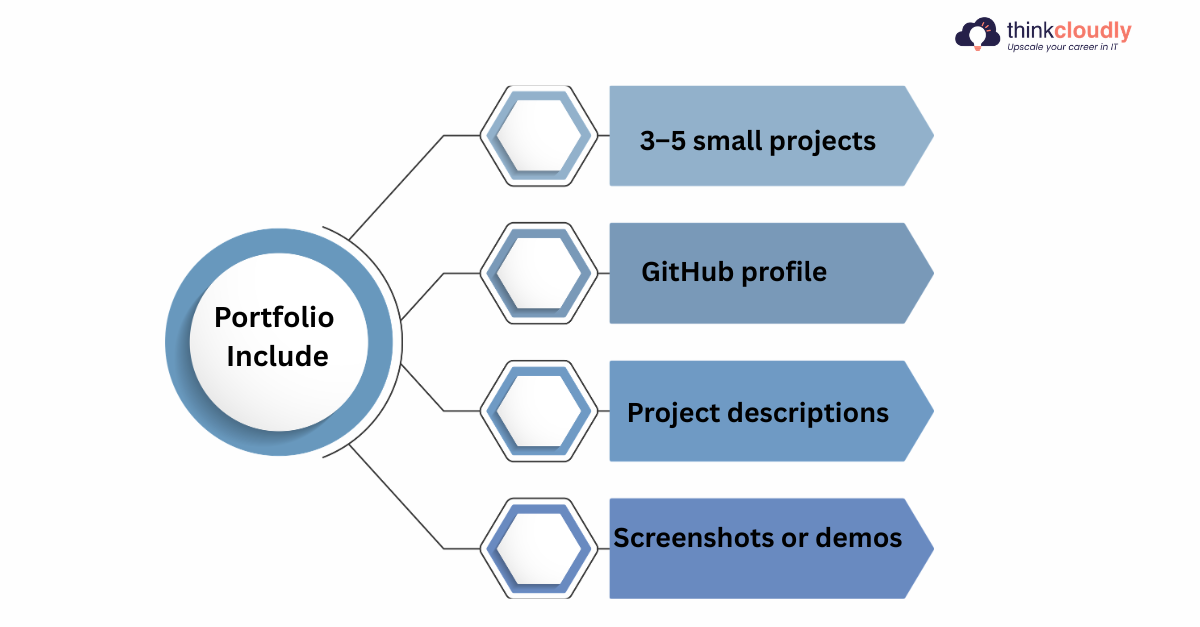
- 3–5 projects
- If you are applying for developers and analysts, include it in your GitHub profile
- Clear project descriptions while explaining what you built and how
- Wherever possible, attach screenshots or live demos
Even beginner-level projects work as long as they show initiative and practical skill.
Step 5: Get Certified (Recommended, Not Required)
You do not need a certification to get a job. But certifications signal credibility to employers — especially when you have no work history to show.
Best beginner certificates in 2026
|
Certification |
Field |
|
Google IT Support Certificate |
IT Support |
|
Google Data Analytics Certificate |
Data Analytics |
|
AWS Cloud Practitioner |
Cloud Computing |
|
CompTIA Security+ |
Cybersecurity |
Step 6: Start Applying Before You Feel “Ready”
This is the step most beginners delay. Confidence doesn’t come from preparation alone; it comes from action.
Start applying for:
- Internships — to practice your skills, this can be the best choice
- Entry-level positions — many of the roles don’t require previous experience
- Freelance projects — platforms like Upwork and Fiverr are good starting points
- Remote jobs — work from anywhere at any time. We Work Remotely (weworkremotely.com)
Mistakes Most Beginners Make (And How to Avoid Them)
Mistake 1: Learning everything at once: Jumping between Python, web development, data science, and cybersecurity leads to zero progress in all of them. One path. Go deep.
Mistake 2: Watching tutorials without building anything: If you have spent more than two weeks watching videos without building a single project, stop watching and start building — even if it feels messy and imperfect.
Mistake 3: Waiting until they feel ready to apply: Apply when you have 2 to 3 projects. Interviews will teach you more in one week than another month of studying ever could.
Mistake 4: Ignoring LinkedIn completely: Recruiters actively search LinkedIn for candidates, including beginners. A complete profile with your projects, skills, and a clear headline can bring opportunities to you without applying. This is one of the most underused tools for beginners.
Mistake 5: Giving up between months 2 and 4: Progress in learning tech feels invisible until suddenly it is not. The people who land their first job are almost always the ones who kept going when it felt slow and pointless.
Conclusion
Here is the real, honest answer about getting an IT job without experience in 2026:
It will not happen overnight. You will probably feel like you are making no progress somewhere around month 2 or 3. You will apply to several jobs before you hear back from one. That is completely normal.
But the opportunity is genuinely there. The data shows it clearly. Companies need skilled people and cannot find enough of them. The IT skills gap is a real problem for businesses, and that gap is your opening.
You do not need a computer science degree. You do not need years of experience. You need one clear path, consistent daily practice, a small portfolio of real projects, and the patience to keep going when it feels slow.
Thousands of people with no background in IT have done exactly this in the past year. The only thing separating them from someone still waiting is that they started.
Pick your path. Start learning today. Build something this week. Apply before you feel ready.
Your first IT job is more reachable than you think.
Sources and Data References
All data cited in this article comes from the following publicly available reports:
-
CompTIA State of the Tech Workforce 2026 — 9.8 million tech workers projected in 2026; 414% growth for data analyst roles; 367% growth for cybersecurity roles
-
US Bureau of Labor Statistics (BLS), November 2025 — 317,700 IT job openings projected annually through 2034
-
NACE Job Outlook 2026 Survey — 70% of employers now use skills-based hiring (up from 65%); GPA screening dropped from 73% (2019) to 42% (2026)
-
Robert Half Demand for Skilled Talent 2026 — 61% of tech leaders plan to increase headcount in H1 2026
-
IDC Survey of North American IT Leaders — IT skills shortage expected to cause $5.5 trillion in global losses
-
General Assembly State of Tech Talent 2025 — Skills-first hiring tripled among HR leaders in two years
-
Indeed 2025 Tech Talent Report — Tech job postings down 36% vs pre-2020 levels
-
Lightcast (2019–2025) — 33% drop in job postings requiring a four-year degree across mid-skill roles
-
iMocha Tech Hiring Trends 2026 — 55% of companies removed degree requirements in 2023, 45% more in 2024; IBM New Collar program hiring without degrees
-
McKinsey (via Testlify) — Skills-based hiring is 5x more predictive of success than education-based hiring