If you’ve spent any time around cloud teams lately, you’ve probably heard someone mention Terraform in almost every second sentence. Maybe a senior engineer casually said, “Just spin it up with Terraform,” and you nodded along while secretly wondering what that actually meant. You’re not alone.
A huge number of students and early-career developers hear the word “Terraform” long before anyone sits them down and explains it properly. So let’s fix that today.
This blog is written specifically for learners who want a clear, no-jargon explanation of Terraform, why it exists, and why it has become such a big deal in modern cloud teams. No fluff, no unnecessary complexity — just a straightforward walkthrough.
What Exactly Is Terraform?
In simple terms, Terraform is a tool for building, changing, and managing infrastructure in the cloud. Terraform is an open-source infrastructure as code tool from HashiCorp that allows you to define both cloud and on-premises resources in human-readable files that you can save, reuse, and share with your team like any other code.
Whatever happened to the days when developers set up servers, databases, and networks? Now they log in to a cloud console, click buttons, fill out forms, and hope they remember all the settings right next time.
Terraform does it quite differently. You don’t click around manually but rather write down the exact infrastructure you need in simple config files, and Terraform builds it for you, step by step, in a predictable order.
This approach is part of a bigger concept called “Infrastructure as Code,” often shortened to “IaC.” And Terraform happens to be one of the most popular tools built around this idea.
According to the Terraform GitHub repository, it “enables you to safely and predictably create, change, and improve infrastructure,” treating your entire infrastructure setup as code that can be versioned, reviewed, and edited by a team, not just one person guessing their way through a dashboard.
Why Was Terraform Created in the First Place?
Before tools like Terraform existed, teams managed servers and networks manually or wrote custom scripts for each cloud provider. This created a mess of inconsistent setups. One engineer’s “production server” never quite matched another engineer’s version of the same server, leading to bugs that were painfully hard to trace.
Terraform solved this by introducing a single, unified language to describe infrastructure across almost any provider. Whether you’re working with AWS, Azure, Google Cloud, or even an on-premises data center, you can describe your setup using the same Terraform syntax. This is where the real power of Infrastructure as Code shines—one consistent language, one predictable workflow, applied everywhere.
How Does Terraform Actually Work?
Terraform follows a simple, three-step workflow that even beginners can quickly get comfortable with. According to HashiCorp’s official documentation, the process looks like this:
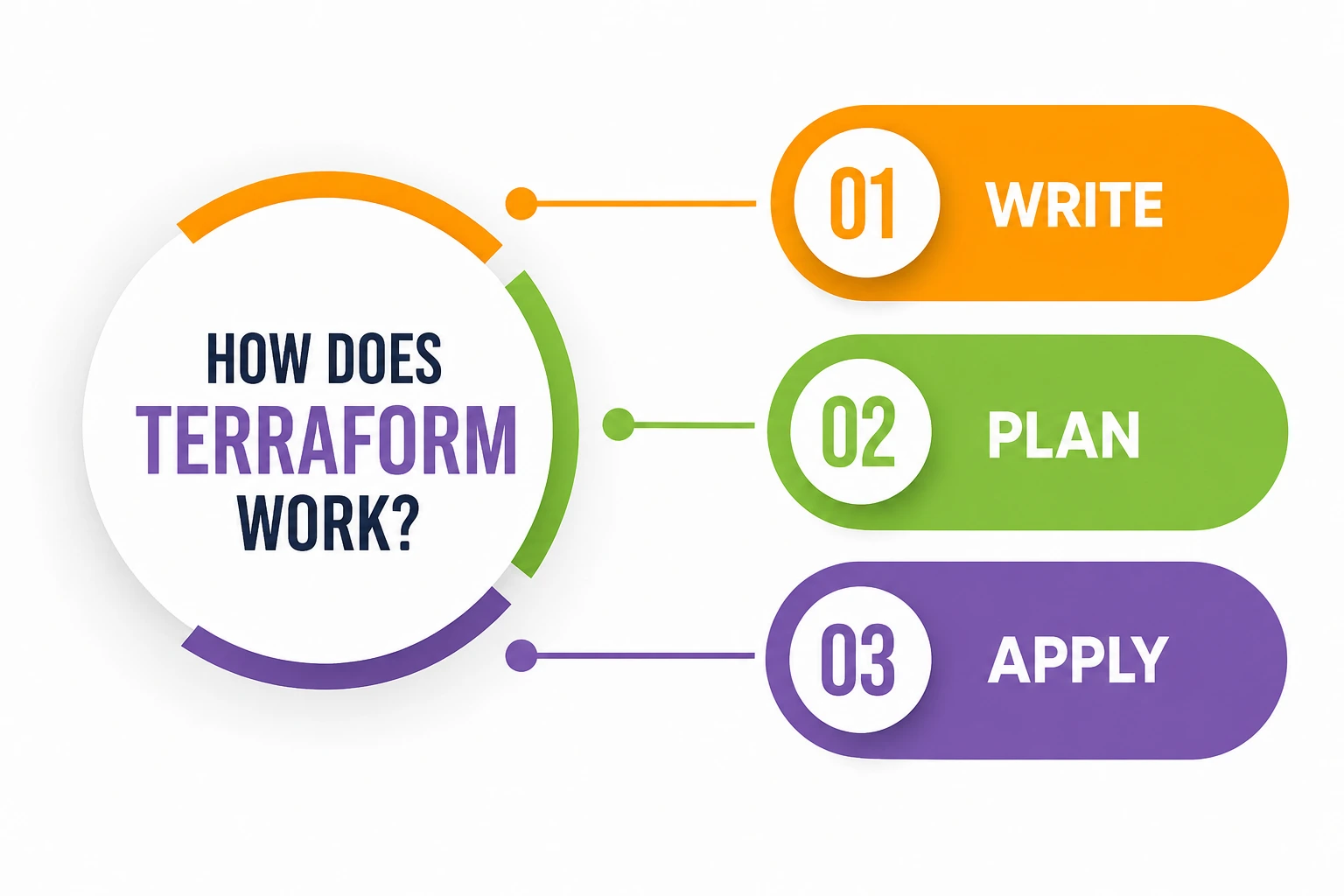
- Write – You describe the resources you want (servers, databases, networks) inside configuration files.
- Plan – Terraform compares what currently exists with what you’ve asked for, then creates a detailed execution plan showing exactly what will be created, changed, or destroyed.
- Apply – Once you approve the plan, Terraform executes it and builds your infrastructure exactly as described.
This “plan before you apply” habit is honestly one of the smartest parts of Terraform. It removes the guesswork. You see precisely what’s about to happen before it happens, which massively reduces the chances of accidentally breaking something in production.
Terraform talks to different cloud services through small plugins called “providers.” As explained on the Terraform Registry documentation, thousands of providers already exist for services like AWS, Kubernetes, GitHub, Datadog, and many more, meaning you’re rarely limited by what Terraform can connect with.
Terraform Configuration Files: The Building Blocks
Every Terraform project revolves around configuration files, usually written in HashiCorp Configuration Language (HCL), though JSON is also supported. These configuration files describe exactly what infrastructure should exist—the servers, the networking rules, the storage buckets, everything.
What makes these configuration files so valuable for students learning DevOps is their readability. You don’t need to be a networking expert to understand what a Terraform file is doing. The syntax is designed to be almost self-explanatory, describing your intended outcome rather than a long sequence of manual steps.
Because these configuration files are plain text, they slot naturally into version control systems like Git. Your entire infrastructure history — every change, every rollback, every experiment — lives right alongside your application code. If something breaks, you can literally look back through the commit history of your configuration files and pinpoint exactly what changed and when.
Terraform and Configuration Management: Where They Overlap (and Differ)
Many learners confuse Terraform with configuration tools like Ansible, Chef, or Puppet. It’s a fair mistake to make, but there’s a significant difference to be aware of.
Provisioning: A lot of what Terraform does is provisioning: creating the infrastructure itself: virtual machines, networks, storage, load balancers, and so on. Configuration management tools are concerned with what happens after the infrastructure is in place—installing software, creating users, and configuring applications within those servers.
In real-world DevOps setups, teams often use both together. Terraform builds the raw infrastructure, and then a configuration management tool takes over to configure the software running on top of it. Understanding this split is genuinely one of the most useful lessons for students stepping into cloud careers, because interviewers love asking about it.
Terraform’s Role in DevOps Automation
DevOps automation is all about removing repetitive, error-prone manual work from the software delivery process, and Terraform sits right at the center of that mission. Instead of manually provisioning servers every time a new environment is needed, teams write Terraform configuration files once and reuse them endlessly.
This matters enormously for DevOps automation pipelines. Imagine a company that needs to spin up an identical testing environment fifty times a month. Doing that by hand would be exhausting and inconsistent. With Terraform baked into the DevOps automation workflow, that same environment can be created in minutes, exactly the same way every single time, with zero manual clicking.
Terraform also plugs neatly into CI/CD pipelines. Terraform “integrates nicely with CI/CD pipelines, making automated infrastructure provisioning easier to set up and maintain,” which is exactly why so many DevOps teams treat it as a core part of their toolchain rather than an optional extra.
Terraform and Cloud Automation
Cloud automation is the broader umbrella that Terraform lives under. Whether you’re deploying to a single cloud provider or spreading workloads across multiple ones, Terraform gives you one unified way to automate the entire process.
This multi-cloud flexibility is a genuine competitive advantage. Many cloud automation tools are locked to a single provider, forcing teams to learn separate tools for AWS, Azure, and Google Cloud. Terraform avoids this problem entirely. You write your configuration once, using the same language and workflow, regardless of which cloud you’re targeting.
This is one of the biggest reasons Terraform has become so widely adopted for cloud automation projects. In fact, tens of thousands of verified companies use HashiCorp Terraform across industries like manufacturing, finance, retail, and custom software, spread across the United States, Germany, France, the UK, and Switzerland. That kind of global, cross-industry adoption doesn’t happen by accident—it happens because Terraform genuinely solves a painful, universal problem.
Why Does Infrastructure as Code Matter So Much?
Let’s slow down for a second and really unpack why Infrastructure as Code is treated as such a big deal in the industry.
Before IaC, infrastructure knowledge often lived inside one person’s head—the “server guy” who knew exactly how everything was wired together and who everyone panicked about when they went on vacation. This is obviously a fragile and risky way to run a company.
Infrastructure as Code changes that completely. Your infrastructure becomes documented, shareable, and reviewable, just like application code. New team members can read through Terraform configuration files and understand the entire setup without needing a senior engineer to walk them through it verbally. That alone is a massive win for onboarding and long-term maintainability.
Infrastructure as Code also brings consistency. Since Terraform builds infrastructure exactly as written in the configuration files, you eliminate the classic “it worked on my machine” excuse. If your staging environment and production environment are both built from the same Terraform code, they behave the same way, because they’re built from the same instructions.
Real Benefits Students Should Actually Care About
If you’re a student trying to figure out whether learning Terraform is worth your time, here’s the honest answer: yes, and increasingly so. Terraform skills are frequently listed as preferred or required for cloud engineering, DevOps, and platform engineering roles.
According to a detailed study guide from CertLand, Terraform is “the most widely adopted IaC tool on the planet,” and unlike certifications tied to a single cloud provider, “Terraform is multi-cloud by nature — a single certification that demonstrates value across every major platform.”
That multi-cloud nature is exactly why learning Terraform early gives students a serious head start. You’re not just learning “an AWS skill” or “an Azure skill”—you’re learning a skill that transfers across almost every major cloud environment.
A Simple Table: Terraform at a Glance
|
Aspect |
Description |
|
What it is |
An open-source, source-available Infrastructure as Code tool created by HashiCorp |
|
Language used |
HashiCorp Configuration Language (HCL), with optional JSON support |
|
Core workflow |
Write → Plan → Apply |
|
Main purpose |
Provisioning and managing cloud and on-premises infrastructure |
|
Works with |
AWS, Azure, Google Cloud, Kubernetes, GitHub, and thousands of other providers |
|
Best paired with |
Configuration management tools like Ansible for post-provisioning setup |
|
Ideal for |
DevOps automation, cloud automation, and repeatable, version-controlled deployments |
Getting Started: A Beginner-Friendly Path
If this blog has convinced you to give Terraform a try, here’s a simple path forward. HashiCorp offers installation instructions for every major operating system, along with hands-on tutorials that walk you through creating your first piece of infrastructure using popular providers like AWS, Azure, Google Cloud, and even Docker.
Start small. Write a basic configuration file that creates a single resource, run through the plan and apply steps, and watch it actually build something real. There’s a genuinely satisfying “aha” moment the first time you see Terraform create infrastructure exactly as you described it in a text file.
A Personal Note
I still remember the first time I manually configured a server and forgot one tiny setting, which caused a two-hour debugging session that honestly should have taken two minutes. Learning Terraform felt like someone finally handed me a proper instruction manual for infrastructure instead of expecting me to memorize everything by feel.
If you’re a student reading this, don’t worry about mastering everything on day one. Write one small configuration file, break something, fix it, and repeat. That’s genuinely how everyone learns this tool, myself included.