This Azure Job Seeker’s program will prepare you for everything that an individual requires to become eligible for millions of Azure jobs all around the world. Throughout this course learn all cloud computing concepts starting from scratch to advanced level.
At Thinkcloudly, we’re on a Continuous search for innovative teaching, training, and mentoring methods. Having engaged with 10,000+ students and 6,000+ industry experts, our wealth of experience and countless discussions has led us to an exciting milestone. Introducing the Azure Job Seeker’s Package Program in 2024 – a culmination of insights, passion, and a commitment to your success!
Azure Job Seeker's Package Highlights
Instructor Led Trainings
Life-time access to Course Material
Gain Industry Experience
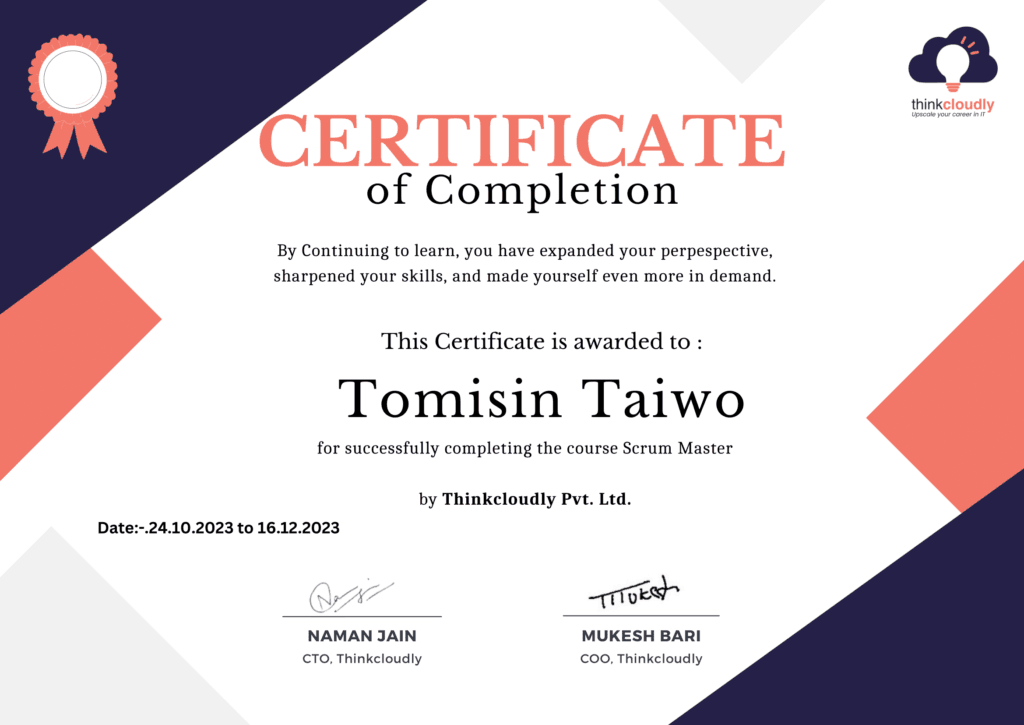
Certification of completion
Learn Anytime Anywhere
Live Sessions with Industry Experts
24*7 Help & Support
Hands On Experience
Azure Job Seeker’s Package
$1,499.00Original price was: $1,499.00.$1,250.00Current price is: $1,250.00.
Module 1: Introduction to cloud
In this module, we will discover what cloud computing is and why we need it. We will talk about several cloud computing models and the differences between traditional computing and cloud computing. We will also learn about the possibilities of cloud computing.
Topics:
What is cloud computing?
Types of cloud
Comparison between on-prim and cloud computing
Azure Terminology
Advantages and disadvantages
Cloud computing security
Module 2: Azure Solution Architect Certification and its services
In this Module you will learn how to get started with an account on the free tier of their services. You’ll also gain knowledge about ARM templates and use them for deploying resources in your new account.
Topics:
Azure Subscriptions
Azure Resources
Azure Free Tier Account
Azure Resource Manager
Azure Resource Manager Template
Azure Storage
Types of Azure Storage
Hands-On:
Create a free tier Azure account
Create a web app service using Azure Portal
Create and Deploy ARM templates
Manage Azure Storage account using Storage Explorer
Manage Azure Cost and Billing Service
Module 3: Azure Virtual Machines and Networking
In this module, you will learn to deploy and manage various services such as storage accounts, blobs and managed disks. You’ll also discover how virtual networks work with their subnets that are connected by network interfaces (NIC) while NSGs control the access of these resources.
Topics:
Azure Resource Manager Virtual Machine
Virtual Machines in ARM Template
Overview of Azure Virtual Machine
Azure Managed Disks
Azure Blob Storage
Networking in Azure
Subnets, NIC, NSG, IP Addresses, DNS
Hands-On:
Create Windows and LINUX Virtual Machines
Create BLOB Storage using Azure Portal
Create VM with Storage Account and Managed Disks
Configure Azure Virtual Network
Module 4: Azure VMSS and Availability Zones
In this module, you learn about Azure Availability Sets and its features. You will also be introduced to the various Azure Load Balancer and Application Gateway offerings that help improve uptime of your application by deploying it on multiple virtual machines in a single availability set.
Topics:
Azure Availability Sets
Azure Availability Zone
Autoscaling
Virtual Machine Scale Set
Fault Domain
Update Domain
Load Balancer
Application Gateway
Azure Disk Encryption
Hands-On:
Create a Virtual Machine Scale Set
Configure VMSS and add custom usage alerts
Configure VM for Redundancy
Create Application Gateway
Module 5: Azure App Services and Its Features
In this module, you will learn to create and configure Function App, Logic App. By the end of it you should be able to deploy apps in Azure environment and secure them with necessary security features.
Topics:
Azure App Service Web Apps
App Service Security
Serverless Computing Concepts
Function Apps
Azure Event Grid
Azure Service Bus
Azure App Service Logic App
Using Shell Commands to create Web App
Background Tasks
Swagger tool
Hands-On:
Create an App Service Plan
Create a Web App Instance
Use shell commands to create an App Service Web App
Create a Continuous WebJob
Module 6: Advanced Azure Hybrid Connectivity and Site Recovery
In this module, you will learn about the Azure Hybrid Connectivity and its related concepts. We’ll also implement VNet Peering, P2S and S2S connectivity as well as VPN Gateway ExpressRoute BGP Protocols.
Topics:
Hybrid Connectivity
VNet S2S VPN
VNet Peering
Service Chaining
Azure VPN Gateway
Policy Based Gateway
Route Based Gateway
Swagger tool
Gateway Connections
Express Route
VNet Routing
User Defined Route
Border Gateway Protocol
Hands-On:
Create a Virtual Network Gateway
Design User Defined Routes
Migrate On-Premise Machines to Azure using Azure Site Recovery
Module 7: Azure Storage Solution and Design Patterns
In this module, we will explore the Design Patterns such as Azure Architecture Center. You will learn about cloud design patterns and competing consumers pattern from cache-aside pattern in detail which is associated with Microsoft’s Azure Storage Service and Database features.
Topics:
Azure Architecture Center
Cloud design patterns
Cache-aside pattern
Sharding Pattern
Azure SQL DB
Azure Elastic Pool
Azure Data Lakes
Azure Data Factory
Azure Cosmos DB
Hands-On:
Create and Deploy Azure Data Lake
Create and Deploy Azure Cosmos DB
Module 8: Azure Kubernetes Service
This module provides an in-depth knowledge of Azure Service Fabric as a distributed systems platform that makes it easy to package, deploy, and manage scalable and reliable microservices. You will also explore Kubernetes Service (AKS) in Azure.
Topics:
Azure Container Registry
Azure Container Instance
Orchestration
Azure Kubernetes Service
Diagnostics Logs
Hands-On:
Deploy an Application in ACI
Deploy an Application in AKS
Module 9: Azure Active Directory and Role Based Access Control
We will be learning about authentication and authorization in applications. We’ll also learn to conceptualize data security using end-to-end encryption, Azure confidential computing, key vault and SSL/TLS communications.
Topics:
Access Control
Role Based Access Control
Authentication in applications (certificates, Azure AD, Azure AD Connect, token-based)
Multi-Factor Authentication (MFA)
Claims-based authorization
Role-based access control (RBAC) authorization
End-to-end encryption
Azure confidential computing
SSL and TLS communications
Azure Key Vault
Configure Fraud alerts
Bypass option, trusted IPs
Managed Service Identity
Service Principal authentication
Hands-On:
Implement authentication using certificates, Azure AD, Azure AD Connect, and tokens
Implement Multi-Factor Authentication (MFA)
Implement Claims-based authorization
Implement RBAC authorization
Implement secure data for end-to-end encryption
Implement secure data for implementing SSL and TLS communications.
Use Azure Key Vault to manage cryptographic keys
Module 10: Azure Messaging Service (Events, Hubs, Queue and Bus)
In this module, you’ll learn to configure a message-based integration architecture for asynchronous processing and create apps that scale automatically.
Topics:
Azure Messaging Service
Azure Service Bus
Azure Events Hub
Azure Events Grid
Azure Notifications Hub
Auto Scale Ruling in Azure
Transient Fault Handling
Hands-On:
Create a Service Bus Queue
Deploy Service Bus Topics and Subscriptions
Design and Implement Azure Service Bus
Enable Auto Scale based on CPU Metrics Or Schedule
Implement Multi-Factor Authentication (MFA)
Module 11: Azure Monitoring and Insights Service
In this module, you will learn about Azure’s monitoring services. You’ll also get a brief overview on Log Analytics and Service Health as well as App Insights and the Activity log.
Topics:
Azure Monitoring
Azure Analytics
Azure Alerts
Azure Resource Metrics
Azure Activity Log
Service Health
Azure Log Analytics
Azure App Insights
Hands-On:
Create and Deploy Alert Rules for Azure Resources
Analyze the data in your metric database
Create and Configure Azure Log Analytics
Deploy Azure App Insights Service
Module 12: Design Identity, Security and Storage
This module we will explore different security and storage design aspects like Authentication, Authorization principles, licensing compliance, PIMs (Platform as a Service Infrastructure), Storage Accounts.
Topics:
Authorisation and Authentication
Authorisation and Authentication Protocols
Azure AD B2B B2C
Security and Risk Management
PIM
Licensing & Compliance
Understanding Azure Storage
Setting Up Azure Storage
Designing Storage Access
Storage Security and Best Practices
Hands-On:
OpenID & OAuth2
Conditional Access
Storage Account Creation and Shared Access Signatures
Module 13: Azure Migration
In this module, you will learn about data migration and how to use Microsoft Azure services for migrating your business information.
Topics:
Design Migration & Integration Strategy
Understand Data Protection at Different Stages
Migration Fundamentals
Azure Services for Migration
Hands-On:
Migration and Access Using Azure Migrate
Module 14: Design Monitoring
This module teaches you about how to reduce costs for the different resources like compute, storage and network.
Topics:
Introduction to Design for Cost Optimization
Azure Cost Calculator and Azure Cost Management
Minimize Compute Costs
Minimize Network Costs
Minimize Storage Costs
What should be your Monitoring Strategy
What is Compliance
What should be the Compliance Strategy
Understand the Azure Monitoring Service
Azure Application Insight
Achieving Compliance with Azure Policy
Azure Sentinel
Azure Real-Time Live Projects
Implementing Azure Monitoring Solutions
This project enables complete Azure monitoring solutions, starting with Azure Monitor for performance tracking. It optimizes resources through Azure Advisor, ensuring cost-effectiveness and security. Security is further enhanced using Azure Sentinel, an SIEM tool, and log data centralized with Azure Log Analytics.
Microsoft Entra integration-Hybrid Joining
"Microsoft Entra Hybrid Integration focuses on seamlessly connecting on-premises and cloud services through Microsoft Entra Identity Connector (formerly Azure AD Connect). Tasks include setting up synchronization, managing devices, customizing sync rules, and ensuring secure user integration with Entra."
Serverless Automation with Azure Functions
This Project empowers users to build efficient, event-driven applications without managing infrastructure. Learn to Create event-triggered and timer-based functions, integrate Azure services, and secure access. Get a practical insights into serverless computing.
Deploying a Web Application on Azure
This project guides users through the process of deploying a commercial web application. Tasks include managing virtual machines, configuring virtual networks, implementing Azure Application Security Gateway, utilizing custom domains, and optimizing resource groups and subscriptions.
Unified Azure Identity Governance Project
Learn to implement a unified IAM solution using various Azure services. The scenario involves securing resources, managing dynamic user access, and enforcing compliance across an organization's Azure environment.
Migration of a Web Application to Azure
In this project learn how to migrate an existing on-premises web application to Microsoft Azure, leveraging Azure services to enhance scalability, reliability, and performance.
Tools To Master
Module 1: Introduction to cloud
In this module, we will discover what cloud computing is and why we need it. We will talk about several cloud computing models and the differences between traditional computing and cloud computing. We will also learn about the possibilities of cloud computing.
Topics:
What is cloud computing?
Types of cloud
Comparison between on-prim and cloud computing
Azure Terminology
Advantages and disadvantages
Cloud computing security
Module 2: Azure Solution Architect Certification and its services
In this Module you will learn how to get started with an account on the free tier of their services. You’ll also gain knowledge about ARM templates and use them for deploying resources in your new account.
Topics:
Azure Subscriptions
Azure Resources
Azure Free Tier Account
Azure Resource Manager
Azure Resource Manager Template
Azure Storage
Types of Azure Storage
Hands-On:
Create a free tier Azure account
Create a web app service using Azure Portal
Create and Deploy ARM templates
Manage Azure Storage account using Storage Explorer
Manage Azure Cost and Billing Service
Module 3: Azure Virtual Machines and Networking
In this module, you will learn to deploy and manage various services such as storage accounts, blobs and managed disks. You’ll also discover how virtual networks work with their subnets that are connected by network interfaces (NIC) while NSGs control the access of these resources.
Topics:
Azure Resource Manager Virtual Machine
Virtual Machines in ARM Template
Overview of Azure Virtual Machine
Azure Managed Disks
Azure Blob Storage
Networking in Azure
Subnets, NIC, NSG, IP Addresses, DNS
Hands-On:
Create Windows and LINUX Virtual Machines
Create BLOB Storage using Azure Portal
Create VM with Storage Account and Managed Disks
Configure Azure Virtual Network
Module 4: Azure VMSS and Availability Zones
In this module, you learn about Azure Availability Sets and its features. You will also be introduced to the various Azure Load Balancer and Application Gateway offerings that help improve uptime of your application by deploying it on multiple virtual machines in a single availability set.
Topics:
Azure Availability Sets
Azure Availability Zone
Autoscaling
Virtual Machine Scale Set
Fault Domain
Update Domain
Load Balancer
Application Gateway
Azure Disk Encryption
Hands-On:
Create a Virtual Machine Scale Set
Configure VMSS and add custom usage alerts
Configure VM for Redundancy
Create Application Gateway
Module 5: Azure App Services and Its Features
In this module, you will learn to create and configure Function App, Logic App. By the end of it you should be able to deploy apps in Azure environment and secure them with necessary security features.
Topics:
Azure App Service Web Apps
App Service Security
Serverless Computing Concepts
Function Apps
Azure Event Grid
Azure Service Bus
Azure App Service Logic App
Using Shell Commands to create Web App
Background Tasks
Swagger tool
Hands-On:
Create an App Service Plan
Create a Web App Instance
Use shell commands to create an App Service Web App
Create a Continuous WebJob
Module 6: Advanced Azure Hybrid Connectivity and Site Recovery
In this module, you will learn about the Azure Hybrid Connectivity and its related concepts. We’ll also implement VNet Peering, P2S and S2S connectivity as well as VPN Gateway ExpressRoute BGP Protocols.
Topics:
Hybrid Connectivity
VNet S2S VPN
VNet Peering
Service Chaining
Azure VPN Gateway
Policy Based Gateway
Route Based Gateway
Swagger tool
Gateway Connections
Express Route
VNet Routing
User Defined Route
Border Gateway Protocol
Hands-On:
Create a Virtual Network Gateway
Design User Defined Routes
Migrate On-Premise Machines to Azure using Azure Site Recovery
Module 7: Azure Storage Solution and Design Patterns
In this module, we will explore the Design Patterns such as Azure Architecture Center. You will learn about cloud design patterns and competing consumers pattern from cache-aside pattern in detail which is associated with Microsoft’s Azure Storage Service and Database features.
Topics:
Azure Architecture Center
Cloud design patterns
Cache-aside pattern
Sharding Pattern
Azure SQL DB
Azure Elastic Pool
Azure Data Lakes
Azure Data Factory
Azure Cosmos DB
Hands-On:
Create and Deploy Azure Data Lake
Create and Deploy Azure Cosmos DB
Module 8: Azure Kubernetes Service
This module provides an in-depth knowledge of Azure Service Fabric as a distributed systems platform that makes it easy to package, deploy, and manage scalable and reliable microservices. You will also explore Kubernetes Service (AKS) in Azure.
Topics:
Azure Container Registry
Azure Container Instance
Orchestration
Azure Kubernetes Service
Diagnostics Logs
Hands-On:
Deploy an Application in ACI
Deploy an Application in AKS
Module 9: Azure Active Directory and Role Based Access Control
We will be learning about authentication and authorization in applications. We’ll also learn to conceptualize data security using end-to-end encryption, Azure confidential computing, key vault and SSL/TLS communications.
Topics:
Access Control
Role Based Access Control
Authentication in applications (certificates, Azure AD, Azure AD Connect, token-based)
Multi-Factor Authentication (MFA)
Claims-based authorization
Role-based access control (RBAC) authorization
End-to-end encryption
Azure confidential computing
SSL and TLS communications
Azure Key Vault
Configure Fraud alerts
Bypass option, trusted IPs
Managed Service Identity
Service Principal authentication
Hands-On:
Implement authentication using certificates, Azure AD, Azure AD Connect, and tokens
Implement Multi-Factor Authentication (MFA)
Implement Claims-based authorization
Implement RBAC authorization
Implement secure data for end-to-end encryption
Implement secure data for implementing SSL and TLS communications.
Use Azure Key Vault to manage cryptographic keys
Module 10: Azure Messaging Service (Events, Hubs, Queue and Bus)
In this module, you’ll learn to configure a message-based integration architecture for asynchronous processing and create apps that scale automatically.
Topics:
Azure Messaging Service
Azure Service Bus
Azure Events Hub
Azure Events Grid
Azure Notifications Hub
Auto Scale Ruling in Azure
Transient Fault Handling
Hands-On:
Create a Service Bus Queue
Deploy Service Bus Topics and Subscriptions
Design and Implement Azure Service Bus
Enable Auto Scale based on CPU Metrics Or Schedule
Implement Multi-Factor Authentication (MFA)
Module 11: Azure Monitoring and Insights Service
In this module, you will learn about Azure’s monitoring services. You’ll also get a brief overview on Log Analytics and Service Health as well as App Insights and the Activity log.
Topics:
Azure Monitoring
Azure Analytics
Azure Alerts
Azure Resource Metrics
Azure Activity Log
Service Health
Azure Log Analytics
Azure App Insights
Hands-On:
Create and Deploy Alert Rules for Azure Resources
Analyze the data in your metric database
Create and Configure Azure Log Analytics
Deploy Azure App Insights Service
Module 12: Design Identity, Security and Storage
This module we will explore different security and storage design aspects like Authentication, Authorization principles, licensing compliance, PIMs (Platform as a Service Infrastructure), Storage Accounts.
Topics:
Authorisation and Authentication
Authorisation and Authentication Protocols
Azure AD B2B B2C
Security and Risk Management
PIM
Licensing & Compliance
Understanding Azure Storage
Setting Up Azure Storage
Designing Storage Access
Storage Security and Best Practices
Hands-On:
OpenID & OAuth2
Conditional Access
Storage Account Creation and Shared Access Signatures
Module 13: Azure Migration
In this module, you will learn about data migration and how to use Microsoft Azure services for migrating your business information.
Topics:
Design Migration & Integration Strategy
Understand Data Protection at Different Stages
Migration Fundamentals
Azure Services for Migration
Hands-On:
Migration and Access Using Azure Migrate
Module 14: Design Monitoring
This module teaches you about how to reduce costs for the different resources like compute, storage and network.
Topics:
Introduction to Design for Cost Optimization
Azure Cost Calculator and Azure Cost Management
Minimize Compute Costs
Minimize Network Costs
Minimize Storage Costs
What should be your Monitoring Strategy
What is Compliance
What should be the Compliance Strategy
Understand the Azure Monitoring Service
Azure Application Insight
Achieving Compliance with Azure Policy
Azure Sentinel
Azure Real-Time Live Projects
Implementing Azure Monitoring Solutions
This project enables complete Azure monitoring solutions, starting with Azure Monitor for performance tracking. It optimizes resources through Azure Advisor, ensuring cost-effectiveness and security. Security is further enhanced using Azure Sentinel, an SIEM tool, and log data centralized with Azure Log Analytics.
Microsoft Entra integration-Hybrid Joining
"Microsoft Entra Hybrid Integration focuses on seamlessly connecting on-premises and cloud services through Microsoft Entra Identity Connector (formerly Azure AD Connect). Tasks include setting up synchronization, managing devices, customizing sync rules, and ensuring secure user integration with Entra."
Serverless Automation with Azure Functions
This Project empowers users to build efficient, event-driven applications without managing infrastructure. Learn to Create event-triggered and timer-based functions, integrate Azure services, and secure access. Get a practical insights into serverless computing.
Deploying a Web Application on Azure
This project guides users through the process of deploying a commercial web application. Tasks include managing virtual machines, configuring virtual networks, implementing Azure Application Security Gateway, utilizing custom domains, and optimizing resource groups and subscriptions.
Unified Azure Identity Governance Project
Learn to implement a unified IAM solution using various Azure services. The scenario involves securing resources, managing dynamic user access, and enforcing compliance across an organization's Azure environment.
Migration of a Web Application to Azure
In this project learn how to migrate an existing on-premises web application to Microsoft Azure, leveraging Azure services to enhance scalability, reliability, and performance.
Tools To Master
Training and package fee
Training Fee
Designed to get you trained with the core knowledge.
$1,499.00Original price was: $1,499.00.$1,250.00Current price is: $1,250.00.

Online Live Training
Live Projects
Resume Building
LinkedIn Grooming
Profile Marketing
Certificate Assistance
Job Seeker's Program Fee
Designed to make you job ready with knowledge, experience, and grooming.
$1,499.00Original price was: $1,499.00.$1,250.00Current price is: $1,250.00.
DevOps Architects coordinate Azure DevOps practices, integrating development and operations for optimized software delivery.
Technical Consultant
Technical Consultants offer advisory, expertise on Azure solutions, aiding in requirements, architecture, implementation.
Who can take this Package?
Freshers
Aspiring freshers want to start their Career in IT
NON-IT Aspirants
Switching Career from Non-It to IT Industry
IT Professionals
Upgrading skills for better opportunities
Know before you Start
Salary Insight
Why learn with Thinkcloudly?
4.9 Average Rating
45000+ Satisfied Learners
6500+ Students Got Job
800+ Highly Qualified Trainers
Skills You Will Gain
Certification Overview
Njingum’s Success story
Esther’s Success Story
Moses’s Success Story
Joseph’s Success Story
Stephen’s Success Story
Oluwaseun Folarin’s Success Story
Azure Job Seeker’s Package
$1,499.00Original price was: $1,499.00.$1,250.00Current price is: $1,250.00.
FAQs
What is the payment procedure?
We accept all major credit and debit cards from leading banks. For any assistance, please contact Thinkcloudly Customer Support.
Which course or Plan is best for me?
We offer a complete learning journey to help you build a successful career in Microsoft Azure, covering cloud fundamentals, infrastructure, security, and real-world deployment projects. Our industry experts guide you with practical insights and personalized support, helping you choose the right learning path and become job-ready for global Azure roles.
Would a Demo Session be available before I enroll?
Certainly, you can set up a free demo session, although if you’ve already viewed any sample recordings, you won’t need to look further. The enrollment process signifies a mutual commitment between you and us where you commit to be a good learner and we pledge to provide you with the best possible learning environment. A key part of your learning takes place in our sessions, which are supported by experienced instructors, dedicated Personal Learning Managers, and interactions with your peers. Get the full learning experience, and not just a demo.
When will I be able to access the Learning Content?
You will receive access to the LMS immediately after enrolling and will have it for the rest of your life. You will have access to all previous class recordings, PPTs, PDFs, and assignments. In addition, you will have instant access to our 24×7 support team. You can start learning as soon as possible.
I missed a class, what do I do?
At Thinkcloudly, you’ll never miss a lecture! You can view the recorded session in your LMS anytime also the missed session can be attended in another live batch.
Who are the instructors at Thinkcloudly ?
Teachers and tutors at Thinkcloudly are industry veterans with great experience.