If you have ever wondered why a single stolen password can bring down a hospital network, freeze a bank’s trading floor, or leak millions of customer records overnight, the answer almost always traces back to one thing: an account that had more power than it should have had.
That is the entire problem that Privileged Access Management for Enterprise Security exists to solve, and in 2026 it has quietly become one of the most in-demand skill areas in the entire cybersecurity field.
This guide is written for students, early-career IT professionals, and anyone trying to understand how modern organizations protect their most sensitive systems. We will walk through what privileged access actually means, why it has become such a large target for attackers, and what a solid Privileged Access Management for Enterprise Security program actually looks like on the ground. It’s just a clear, practical explanation you can carry into an interview, a project, or your first security role.
What Is Privileged Access Management?
Every enterprise network has two kinds of accounts: regular user accounts that can read emails, open files, or use approved software, and privileged accounts that can install software, change firewall rules, create new users, or reach into a database directly.
Privileged accounts include domain administrators, root accounts on Linux servers, database superusers, cloud console owners, and the service accounts that let one application talk to another without a human typing a password at all.
Privileged Access Management (PAM) is the discipline and the set of tools used to discover, control, monitor, and rotate the credentials attached to these powerful accounts. Instead of letting an administrator sit on standing, always-on access, a mature PAM program grants access just in time, for a limited window, and logs every action taken during that session.
When people talk about PAM in a serious, enterprise context, this is the operational core they are describing: shrinking the number of doors an attacker can walk through once they are inside the building.
Why Privileged Access Management for Enterprise Security Matters in 2026?
The numbers from this year make the case better than any sales pitch could. According to IBM’s 2026 Cost of a Data Breach Report, the global average cost of a breach climbed to a record $4.99 million, and breaches involving AI-assisted attacks pushed costs roughly $1 million higher still—a trend IBM ties directly to weak access controls around machine and human identities alike, as detailed in the full report.
Attackers have also changed their playbook. Verizon’s 2026 Data Breach Investigations Report found that stolen credentials were knocked out of the top spot for the first time in the report’s nineteen-year history, overtaken by software vulnerability exploitation—but credentials still showed up in 28% of breaches, and infostealer logs preceded roughly three-quarters of ransomware cases, according to Verizon’s own analysis.
In plain terms: attackers are getting in through more doors than ever, and once inside, they are still hunting for the same thing—an account that lets them move freely. That is precisely the gap Privileged Access Management for Enterprise Security is designed to close.
There is also a market signal worth noticing if you are considering this as a career path. Analysts at Netwrix estimate the privileged access management solutions market will reach roughly $4.44 billion in 2026, growing at a compound annual rate near 23%, as outlined in their market overview, while separate research from Research and Markets projects the broader PAM solutions category growing from $6.27 billion this year to $17.26 billion by 2030, detailed in their industry report. Budgets are expanding because boards have finally connected privileged accounts to the breaches that make headlines.
Core Components of a Strong PAM Program
A functioning privileged access management for enterprise security strategy is not one product—it is a layered system built from several working parts.
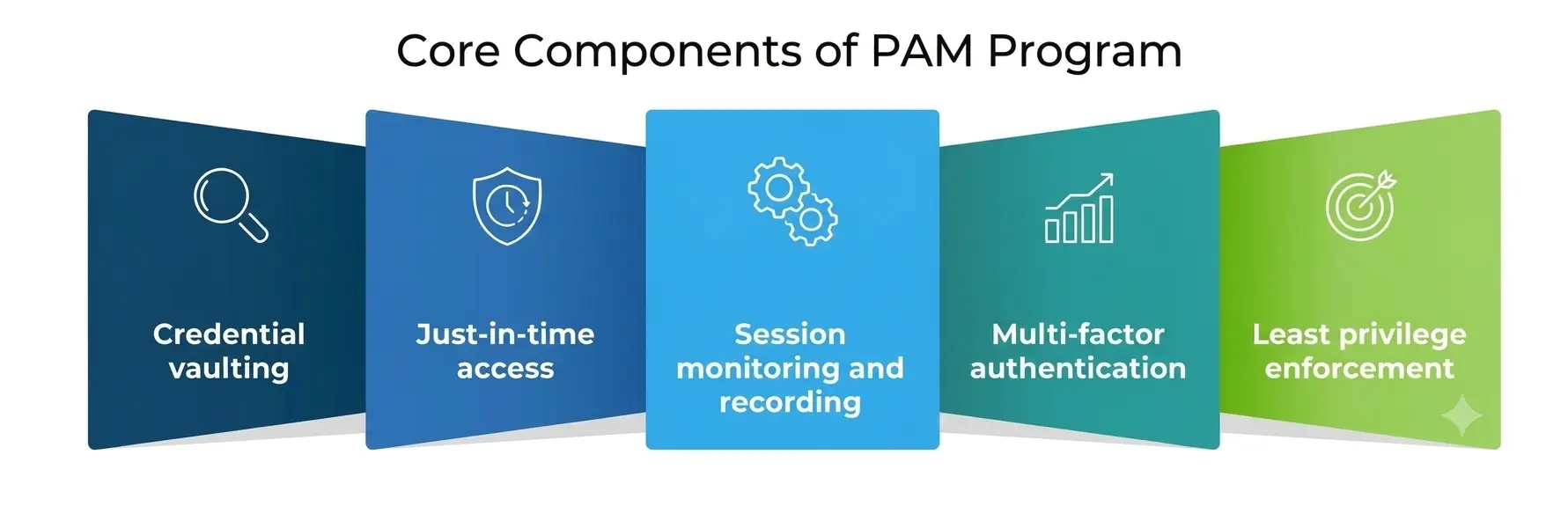
- Credential vaulting. Passwords, SSH keys, and API secrets for privileged accounts are stored in an encrypted vault instead of a spreadsheet, a sticky note, or a shared document. Nobody memorizes them; the vault checks credentials out and rotates them automatically after use.
- Just-in-time access. Rather than granting standing admin rights forever, access is requested, approved, time-boxed, and automatically revoked. This single change removes most of the attack surface that a stolen or reused password would otherwise expose.
- Session monitoring and recording. Every privileged session is logged and, in many enterprise environments, recorded and searchable. If something goes wrong, security teams can see exactly what commands were run and by whom.
- Multi-factor authentication. No privileged session should start without a second verification step. This is one of the simplest and most effective cybersecurity controls an organization can put in place, and it remains one of the cheapest per dollar of reduced risk.
- Least privilege enforcement. User permissions are scoped to the smallest set of actions a role actually needs and reviewed on a schedule rather than left to accumulate indefinitely—a pattern security teams call “privilege creep.”
Privileged Access Management Best Practices Worth Adopting
Whether you are a student building a home lab or a junior analyst joining a security team, these Privileged Access Management best practices show up again and again in real enterprise environments:
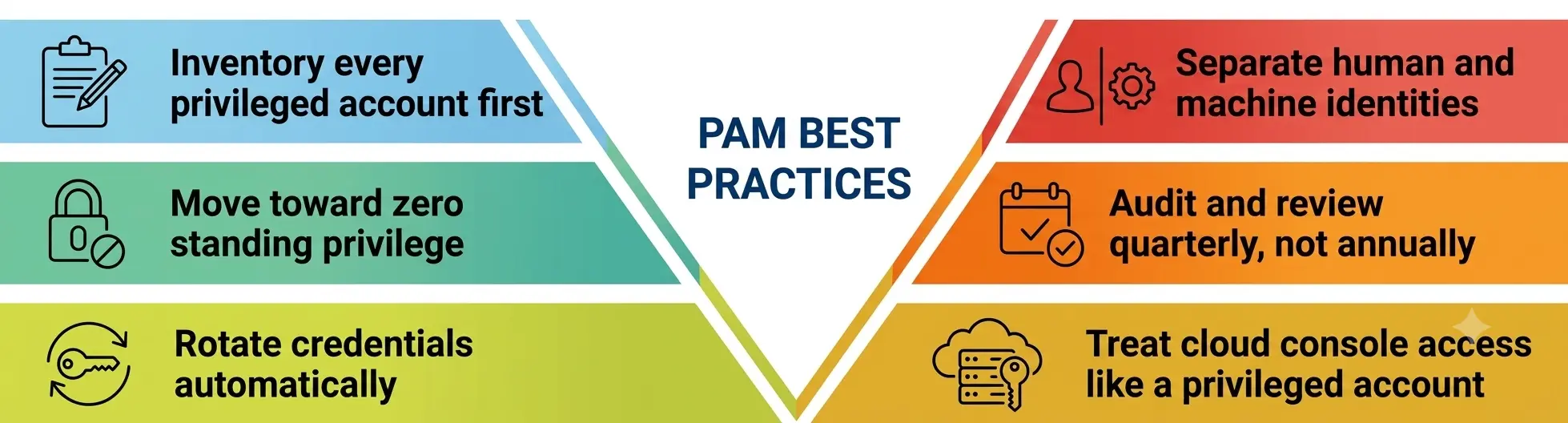
- Inventory every privileged account first. You cannot protect what you cannot see, and most organizations discover far more standing privileged accounts—including forgotten service accounts—than they expected once they actually go looking.
- Move toward zero standing privilege. Instead of permanent admin rights, grant elevation only for the task at hand, and let it expire automatically. This principle is central to NIST’s zero trust architecture guidance, published as Special Publication 800-207, which frames identity—not network location—as the real perimeter.
- Rotate credentials automatically. Manual password rotation gets skipped under deadline pressure; automated credential management does not.
- Separate human and machine identities. Service accounts, bots, and automation scripts now outnumber human accounts in many enterprises, and each one needs its own vaulted credential rather than a shared secret buried in code.
- Audit and review quarterly, not annually. User permissions that made sense for a role six months ago often do not make sense today; regular review is one of the more overlooked privileged access management best practices on this list.
- Treat cloud console access like a privileged account. AWS, Azure, and Google Cloud root or owner roles deserve the same vaulting and monitoring as any on-premises administrator account.
Common Mistakes That Undermine PAM Programs
Even well-funded security teams tend to stumble on the same handful of mistakes.
- The first is treating credential management as a one-time deployment instead of an ongoing operational habit—vaults get rolled out, then nobody keeps rotating the secrets sitting inside them.
- The second is quietly exempting “trusted” senior staff from the same cybersecurity controls everyone else follows, which recreates the exact standing-privilege problem PAM was built to eliminate.
- The third is skipping the unglamorous part: documentation. Auditors and incident responders both need a clear record of who had access to what and when, and that record only exists if credential management and access logging are treated as core privileged access management best practices rather than optional extras. None of these mistakes require a sophisticated attacker to exploit them—they just require time and an organization that stops paying attention.
Types of Privileged Accounts: A Quick Reference
Students new to this topic often find it easier to reason about PAM once they can see the different account types side by side.
|
Account Type |
Typical Use | Main Risk if Compromised |
Primary Control |
|
Domain Administrator |
Manages users and policies across a Windows network | Full network takeover | Just-in-time elevation, MFA |
| Root / Superuser (Linux/Unix) | Full control of a server’s operating system | Data destruction, malware installation |
Credential vaulting, session logging |
|
Database Administrator |
Reads, writes, or deletes production data directly | Mass data exfiltration or deletion | Query monitoring, least privilege |
|
Service Account |
Let one application authenticate to another. | Silent, long-running lateral movement |
Automated rotation, no interactive login |
|
Cloud Console Owner |
Full administrative control of a cloud environment | Entire infrastructure exposure |
MFA, IP restrictions, activity alerts |
| Local Administrator (Endpoint) |
Installs software and changes settings on a single device |
Ransomware deployment, privilege escalation |
Removal of standing local admin rights |
Access Security, User Permissions, and the Compliance Angle
Access security is not just a technical exercise; it is increasingly a regulatory one. Frameworks such as PCI DSS, HIPAA, and SOC 2 all require organizations to demonstrate that user permissions map directly to job function and that cybersecurity controls around privileged accounts are tested, not just documented.
Auditors now routinely ask for evidence of session recordings, credential rotation logs, and access review sign-offs—proof that Access Security is operational rather than aspirational. This is also where PAM connects to the broader zero trust movement that underpins modern enterprise security.
Zero trust assumes no user or device should be implicitly trusted, even inside the corporate network, and every access request should be evaluated on identity, device posture, and context. PAM is effectively the enforcement layer that makes that assumption practical for the accounts that matter most.
What’s Changing in 2026?
A few shifts are worth watching if you are studying this field seriously:
- Machine identities are outpacing human ones. Industry estimates now put non-human identities—API keys, bots, and AI agents—well ahead of human accounts in large enterprises, which means credential management strategies built only around people are already outdated.
- AI agents need their own guardrails. As organizations connect AI agents to internal systems, those agents effectively become privileged accounts themselves and need the same cybersecurity controls, scoped user permissions, and session logging as any human administrator.
- Cyber insurance is driving adoption. Insurers increasingly require documented PAM controls before underwriting a policy, which is quietly pushing even small and mid-sized companies to formalize Privileged Access Management for Enterprise Security programs they might otherwise have delayed.
- On-premises vaulting still matters. Despite the cloud shift, regulated sectors such as banking, defense, and energy continue to keep privileged credentials in on-premises vaults for sovereignty and compliance reasons.
Why Does This Matter for Students and Early-Career Professionals?
If you are studying cybersecurity, Privileged Access Management for Enterprise Security is a genuinely practical place to build hands-on skills. Free and low-cost options exist to practice: setting up an open-source password vault in a home lab, writing a small script that rotates a test credential, or mapping out access scopes for a mock organization chart.
Recruiters increasingly look for candidates who understand identity and access security fundamentals, not just firewall configuration, because that is where the real attacks are happening in 2026.
Certifications can help structure that learning, too. Options like CompTIA Security+ or vendor-specific PAM training from established providers give you a shared language to discuss credential management and access security in an interview.
But the fundamentals matter more than the certificate itself: understanding why Cybersecurity Controls exist in the first place and being able to explain one of the core privileged access management best practices in your own words will carry you further than a list of acronyms on a resume.
A Personal Note
I have spent a fair amount of time reading breach post-mortems, and the pattern is almost boring in its consistency: it is rarely a brilliant, novel attack that gets an organization into trouble. It is an old service account nobody remembered to disable, a shared password sitting in a wiki page, or an admin session left open on a laptop at a coffee shop.
Privileged Access Management for Enterprise Security is not glamorous work. It is inventory lists, rotation schedules, and quarterly reviews that nobody claps for. But every time I trace a real-world breach back to its root cause, that unglamorous discipline is exactly what was missing.
If you are early in your career and deciding where to specialize, I would gently push you toward this corner of security—it is unfashionable, underappreciated, and quietly one of the most important skills you can bring into any organization.