If you’ve just started exploring cloud computing, you’ve probably come across a term that shows up in almost every security discussion — this idea of shared duties between you and your provider. It sounds simple on the surface, but a lot of students (and even working professionals) get confused about where their job ends and where the cloud provider’s job begins.
I remember the first time I looked at an AWS security diagram in college and thought, “Wait, so who’s actually responsible for my data if something breaks?” That confusion is exactly why this blog exists — to break this concept down in plain language, step by step, so you walk away actually understanding it instead of just memorizing the term for an exam.
What you’ll learn By the time you’re done with this guide, you’ll understand what the Shared Responsibility Model really means, why it’s important to cloud compliance, and how it plays into daily activities like infrastructure security, data security, access control, configuration management, and network segmentation.
What Does This Term Actually Mean?
At its core, the Shared Responsibility Model is a way of splitting security responsibilities between a cloud service provider (like AWS, Microsoft Azure, or Google Cloud) and the cloud customer. It’s not like one party does everything, as you’d have in a traditional on-premises data center; it’s a division of labor.
As per AWS’s documentation, in this shared model, the provider manages and controls everything from the host operating system, the virtualization layer, and the physical security of the facility, thus relieving the customer of operational burden. The guest operating system, patches, application software, and firewall configurations are managed by the customer.
In simple words, the cloud provider protects the building, the wiring, and the physical servers. You protect what you put inside that building — your data, your applications, and who gets to access them.
This is often described using two phrases:
- Security “of” the cloud—This is the provider’s job. It includes physical data centers, hardware, networking equipment, and the foundational software that runs cloud services.
- Security “in” the Cloud—This is the customer’s job. It includes your data, your operating system configurations, your applications, and your identity and access management setup.
Understanding this split is the first step toward mastering the concept, and it’s the foundation for everything else we’ll talk about in this blog.
Why Do Students Need to Understand This Model?
If you’re studying cybersecurity, cloud computing, or IT in general, this concept isn’t optional — it’s foundational. Most cloud security certifications (AWS Certified Solutions Architect, Azure Fundamentals, CompTIA Cloud+) test your understanding of it directly.
But beyond exams, this model matters in the real world because a huge number of cloud security incidents happen not because the provider failed, but because the customer misunderstood their part of the responsibility. Misconfigured storage buckets, weak access controls, and poor configuration management are consistently cited as leading causes of cloud data breaches — and all of those fall on the customer’s side of the line, not the provider’s.
Step-by-Step Breakdown of How It Works
Let’s walk through this in a structured way so it actually sticks.
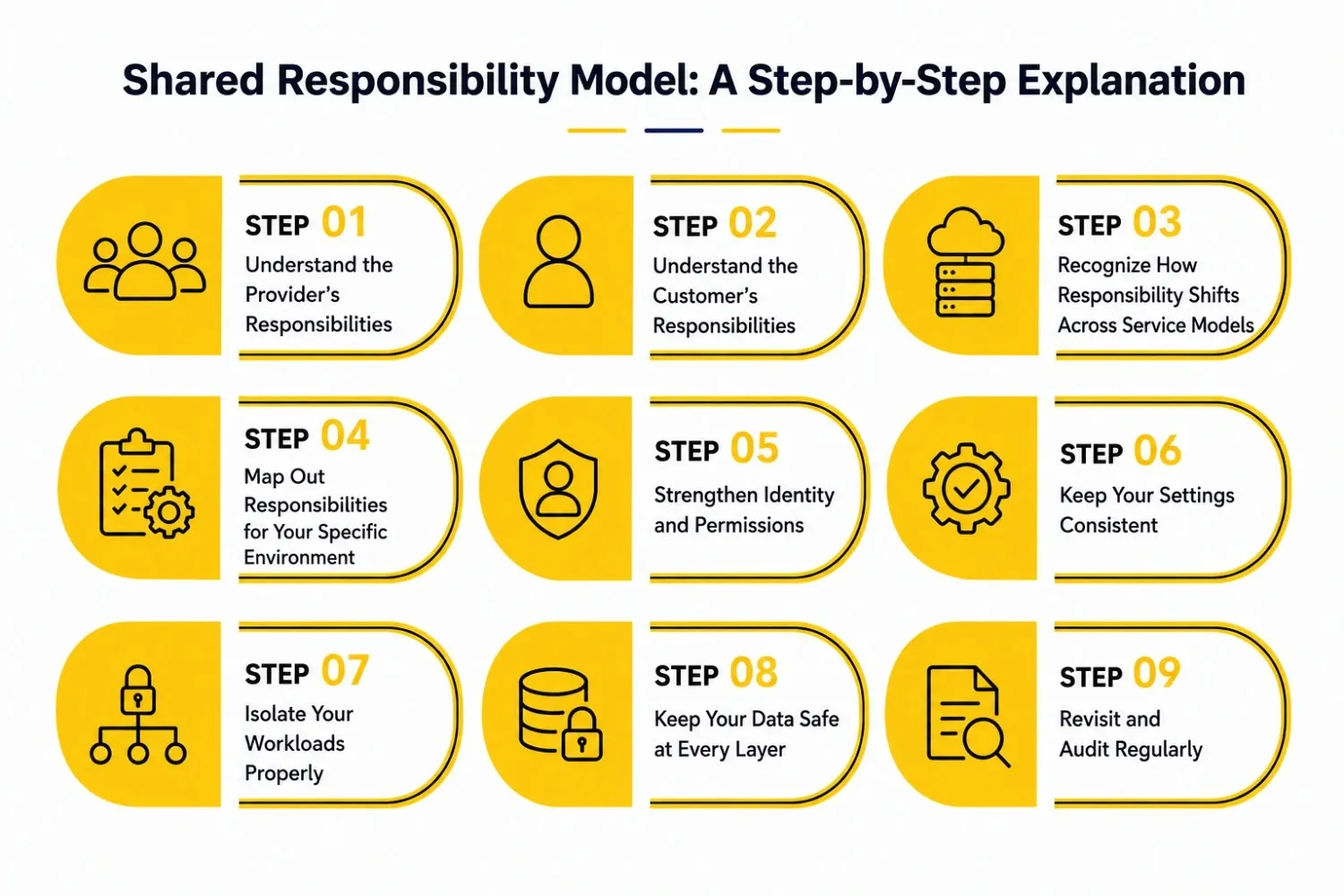
Step 1: Understand the Provider’s Responsibilities
The physical and foundation layer is the responsibility of cloud providers. That includes:
- Data center security (guards, surveillance, restricted access)
- Maintenance and disposal of hardware
- Core Network infra
- Virtualization layer and hypervisor security
- Guaranty of infrastructure security around the world
It’s the infrastructure on which everything else is built, for the most part invisible to you as a customer. Microsoft explains this well in its own documentation, noting that in an Infrastructure as a Service (IaaS) model, Microsoft manages the physical hosts, network, and datacenter, while the customer manages virtual machines, operating systems, and applications on top of that.
Step 2: Understand the Customer’s Responsibilities
This is where most confusion — and most security incidents — actually happen. As a customer, you typically own:
- Data classification and data protection
- Identity management (who can log in, and what they can do)
- Operating system patching (in IaaS models)
- Application-level security
- Network segmentation within your own virtual environment
- Ongoing configuration checks for the services you deploy
According to CrowdStrike’s model, the customer and the provider don’t share responsibility for the same asset—instead, whichever party controls a given asset carries full responsibility for securing it, no matter which service model is in use. This means that for anything you configure or deploy, the buck stops with you.
Step 3: Learn the Responsibility Models
Not all cloud services divide the responsibility in the same way. It’s dictated by the usage of IaaS, PaaS, and SaaS.
- IaaS (Infrastructure as a Service): You have the most control and the most responsibility. Virtual machines and storage. You get the OS, the patches, the applications.
- PaaS (Platform as a Service): The underlying OS and runtime are managed by the provider. Focus on your application code and data only.
- SaaS (Software as a Service): The provider handles almost everything except your data, your users, and your access configuration.
As you transition from IaaS to SaaS, your liability diminishes, but it’s never entirely eliminated—you’re always liable for your data and who can access it.
Step 4: Map Out Responsibilities for Your Specific Environment
Once you understand the general model, the next step is applying it practically. Commvault’s guide on this topic recommends a clear approach: use provider documentation to separate what the provider manages from what your team must handle, and then document ownership for each control—especially customer-managed items like encryption or access policies, according to Commvault’s guide.
This step matters enormously for cloud compliance because auditors and regulators want to see that someone in your organization owns each control—not just a vague assumption that “the cloud provider handles it.”
Step 5: Strengthen Identity and Permissions
Since identity is almost always a customer responsibility, this deserves its own step. Good access controls rely on the principle of least privilege—giving users, services, and applications only the permissions they actually need, nothing more.
Practical steps here are the following:
- Requiring multi-factor authentication (MFA) for all accounts
- Periodically review permissions and remove any unnecessary or overly broad access
- Role-based access replacing individual, ad hoc permissions
- Rotating credentials and removing stale accounts
One of the most common reasons for breaches in cloud environments is weak permission settings, even if the vendor’s underlying infrastructure is rock-solid secure.
Step 6: Save Your Settings
Configuration management is making sure that your cloud resources are configured correctly, and continue to be so over time. Other controls might be perfect, but a single misconfigured storage bucket or open security group can expose sensitive data.
Best practices include:
- For example, automate configuration checks with AWS Config or Azure Policy .
- Enforcing baseline security templates for new resources
- Auditing configurations on a regular schedule, not just during initial setup
- Updating your documentation whenever your architecture changes
Getting this right takes the framework from a theoretical idea to something your team actually does every day.
Step 7: Isolate Your Workloads Properly
Network segmentation means dividing your cloud environment into isolated zones so that a breach in one area doesn’t automatically compromise everything else. This is squarely a customer responsibility once you move into the cloud.
Practical ways to apply this include:
- Using separate virtual networks or subnets for different workloads
- Applying security groups and firewall rules between segments
- Isolating sensitive data stores from public-facing applications
- Limiting east-west traffic between services that don’t need to communicate
Strong network segmentation limits the “blast radius” of any single security incident—a core principle taught in every cloud security course.
Step 8: Secure Your Data at Every Layer
Data protection ties everything above together. You always own your data, no matter which service model you use. Encryption (both at rest and in transit), backup policies, and clear data retention policies are therefore non-negotiable.
The AWS GxP Systems whitepaper clearly states that “It is the responsibility of the customer to manage the data that is stored, including applying encryption and appropriate access permissions as described in the AWS documentation.
Step 9: Audit and Review Regularly
This division of responsibilities is not a one-time checklist; it is an ongoing practice. As you take on new cloud services, your responsibilities shift and old assumptions can become stale in the background. Regular audits of permissions, configurations, and compliance mappings keep you and your team on course with what is needed.
A Simple Table to Visualize the Responsibility Split
|
Responsibility Area |
Cloud Provider |
Customer |
|
Physical data centers & hardware |
✅ Fully responsible |
❌ No control |
|
Network infrastructure (core) |
✅ Fully responsible |
Partial (in-VPC segmentation) |
|
Hypervisor / virtualization layer |
✅ Fully responsible |
❌ No control |
|
Operating system (IaaS) |
❌ Not responsible |
✅ Fully responsible |
|
Application-level security |
❌ Not responsible |
✅ Fully responsible |
|
Data encryption & classification |
❌ Not responsible |
✅ Fully responsible |
|
Identity & access management |
Provides the tools |
✅ Configures and manages |
|
Compliance certifications (infra) |
✅ Provides & maintains |
Uses to demonstrate compliance |
This table is a great quick reference when you’re revising for an exam or explaining the concept to a teammate — it captures the essence of the whole framework in one glance.
Common Mistakes Students and Beginners Make
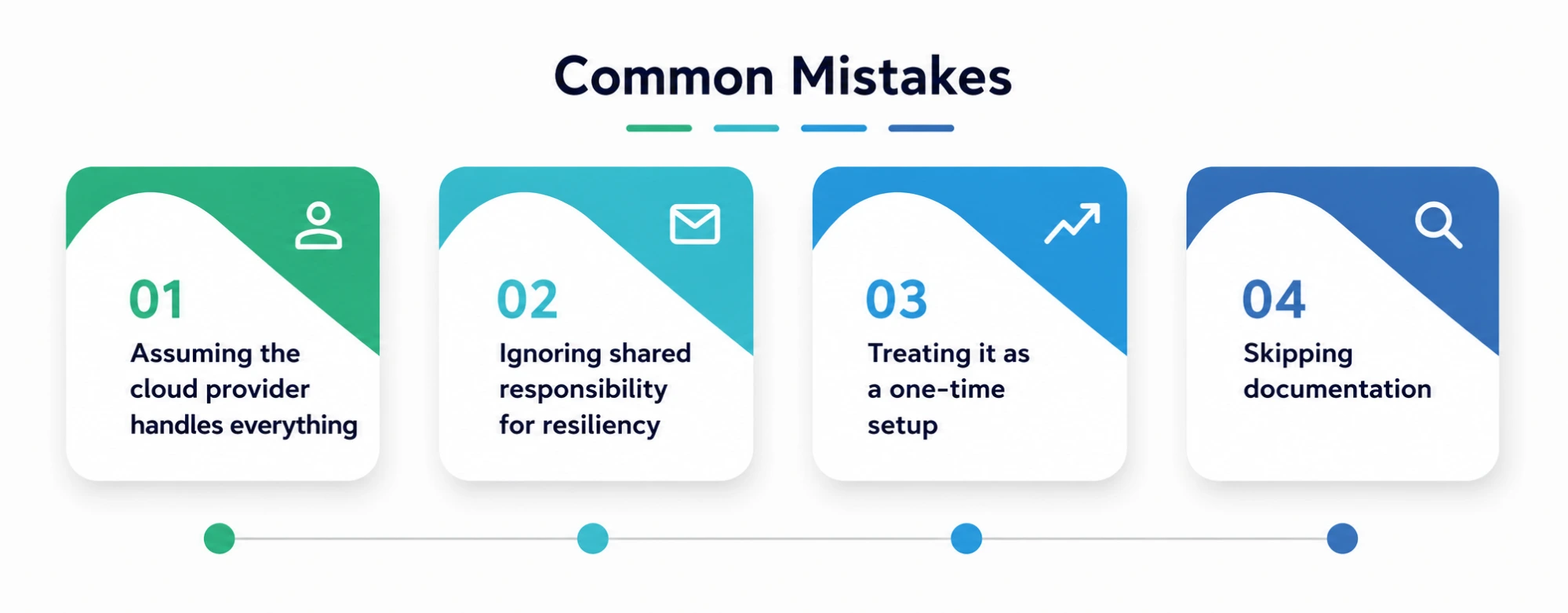
- Assuming the cloud provider handles everything—This is the single biggest myth. Providers secure the infrastructure, not your data or your misconfigurations.
- Ignoring shared responsibility for resiliency — It’s not just about security. Microsoft’s documentation notes that the shared responsibility model for reliability has multiple levels, including core platform reliability and workload-specific design choices that remain the customer’s job.
- Run it as a one-off setup—As mentioned above, responsibilities change as your architecture evolves and outdated assumptions can lead to compliance gaps.
- No documentation – Each team believes that someone else is doing a task, but no one owns it, and there is no written ownership of each control.
Final Thoughts
This is not an exam question. It is a mental model that every cloud professional should bring to their daily work. Understanding that the provider is responsible for the security of the infrastructure and you are responsible for the security of what you build on top of it, cloud compliance, data protection, and control of access all start to make a lot more sense.
Personal Note
I’ll be honest—when I first started learning about cloud security, I assumed “the cloud” was just a magic vault that took care of itself. It took a real (if small) scare with an exposed configuration setting on a test project to understand that security in the cloud is very much a two-way street.
If there’s one thing I’d want a student reading this to take away, it’s this: don’t wait for a mistake to teach you what documentation already explains clearly. Read the provider’s shared responsibility page for whatever platform you’re using, and actually map out what’s yours to protect.