Have you ever typed a website name into your browser and wondered what actually happens in that split second before the page loads? You don’t type in a string of numbers. You type in a name, like google.com, and somehow your laptop or phone knows exactly where to go.
That quiet, invisible process is the work of DNS, and once you understand it, the internet stops feeling like magic and starts feeling like a system you can actually reason about.
This blog is written for students, beginners, and anyone curious about how the internet finds its way around. We’ll break down what is DNS, how it works step by step, why it’s called the “phonebook of the internet,” and what can go wrong when it’s attacked. No jargon walls, no assumptions that you already know networking. Just a clear, honest explanation.
What Is DNS? The Simple Definition
So, what is DNS exactly? DNS stands for Domain Name System. In plain words, it’s the system that translates the website names we type into browsers into the numerical addresses that computers actually use to talk to each other. Those numerical addresses are called IP addresses.
Think about this. Every website lives on a server somewhere in the world, and every server has a unique IP address (like 142.250.194.14). Nobody wants to have to memorize a string like that for every website you visit. So instead we use easy-to-remember names like wikipedia.org or amazon.in, and DNS does the translation behind the scenes.
“DNS is the part of the standard internet protocol that translates human-friendly domain names into the IP addresses that computers use to identify each other on a network,” an IBM explainer on the subject adds.
That single sentence is really the whole idea of what DNS is in a nutshell—it’s a translator, working continuously, mostly unnoticed, so the internet stays usable for regular people. If you’re still asking yourself what is DNS in the simplest possible terms, picture a contacts app on your phone.
You don’t remember your friend’s actual phone number; you just tap their name. DNS does the exact same job, except it’s doing it for every website on the planet, for every person online, all the time.
Why Was DNS Even Created?
Back in the earliest days of the internet, there were only a handful of connected computers, and a single text file kept track of which name matched which address. As more computers joined, that file became impossible to manage manually.
Basically, DNS was created because engineers needed a better, distributed way to manage internet addressing at scale. A hierarchical, automated way to keep everything correct without one person updating a giant list by hand.
This is important, especially to students, since it shows that DNS wasn’t an afterthought. It was built to solve a scaling problem, and history gives us some insight into why the system looks the way it does today: layered, distributed, and built for growth.
How DNS Really Works: Step by step
Let’s see what happens when you type in a web address and hit “Enter.”
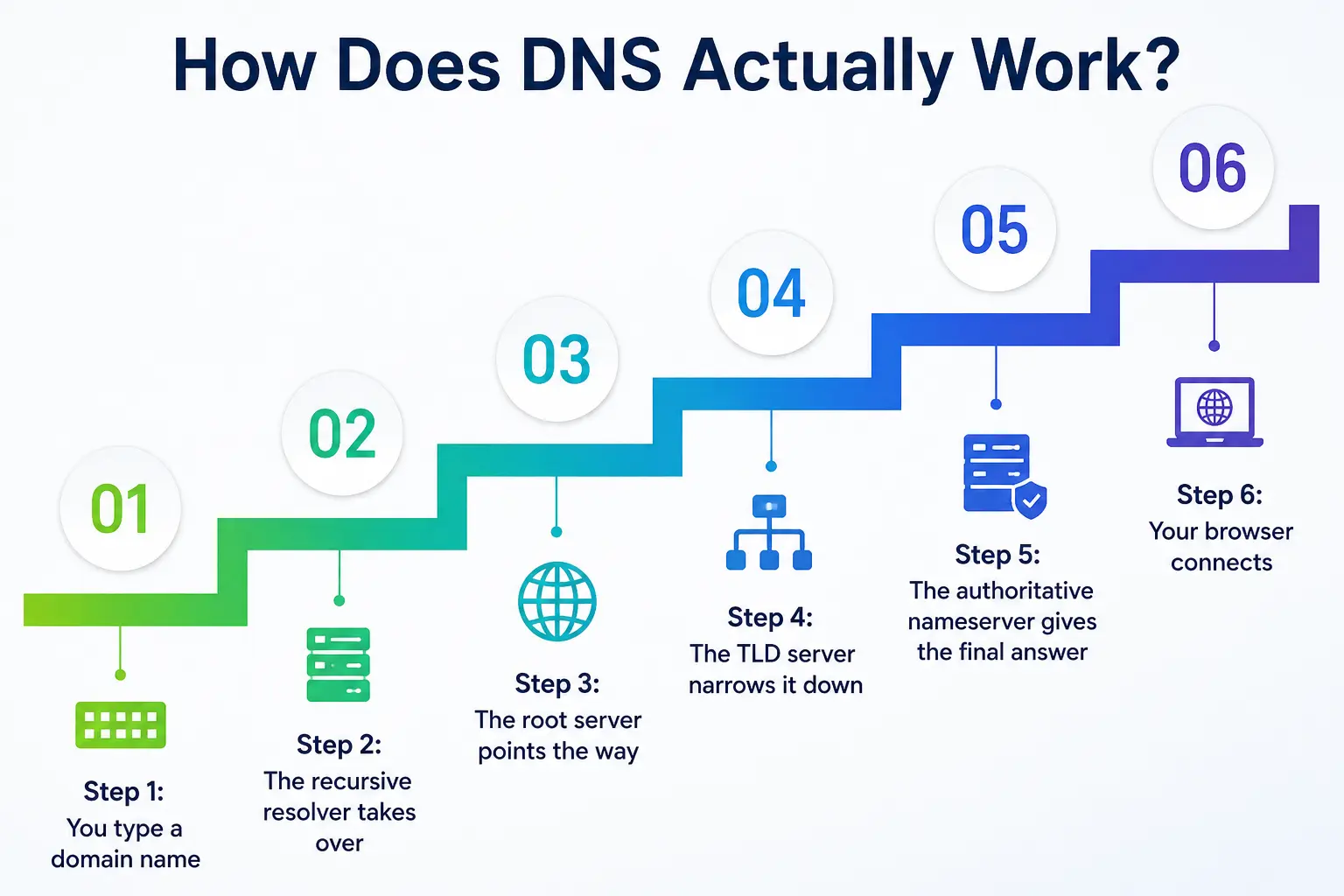
Step 1: You enter a domain name
Assume you enter “example.com” into your browser. Your device doesn’t yet have the IP address, so it needs some help.
Step 2. Then the recursive resolver takes over
That request goes to a recursive resolver, usually one run by your ISP or a public one such as Google’s 8.8.8.8. Its job is to do the nameserver lookup for you and return with an answer. “The recursive resolver serves as an intermediary between your device and the rest of the DNS system. It does the actual searching for you,” Indusface explains.
Step 3: The root server leads the way
If the answer is not in the resolver’s cache, it queries a root server, which is like the top of a giant filing system. The root server doesn’t know the exact IP address, but it does know which set of servers are responsible for “.com” domains, so it points the resolver that way.
Step 4: The TLD server narrows it down.
Then it reaches the Top-Level Domain (TLD) server, which manages all the “.com,” “.org,” “.in,” and other extensions. This server tells the resolver exactly which authoritative nameserver is responsible for the record for example.com.
Step 5. Final answer from authoritative nameserver
And herein lies the actual domain mapping. The authoritative nameserver has the actual DNS record mapping “example.com” to its IP address and returns that answer to the resolver.
Step 6: Your browser makes a connection to
The resolver returns the IP address to your device, and your browser connects to that server, and the website loads. Usually all this is done in the blink of an eye.
Why Does DNS Matter So Much?
You might be thinking, okay, I understand what is DNS now, but why should I actually care? Here’s why it matters more than most people realize:
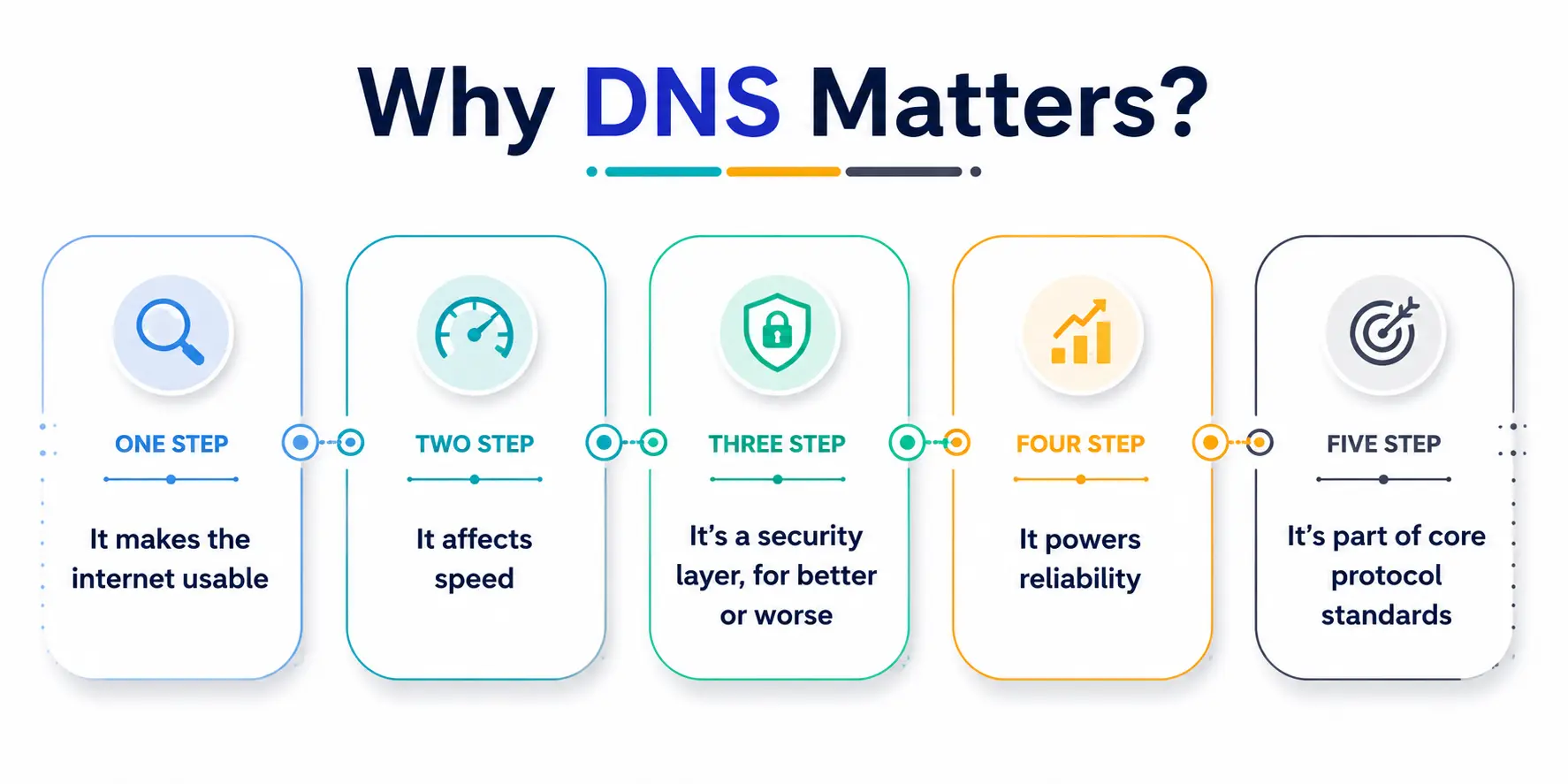
- It makes the internet usable. Without this translation system, we’d all be typing IP addresses instead of names, and honestly, most of us would give up on the internet within a week.
- It affects the speed. DNS caching is the temporary storage of answers by resolvers. Repeated visits to a site will load faster because the lookup doesn’t have to be performed from scratch each time.
- It’s a security layer, for good or bad. DNS can be used to block bad sites, but DNS can also be abused by attackers, as we discuss below.
- It powers reliability. The big platforms use DNS to route users to the nearest available server. This increases speed and avoids overloading any one location.
- That’s part of the standards for the core protocol. DNS uses internet-wide rules set by global organizations to ensure that any device, anywhere, can perform a nameserver lookup and get a consistent answer.
Cache Poisoning: What Is It And How To DNS’s Dark Side
Now this is where it gets really important for anyone who is into internet safety, especially students learning the basics of cybersecurity. Cache Poisoning (DNS spoofing)—this is an attack in which false information is filled into a resolver’s cache.
Cache poisoning is when a hacker puts fake information into the cache of a DNS server. This means that the DNS server will return a false IP address for a domain name and will secretly redirect users to a fake website controlled by the hacker. The scary part is, the web address in your browser bar can still look okay, even if you’re connected to a malicious server underneath.
BlueCat Networks notes that cache poisoning is particularly damaging because the poisoned record persists until its time-to-live expires, meaning it keeps serving bad answers to everyone who queries that resolver until the cache naturally clears or is manually flushed.
One of the most well-known real-world demonstrations of how dangerous this can be was documented back in 2008 by security researcher Dan Kaminsky, who discovered a flaw that made large-scale attacks of this kind practical. That discovery pushed the entire internet industry to take DNS security far more seriously.
How to Prevent This Kind of Attack?
The good news is that this isn’t an unsolvable problem. Organizations are encouraged to regularly flush DNS caches so resolvers keep fetching fresh, legitimate data rather than relying on old, potentially tampered records.
The Table: A Quick Snapshot of the DNS Journey
Here’s a simple table to help students visualize the full lookup process in one glance.
|
Step |
Server Involved |
What It Does |
|
1 |
Your Device (Browser) |
Sends the request to find the IP address |
|
2 |
Recursive Resolver |
Coordinates the entire search process on your behalf |
|
3 |
Root Server |
Points the resolver toward the correct TLD server |
|
4 |
TLD Server |
Directs the resolver to the correct authoritative nameserver |
|
5 |
Authoritative Nameserver |
Holds the actual domain mapping and IP address |
|
6 |
Recursive Resolver (again) |
Returns the final IP address to your device |
|
7 |
Your Browser |
Connects to the IP address and load the website |
DNS and Internet Addressing: The Bigger Picture
At its core, internet addressing exists because every connected device needs a unique way to be identified. DNS sits right at the center of this system, translating readable names into the numerical language that routers, servers, and networking equipment actually understand.
Fundamentally, internet addressing is about the fact that every device that’s connected needs to have a unique way to be identified. This system’s very core is DNS, which translates human-readable names into the numerical language that routers, servers, and networking equipment can actually understand.
DNS Record Types Students Should Know
While we’re on the subject of what DNS is, it helps to have a brief understanding of DNS records since they’re the actual data being looked up:
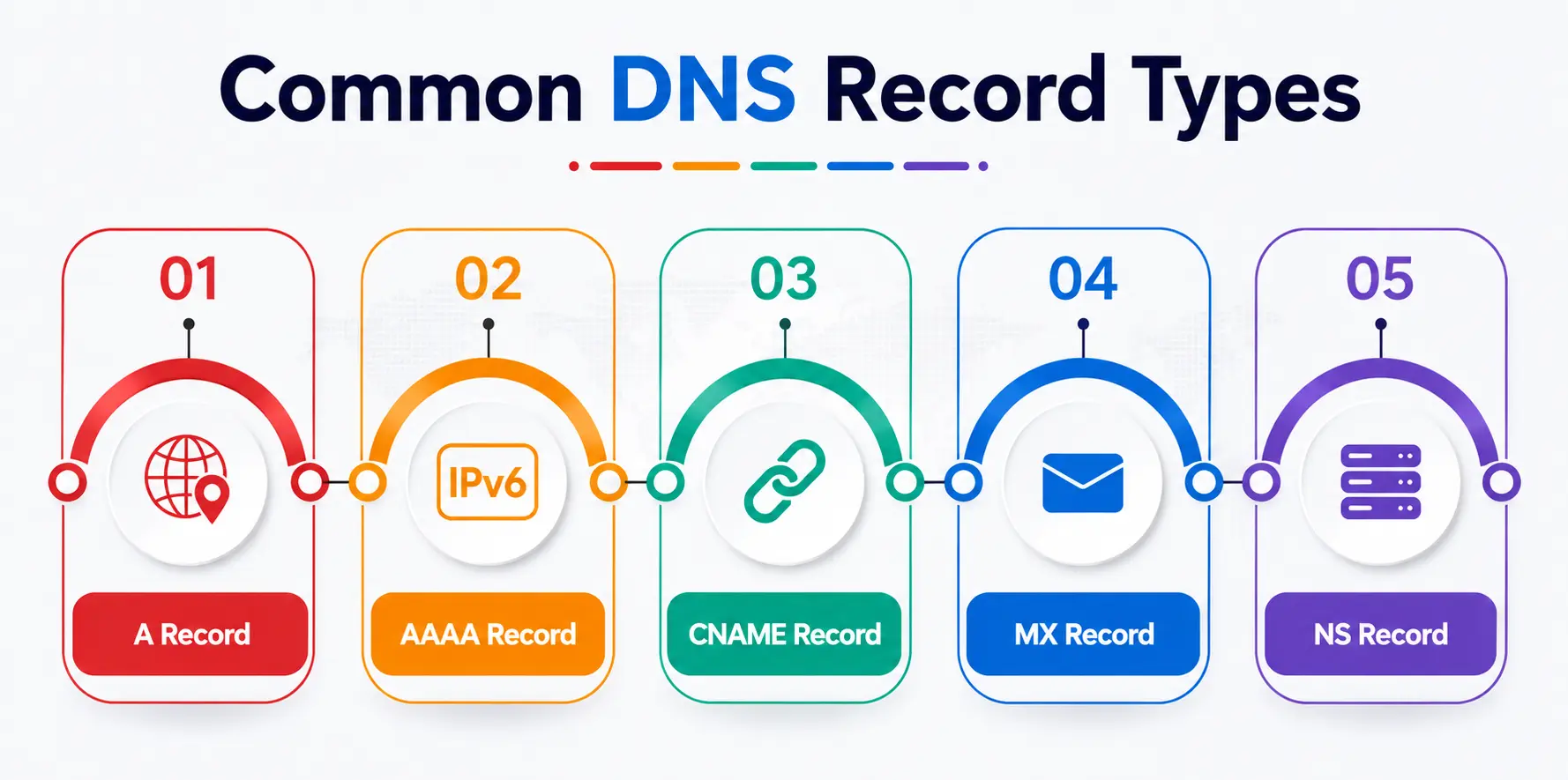
- A Record: It maps a domain name to an IPv4 address.
- AAAA Record: Converts a domain name into an IPv6 address.
- CNAME Record: Used to point one domain name to another domain name.
- MX Record: Points email to the correct mail server.
- NS Record: Displays which servers are the authoritative servers for a domain.
Each of these plays a role in how a domain connects to the greater internet, and together they form the backbone of how a domain works online.
Final Thoughts: Why This Actually Matters for You
If you’ve made it this far, you now genuinely understand what DNS is, not just as a buzzword, but as a real, working system that quietly holds the internet together. From lookup mechanics to the risks of forged records, from internet addressing to the protocol standards that keep it all consistent, DNS is one of those foundational technologies that almost nobody thinks about until it breaks.
And that’s exactly why it deserves more attention, especially from students stepping into tech, networking, or cybersecurity fields. Understanding domain mapping isn’t just trivia; it’s a genuine building block for understanding how nearly everything online actually functions.
A Personal Note
I still remember the first time a professor casually mentioned that “the internet doesn’t actually use names; it uses numbers,” and how strange that felt to hear out loud. It sounds obvious once you know it, but before that, I’d genuinely never questioned how typing a few words into a browser turned into an entire website appearing on my screen.
Writing this piece brought back that same feeling of quiet fascination. DNS isn’t flashy; it doesn’t get much credit, and most people will go their whole lives never learning its name. But it’s one of those systems that, once understood, makes you appreciate just how much careful engineering sits underneath the things we take for granted every single day.
If this blog helped even one student feel that same “oh, that’s how it works” moment, then it did its job.