Remote work isn’t a perk anymore — it’s simply how teams operate in 2026, whether that’s a five-person startup or a multinational enterprise. Every laptop logging in from a coffee shop, every phone tethered to a home router, and every contractor connecting from another time zone is a potential doorway into your network.
That’s exactly why remote access security has moved from an IT afterthought to one of the first things CISOs defend in the boardroom. This guide breaks down what that actually looks like in 2026—not the marketing version, but the practical one.
Whether you’re a student trying to understand how organizations protect themselves, or an IT professional building a security stack for a distributed team, you’ll find the concepts, the tools, and the everyday habits that separate resilient teams from the ones making headlines for the wrong reasons.
By the end, you should have a working picture of what a serious security program actually contains — the identity checks, the monitoring, the policies — not just the buzzwords attached to it, and why so many organizations are still catching up even in 2026.
Why Remote Access Security Is Non-Negotiable in 2026?
The numbers make the case better than any opinion could. According to RealVNC’s 2026 Remote Access Trends Report, 81% of CIOs and CTOs say their organization suffered a remote access security incident in the past two years — yet only 21% of the systems administrators actually running the infrastructure reported the same thing.
That gap alone tells you something important: leadership and the people holding the keyboard often don’t see the same risk picture, and that disconnect is exactly where breaches slip through.
Add to that a workforce logging in from personal routers, shared café Wi-Fi, and devices IT has never inspected, and you get an attack surface that barely resembles the office network of a decade ago. This is where a company’s whole security posture stops being reactive and becomes proactive — organizations that wait for an incident before investing are, statistically, already behind.
The same report notes that the most resilient organizations aren’t necessarily the biggest ones; they’re the ones investing in layered, proactive defenses rather than a single tool and a hope. The budget alone doesn’t fix this. A mid-sized company with a disciplined, well-documented approach to identity and device checks will often outperform a much larger one running on outdated assumptions about what “inside the network” even means anymore.
Getting the Basics Right: Access Security, Network Protection, and Secure Remote Access
Before diving into tools, it helps to separate three ideas that get used interchangeably but aren’t quite the same thing.
Access security is about who gets in and under what conditions — identity, authentication, and authorization. Good access security starts with knowing exactly who is asking for access, from what device, and from where, before a single byte of company data is exposed. It’s the layer closest to the user, and it’s usually where attackers try first because a stolen password is far cheaper than a zero-day exploit.
Network protection is broader — it’s the layered defense around the systems themselves: firewalls, segmentation, encrypted tunnels, and monitoring that assumes any connected device could already be compromised. A network protection strategy that only checks credentials at login and never looks again has a large blind spot sitting right in the middle of it.
Secure remote access sits at the intersection of both: it’s the practical outcome when strong identity checks and network protection work together so an employee, contractor, or vendor can reach company resources from anywhere without handing attackers an easy way in.
Get any one of these three wrong, and the other two end up compensating for a gap they were never designed to cover — which is why security teams increasingly review all three together instead of treating them as separate line items on a budget spreadsheet.
The Building Blocks of Remote Access Security
A working program generally rests on a handful of pillars, and skipping any one of them tends to show up later as an incident report rather than a line item:
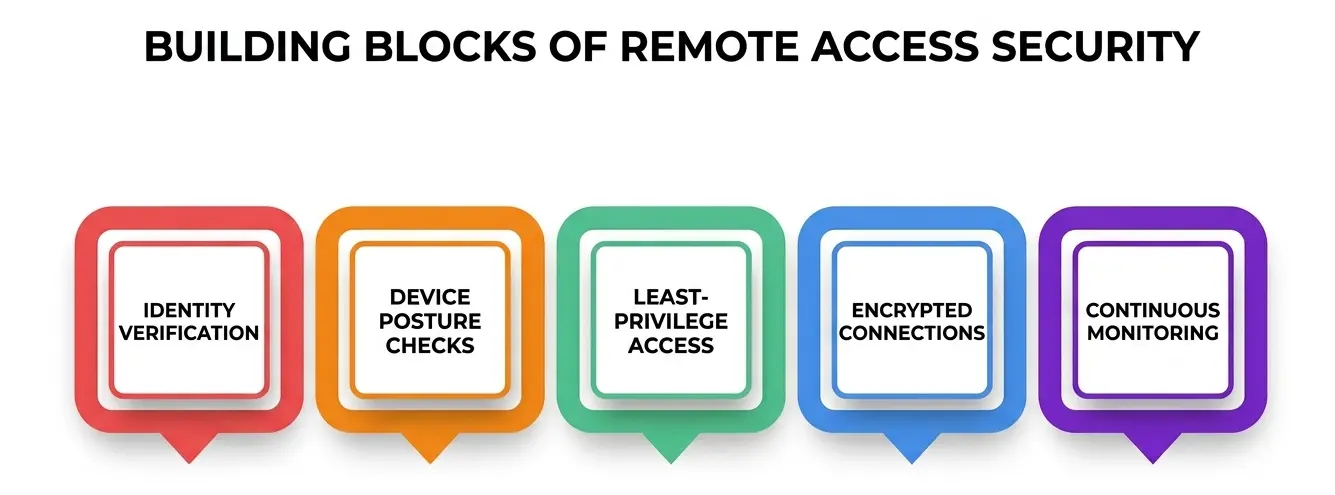
- Identity verification — multi-factor authentication (MFA), ideally phishing-resistant methods like passkeys or hardware security keys, not just SMS codes.
- Device posture checks — confirming a device is patched, encrypted, and running approved software before it’s allowed anywhere near sensitive systems.
- Least-privilege access — users and applications get only the access they need, for only as long as they need it.
- Encrypted connections — traffic between a remote device and company resources should never travel in the clear.
- Continuous monitoring — access decisions shouldn’t be a one-time gate; sessions need to be watched for the entire time they’re active.
These pillars closely track the thinking in NIST’s Zero Trust Architecture publication, SP 800-207, which shifted enterprise security away from trusting anything inside a network perimeter and toward verifying every request on its own merits — a principle that fits a distributed workforce far better than the old “castle and moat” model ever did.
Here’s how the major approaches to remote connectivity actually compare, side by side:
|
Approach |
How It Works | Best For |
Main Risk |
|
Traditional VPN |
Creates an encrypted tunnel into the whole network | Small teams, simple setups |
Broad access once connected; one compromised credential can expose everything |
|
RDP (Remote Desktop Protocol) |
Direct remote control of a machine over the network | Quick internal access, legacy systems |
Frequently targeted by attackers; weak passwords turn it into an open door |
|
ZTNA (Zero Trust Network Access) |
Grants access to specific applications only, after continuous verification | Distributed teams, sensitive data |
Requires more identity infrastructure and setup upfront |
|
SASE (Secure Access Service Edge) |
Combines networking and security into a single cloud-delivered service | Larger, geographically spread organizations |
Vendor lock-in and migration complexity |
Notice the direction all four are moving in: away from “connect once, trust everything” and toward “verify constantly, trust narrowly.” None of these approaches is automatically wrong for every organization — a small team with a handful of internal tools may genuinely be fine on a well-configured VPN for now. The mistake isn’t picking VPN or RDP on day one; it’s never revisiting that choice as the team, the data, and the threat landscape all grow around it.
Conditional Access Policies: The Real Gatekeeper
If identity is the front door, conditional access policies are the bouncer checking ID at every single entry, not just the first one. According to Microsoft’s documentation on Extra Conditional Access, these work as if-then rules: if a user tries to reach an application, then they must satisfy a condition — complete MFA, use a compliant device, or connect from an approved location — before access is granted.
What makes this approach so powerful in 2026 is how many signals it weighs at once: user identity, device health, real-time sign-in risk score, and location, evaluated continuously rather than only at the moment of login.
A well-designed policy set quietly blocks the majority of credential-based attacks before they ever reach a human analyst’s desk, simply because a stolen password alone is no longer enough to get in.
The rollout matters as much as the policy itself. Security teams are increasingly deploying conditional access policies in report-only mode first, watching what would have happened before flipping them to full enforcement — a lesson learned from organizations that once locked out their own administrators with an overly aggressive policy on day one.
Emergency “break-glass” accounts, excluded from blocking rules, remain a standard safeguard for exactly this reason, and any team rolling out new policies should have at least one documented before enforcing anything tenant-wide.
Network Traffic Monitoring: Watching What Actually Happens
Policies decide who gets in. What happens next is a separate question entirely — and whether that behavior still looks like the person it’s supposed to be is something only ongoing visibility can answer.
The Cybersecurity and Infrastructure Security Agency’s zero trust guidance treats visibility into remote access as a core requirement, not an optional add-on, precisely because misconfigured or unmonitored remote access has repeatedly been the entry point attackers rely on.
Network traffic monitoring tools collect telemetry from endpoints, gateways, and applications, looking for the kind of anomalies a human would never catch in real time — a login from an unusual location minutes after a legitimate one, or a sudden spike in data leaving a single account.
For a distributed workforce, network traffic monitoring has to extend past the office firewall and cover every remote gateway, VPN concentrator, and cloud application employees touch. A monitoring setup that only watches on-premises traffic is, in practice, only watching a fraction of the real attack surface — and the fraction that matters least in a remote-first world.
Secure Remote Access in Practice: A Checklist for Teams and Students
None of this needs to be intimidating. Here’s a practical starting point, whether you’re securing a five-person startup or studying for your first cybersecurity role:
- Enforce MFA everywhere, and move toward phishing-resistant methods over time.
- Roll out new access policies gradually, starting in report-only mode.
- Set up network traffic monitoring on every remote-access gateway, not just the office network.
- Require device compliance checks before granting access to sensitive systems.
- Segment networks so one compromised account can’t reach everything at once.
- Treat access security as an ongoing program, not a one-time project — review policies every quarter.
- Encrypt data in transit and at rest by default, with no exceptions for “internal” traffic.
- Keep an inventory of every VPN concentrator, gateway, and remote-access appliance so nothing sits unpatched simply because it was forgotten.
The goal of secure remote access isn’t to make life harder for employees; it’s to make the easy path and the secure path the same path. A setup that requires ten extra steps will get worked around by frustrated staff — the best ones are nearly invisible when everything is working correctly.
Students preparing for cybersecurity careers would do well to practice configuring this kind of layered access in a home lab or free-tier cloud environment; it’s one of the few skills that translates directly from a classroom exercise to a real help-desk ticket.
Common Remote Access Security Mistakes
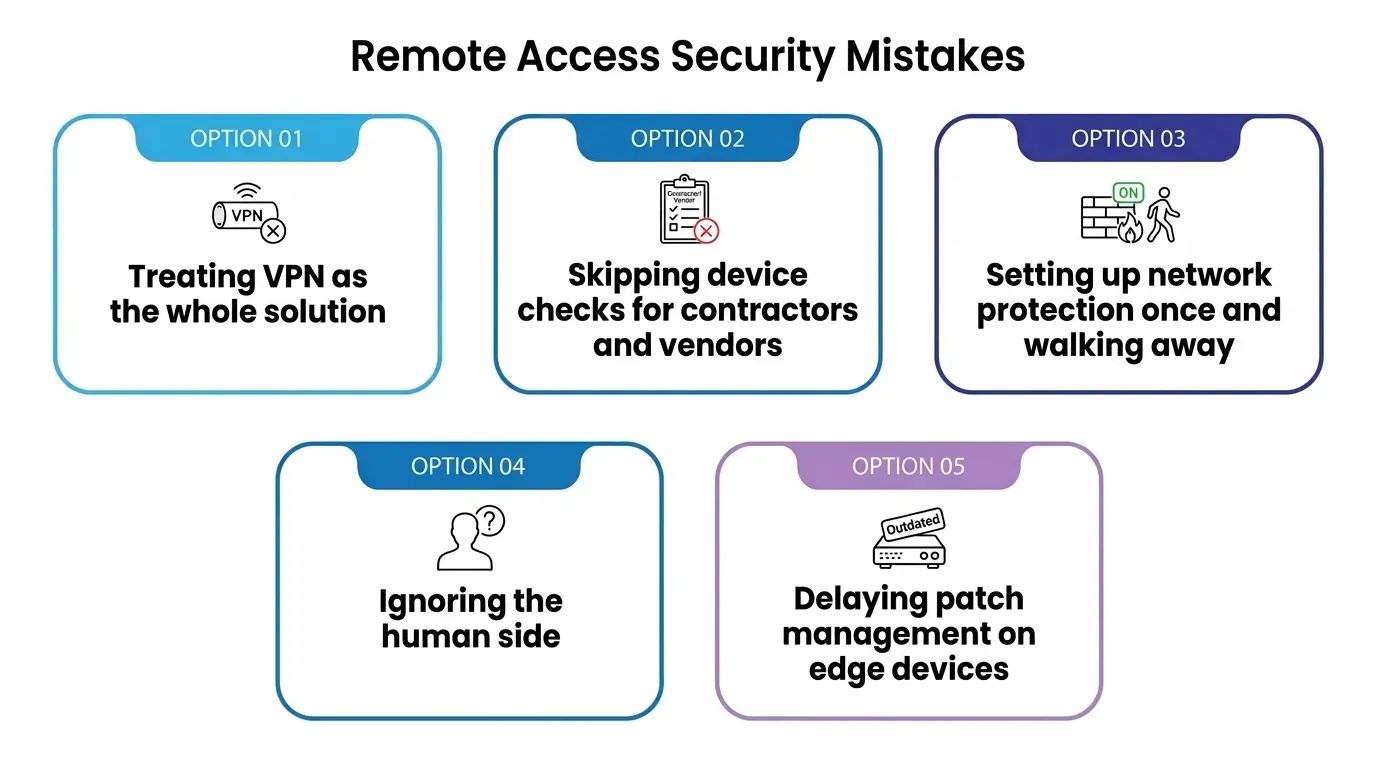
- Treating VPN as the whole solution. A VPN gets someone onto the network — it says nothing about what they should be allowed to touch once there.
- Skipping device checks for contractors and vendors. Third-party access is consistently one of the least visible parts of an organization’s footprint, and one of the most exploited.
- Setting up network protection once and walking away. Threats evolve; static configurations don’t. Teams that treat it as a “set it and forget it” task fall behind fast, often without realizing it until an audit or an incident forces the issue.
- Ignoring the human side. Access security only works when people, not just tools, understand why a prompt or a policy exists — otherwise they’ll find a workaround within a week.
- Delaying patch management on edge devices. VPN concentrators and remote-access appliances are consistently among the first things attackers target, and unpatched firmware remains one of the easiest ways into an otherwise well-defended network, often because these devices sit outside the normal patching cycle and nobody owns the update calendar.
Where Remote Access Security Is Headed?
The direction is fairly clear. Perimeter-based thinking — the idea that anything inside the network is automatically trustworthy — is giving way to models built around identity and continuous verification.
CISA’s guidance helping federal agencies modernize toward zero trust and SASE architectures reflects a broader shift that private organizations are following too: replacing legacy, perimeter-routed connectivity with identity-aware, cloud-delivered access.
Expect conditional access policies to get smarter, pulling in more real-time risk signals rather than relying on static rules. Expect this layer of visibility to lean more heavily on automation, too, simply because the volume of remote connections has outgrown what any human team can watch manually.
And expect remote access security itself to keep evolving as a discipline — not because the technology keeps changing for its own sake, but because the people trying to break in keep adapting too, often faster than the policies written to stop them.
A Personal Note
I’ve spent enough time reading breach post-mortems to notice a pattern: it’s rarely the exotic, novel attack that gets an organization. It’s the VPN appliance nobody patched, the contractor account nobody offboarded, or the one policy someone meant to tighten “next quarter.”
If there’s one thing worth taking from this piece, it’s that remote access security isn’t a project you finish — it’s a habit you keep. Start small, stay consistent, and don’t wait for an incident to make the case for you.