If you’ve ever built an application that touches passwords, payment details, or health records, you’ve already made a decision about cryptographic key management—you just might not have made it on purpose.
Encryption itself has become almost trivial to implement; most frameworks hand you strong algorithms out of the box. What actually decides whether that encryption protects anything is how the keys behind it are generated, stored, rotated, and eventually retired. Get that part wrong, and the strongest algorithm in the world is just theater.
This guide breaks down eight practical, current best practices that hold up in real production environments—not just in a compliance document nobody reads. It’s written for students, junior developers, and IT teams who understand that encryption exists but haven’t yet wrestled with the harder, less glamorous problem of managing the keys that make it work.
Why Cryptographic Key Management Creates Real Risk in 2026?
Encryption keys have quietly become one of the most valuable targets in any environment. An attacker who steals encrypted data without the key gets nothing useful. An attacker who steals a poorly protected key gets everything the encryption was supposed to prevent—instantly, and often without tripping a single alarm. That asymmetry is exactly why key handling deserves as much engineering attention as the encryption algorithm itself, arguably more.
The National Institute of Standards and Technology treats this as foundational rather than optional. Its recommendation for key management guidance lays out the full lifecycle a key should go through—generation, distribution, storage, rotation, and destruction—and makes the case that a system is only as trustworthy as the weakest point in that lifecycle.
A key generated with a strong random source but stored in a plaintext config file has effectively skipped every protection the rest of the process was supposed to provide. In practice, weak authentication methods around who can request a key, not weak math, are what actually get exploited in most real incidents.
The stakes have also shifted because of where data actually lives now. Most organizations no longer run a single data center; they run a mix of on-premises systems, multiple cloud providers, and third-party SaaS tools, each handling encryption differently by default.
That sprawl means keys and storage decisions now span environments that don’t always talk to each other cleanly, which is precisely where mistakes creep in—and it’s why a deliberate cryptographic key management program matters more this year than it did five years ago, not less.
The 8 Best Practices for Cryptographic Key Management
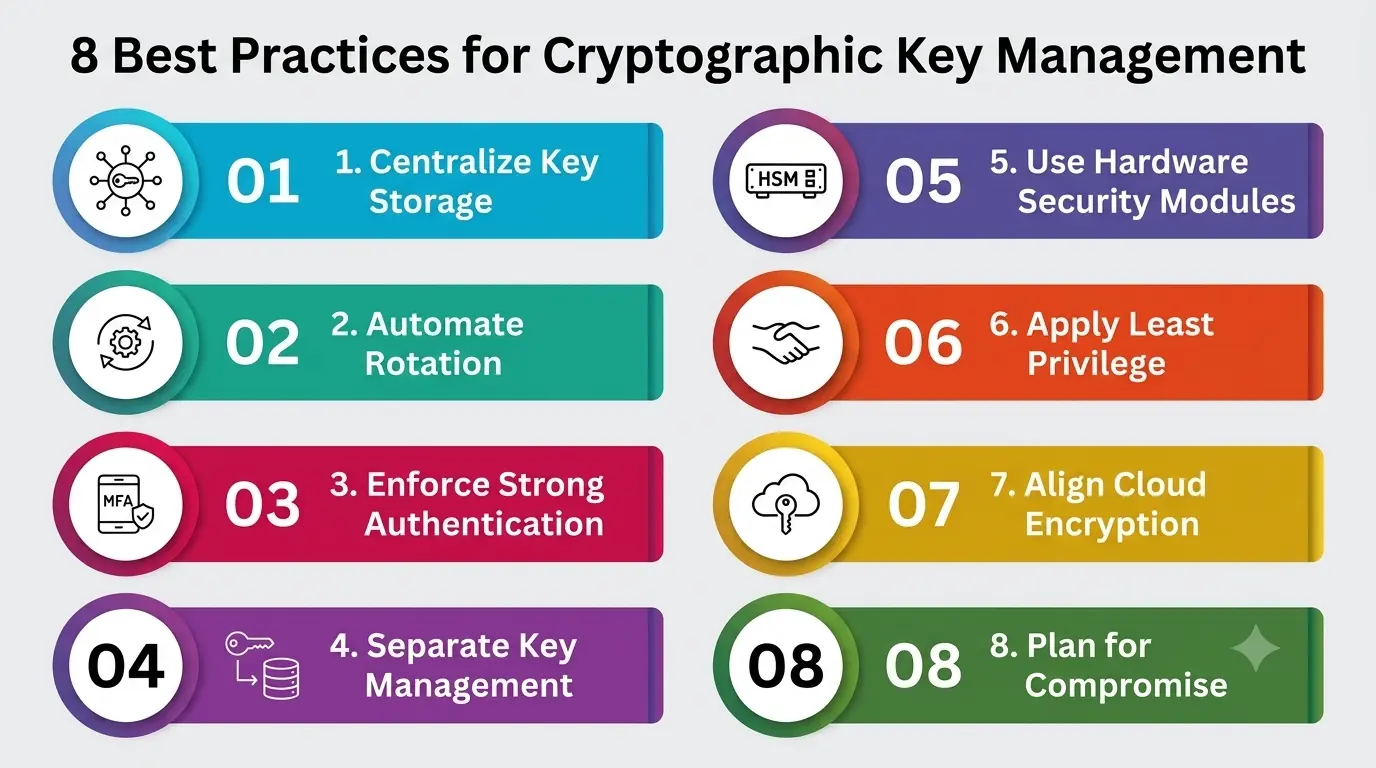
1. Centralize Key Storage Instead of Scattering It
The single most common failure in cryptographic key management isn’t a weak algorithm—it’s key storage sprawl. Keys end up hardcoded in source code, dropped into environment files, copied into internal wikis “just for reference,” or duplicated across a dozen microservices because it was faster than doing it properly. Every one of those locations is a place an attacker only needs to find once.
Centralized key storage through a dedicated key management system gives you one place to enforce access policy, one place to audit, and one place to rotate from. It also means a developer never needs to handle a raw key directly—the application requests access, the key management system decides whether to grant it, and the key itself never gets pasted into a Slack message or a config file again. If you can’t answer, right now, exactly how many places a given key lives, that’s the first gap worth closing.
2. Automate Rotation for Encryption Keys
Keys that never rotate are a slow-motion liability. The longer a key stays active, the larger the amount of data protected by it, and the more valuable that single key becomes to an attacker. A leaked key with a six-month lifespan is a containable incident. A leaked key that’s been active for four years is a different category of problem entirely.
Manual rotation gets skipped because it’s disruptive and easy to postpone indefinitely. Automated rotation schedules—built into most modern key management systems—remove that excuse.
Google Cloud’s key management documentation walks through how automatic rotation policies can be applied per key, so cryptographic material ages out and gets replaced on a schedule instead of whenever someone remembers to do it manually.
3. Enforce Strong Authentication Methods for Key Access
A key management system is only as secure as the authentication methods guarding access to it. If any service account with a valid API token can pull a production signing key, the storage layer underneath barely matters—the door was never really locked.
Multi-factor authentication for human operators, short-lived tokens for services, and mutual TLS between systems requesting key access are no longer advanced options; they’re baseline expectations for any serious key management program.
This matters even more as more of that access happens machine-to-machine rather than person-to-person. A microservice requesting a decryption key at runtime needs its own strong identity and its own authentication methods, not a shared credential borrowed from another part of the system. Treat every requester—human or automated—as needing to prove who it is before a key is ever released.
4. Separate Key Management from Secure Data Storage
One of the most persistent mistakes in cryptographic key management is keeping keys in the same location as the data they protect. If a database backup is compromised and the key sits in the same environment, the attacker effectively has both halves of the lock.
Secure data storage architecture should assume the data store itself will eventually be breached, and design the key management layer as an independent, separately secured system.
This separation is also what makes encryption meaningful for compliance frameworks like HIPAA, PCI DSS, and GDPR, all of which expect that stolen encrypted data, on its own, doesn’t count as an exposed breach. That protection only holds if secure data storage practices genuinely keep the keys somewhere a data compromise can’t reach.
5. Use Hardware Security Modules for High-Value Keys
For root keys, signing keys, and other high-value material, software-based storage—even a well-configured one—doesn’t always suffice. Hardware security modules are dedicated, tamper-resistant devices built specifically to generate, store, and use cryptographic material without ever exposing the raw key outside the hardware boundary, even to administrators with root access.
AWS’s security guidance on CloudHSM is a useful reference here: cloud providers now offer HSM-backed storage as a managed service, which removes the old excuse that hardware security modules were only realistic for large enterprises with dedicated infrastructure teams. For root-of-trust keys specifically, an HSM should be the default, not the exception.
6. Apply Least Privilege and Role-Based Access to Keys
Broad access to encryption keys is one of the quietest risks in any environment, because it doesn’t look like a mistake until something goes wrong. A support engineer who can decrypt customer records “just in case,” or a deployment pipeline with standing access to every production key, both represent unnecessary exposure that has nothing to do with whether the underlying encryption is strong.
Effective cryptographic key management applies the same least-privilege principle used elsewhere in security: grant access to a specific key for a specific purpose, for as short a time as the task requires, and log every use. Role-based access control, scoped to individual keys rather than broad categories, keeps a single compromised credential from becoming a master key to everything an organization owns.
7. Align Cloud Encryption and Key Management From Day One
Cloud encryption without a deliberate key management strategy behind it can create a false sense of security. Most cloud providers encrypt data by default, which is genuinely useful, but the important question is who controls the key—the provider or the organization.
The Cloud Security Alliance’s guidance on key responsibility models breaks this down clearly: provider-managed keys are convenient but mean the provider can technically access your data, while customer-managed or customer-held keys shift that control back to the organization at the cost of some operational simplicity.
Neither model is universally correct. A startup optimizing for speed might reasonably accept provider-managed keys early on. A healthcare or financial services company handling regulated data usually needs customer control, sometimes paired with an HSM, so that those decisions align with the organization’s actual risk tolerance instead of the provider’s default setting.
8. Plan for Key Compromise, Revocation, and Recovery
No cryptographic key management program is complete without a plan for the day a key is suspected of compromise. That plan needs a fast, tested revocation process—the ability to disable a key immediately, re-encrypt affected data with a new one, and confirm nothing was silently missed. Teams that only think about this after an incident tend to discover their revocation process was theoretical rather than tested.
Recovery deserves equal attention. A key management system that loses its own keys through poor backup practices can turn a minor operational hiccup into permanent data loss, which is just as damaging as a breach.
According to Encryption Consulting’s 2026 guidance on key management practices, organizations should maintain secure, tested backup and recovery procedures for their entire key hierarchy, kept separate from routine data backups, so a lost or corrupted key store doesn’t become an unrecoverable event on top of whatever caused the original incident.
The 8 Practices at a Glance
|
Practice |
What It Protects Against |
Common Mistake to Avoid |
|
Centralized key storage |
Keys scattered across code, configs, and wikis |
Hardcoding keys “temporarily” and forgetting about it |
|
Automated key rotation |
Long-lived encryption keys becoming high-value targets |
Treating rotation as a manual task that gets postponed |
|
Strong authentication methods |
Unauthorized services or accounts pulling keys freely |
Reusing shared credentials for machine-to-machine access |
|
Key/data separation |
A single breach exposing both data and its key |
Storing keys in the same database as encrypted records |
|
Hardware Security Modules |
Raw key material being exposed, even to admins | Assuming software-based storage is enough for root keys |
| Least privilege access | One compromised credential unlocking every key |
Granting broad, standing access “for convenience” |
|
Cloud encryption alignment |
Losing control over who can decrypt your own data |
Accepting provider-managed keys without weighing the trade-off |
|
Compromise and recovery planning |
Permanent data loss or a mishandled breach response |
Never testing the revocation and recovery process until it’s too late |
Where to Start If You’re Doing This for the First Time?
You don’t need all eight practices running perfectly by next week. Start by finding out where your keys actually live today—a short audit, not a redesign. Most teams are surprised by what they find: a signing key in an old repository, a decryption key copied into three microservices, and a root credential nobody remembers issuing.
Fixing storage sprawl and turning on automated rotation usually delivers the biggest reduction in real risk for the least engineering effort, which makes it the right place to begin before moving on to access controls, hardware-backed storage, and a tested recovery plan.
Treat the list above as a sequence, not a checklist, to tackle all at once—a poorly rushed rollout of every practice simultaneously tends to produce the same alert fatigue and half-finished configuration that plagues any security project taken on too fast.
A Personal Note
The thing that took me the longest to internalize about cryptographic key management is that it’s not really a cryptography problem—it’s an operations problem wearing cryptography’s clothes.
The math behind modern encryption is, for practical purposes, solved. What isn’t solved, and probably never will be completely, is the discipline of keeping humans, scripts, and third-party systems from doing something careless with the keys that math depends on.
If you’re starting out and feel like key management is the “boring” part of security compared to studying attacks, I’d gently push back on that framing—I’ve seen far more real damage come from a leaked key sitting in a config file than from anything resembling a sophisticated exploit.
Start small: pick one system you’re responsible for, find out where its keys actually live today, and you’ll probably learn more from that ten-minute audit than from another week of reading about attack techniques.