

A credential on its own doesn’t get you shortlisted anymore. Hiring managers in 2027 have seen too many resumes list a certification with next to zero evidence that the candidate ever broke a container and fixed it themselves.
What actually earns an interview callback is a short list of real, working builds sitting next to that credential instead of standing in for it—a multi-service app you networked by hand, a cluster you scaled under load, a registry you locked down yourself. None of that requires a paid bootcamp or a company laptop; it requires a free afternoon, a laptop of your own, and a willingness to let something break on purpose.
This guide walks through the hands-on projects worth building alongside your exam prep, in the order that makes each one build on the last, and explains why pairing a credential with visible proof of skill is what actually moves you from “another applicant” to “the one we call back.” By the end, you’ll have a concrete project list, a clear-eyed comparison of which credential fits which role, and a security checklist you can apply to everything you build from here on.
Why a Docker Certification Alone Won’t Get You Hired?
Here’s the uncomfortable part first: passing an exam proves you can answer multiple-choice questions under a timer. It doesn’t prove you can debug a container that won’t start, resolve a conflict between two services sharing a port, or explain why an image quietly ballooned to three gigabytes. Interviewers know this, which is why technical screens increasingly ask candidates to walk through something they actually built rather than recite exam objectives from memory.
The Docker Certified Associate (DCA), now administered by Mirantis after Docker’s enterprise business changed hands in 2019, costs $199 per attempt, runs 90 minutes, and mixes 13 multiple-choice questions with 42 discrete-option questions, according to Mirantis’s own exam listing.
A quarter of that exam weight sits on orchestration, another chunk on networking, and the rest spread across image creation, installation, security, and storage. That weighting is a genuinely useful study map—but it’s still a map of what you’ll be asked, not of what you’ll be asked to actually do once you’re hired.
Container management as a day-to-day discipline is exactly where the gap shows up. Reading about it in a study guide and practicing it under a flaky network or a misconfigured volume mount are two different skill levels, and interviewers have gotten noticeably better at telling the two apart with a single follow-up question. Ask most candidates to describe what actually happened the last time a container they ran crashed in production, and the exam-only crowd goes quiet fairly quickly.
Picking the Right Certification Path for the Role You Want
Before building anything, it’s worth being honest about which credential actually matches the job you’re targeting. Orchestration-heavy exams built around Swarm don’t carry equal weight everywhere, since most production teams in 2027 run Kubernetes at scale rather than Docker’s own orchestrator.
That doesn’t make Swarm irrelevant — plenty of smaller teams and legacy deployments still run it — but it does change which credential you lead with on a resume aimed at a Kubernetes-heavy employer.
|
Credential |
Best Fit | Typical Cost |
Orchestration Focus |
|
Docker Certified Associate (DCA) |
Engineers already working daily with Docker tooling | $199 |
Docker Swarm |
|
Kubernetes and Cloud Native Associate (KCNA) |
Beginners wanting a low-cost entry point | ~$250 |
Kubernetes basics |
|
Certified Kubernetes Application Developer (CKAD) |
Developers deploying apps to clusters | ~$395 |
Kubernetes, developer-focused |
| DevOps and platform engineers running clusters | ~$395 |
Kubernetes, operator-focused |
A Docker certification like the DCA still matters at companies standardized on classic Docker tooling, registries, and day-to-day container management, especially ones that predate the Mirantis handoff.
But if the job description leans on Kubernetes, pairing—or replacing—it with a Kubernetes-track exam is the more defensible move. Either way, the projects below apply almost unchanged, because the underlying container skills transfer across both paths.
Beginner Hands-On Projects to Pair With Exam Study
Build these before you sit any exam. They turn questions about networking, volumes, and image layers from abstract trivia into things you’ve actually touched—and they double as your first portfolio pieces.
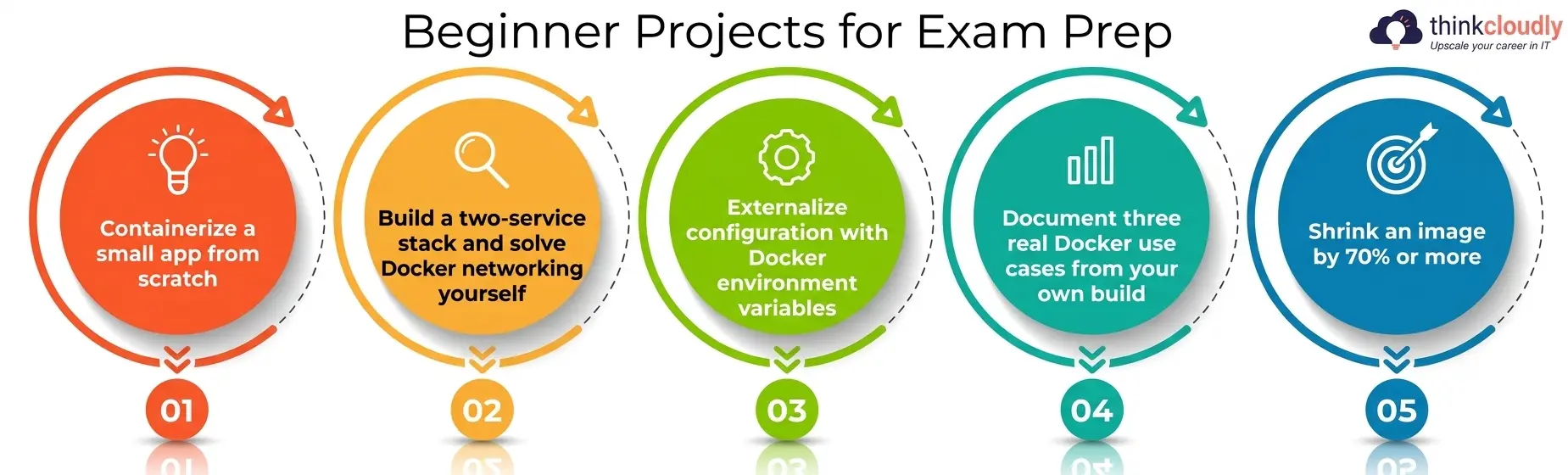
- Containerize a small app from scratch. Take a Flask, Express, or Django app you already understand, write its Dockerfile by hand, and get it running identically outside your machine as on it. This is the fastest way to internalize image layers and build caching.
- Build a two-service stack and solve Docker networking yourself. Wire a web service to a database using Compose, and resist the urge to copy a working file from a tutorial. Working through Docker networking manually—custom bridge networks, service discovery by container name, port eexposure—teachesfar more than any diagram ever will.
- Externalize configuration with Docker environment variables. Pull a hardcoded database password or API key out of your app’s code and move it into Docker environment variables passed at runtime, then practice overriding those same values per environment—local, staging, production—without ever rebuilding the image.
- Document three real Docker use cases from your own build. Write up, in your README, three concrete Docker use cases your project actually demonstrates—packaging a legacy app, standardizing a dev environment, or isolating a flaky dependency. Recruiters skim READMEs for exactly this kind of specific evidence.
- Shrink an image by 70% or more. Start from a bloated base image, switch to Alpine or a distroless base, and use a multi-stage build to strip out everything the final container doesn’t need. Document the before-and-after size difference with real numbers, not a rounded guess.
Each of these takes a weekend at most, and together they cover the installation, networking, and image-creation domains that most certification exams weight heavily. None of them requires cloud spend either—a laptop with Docker Desktop or Docker Engine installed is enough to work through this entire list.
Advanced Hands-On Projects for Docker Swarm and Orchestration
Once single containers feel routine, move into orchestration and production-grade container management—the part of real-world work that separates “I used Docker once” from “I can run this reliably in production.”
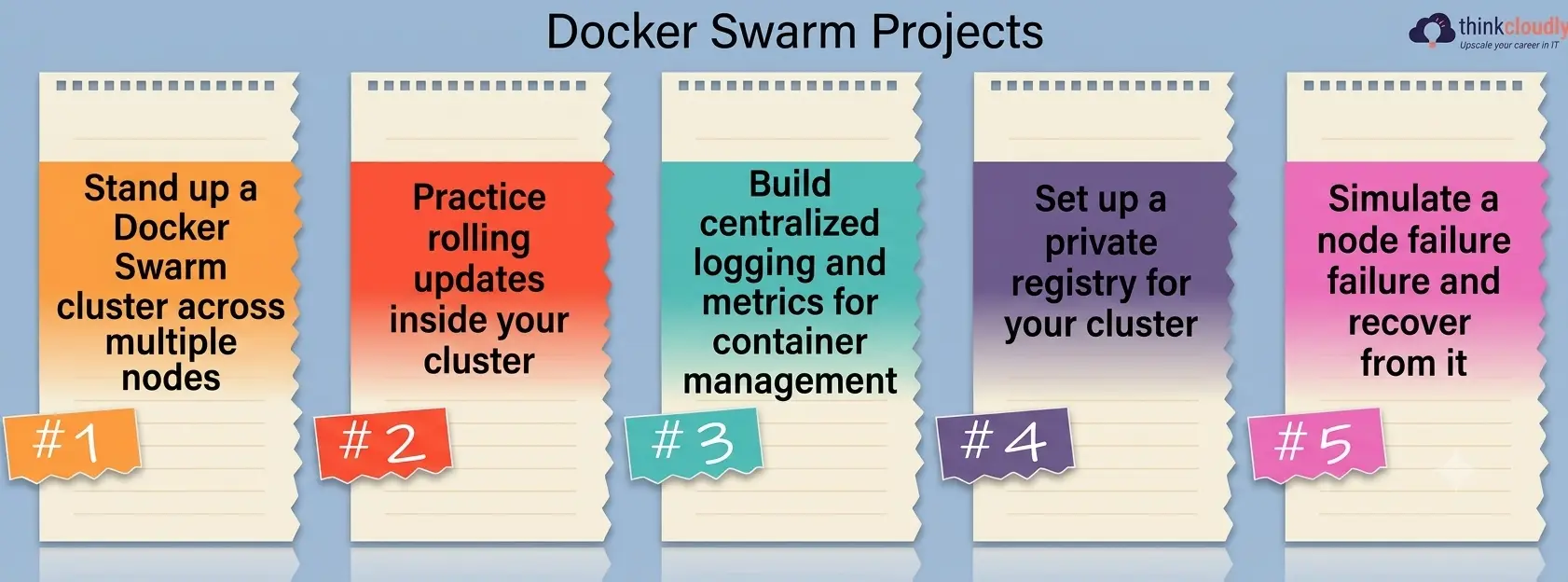
- Stand up a Docker Swarm cluster across multiple nodes. Initialize a Swarm manager, join at least two worker nodes, and deploy a replicated service across them. This single project covers roughly a quarter of most Docker certification exam content on its own.
- Practice rolling updates inside your cluster. Push a new image version to a running Docker Swarm service with zero downtime, then deliberately roll it back when a health check fails. Document both the forward update and the rollback honestly, including what went wrong.
- Build centralized logging and metrics for container management. Wire your cluster’s services to ship logs and basic metrics to a central dashboard rather than reading them container-by-container. This is the operational skill that turns “it’s running” into “I know it’s actually healthy.”
- Set up a private registry for your cluster. Instead of pulling every image from Docker Hub, run your own registry container, push a custom image to it, and pull that same image into your deployment. It’s a small build that teaches a lot about how container management works end to end.
- Simulate a node failure and recover from it. Kill a worker node mid-deployment and watch how the orchestrator reschedules the affected tasks. Recovery behavior under failure is exactly the kind of scenario interviewers ask about—and one most Docker certification exams only test indirectly.
Pick one of these as a capstone and document it properly with screenshots and a short write-up explaining what broke, what you changed, and how you verified the fix. One fully working deployment, explained clearly, outweighs five half-finished repositories with no write-up at all.
Container Security Best Practices for Every Docker Project
Security carries real weight on most certification exams, and it’s also the area where self-taught builders cut the most corners. Treat these container security best practices as non-negotiable parts of every project above, not a separate add-on exercise.
- Never hardcode secrets. Pull credentials from Docker environment variables or a dedicated secrets manager, never from a committed file. This is one of the simplest container security best practices to apply and one of the most commonly skipped anyway.
- Scan images before you ship them. Run a vulnerability scanner against your custom images as part of your build process, not as an afterthought. The Cloud-Native Security Report notes that automated, behavior-based detection is now used by over 70% of security teams specifically because manual review can’t keep pace with how fast new vulnerabilities get exploited after disclosure.
- Run containers as a non-root user. It’s a one-line change in most Dockerfiles, and it’s among the container security best practices interviewers ask about most often—cheap to implement and surprisingly often skipped anyway.
- Isolate services with proper Docker networking rather than exposing everything by default. Only expose the ports a service genuinely needs, and keep internal services on an isolated network layer with no path to the public internet. This single habit closes off a huge share of real-world container attack surfaces.
- Use built-in Docker Swarm secrets instead of plain Docker environment variables for sensitive values in production. Secrets management in Swarm encrypts values at rest and in transit between nodes, which plain environment variables don’t do on their own—a distinction worth knowing, cold if orchestration shows up in your interview.
Bake these container security best practices into every project from the start rather than retrofitting them later — it’s far less work, and it’s exactly the habit that separates a junior build from one a senior engineer would actually approve.
How These Projects Turn Into Interview Offers?
A Docker certification gets your resume past an initial keyword filter. The projects above are what get you through the technical screen that follows. When an interviewer asks you to walk through real Docker use cases you’ve personally handled, you want specific answers ready, not a definition pulled straight from exam prep — and you want more than one example on hand, because a good interviewer will ask a follow-up question on whichever one you lead with.
Container adoption inside IT organizations reached 92% in 2025, up from 80% the year before, according to Docker’s own State of Application Development report — which means nearly every interviewer you’ll meet already assumes baseline fluency and is screening for depth beyond it, not for whether you’ve heard of Docker at all.
At the same time, Kubernetes now runs in production at 82% of organizations surveyed in the Annual Cloud Native Survey, which is exactly why pairing Swarm-based projects with at least basic Kubernetes exposure and solid Docker networking fundamentals makes a stronger case than Swarm skills alone.
When you walk into that interview, lead with the project, not the credential. “I built a three-node cluster, broke it on purpose by killing a worker node, and documented the recovery” says far more than “I’m DCA certified.”
The certification earns you the conversation; well-documented Docker use cases from your own portfolio are what actually get you hired out of it. Keep that order in mind on your resume too — list the project with a one-line outcome above the credential, not below it.
A Personal Note
I’ve reviewed enough portfolios to notice the same gap over and over: candidates who list a Docker certification but can’t describe a single project where something actually broke and they fixed it themselves. That gap shows up within two follow-up questions, and it’s completely avoidable.
You don’t need ten projects — you need two or three, built honestly, with the failures documented right alongside the successes. Stop collecting study notes earlier than you think you’re ready, and go break a container on purpose this weekend instead.
That one habit will do more for your next interview than another week of slide decks ever will. If there’s a single piece of advice I’d want a beginner to actually act on, it’s this one — everything else in this guide is detailed in service of that single habit.