

I sat for the exam behind the Kubernetes administrator certification twice. The first attempt, I walked in thinking I knew Kubernetes because I’d run clusters at work for over a year. I failed by four points. The second time, I changed how I prepared, and I passed with room to spare.
This post is the version of that story I wish someone had handed me before my first attempt—what the exam actually tests, where people lose time, and what the certification requirements really mean once you’re staring at a terminal with a countdown clock running.
If you’re researching a Kubernetes administrator certification right now, most of what you’ll find online is either marketing copy from training vendors or a syllabus dump with no texture to it. The official syllabus lives on the Linux Foundation training page, but it won’t tell you any of this. I want to give you the texture, drawn from two actual exam sessions rather than a course outline.
Why Is This Exam Different From a Multiple-Choice Test?
The Certified Kubernetes Administrator (CKA) credential—the Kubernetes administrator certification run by the Cloud Native Computing Foundation—is a 100% performance-based exam. There’s no question bank to memorize and no multiple-choice guessing your way through.
You get a live terminal, a set of real clusters, and roughly two hours to complete 15–20 hands-on tasks: fixing a broken node, scheduling a pod under specific constraints, troubleshooting a service that won’t route traffic, or restoring an etcd snapshot under time pressure.
That format is exactly why this Kubernetes administrator certification carries more weight with hiring managers than a multiple-choice test. You can’t fake your way through a live cluster. Either the pod comes up healthy or it doesn’t.
Either your fix survives a kubectl get events check or it doesn’t. I’ve met people who could answer every conceptual interview question about Kubernetes and still freeze the first time they had to actually fix a cluster live, on the clock, with no second screen to look things up on.
Certification Requirements Nobody Explains Clearly
Most people searching for certification requirements expect a neat checklist—years of experience, a specific course, and a prerequisite exam. The actual certification requirements for the CKA are lighter than people assume:
- No mandatory prerequisite course or degree
- A current CNCF exam registration, valid for 12 months from the date of purchase
- Comfort with a Linux command line, since the entire exam happens inside a terminal
- Working knowledge of kubectl, YAML manifests, and basic networking concepts
- One free retake included if you don’t pass on the first attempt
The gap between what’s written down and what you actually need to pass is enormous. Technically meeting the eligibility bar gets you into the exam room. It does not get you through the exam. I met every item on that checklist before my first attempt and still failed, because formal certification requirements describe who’s allowed to sit the exam, not who’s ready to pass it.
What You Actually Need Before Booking the Exam?
- Hands-on time building and breaking a multi-node cluster, not just reading about one
- Speed with vim or nano inside a terminal with no autocomplete plugins installed
- Muscle memory for kubectl explain, since you’re allowed to reference official Kubernetes documentation during the exam
- Comfort switching between multiple cluster contexts under time pressure, without losing track of which cluster you’re actually working in
- A realistic sense of how long troubleshooting tasks take you when you’re nervous, not when you’re relaxed at home with unlimited time
Mock Exams Mattered More Than Any Course I took
I’ll say this plainly: timed practice runs are the single biggest predictor of whether you pass. In my first attempt, I’d watched video courses and taken careful notes, but I’d done almost no timed rehearsal. I ran out of time on the last four questions and never even got to attempt them.
Before my second attempt, I ran through full-length mock exams, which CNCF includes with your exam registration at no extra cost under real exam conditions: no pausing, no looking things up unless the real exam would allow it, same two-hour clock ticking down.
These practice sessions were harder than the real thing, which is intentional. They’re designed to expose weak spots before you’re sitting the actual exam with money and a retake on the line.
A few things those mock exams taught me that courses never did:
- How to triage—skip a hard task early rather than burn fifteen minutes on it
- How to use kubectl imperative commands to generate YAML scaffolding fast, instead of typing manifests from memory
- How much time the etcd backup and restore tasks genuinely take when you’re not calm
- Where my keyboard shortcuts and aliases actually saved time versus just felt efficient on paper
If you only change one thing from how I prepared the first time, make it this: run multiple mock exams under real-time pressure before you register for the actual Kubernetes administrator certification. They’re far cheaper than a second exam fee, and they tell you the truth about your pace in a way that watching tutorials never will.
ConfigMaps: The Topic That Quietly Decides Your Score
ConfigMaps show up in more exam tasks than people expect, often disguised inside a troubleshooting scenario rather than asked about directly. You might get a pod that’s crash-looping, and the actual fix is a misconfigured reference to a config object in the deployment spec, not anything dramatic.
Know these colds before exam day:
- Creating ConfigMaps from literal values, from files, and from entire directories
- Mounting that configuration as environment variables versus as volumes, and when each approach is appropriate
- Updating a config object and understanding that mounted volumes reflect changes while environment variables do not until the pod restarts
- Debugging a pod that references a ConfigMaps key that doesn’t actually exist in the object
I lost points on my first attempt because I assumed an environment-variable-based update to a ConfigMaps object would propagate live. It doesn’t. That single misunderstanding cost me a working deployment and ten minutes of confused troubleshooting I didn’t have time to spare.
Service Types: Simple on Paper, Easy to Blur Under Pressure
Service types are one of those topics everyone can recite in an interview and then fumble live. Kubernetes exposes four service types, and the exam tests whether you actually understand each networking option, not whether you can rattle off all four service types from memory.
|
Networking Option |
What It Does |
When the Exam Tests It |
|
ClusterIP |
Default internal-only service, reachable from within the cluster |
Troubleshooting pod-to-pod communication failures |
|
NodePort |
Exposes the service on a static port on every node |
Tasks asking you to make a service reachable from outside the cluster without a load balancer |
|
LoadBalancer |
Provisions an external load balancer in supported environments. |
Rare on bare exam clusters, but conceptually tested in scenario questions |
|
Headless (ClusterIP: None) |
Returns pod IPs directly instead of a single virtual IP |
StatefulSet-related networking tasks |
Under exam pressure, the easiest mistake is confusing which of the service types actually solves the specific problem in front of you. I’ve watched people default to NodePort for everything because it’s the one they remember best, when the task actually calls for a plain ClusterIP fix. Read the task twice. The exam is specific about what it wants, even when it doesn’t name the exact option by name.
The API Server: The Component Everything Else Depends On
Every control-plane troubleshooting task eventually traces back to the API server. If that component is unreachable, nothing else in the cluster can be scheduled, updated, or queried, and several exam tasks are built around exactly that failure mode.
Things worth knowing before exam day:
- Where static pod manifests for the API server live on a kubeadm-managed control plane node (typically /etc/kubernetes/manifests/)
- How to read its logs when kubectl itself stops responding entirely
- Common causes of startup failure for this component: certificate path typos, incorrect flags passed in the static manifest, or a misconfigured etcd endpoint
- How a kubelet watches that manifest directory and restarts the pod automatically once the YAML is corrected
One exam task handed me a cluster where the API server wouldn’t start, and the entire fix was a single malformed flag in the static pod manifest. No kubectl commands could help me diagnose it, because without the API server running, kubectl has nothing to talk to. That’s the kind of task that separates people who’ve only read about the control plane from people who’ve actually broken one and fixed it themselves.
How I Actually Scheduled My Study Time?
I didn’t study in long weekend blocks, and in hindsight that worked in my favor. I set aside forty-five minutes on weeknights, almost always in the evening after work rather than squeezed in before it, and I never used that time to watch another course video. By the time I booked the actual exam, I’d already watched enough videos; what I was missing was repetition under pressure.
Each session followed the same structure: pick one weak area from the previous session’s mistakes, build it from scratch in a disposable cluster, break it on purpose, and fix it again without notes. Some nights that meant rebuilding a kubeadm cluster from bare virtual machines just to practice the installation flow.
Other nights it meant deliberately misconfiguring a deployment’s networking and timing how long it took me to diagnose and repair it. That second habit — breaking things on purpose — did more for my actual exam performance than any single course module.
Common Mistakes I Watched Other Candidates Make
Kubernetes community forums and exam-prep discussion threads are full of patterns once you start reading enough of them. A few recurring ones stood out to me while I was preparing for my second attempt:
- Spending too long perfecting the first task instead of banking points across several easier ones first
- Not practicing with the exact official Kubernetes documentation search interface the exam actually provides, and losing minutes just learning to navigate it live
- Underestimating how often a single typo in a YAML manifest — a wrong indent level, a missing colon — eats far more time than the underlying concept ever would
- Treating the free retake as a safety net rather than preparing hard enough that it shouldn’t be needed
- Skipping cluster upgrade and node maintenance tasks in practice because they feel tedious, then meeting one cold on exam day
Two Things I’d Tell Myself Before the First Attempt
If I could go back, here’s exactly what I’d change about my preparation for the Kubernetes administrator certification, in order of impact:
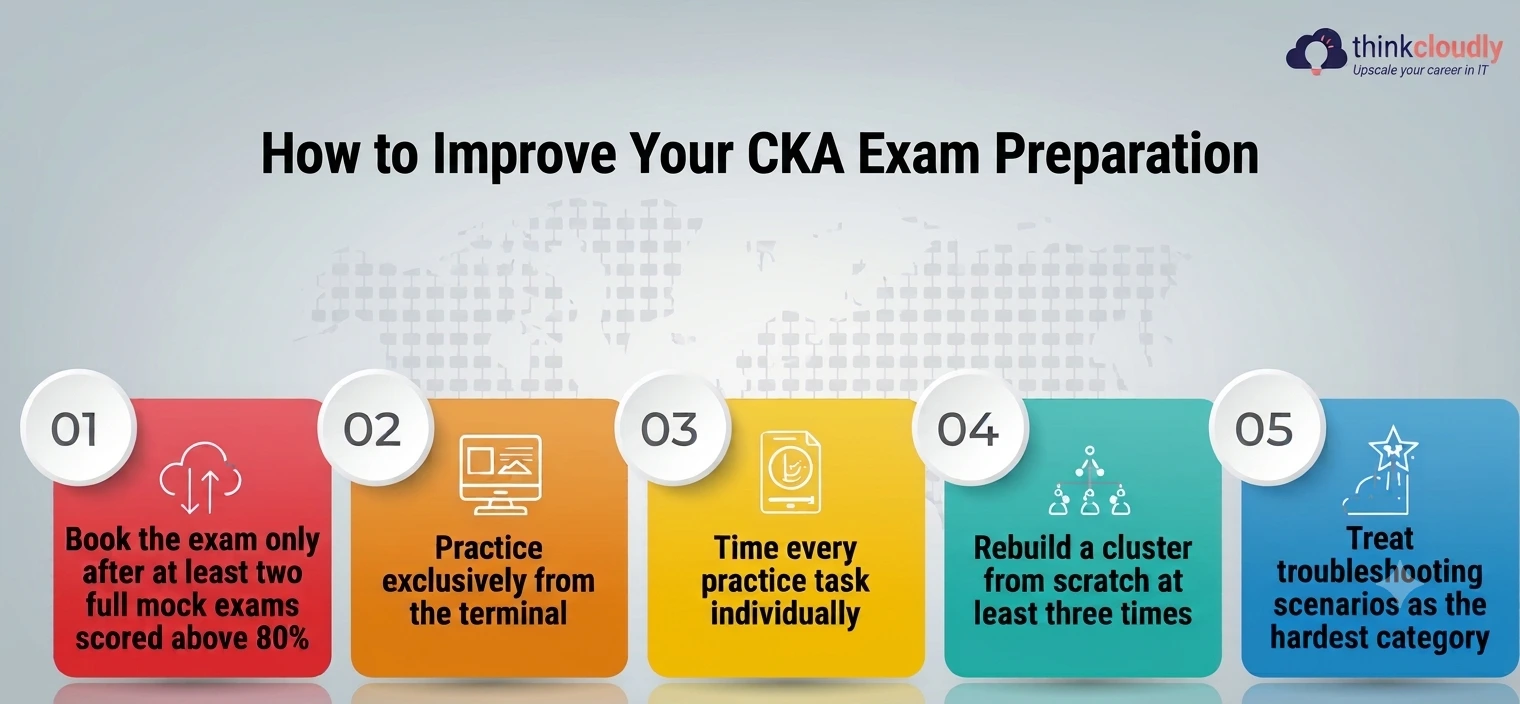
- Book the exam only after at least two full mock exams scored above 80%, not after simply finishing a course
- Practice exclusively from the terminal, with the official Kubernetes documentation open in the same kind of browser tab the real exam actually gives you, instead of a separate reference site
- Time every practice task individually, so you know your real pace instead of guessing at it
- Rebuild a cluster from scratch at least three times, since kubeadm-based cluster setup shows up on the exam and most people only ever do it once in a course video
- Treat troubleshooting scenarios as the hardest category, because they combine configuration knowledge, networking choices, and control-plane debugging into one task instead of testing each skill in isolation
A Personal Note
I’m not writing this as someone who found Kubernetes easy. I failed the first time, and it stung more than I expected it to, mostly because I’d convinced myself that daily hands-on experience at work was the same thing as exam readiness. It isn’t.
The exam doesn’t care that you’re good at your job — it cares whether you can solve a specific, timed, unfamiliar problem on a cluster you’ve never seen before. The second time around, I stopped treating practice exams as optional extras and started treating them as the actual curriculum, the thing I studied instead of around.
That single shift is the entire reason I passed. If you’re preparing right now and it feels harder than the tutorials made it look, that’s not a sign you’re behind. It’s a sign you’re finally training for the exam you’ll actually sit, not the one the marketing pages describe.