

I spent six weeks chasing the Kubernetes application developer certification the wrong way—watching course after course, nodding along, and never once opening a terminal under a timer. I failed my first attempt by a narrow margin, and it wasn’t because I didn’t understand Kubernetes conceptually. It was because I had never practiced the way the exam actually works: live, timed, and entirely hands-on.
The second time, I rebuilt my entire approach around deliberate exam preparation instead of passive video-watching, and I passed with time left on the clock. This post is the study plan I wish I’d started with, built around what the Certified Kubernetes Administrator Program exam actually tests in 2027, not what marketing pages imply it tests.
If you’re searching for a Kubernetes application developer certification study plan right now, you’ve probably already noticed that most guides repeat the same syllabus bullet points without telling you how to actually spend your weeks. I want to give you the structure instead—what to study, in what order, and where most candidates waste time they don’t have.
The demand behind this credential isn’t abstract, either. Kubernetes is placed as the most wanted cloud platform skill for the third year running in the Stack Overflow Developer Survey, and job boards across the US and UK show the same pattern repeating in listing after listing: postings that name a specific, dated credential pull in far more qualified applicants than ones that just ask for vague “container experience.” In a market this noisy, a verifiable credential still does real work for your resume.
What the CKAD Exam Actually Covers?
The Certified Kubernetes Application Developer credential—widely known simply as the Kubernetes application developer certification—is run by the Cloud Native Computing Foundation, and it is not a multiple-choice test. It’s a two-hour, proctored, performance-based exam where you solve real problems inside a live terminal connected to an actual cluster, with one free retake included in the registration fee. There’s no question bank to memorize, and there’s no partial credit for explaining what you would have typed if you’d had more time.
Here are the current exam domains, laid out in list form so you can turn this straight into a study tracker:
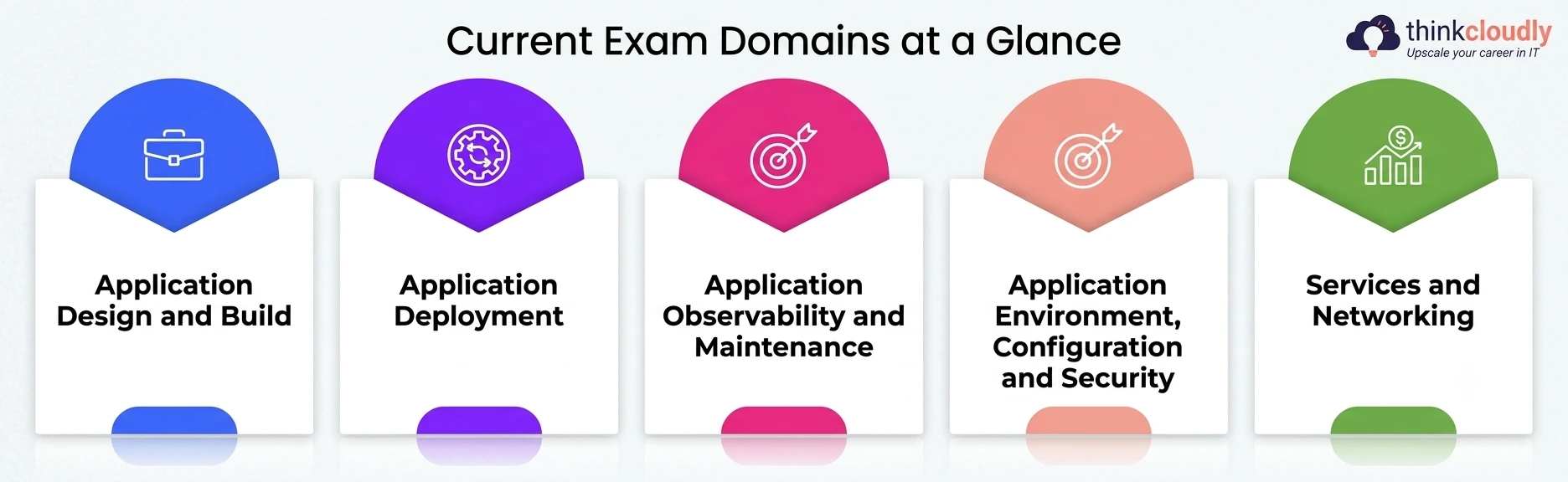
- Application Design and Build—writing Dockerfiles, understanding multi-container pod design, and choosing the right container images for a workload
- Application Deployment—rolling updates, rollbacks, and blue-green or canary deployment strategies
- Application Observability and Maintenance—readiness and liveness probes, logging, and debugging a pod that won’t come up healthy
- Application Environment, Configuration, and Security—ConfigMaps, Secrets, security contexts, and setting resource limits correctly on every container you deploy
- Services and Networking—exposing applications internally and externally, and understanding how network policies restrict traffic between pods
Notice that Application Environment, Configuration, and Security carry the heaviest weight of any domain on this exam. Most self-taught candidates under-study that section because it feels like the “boring” part of Kubernetes.
It isn’t boring on exam day—it’s a quarter of your score, and it’s exactly where a thin understanding of CPU/memory settings and secrets quietly costs people points they assumed they already had.
Why Exam Preparation Has to Look Different From Course-Watching?
This is the single biggest mistake I made the first time, and the one I see repeated in nearly every study-group thread I’ve read since. Exam preparation for the Kubernetes application developer certification cannot be passive.
Watching a video explaining how a deployment rolls out teaches you the concept. It does nothing for the muscle memory you need when a live task hands you a broken rollout and a two-hour countdown ticking down in the corner of the screen.
Real exam preparation means working inside a terminal every single study session, with no autocomplete beyond what kubectl itself provides, and no second screen to pause and look things up unless the real exam would allow it.
The official practice simulators include two free full-length mock exams with your registration, and running both of them under true exam conditions—no pausing, same two-hour clock—taught me more about my actual readiness than every course I’d watched combined.
A few things that kind of preparation exposes that passive study never will:
- How much time you lose typing full YAML manifests from memory versus generating scaffolding with imperative kubectl commands
- Whether you actually know how to navigate the limited, exam-provided documentation tab quickly
- How your pace holds up on task eight of twenty when your hands are a little shaky
- Where your keyboard habits genuinely save time versus just feeling efficient when nobody’s timing you
If your current study routine doesn’t involve a timer and a terminal in the same sitting, it isn’t real practice yet—it’s still just reading.
Container Images: The Foundation the Exam Assumes You Already Know
A surprising number of candidates walk into the CKAD exam without a solid grip on how these images actually behave inside a pod spec, and it costs them early, easy points. The syllabus assumes comfort with OCI-compliant container images, not just a general sense that “Docker builds images.”
Know these clues before you book the exam:
-
How image pull policies (Always, IfNotPresent, Never) change pod behavior, especially when you’re debugging why a pod is stuck pulling an image that technically already exists on the node
-
How to reference private-registry images using an image PullSecrets, since several tasks hide a broken registry credential rather than a broken manifest
-
The difference between a multi-stage Dockerfile build and a single-stage one, and why multi-stage builds matter for keeping production images small and fast to pull
-
How the tagging strategy affects reproducibility—pinning container images to a digest instead of a mutable tag like “latest”
I failed a practice task early on because I assumed a pod’s ImagePullBackOff meant the image didn’t exist, when the actual problem was a missing pull secret for a private registry. That single misread costs real time, and it’s exactly the kind of trap the Kubernetes application developer certification is built to set for candidates who’ve only ever pulled from public registries.
Resource Limits: Where a Quarter of Your Score Quietly Lives
CPU and memory caps sit inside the highest-weighted domain on the CKAD exam, and they show up far more often than people expect — sometimes disguised inside a troubleshooting scenario rather than asked about directly. You might get a pod that’s being evicted or throttled, and the actual fix is a misconfigured request or cap, not anything dramatic.
|
Concept |
What It Controls |
Common Exam Trap |
|
requests |
The minimum CPU/memory the scheduler guarantees a pod |
Setting requests too high leaves a pod stuck. Pending with no visible error |
|
limits |
The maximum CPU/memory a container can consume |
Exceeding the memory cap triggers an OOMKilled termination, not a graceful warning. |
|
QoS class |
How Kubernetes prioritizes pods under node pressure |
Mismatched requests and caps silently downgrade a pod’s QoS class. |
|
LimitRange |
Enforces default resource limits at the namespace level |
Candidates assume every pod inherits sane defaults when no LimitRange actually exists. |
Get comfortable reading the official documentation on managing resources, because it’s one of the few outside references the exam interface actually lets you open. Practicing with those settings deliberately set too low, then diagnosing the eviction or throttling that follows, taught me more in one evening than a week of reading ever did.
If you only fix one gap in your preparation, make it resource limits—they appear across multiple domains, not just the one they’re officially filed under, and they quietly decide whether a scaling task even succeeds.
Application Scaling: Where Developer-Focused Tasks Get Real
Scaling tasks tests whether you understand how a workload grows under load, not just whether you can type kubectl scale. The Kubernetes application developer certification expects you to reason about application scaling from a developer’s seat—making sure your deployment, readiness probes, and resource caps all cooperate once replica count changes.
What to actually practice:
-
Manually scaling a deployment up and down, then watching how readiness probes gate traffic to new replicas before they’re actually ready
-
Configuring a Horizontal Pod Autoscaler against a metric and understanding why it won’t trigger application scaling at all without the metrics server already running
-
Recognizing when scaling fails silently because node capacity leaves no room for new replicas to schedule
-
Distinguishing horizontal scaling (more replicas) from vertical scaling (bigger limits on existing pods), since the exam phrases scenarios around the symptom, not the vocabulary
I watched a study-group partner lose a full task because he scaled a deployment correctly but never noticed the new pods were stuck pending due to node capacity. Application scaling on this exam isn’t just the scale command—it’s everything downstream of it, and it’s one of the clearest places where developer-focused thinking is tested directly.
An 8-Week Study Plan You Can Actually Follow
Here’s the plan, broken into weekly blocks, so you can turn it straight into a checklist or a visual timeline for your own tracking:
- Week 1–2: Core building blocks. Pods, multi-container pod design, and basic images—build and break a simple Deployment by hand, daily
- Week 3: Configuration and environment. ConfigMaps, Secrets, environment variables versus mounted volumes, and your first deliberate experiments with CPU and memory caps
- Week 4: Observability. Readiness and liveness probes, log inspection, and debugging crash-looping pods without looking up the answer first
- Week 5: Networking and services. Service types, Ingress basics, and network policies — rebuild each from a blank manifest, not a copied one
- Week 6: Deployment strategies and application scaling. Rolling updates, rollbacks, manual scaling, and your first Horizontal Pod Autoscaler configuration
- Week 7: Full timed mock runs. Complete at least two full simulators under real exam conditions, no pausing, same two-hour limit
- Week 8: Targeted repair. Rebuild only the specific task categories where you lost points in week 7, then book the exam
This order matters more than it looks. Most courses teach networking before configuration, but the real syllabus weights configuration and security higher, so your study time should match the exam’s own priorities, not a course’s chapter order. Treat weeks seven and eight as non-negotiable — skipping straight from week six to exam day is how good candidates with solid Kubernetes knowledge still miss a passing score.
Common Mistakes That Cost People Real Points
A few patterns show up again and again in exam-prep discussion threads once you’ve read enough of them:
- Spending too long perfecting the first task instead of banking points across several easier ones first, then running out of time before reaching the last few tasks entirely
- Treating the included retake as a safety net rather than preparing hard enough that it shouldn’t be needed
- Skipping multi-container pod patterns (sidecar, init containers) because they feel rare, then meeting one cold on exam day
- Assuming public-registry images will pull instantly, without accounting for rate limits inside the exam’s sandboxed network
- Underestimating how much of the Application Environment, Configuration and Security domain is really just resource limits and Secrets wearing different labels
- Studying scaling and networking in isolation from each other, when exam scenarios routinely combine both inside a single task
A Personal Note
I didn’t pass this exam because I got smarter about Kubernetes between attempts. I passed because I stopped treating practice runs as optional extras and started treating them as the actual curriculum — the thing I studied instead of around. The first time, I thought knowing the concepts was the same as being ready.
It wasn’t, and it stung more than I expected when the result came back. If you’re deep in your own preparation right now and it feels harder than the tutorials made it look, that’s not a sign you’re behind schedule. It’s a sign you’re finally training for the exam you’ll actually sit, not the one the course outlines describe.
Give the timed practice the respect it deserves, and the Kubernetes application developer certification stops feeling like a guessing game and starts feeling like something you’ve already rehearsed.