
Cloud Cost Optimization
So, it is the day when your CIO calls all cloud architects, financial advisors, and executives for a high-level meeting because he has received a huge bill for cloud spending, which has increased as per usual and has cost more than expected or budgeted.
Sounds familiar?
I’ve heard this story a few times and experienced it for myself. So what happens next? Cloud architects, along with other members of the Senator team, will carefully examine the bill, try to align spending, run some checks in the cloud, and after a few days of work, a dos and don’ts advisory will be drafted, and a few resources will be resized and deleted.
But is this issue resolved here?
Nope, it’s back to square one and we’re back in the same rut again. So, what’s the solution to breaking out of that loop? Well, there comes the concept of cloud cost optimization.
Let’s talk about the concept of cloud cost optimization. In this blog, we’ll discuss different ways and tools for optimizing your cloud spending, aiming to cut costs by 30% or more. Let’s get started.
Please Watch “AWS Solutions Optimization: Best Practices For Cost and Performance.”
What is Cloud Cost Optimization?
Cloud Cost Optimization is the strategy of reducing your spending on cloud services as well as increasing your business value by implementing a range of strategies, techniques, tools, and best practices.
This process involves identifying mismanaged resources, eliminating waste, reserving capacity for higher discounts and right-size computing to scale to save you money on your cloud spending.
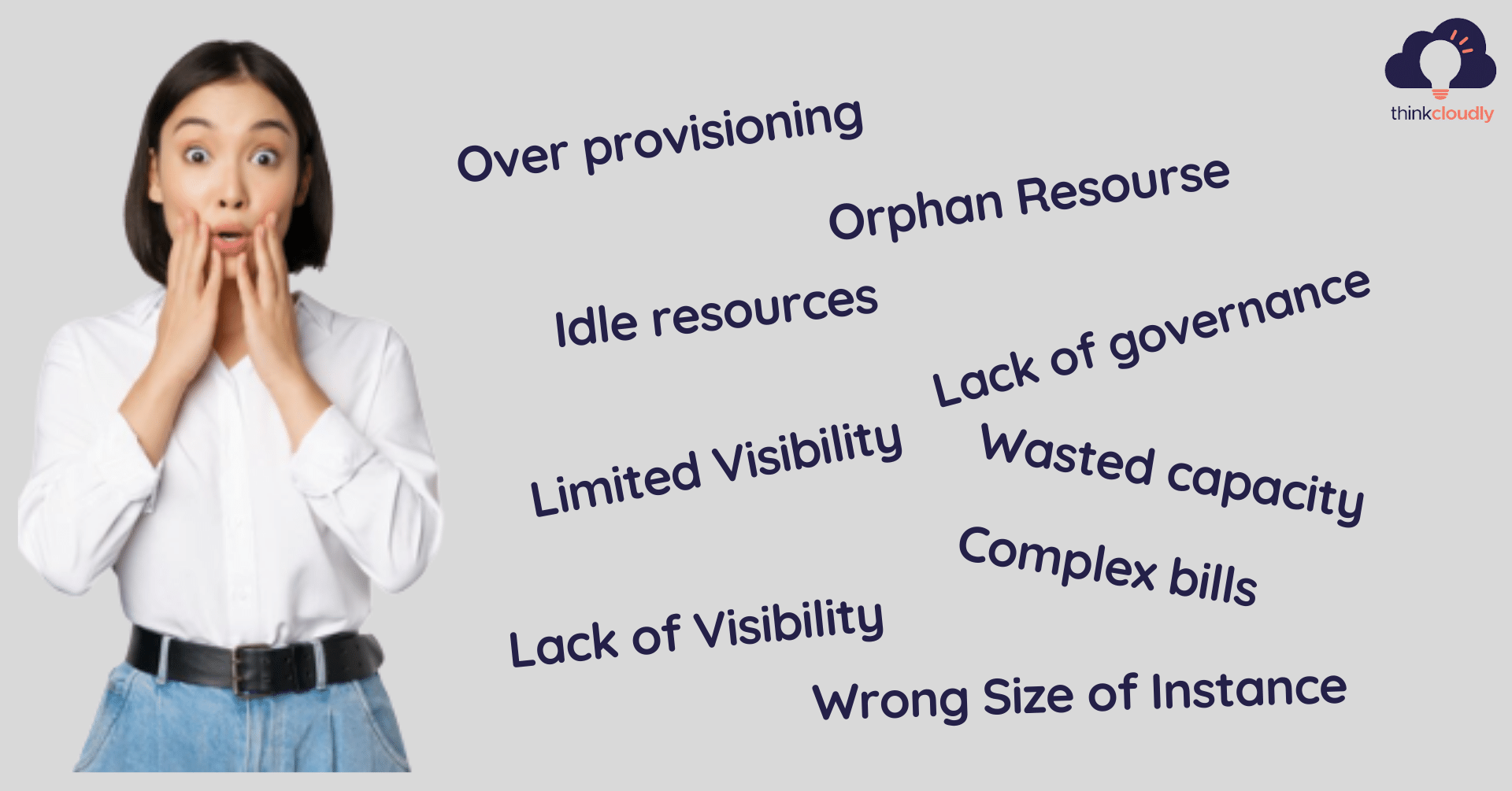
The reasons behind the increase in the cloud cost
Common Ways to Optimize Cloud Computing Cost
- Rightsizing: We should analyze what underlying resources are being used by applications across computing, storage, and networking. On that basis, we should resize them or move to containers or other services.
- Remove Resources: Identify and remove orphan and unused resources constantly.
- Pricing models of workloads: We should make use of reserved instances RIs, spot instances, and so on, and take advantage of heavy discounts.
- scheduled suspensions: Scheduling scheduled suspensions of workloads will ensure that when people are not using them, they are also not paying for them
- Automation: The act of executing optimization actions without any human involvement. From a technical perspective, automation is not difficult, especially in public clouds, which offer well-documented and robust APIs.
How to Monitor and Control Cloud Spending
Cloud cost optimization is not just about reducing expenses after receiving a high bill. It also involves tracking spending regularly, understanding where the money goes, and identifying unusual changes before they affect the budget. A structured monitoring process helps organizations make informed decisions about their cloud resources.
Here are some practical ways to monitor and control cloud spending:
-
Set Cloud Budgets: Establish monthly or quarterly spending limits for individual projects, departments, and cloud environments. This makes it easier to identify when expenses are moving beyond the planned budget.
-
Configure Cost Alerts: Set up notifications when spending reaches a predefined threshold or increases unexpectedly. These alerts help teams investigate potential issues before costs rise further.
-
Use Resource Tags: Apply consistent tags or labels to cloud resources based on projects, departments, applications, or business units. This makes it easier to identify which teams and workloads are responsible for specific expenses.
-
Review Cost Reports: Analyze cloud billing reports regularly to identify spending patterns, unexpected increases, and opportunities to reduce unnecessary expenditure.
-
Track Cost per Workload: Evaluate the cost of running individual applications or services. This helps businesses understand whether their cloud spending is delivering the expected value.
Cloud providers offer tools that support these activities. AWS Cost Explorer helps analyze spending patterns, Azure Cost Management provides budgeting and cost analysis capabilities, and Google Cloud offers budgets, reports, and spending alerts.
By combining regular reviews with automated alerts, organizations can identify potential problems earlier and maintain better control over cloud expenditure.
-
The challenges that a company faces when optimizing cloud costs
- Multi-cloud environment makes it complex to have visibility on cloud spending.
- Cloud is an emerging technology cloud providers keep on launching new services and features and this makes the planning more complex.
- Complex Pricing and licensing structure.
- Lack of collaboration with stakeholders.
- Bad budget forecasting.
- Lack of Expertise.
- Lack of governance model.
Organizations create in-house processes to identify, analyze, and execute cloud optimization strategies. However, this process is time-consuming, complicated, and tedious and the team member’s efforts to execute these strategies are hampered by the large-scale nature of the business’ cloud operations.
Boost your earning potential with AWS expertise. Explore our certified AWS Courses for a high-paying career
Solution?
Automation – the act of executing optimization actions without any human involvement. From a technical perspective, automation is not difficult, especially in public clouds, which offer well documented and robust APIs. This Automation can be done using different tools such as flexera.
5 best tools for Cloud cost optimization:
Flexera: It is a SAS application that simplifies how you manage IT assets, allowing you to take data-driven decisions based on your ability to visualize assets in real time. Re-allocating the spending, re-sizing, and restructuring the assets will help you reduce costs.
Spot io: What Spot io does is compare your current cloud spend with what you paid during off-peak times. If you’re not paying any attention to your monthly costs, then Spot io can save you time and money. It’s a simple tool that shows you when it would be cheaper to run your workloads in Amazon Web Services (AWS) spot instances instead of on regular instances. It works by comparing AWS spot instance prices against historical pricing data from Amazon and other sources. It also users to set alerts that notify them when certain conditions are met (such as an instance type price dropping below a certain threshold).
AWS Cost Explorer: AWS provides an excellent tool called AWS Cost Explorer that gives you full transparency into your cloud costs. If you’re interested in cloud cost optimization, we recommend taking a look at their service. While it doesn’t provide one-size-fits-all answers on how to cut costs, it does let you drill down into your own AWS bills and compare them against industry benchmarks.
AWS Cost Anomaly Detection: AWS Cost Anomaly Detection offers improved control over costs and the prevention of spending shocks. This service uses sophisticated machine learning algorithms that identify recurring patterns and signals of anomalous cost. An individualized alert informs you of sudden spending patterns, providing you the opportunity to respond to financial volatility more quickly.
Azure Advisor: Azure Advisor provides an analysis of how you’re using your Azure resources, compares your usage to similar customers, and gives recommendations to optimize. So for example, it may identify that you’re paying too much money on storage due to large data stores and recommend a better approach. You can use Azure Advisor from inside the Azure portal or from within most of Microsoft’s cloud-based applications. Best of all, it’s completely free!
How to Build a Continuous Cloud Cost Optimization Strategy
Cloud environments change continuously as applications grow, customer demand fluctuates, and businesses introduce new services. A one-time cost review may identify immediate savings, but maintaining those savings requires an ongoing optimization strategy.
Organizations can build a repeatable process by following these steps:
- Establish a Baseline: Review current cloud expenditure, resource utilization, and major cost drivers. This baseline helps teams measure progress and identify areas that require attention.
- Prioritize Optimization Opportunities: Focus first on actions that offer meaningful savings without compromising performance, security, or availability. For example, removing unused storage may be a simpler starting point than redesigning a production application.
- Assign Clear Responsibilities: Define who monitors spending, reviews recommendations, approves resource changes, and reports results. Collaboration between engineering, finance, and business teams helps prevent cost management from becoming an isolated IT activity.
- Automate Repeatable Tasks: Automate appropriate activities such as non-production resource shutdowns, budget notifications, and selected scaling operations. Use safeguards to avoid disrupting critical workloads.
- Measure Results Regularly: Compare spending before and after optimization. Track relevant indicators such as cost per application, resource utilization, and spending against budget to determine whether changes are effective.
- Review and Improve: Schedule regular cost reviews and reassess resource requirements as workloads evolve. Optimization recommendations should be validated against actual business and technical needs before implementation.
Cloud cost optimization should balance financial efficiency with business performance. The cheapest configuration is not always the best option if it affects reliability, security, or user experience.
By making cost reviews part of routine cloud operations, businesses can reduce waste, improve financial visibility, and make more sustainable decisions about their cloud investments.
Conclusion:
Cost optimization might be best for you if you are just starting, so we have provided a list of some of the best platforms that you can choose from to be well on your way to choosing the cost optimization tool that is best for you.
- Remove- Unused Resources
- Resize- Incorrect-sized instances
- Monitor- Spending of cloud resources
- Automate- Use Cost optimization tool
Visit our AWS Cloud Practitioner course if you would like to learn more about computing.