
Security teams are drowning in alerts, and the gap between “we noticed the threat” and “we stopped the threat” is where most of the damage actually happens. Closing that gap is exactly what a well-built incident response automation strategy is meant to do.
If you are a student getting into cybersecurity or an analyst tired of chasing the same false alarms every night shift, this guide walks through what genuinely works in the real world, not just theory from a textbook.
By the end, you will understand what this approach actually means in practice, how it fits into a broader security operations program, and the exact steps you can follow to build a strategy that holds up under pressure instead of falling apart during a real cyber incident.
This matters whether you are studying for your first certification or already sitting inside a live SOC trying to cut down your team’s response times.
What Is Incident Response Automation?
In simple terms, this is the practice of using predefined rules, scripts, and orchestration tools to detect, investigate, and contain security threats with little or no manual effort. Instead of an analyst pulling logs by hand, blocking a suspicious IP address, and isolating an infected machine one slow step at a time, an automated response workflow does all of that in seconds, following logic the security team has already agreed on ahead of time.
This is not about removing people from the process. It is about pulling humans out of the repetitive, low-risk decisions so they can spend their energy on the one cyber incident that genuinely needs a person thinking it through.
According to the NIST’s Computer Security Incident Handling Guide, a mature incident management program rests on a repeatable cycle: preparation, detection and analysis, containment, eradication, recovery, and a lessons-learned review after every event. Automation does not remove any of these phases. It simply removes the manual drag from each one.
Why Do Security Operations Teams Need This Now?
A decade ago, a mid-sized company might have dealt with a handful of alerts a day. Today, a single SOC can face tens of thousands of alerts in the same window, and most of them are noise.
Research on real-world SOC alert logs has found that analysts are often confronted with anywhere from twenty-four thousand to well over a hundred thousand alerts a day, while only a tiny fraction are tied to an actual attack.
That volume is precisely why alert fatigue has become one of the biggest risks facing modern SOC teams, since tired analysts start ignoring alerts, and that is exactly when a real cyber incident slips through unnoticed.
The financial case is just as convincing. IBM’s Cost of a Data Breach Report found that organizations using AI and automation extensively across their security program saved close to 1.9 million dollars in average breach costs and shortened their breach lifecycle by roughly 80 days compared to organizations that did not.
When every hour of dwell time adds cost, an automated response is not a luxury feature; it is a direct line to lower losses and a shorter, less chaotic recovery. For students studying this field, that number matters more than it might seem. Employers are no longer just asking whether you understand the theory of incident management.
They want to know whether you can help a team implement incident response automation that actually reduces mean time to detect and mean time to respond in a live environment.
Core Components of a Security Automation Strategy
Before jumping into tools, it helps to understand what a working security automation program is actually built from. Four building blocks show up in almost every mature program:
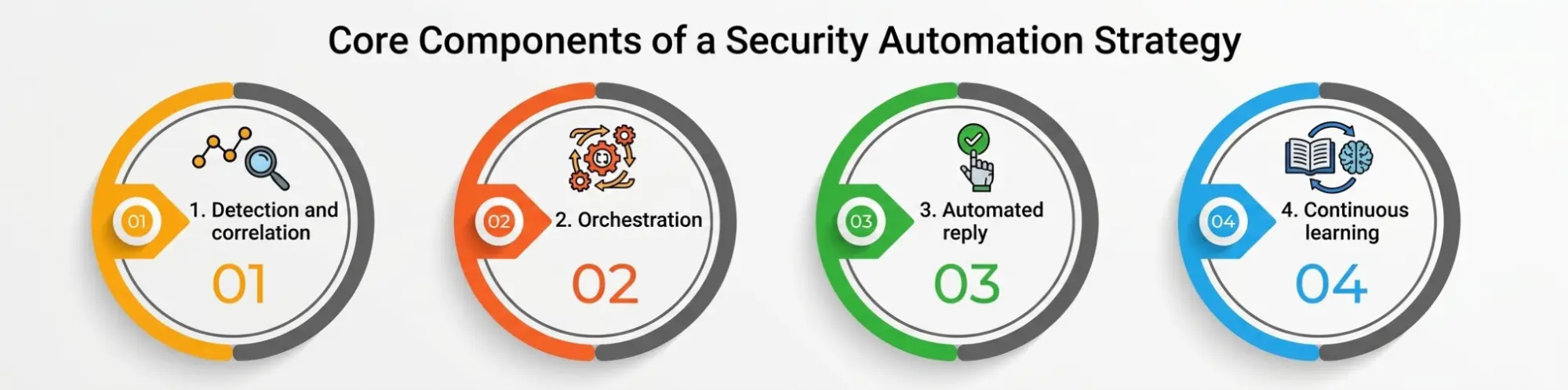
1. Detection and correlation. Your SIEM, EDR, or XDR platform collects logs and raw signals from endpoints, networks, and cloud services, then correlates them into something that looks like a real event instead of a pile of disconnected data points.
2. Orchestration. This is the glue that allows different security tools to talk to each other. One alert can automatically initiate a lookup in a threat intelligence feed, a check against an asset inventory, and a ticket creation, all without a human finger touching a keyboard.
3. Automated reply. Once an event is verified with enough confidence, playbooks will take predefined containment actions such as disabling a compromised account, isolating an endpoint, or blocking a malicious domain at the firewall.
4. Continuous learning. Every incident feeds back into the system. Analysts review what the automation did right and wrong, and playbooks get tuned so the next event is handled a little faster than the last one.
Manual vs. Automated Incident Response: A Quick Comparison
|
Factor |
Manual Incident Response |
Incident Response Automation |
|
Detection speed |
Depends on analyst availability and alert queue |
Near real-time, runs continuously |
|
Response time |
Minutes to hours per incident |
Seconds to minutes for known threat patterns |
|
Consistency |
Varies by analyst experience and fatigue |
Same playbook logic every single time |
|
Scalability |
Limited by headcount |
Scales with alert volume, not staff size |
|
Human error risk |
Higher during high-pressure situations |
Lower for repetitive, rule-based actions |
|
Best suited for |
Novel, complex, or ambiguous threats | High-volume, well-understood attack patterns |
The table above is not an argument for removing analysts. It is a case for letting automation absorb the repetitive load so that skilled people are free for the incidents that genuinely need judgment.
Step-by-Step Strategy to Build Incident Response Automation
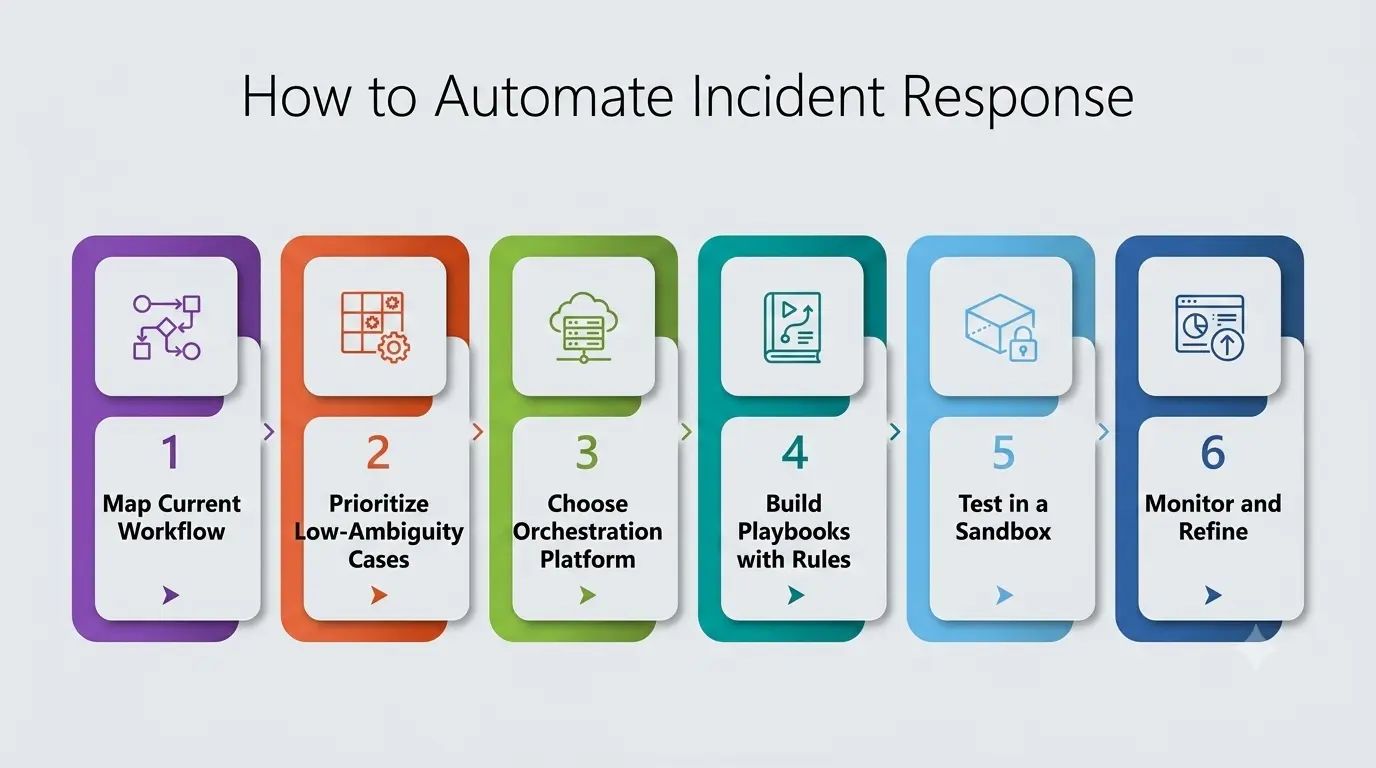
Step 1: Map your current incident management workflow.
Before automating anything, document exactly how your team currently handles a cyber incident today, from the first alert to the final report. You cannot automate a process you have not clearly written down, and this mapping exercise usually reveals bottlenecks nobody had noticed before.
Step 2: Prioritize high-volume, low-ambiguity use cases first.
Do not try to automate your most complex threat scenario on day one. Start with things like phishing email triage, known malware signatures, or brute-force login attempts. These are high-frequency, low-risk decisions where an automated response can be trusted quickly.
Step 3: Choose the right orchestration platform.
Whether you go with a dedicated SOAR platform, a SIEM with built-in automation, or a cloud-native option, the tool needs to integrate cleanly with your existing stack. Gartner defines SOAR as technology that enables organizations to collect security threat data and alerts, then respond to low-level events without human intervention, which is precisely the capability your security automation strategy depends on.
Step 4: Build playbooks with clear escalation rules
Every automated workflow needs a defined point where it hands control back to a human. A playbook that isolates a laptop automatically is useful; a playbook that automatically shuts down a production database with no human checkpoint is a liability. Get this balance right before you go live.
Step 5: Test in a sandbox before trusting production
Run every new playbook against simulated attacks and past incident data first. This is where a lot of teams get burned, since they trust a rule in production before checking how it behaves against edge cases, and a single untested rule can cause more disruption than the threat it was built to stop.
Step 6: Monitor, measure, and refine continuously.
Track mean time to detect, mean time to respond, and false-positive rates before and after each change. This kind of automation is never a “set it and forget it” project. It is a living part of your incident management program that needs regular tuning as attacker behavior evolves, and the metrics you gather here are what justify the next round of investment to leadership.
Common Tools Behind a Modern Security Automation Program
Most organizations combine a handful of technology categories rather than relying on one single tool:
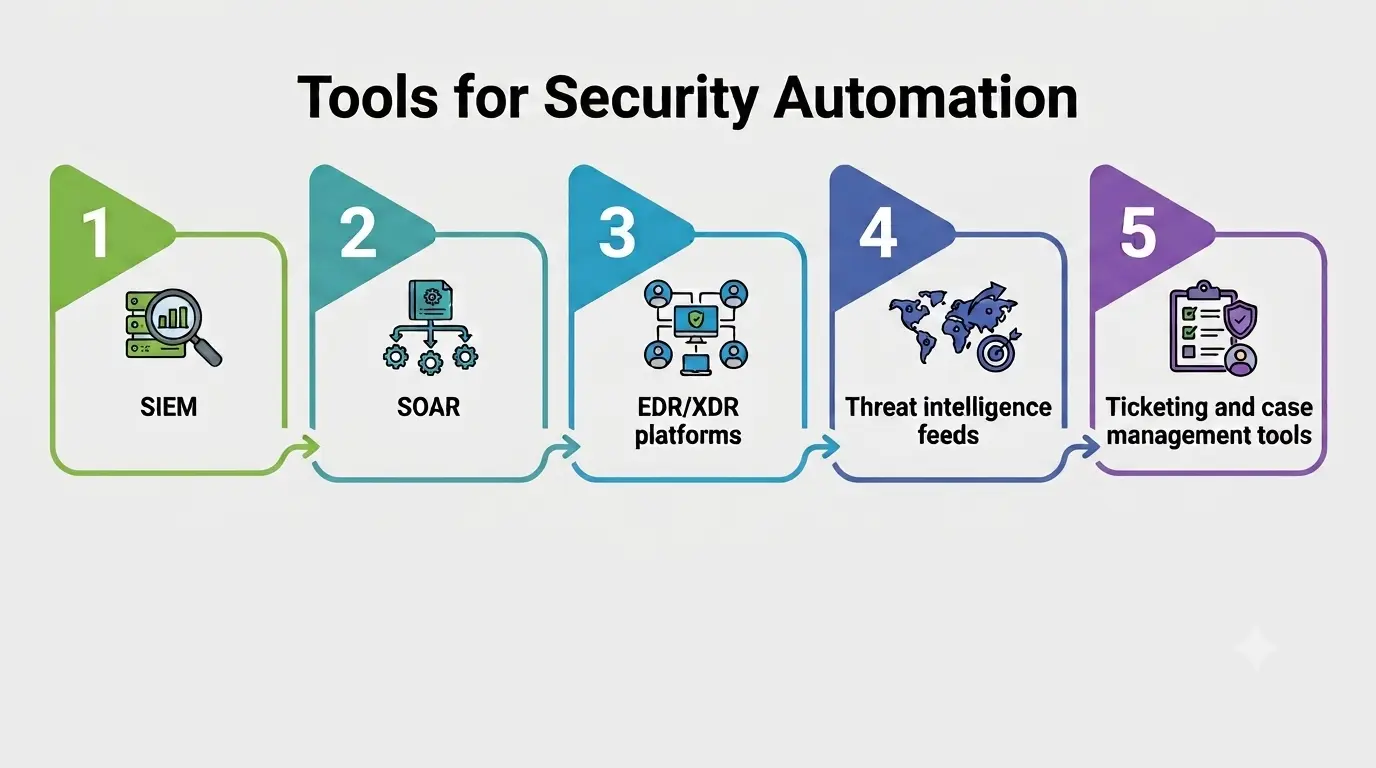
- SIEM (Security Information and Event Management): Aggregates and correlates logs from across the environment.
- SOAR (Security Orchestration, Automation, and Response): Connects tools together and runs automated playbooks across the stack.
- EDR/XDR platforms: Provide endpoint-level visibility and can trigger automated containment on the device itself.
- Threat intelligence feeds: Feed context into automated decisions so the system knows which indicators are actually dangerous.
- Ticketing and case management tools: Keep a documented trail of every automated action for audits and lessons-learned reviews.
Skills Students Should Build Before Working With This Technology
If you are studying cybersecurity and want to work on automated defense someday, the tooling matters less than the foundations underneath it. A few areas are worth prioritizing early:
- Scripting basics. Python and PowerShell show up constantly in playbook development. You do not need to be a software engineer, but you should be comfortable reading and lightly editing a script.
- Log analysis. Every automated decision is only as good as the data feeding it. Learn to read raw logs from firewalls, endpoints, and cloud platforms before you ever touch a dashboard that summarizes them for you.
- Networking fundamentals. Understanding how traffic actually moves through a network makes it far easier to judge whether a containment action makes sense or will break something important.
- Frameworks like MITRE ATT&CK. Knowing common attacker tactics and techniques helps you design playbooks that catch real behavior instead of just matching known file hashes.
- Communication. Post-incident reports and playbook documentation get read by people who were not in the room during the event. Writing clearly is a genuine, underrated skill in this field.
None of this requires years of experience to start. Building a small home lab, working through free NIST and vendor documentation, and practicing on platforms designed for security training will get a motivated student further than any single certification.
Best Practices Every Security Operations Team Should Follow
- Start small and expand gradually. A narrow, well-tested automation for one attack type beats a broad, half-tested rollout across ten.
- Keep a human in the loop for high-impact actions. Automation should recommend or execute low-risk containment automatically, but high-impact decisions still deserve a second set of eyes.
- Document every playbook thoroughly. New analysts and auditors both need to understand why a rule exists and what it actually does during a live event, including which systems it touches and what it deliberately avoids doing.
- Review false positives weekly. A security automation setup that fires on legitimate traffic will quickly lose the trust of the team running it.
- Align automation with compliance requirements. Many industries have strict rules about how incident management and breach notification must be handled, so your playbooks need to respect those timelines.
Challenges to Watch For
This kind of automation is powerful, but it is not free of risk. Over-automation without proper testing can cause a playbook to take a damaging action based on a false positive, such as isolating a critical server during business hours. Integration complexity is another common headache, since older, legacy security tools were never designed to talk to modern orchestration platforms.
Finally, automation without ongoing tuning becomes stale fast; attacker techniques change constantly, and a playbook built two years ago may no longer catch today’s tactics. A good automation program treats these as ongoing maintenance items, not one-time setup tasks.
The Future of Incident Response Automation
Machine learning is increasingly being layered on top of rule-based automation, allowing systems to flag anomalies that do not match any known signature. This does not replace the fundamentals covered in this guide.
It adds another detection layer on top of the same core idea: reduce the time between “something happened” and “we responded,” while keeping a clear, auditable trail of every automated action the system took.
For anyone building a career in this field, understanding both the rule-based and the machine-learning side of automated defense will only become more valuable over the next few years.
A Personal Note
I have sat through more 2 a.m. alert queues than I would like to admit, and the truth is that no team burns out faster than one that treats every single alert as equally urgent. The teams that hold up over time are the ones that let automation carry the routine weight so people can save their focus for the moments that truly need it. If you are a student reading this, do not just learn the tools.
Learn to think about which decisions deserve a machine and which ones deserve a human, because that judgment call is the actual skill behind every good incident response automation strategy. It is also the thing no course can fully teach you; it comes from watching enough real incidents, automated and manual alike, to build an instinct for where the line should sit.
Conclusion
Building a resilient incident response automation strategy is not about buying the flashiest platform on the market. It is about mapping your workflow honestly, automating the repetitive parts first, keeping humans in the loop for anything high-impact, and refining the system continuously as threats evolve.
Get those fundamentals right, and your security operations program will respond faster, recover sooner, and give your team the breathing room it has probably been missing for years.