If you’ve spent time in a business, IT, or law classroom recently, you’ve probably heard the acronym “GRC”—governance, risk, and compliance. What gets discussed far less often is the software layer sitting underneath it.
That software layer is what actually makes governance, risk, and compliance work at scale, instead of living in scattered spreadsheets and email threads that nobody fully trusts by the third quarter.
This guide is written for students who want to genuinely understand the subject, not just memorize a definition for an exam. It covers what this software category does, the kinds of platforms organizations rely on, and where it shows up in real industries.
It’s also worth knowing this isn’t a niche corner of tech careers. Risk analysts, internal auditors, compliance officers, and even IT security staff now spend a meaningful chunk of their working week inside one of these platforms.
Whether you end up in banking, healthcare, higher education, or a startup that just landed its first enterprise client, there’s a good chance you’ll touch this kind of system early in your career—so understanding how it actually works, rather than treating it as a black box, is a genuinely useful head start.
What Is GRC Technology?
GRC technology is the category of software platforms built to help organizations manage governance policies, assess and monitor risk, and stay aligned with laws, standards, and internal rules—all from one connected system rather than a pile of disconnected files.
Before this software existed, most companies ran governance, risk, and compliance work through spreadsheets, shared drives, and manual sign-offs. That approach breaks down quickly once a company has more than a handful of regulations, vendors, or business units to keep track of.
Modern platforms pull governance, risk, and compliance into a single digital workspace. They give risk officers, auditors, and compliance teams one place to log risks, assign controls, track deadlines, and prove — with evidence rather than memory — that the organization is actually doing what it says it’s doing.
According to the International Organization for Standardization’s risk management framework, risk management works best when it’s built into an organization’s structure and everyday decisions, not bolted on after the fact. Closing that exact gap is the whole point of this technology.
It’s worth remembering this isn’t one single product. The category ranges from full enterprise suites down to focused compliance tools built for a single regulation, such as data privacy or financial reporting.
Why Does This Category Matters More Than It Used To?
Four forces have pushed this software from a “nice to have” into something most mid-size and large organizations now treat as essential.
First, regulation has multiplied. A company operating across a few countries might answer to data protection laws, industry-specific rules, financial reporting standards, and internal audit requirements—all at once, all changing on different schedules.
Second, operational risk has become harder to track by hand. A serious security event can’t reasonably be handled through email chains when it needs a documented, time-stamped response involving several departments at once, each one aware of what the others have already done.
Third, teams are stretched thin. Compliance and risk departments rarely grow headcount at the same pace as the rules they’re expected to follow, so software that removes routine, repetitive work isn’t a luxury — it’s often the only way a small team keeps up with a growing rulebook.
Fourth, leadership wants proof, not promises. Boards and regulators increasingly expect dashboards built on real numbers, not a compliance officer’s best guess. Gartner’s research on the sector notes that the GRC technology market includes both broad, end-to-end platforms and narrower vendors built for specific needs, with the next phase of growth driven heavily by AI governance demand—see Gartner’s AI governance spending for the figures behind that shift.
Key Functions of GRC Technology
This is the part students actually need to understand—not just that this software exists, but what it does day to day inside an organization.
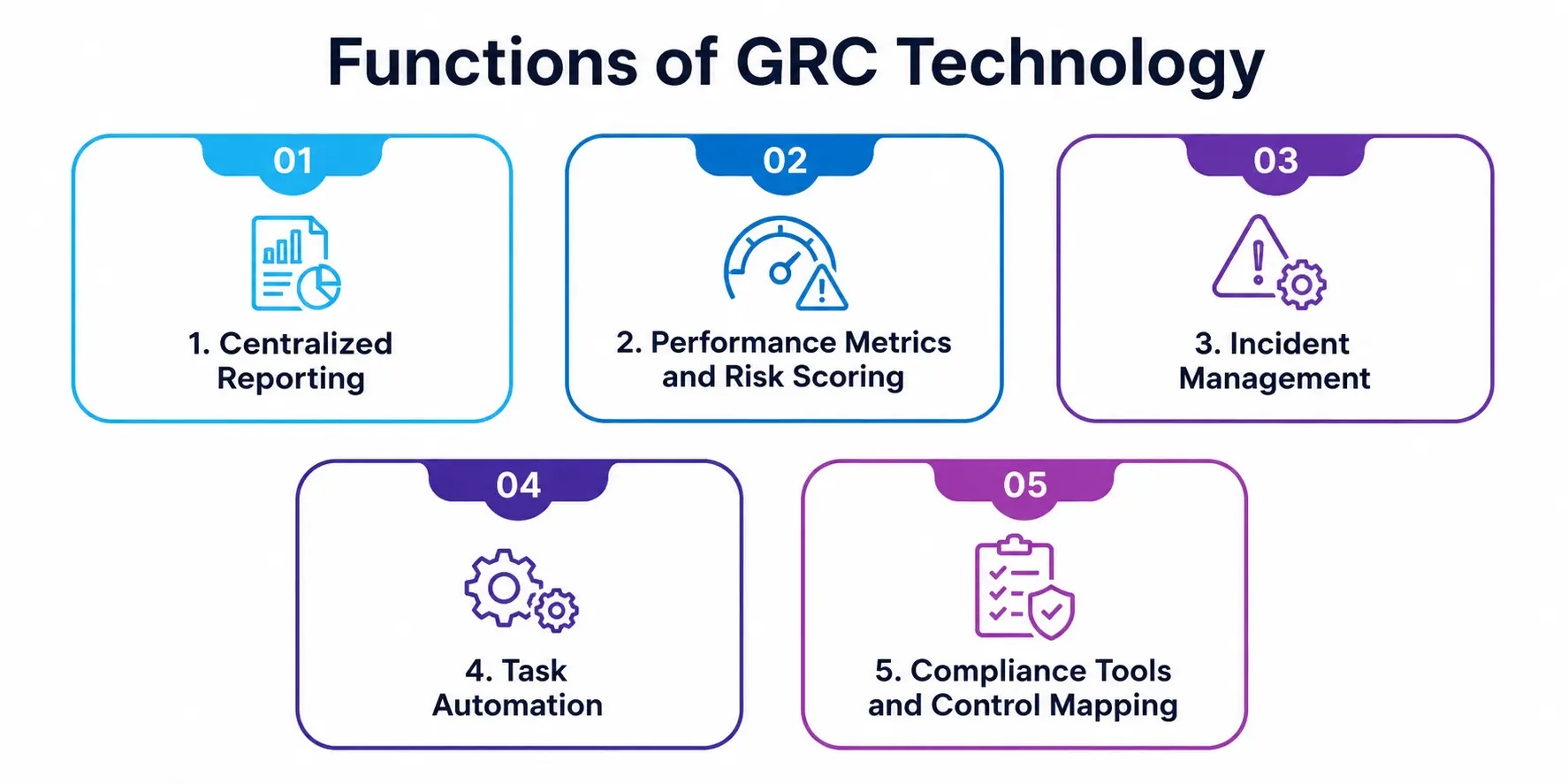
1. Centralized Reporting
Perhaps the single biggest reason companies adopt this technology is centralized reporting. Instead of five departments keeping five separate risk logs in five different formats, one dashboard pulls everything together so leadership, auditors, and regulators can actually read it.
A compliance officer can generate a single report covering policy status, open risks, and audit findings without chasing data across six different teams. This also matters at audit time: when a regulator asks for evidence, the organization can pull it from one place instead of reconstructing a timeline from old emails, and it means smaller offices don’t need a dedicated data-wrangling employee just to prepare for a review.
2. Performance Metrics and Risk Scoring
This software doesn’t just store information; it turns raw risk and compliance data into performance metrics that leadership can actually act on. Think risk heat maps, control-effectiveness scores, and compliance completion rates by department. These numbers let a risk committee spot a weak area — say, a business unit with a rising number of overdue controls — before it becomes a real problem.
Tracking them over time also helps prove to auditors and boards that a risk program is genuinely improving, not just existing on paper, which matters a great deal when budgets for compliance staff are being decided.
3. Incident Management
When something does go wrong — a data breach, a failed control, a whistleblower report — incident management is where this software earns its keep. A proper workflow logs the event, assigns it to the right owner, sets a resolution deadline, and keeps a full audit trail of every action taken.
This matters legally as much as operationally, since regulators in many industries expect a documented, evidence-backed response rather than a verbal account pieced together after the fact.
4. Task Automation
Manual, repetitive compliance work is where human error creeps in, which is exactly why task automation is a core function here. It handles the routine parts: sending reminders before a policy review is due, reassigning ownership when someone leaves a team, or triggering a scheduled risk reassessment.
This frees compliance staff from chasing deadlines by hand and lets them spend their time on judgment calls that actually need a person, not a checklist.
5. Compliance Tools and Control Mapping
At its core, this category bundles a set of compliance tools designed to map internal controls to external requirements — a data-protection law, an industry certification, or an internal policy. They let an organization see, for any given regulation, exactly which controls satisfy it and who’s accountable for them.
When a new regulation appears, this control-mapping layer can flag which existing controls already cover part of it, saving teams from starting over from zero. The NIST Risk Management Framework is a good real-world example of the kind of structured, repeatable process these tools are built to support.
GRC Technology Functions at a Glance
|
Function |
What It Does |
Why It Matters |
|
Centralized Reporting |
Pulls risk, audit, and compliance data into one dashboard |
Gives leadership a single, trustworthy source of truth |
|
Performance Metrics |
Converts raw data into scores, trends, and heat maps |
Helps teams spot weak areas before they turn into incidents |
|
Incident Management |
Logs, assigns, and tracks resolution of risk events |
Creates an audit trail and meets regulatory expectations |
|
Task Automation |
Automates reminders, assignments, and recurring reviews |
Cuts down missed deadlines and manual busywork |
|
Compliance Tools |
Maps internal controls to external regulations |
Shows exactly what’s covered and what’s still exposed |
Popular Categories of GRC Technology Tools
Not every organization needs the same setup, so platforms in this space tend to fall into a few broad categories:
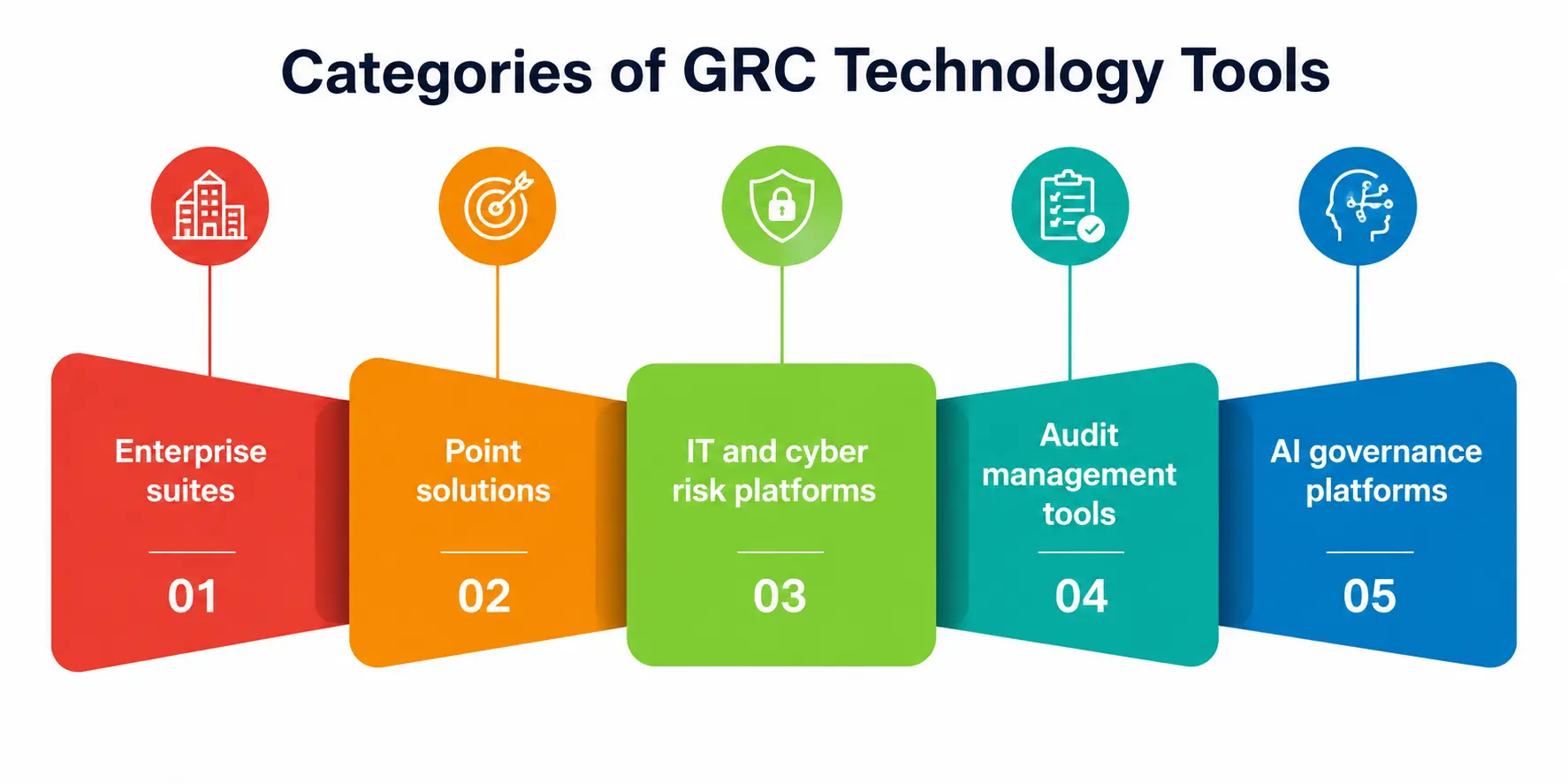
- Enterprise suites – full platforms that address governance, risk, audit, and compliance all together, typically used by larger organizations that are dealing with multiple regulations at once.
- Point solutions – narrower compliance tools built for a single requirement, good for smaller teams with a specific need.
- IT and cyber risk platforms — with an intense focus on security-event response and control mapping.
- Audit management tools—used to plan, perform, and document internal or external audits.
- A newer category of platforms, called AI governance platforms, are specifically built to manage the risks associated with standard artificial intelligence systems, such as bias, oversight, and model documentation.
Coverage of this space by MetricStream’s GRC tools notes that the category has moved well past its spreadsheet-replacement origins, with platforms increasingly using AI to flag emerging risks before they surface.
Real-World Use Cases of GRC Technology
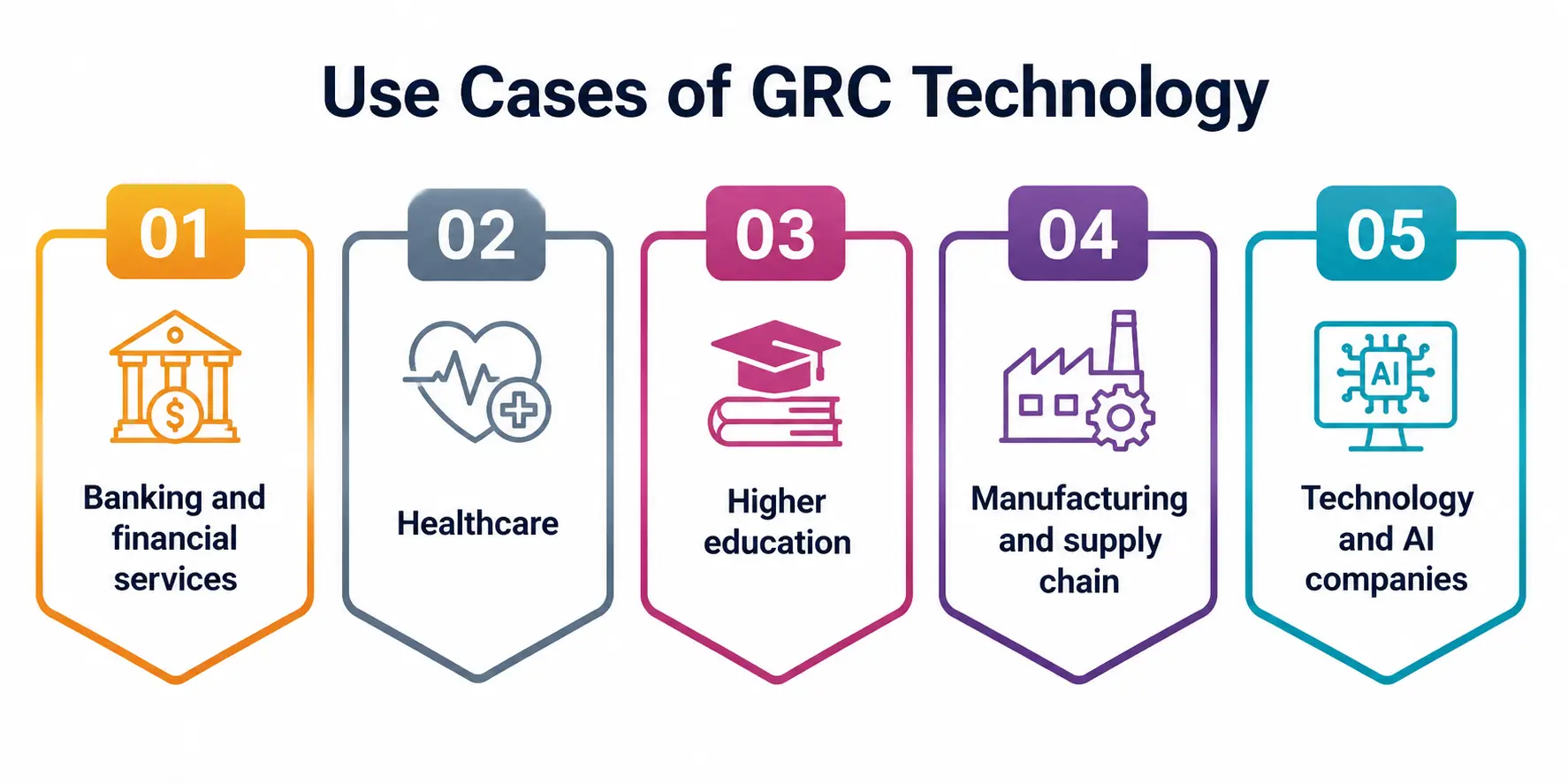
- Banking and financial services. Banks juggle capital requirements, anti-money-laundering rules, and consumer protection laws simultaneously. Work here typically centers on centralized reporting for regulators and a disciplined, well-documented response process for fraud and security events.
- Healthcare. Hospitals and providers use these platforms to track patient data protection requirements and clinical safety events. Automated reminders are especially valuable here, since recurring staff training and certification renewals never really stop.
- Higher education. Universities increasingly rely on this software to manage research compliance, data privacy for student records, and campus safety reporting — an underappreciated use case for students, since it’s happening on their own campuses.
- Manufacturing and supply chain. Companies use control-mapping tools to track supplier certifications, safety standards, and environmental regulations across dozens or hundreds of vendors at once.
- Technology and AI companies. As AI adoption grows, so does the need to govern it. The NIST AI Risk Management Framework has become a common reference point for organizations building AI-specific governance programs, often layered on top of platforms they already use.
Benefits Organizations Get From This Technology
- Time savings through centralized reporting instead of manually compiling data from multiple teams.
- Better decisions, driven by performance metrics leaders can actually trust.
- Faster response times, thanks to structured incident-response workflows.
- Fewer errors, since task automation removes a lot of manual, repetitive work.
- Audit readiness, because built-in control-mapping keeps evidence organized year-round instead of scrambled together right before an audit.
Common Challenges Worth Knowing About
It isn’t all upside. Rolling this software out takes real planning, and a few challenges show up again and again:
- Adoption resistance — staff used to spreadsheets often resist a new system, especially if the interface feels clunky.
- Data quality issues — reporting is only as good as the data feeding it; a system full of outdated entries won’t help anyone.
- Cost and complexity — enterprise-grade platforms can be expensive and slow to configure properly.
- Over-reliance on automation — automated workflows are genuinely useful, but they can’t replace human judgment on ambiguous risk calls.
- Integration gaps — a platform that doesn’t connect well with existing HR, IT, or finance systems ends up creating a new silo instead of eliminating one.
Where Is GRC Technology Headed?
The next phase of this category is being shaped heavily by AI—both AI used inside these platforms to flag risks automatically and AI itself as a new category of risk that needs governing.
Expect more vendors to combine traditional compliance workflows with AI-specific oversight, and expect performance metrics to increasingly include AI-related indicators like model drift and bias monitoring, alongside traditional risk scores.
Skills Worth Building in This Field
If any of this sounds like a career direction you’re considering, a few skills show up in almost every job posting in this space: comfort with spreadsheets and basic data analysis, familiarity with at least one recognized risk or security framework, clear written communication (since a lot of the job is documenting decisions for someone else to review later), and a working understanding of how audits actually run.
None of these require a computer science degree — they’re learnable through coursework, internships, or even a summer spent volunteering to help a student organization get its own records in order.
A Personal Note
I’ve written a lot of compliance-adjacent content over the years, and the thing that surprised me most while researching this piece wasn’t the tools—it was how much of the real value here comes from something as unglamorous as good record-keeping.
Centralized dashboards and automated reminders aren’t flashy concepts, but they’re the difference between an organization that can answer a regulator’s question in an afternoon and one that spends three stressful weeks digging through old emails.
If you’re a student heading into risk, audit, compliance, or IT governance work, understanding these unglamorous fundamentals will serve you better than memorizing vendor names ever will.