







If your Outlook inbox froze on Thursday evening or a Teams call dropped and never came back, the problem wasn’t on your end. Microsoft is still working through one of the longest and most widespread outages in its history. It began on 12 November 2026, and it’s still dragging on as this post goes up on 13 November.
Below we look at what happened, what Microsoft has said about the cause, how bad the damage was, and what businesses should take from it.
What Happened, and When?
Problems started at about 12:30 pm Eastern Time on Thursday, 12 November. That’s 5:30 pm in London and close to 11 pm in India. Shortly before 1 pm ET, Microsoft said it was looking into reports of people who couldn’t reach their mailboxes.
The spike in complaints was huge. Downdetector logged more than 130,000 Outlook reports at the peak, and Microsoft 365 passed 45,000. Reports came in from 74 countries within the first hour. At one point five Microsoft services together were generating close to 20,000 reports a minute. On a normal Thursday that figure is in the low teens.
It didn’t stay limited to email. Microsoft’s own status updates listed possible disruption to:
- Exchange Online (the system behind Outlook email)
- Microsoft Teams
- SharePoint Online and OneDrive
- Microsoft 365 Copilot
- Defender XDR, Intune, Purview, Planner, To Do, and Power BI
The company is tracking the incident under the IDs EX1550543 and MO1550821 in the Microsoft 365 admin center. IT admins who want the official timeline should start there.
So Why Did Microsoft Go Down?
Most big cloud outages come down to a cause you can point at, such as a bad configuration push or a failed update. This one doesn’t, at least not yet. Here’s what Microsoft has confirmed.
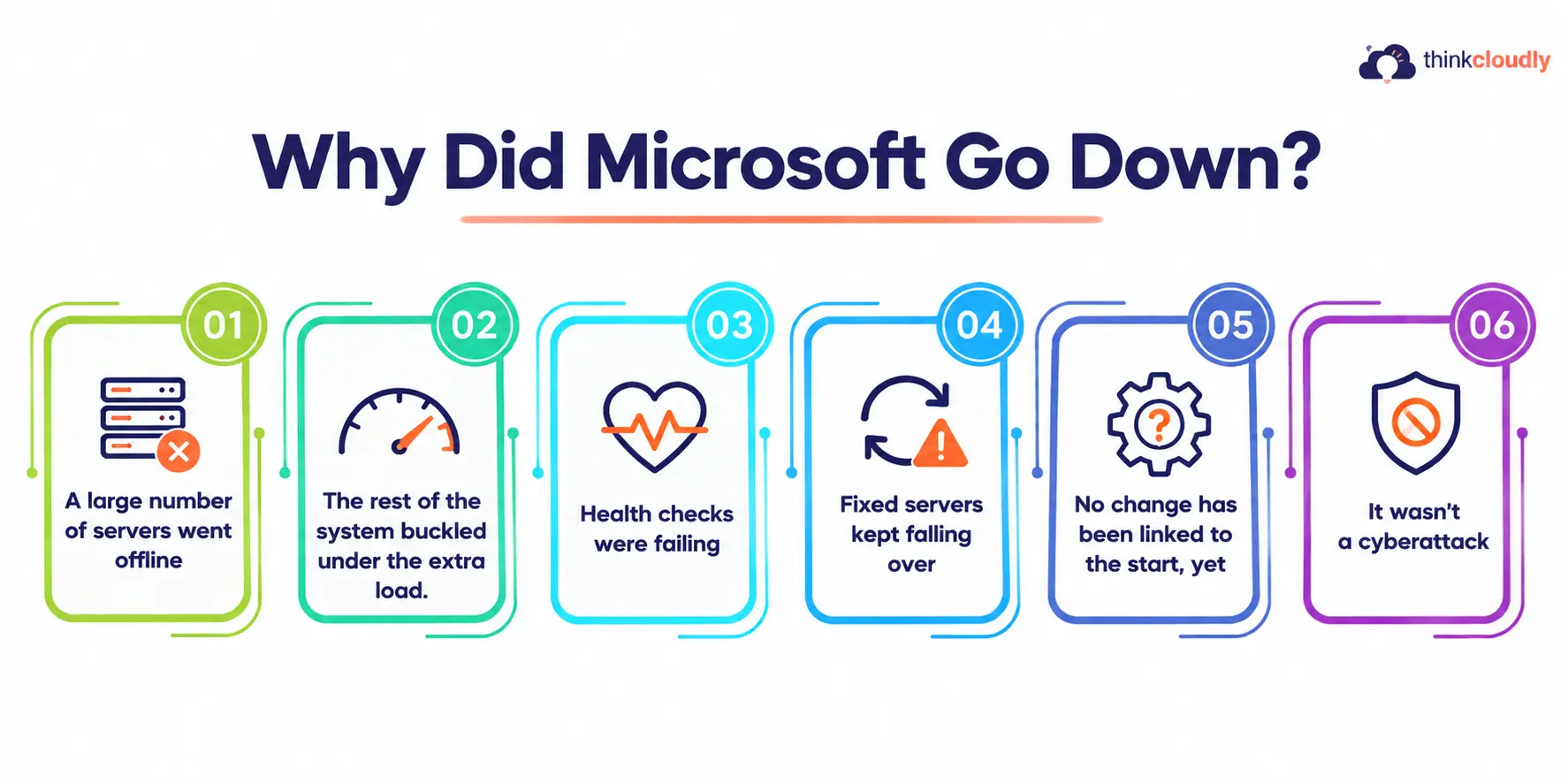
- A large number of servers went offline. A significant share of the servers running Exchange Online and related services stopped responding. Microsoft was clear that a surge in user traffic wasn’t to blame. The trouble began when those servers dropped out.
- The rest of the system buckled under the extra load. With a big chunk of capacity gone, the servers still running had to absorb their work, and more of them started failing. Engineers call this a cascading failure: one support on a bridge gives way, the others take more weight, and then they crack too.
- Health checks were failing. Large cloud platforms run automated health checks all the time. If a server fails one, it gets pulled out of rotation so users aren’t routed to a broken machine. Microsoft says its servers were failing those checks, and it suspects the component that processes health signals may be part of the problem. If that turns out to be true, the safety system itself was pulling healthy servers offline, which would make the outage worse instead of containing it.
- Fixed servers kept falling over. The most frustrating detail is this one. On Thursday evening Microsoft said it was bringing repaired servers back online, and at first they held. Then it warned that those servers could stop responding again once real traffic hit them. This is why recovery has been so slow. You can’t simply flip everything back on when the act of switching it on sets off the failure again.
- No change has been linked to the start, yet. Microsoft paused all deployments and configuration changes while it went through recent updates. As of its latest statements, it hasn’t found a recent change that lines up with when the problem began. That’s unusual, and it’s one reason this incident is getting so much attention.
- It wasn’t a cyberattack. Microsoft has said repeatedly that it sees no sign of malicious activity, and Australia’s Home Affairs office passed on the same message after talking to the company.
The full root cause won’t be known until Microsoft publishes its post-incident review, usually a few days to a couple of weeks after an incident is resolved.
Where Things Stand Today (13 November 2026)
As of Friday morning UK time, the outage has been running for more than 12 hours, and it isn’t over.
The latest updates are cautiously hopeful. Microsoft has reported “early stabilization” and better capacity. It also says a patch it applied to some servers is showing good results for stability, and it plans to roll that fix out more widely once it has been monitored.
Two practical points for users:
- Your emails probably aren’t lost. Microsoft has extended Outlook’s email timeout window to 48 hours. Messages sent during the outage should sit in a queue and arrive later instead of bouncing back. Expect a pile of delayed mail when service returns.
- Recovery is happening in stages. Some people will get access back hours before others. Microsoft has said clients will reconnect gradually as capacity comes back. If a colleague can get in and you can’t, that’s expected.
Outlook reports have started to fall, but at the latest check Teams and Microsoft 365 complaints were still rising in some regions. Full service hasn’t been restored yet.
The Consequences: What the World Faced
An email outage sounds minor until you see how much daily life runs through Outlook and Teams.
1. Governments and public services
In the UK, a government spokesperson said officials were working closely with Microsoft to judge the impact on public services. Richmond Council in London warned that online forms might not go through. Hertfordshire Police and Dorset Police asked the public to use 101 for non-emergency reports. Police in London and some schools were also reported to be disrupted.
In Australia, the peak hit at about 4:20 am local time, so many offices opened with no working email. Business owners described their work as grinding to a halt, and the country’s National Cyber Security Coordinator is looking into the incident.
2. Students and universities
University email systems went down in several places. Students said they couldn’t submit assignments, which is a real problem in mid-November, when a lot of coursework deadlines fall. Expect a wave of extension requests next week.
3. Businesses and markets
Electric truck maker Workhorse Group pushed its third-quarter earnings release from 12 November to 16 November and blamed the outage. It’s a small example of how far one company’s server problem can reach.
4. AI tools went down with it.
AI assistants that plug into Microsoft 365 broke too. OpenAI and Anthropic both reported problems with their Microsoft 365 connectors, and Microsoft’s own Copilot was among the worst-hit services. As more work runs through AI agents that read inboxes and calendars, an email outage now takes the AI layer down with it.
This Isn’t the First Time This Year
What worries IT leaders is the pattern. In just over a year, Microsoft has had several major incidents:
- 29 October 2025: A configuration change made by mistake in Azure Front Door, Microsoft’s global content delivery network, took down Microsoft 365, Xbox, and Minecraft. It also hit websites belonging to Alaska Airlines, Heathrow Airport, and Costco.
- 22 January 2026: A multi-hour Microsoft 365 outage hit Outlook, Defender and Purview across North America.
- 23 July 2026: A bug in Microsoft’s automated network maintenance system removed IP routes from far more devices than intended. That cut off its West US Azure region for close to five hours.
- 31 August 2026: A problem with a core authentication configuration shared by several Microsoft 365 services caused a disruption that lasted into a second day.
- October 2026: An Azure cloud outage affected Microsoft’s productivity apps and customers in a range of industries.
Each incident had a different cause. Taken together, they show how risky it is when a huge share of the world’s office work runs through one vendor’s infrastructure.
What Businesses Should Learn From This?
You can’t stop Microsoft from going down. What you can do is decide how much an outage hurts you. A few practical steps:
- Keep a backup way to communicate. If Teams and Outlook are your only channels, an outage leaves your staff with no way to reach each other. A simple fallback, such as a group messaging app, an SMS alert list, or even a phone tree, makes a real difference.
- Bookmark the status pages before you need them. Microsoft posts updates on the Microsoft 365 Service Health dashboard and its Microsoft 365 Status account on X.
- Don’t make things worse on your side. During a service-side outage, resetting passwords or reinstalling Office won’t help. It just gives your help desk a second set of problems.
- Find your single points of failure. If citizen services, customer forms, or AI workflows depend on Microsoft 365 alone, map them out and plan for the day it goes offline.
- Read the Post Incident Review. For anyone studying cloud architecture or preparing for Azure certifications, it will be an excellent free case study on cascading failure.
Final Thoughts
Microsoft runs one of the most sophisticated cloud platforms in the world, and it’s still had a day in which servers kept failing faster than engineers could bring them back. Size doesn’t make a system immune to failure. Sometimes it just means more people feel it when something breaks.
For now, be patient, don’t panic about missing emails, and keep an eye on Microsoft’s status pages. Once things settle, look honestly at how your organization would cope if this happened again tomorrow. Judging by the past year, it might.