Most people prepping for Terraform interview questions start by memorizing command flags. That’s backwards. By late 2027, panels mostly skip Terraform plan syntax and ask candidates to reason through a corrupted state file or a module quietly drifting from production.
The 2027 report from Firefly found 90 percent of teams say their IaC orchestration falls short at scale, and roughly a third have tied drift to a real incident—exactly why panels test judgment, not vocabulary.
This guide walks through 25 terraform interview questions grouped by what senior panels probe: state management, workspaces, reusable modules, provisioning, and automation at scale.
Each answer is a short reasoning walkthrough, because a candidate who has genuinely worked with Terraform configuration files in production is expected to explain the “why,” not just the term.
Why Terraform Interview Questions Have Shifted Toward Real Scenarios?
A few years ago, this topic mostly tested whether a candidate had memorized resource block syntax. That bar has moved. Teams sharing infrastructure across several accounts need engineers who can reason about blast radius, not just recite another block.
A good recent read on this shift is this 2027 take on sticking with Terraform over newer alternatives—interviewers now care less which tool you used than whether you understand what it’s doing underneath.
A quick map worth having solid before the Terraform interview questions below turn into scenarios:
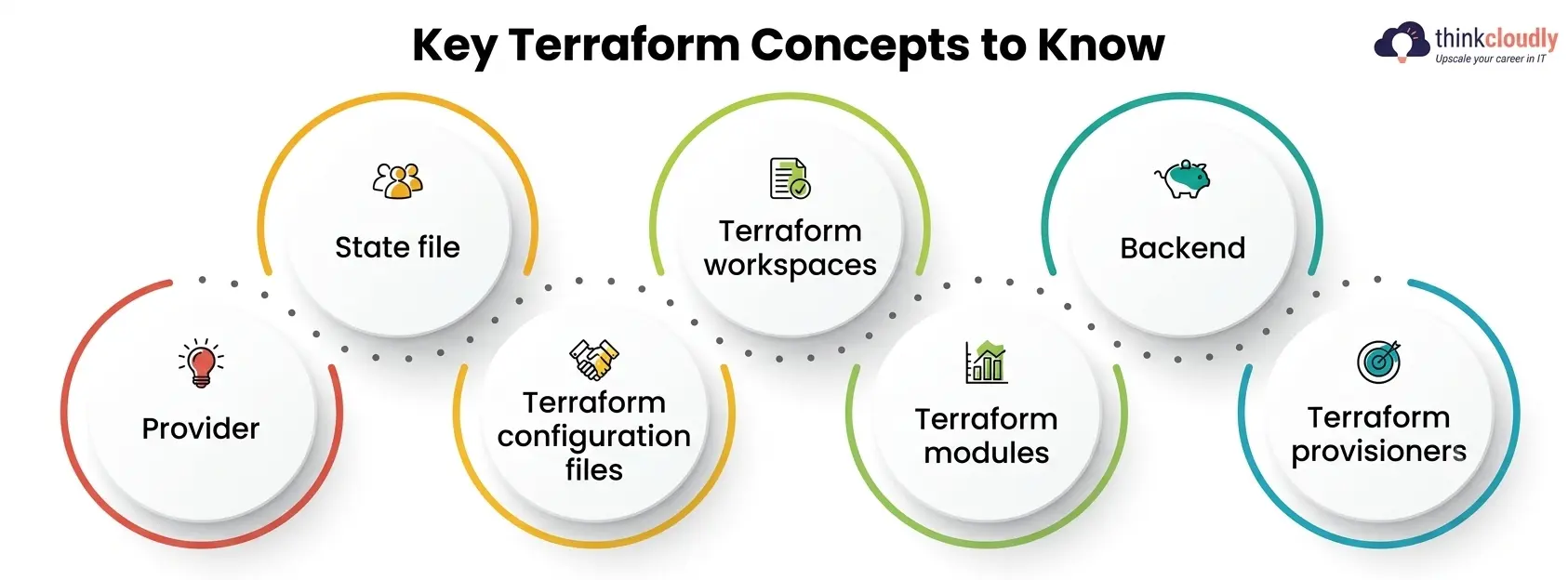
- Provider—the plugin translating HCL into calls against a platform’s API.
- State file—the record of what Terraform believes is deployed; the most fragile artifact here.
- Terraform configuration files—the .tf files declaring resources and variables; the version-controlled source of truth.
- Terraform workspaces—isolated state instances within one configuration, used to separate dev, staging, and production.
- Terraform modules—reusable, parameterized bundles that stop a team from hand-writing the same setup repeatedly.
- Backend—where state lives, and how locking against it is enforced.
- Terraform provisioners—a last-resort way to run scripts on a resource after creation.
25 Terraform Interview Questions and Scenario-Based Answers
Prepare for your next Terraform interview with these 25 essential questions and scenario-based answers. Cover key Terraform concepts, infrastructure provisioning, state management, modules, troubleshooting, and best practices to build confidence and demonstrate practical knowledge in real-world DevOps environments.
Q1. Walk through what happens to the state file when you run terraform apply.
Terraform reads the current state, compares it against your configuration, and calculates a diff. It calls the provider’s API to match real infrastructure to that diff, writing each result back into state immediately, not at the end—so a mid-apply crash still leaves a file reflecting what happened.
Q2. Two engineers ran apply on a shared S3 backend within seconds of each other. What’s supposed to prevent corruption?
This is the textbook test of Terraform state locking. With S3 paired to a DynamoDB table, Terraform grabs a lock entry before touching state; a second apply waits or fails instead of writing concurrently. Skip that table, and two simultaneous applications can corrupt the file.
Q3. An application crashed partway through, and the state lock won’t release. What do you actually do?
First confirm nothing is still running—check the CI job or the engineer’s terminal, since forcing an unlock mid-apply is how state files get corrupted for real. Once confirmed dead, terraform force-unlock <lock-id> clears it. Panels grade the verification step here, not the command.
Q4. What’s the difference between terraform state subcommands and hand-editing the .tfstate file?
Terraform state mv/rm/list/show modifies state through Terraform’s own logic, keeping the file consistent and respecting any lock. Hand-editing raw JSON skips that—one misplaced resource ID can desync the file until the next apply destroys the wrong thing.
Q5. How would you recover from state referencing a resource that no longer exists in the cloud?
Run the Terraform plan first to confirm the drift rather than guessing. If the resource is genuinely gone, terraform state rm removes the stale reference without touching real infrastructure, and a follow-up apply recreates it if still needed.
Q6. When would you use Terraform workspaces instead of separate directories per environment?
Terraform workspaces work well when dev, staging, and production share nearly identical configurations and differ only by variable values—a small team on one product line, say. Separate directories earn their keep once environments diverge structurally, since workspaces share one backend and one blast radius.
Q7. What’s a realistic failure mode of relying on workspaces for production isolation?
Because every workspace shares one backend, a leaked credential or misconfiguration can expose every environment at once. Teams that outgrow this model move to separate state files per environment, trading convenience for real isolation.
Q8. How do you reference the active workspace inside a configuration?
The terraform.workspace expression returns the active name, often used to size resources per environment. Relying on it too heavily is a smell, though—it couples your files to the workspace model instead of cleaner variable inputs.
Q9. A teammate switched workspaces mid-session and applied against the wrong environment. How do you prevent that?
This is a tooling gap, not a training gap. A script that prints the active workspace before every plan, or separate backend configs so a wrong selection can’t reach production, closes this more reliably than asking people to double-check.
Q10. Why do some teams skip Terraform workspaces entirely and use separate backends per environment instead?
Separate backends give each environment its own access policy, locking, and blast radius—a mistake in staging cannot touch production’s state. The tradeoff is repeated backend configuration, usually solved with a small module that generates the block consistently.
Q11. What’s the real benefit of Terraform modules beyond “not repeating yourself”?
Terraform modules enforce a consistent, tested pattern everywhere they’re used—if a VPC module hardcodes correct subnet tagging and flow logs, every team calling it gets that correctness free. That consistency matters more at scale than lines saved.
Q12. How would you version a shared internal module so downstream teams aren’t broken by every change?
Pin consumers of shared Terraform modules to a specific version using Git tags or a registry constraint (version = “~> 2.1”), not a branch. Breaking changes ship as a major bump, so teams upgrade on their own schedule instead of inheriting an untested change on merge.
Q13. What’s the difference between a root module and a child module, and where do files typically live for each?
The root module is whatever directory you run apply from; anything called via a module block is a child. Child modules commonly live in a separate repository, while the root’s Terraform configuration files stay thin—mostly module calls and environment variables.
Q14. You inherited a module with 40 input variables and no documentation. How do you make it usable again?
Generate docs directly from the variable and output blocks—terraform-docs does this automatically and catches drift going forward. Then group variables logically and give sane defaults where possible, so callers specify only what genuinely varies. The Terraform Registry’s module guidance is a solid reference for well-structured inputs and outputs.
Q15. When is writing your own module the wrong call versus using one from the public registry?
When a well-maintained public option already covers 90 percent of what you need, forking or hand-rolling just adds maintenance with no real benefit. Writing your own earns its keep only when the public module genuinely can’t support what you need, or compliance rules out external code entirely.
Q16. Why are Terraform provisioners generally treated as a last resort rather than a default tool?
They run arbitrary scripts outside Terraform’s state tracking, so a failure inside one can leave a resource half-configured with no clean way to know or recover. Purpose-built tools—cloud-init, a configuration manager, and a baked image—handle the same job in a way Terraform can actually reason about afterward.
Q17. What’s the difference between a local-exec and a remote-exec provisioner?
local-exec runs a command on the machine running Terraform itself—useful for a notification or a local file write. remote-exec connects to the new resource over SSH or WinRM and runs commands on it directly. Both share one weakness: zero state tracking of what the script did.
Q18. When would reaching for a provisioner genuinely be the right call?
A narrow case is a one-time bootstrap action with no ongoing drift risk—registering a new instance with an external monitoring system that has no provider at all. Even then, experienced teams reach for Terraform provisioners only after confirming no provider-native alternative exists.
Q19. What happens if a provisioner fails to apply partway through?
By default Terraform marks the resource tainted, so it’s destroyed and recreated on the next apply. That’s more disruptive than it sounds—a failure on a stateful resource triggers an unwanted destroy-and-recreate cycle, exactly the risk that keeps provisioners out of most production workflows.
Q20. How do create-time and destroy-time provisioners differ, and why does it matter?
A create-time provisioner runs once when a resource is first made. A destroy-time one runs right before it’s destroyed, commonly used to deregister something from an external system cleanly. Mixing up which stage a script belongs to is a quiet bug that only surfaces the first time someone destroys that resource.
Q21. How would you structure a CI/CD pipeline so apply never runs with a human staring at a terminal?
A GitOps-style pipeline runs terraform plan on every pull request and posts the diff as a review comment, then runs apply automatically on merge using a locked-down service identity with scoped permissions. Review happens on the plan output, not on trust.
Q22. What’s the biggest security risk in how most teams structure their Terraform configuration files, and how do you fix it?
Hardcoded credentials in plain variable files is still the most common finding in a real audit. The fix is pulling secrets from a dedicated secrets manager at apply time and keeping only non-sensitive variables in version control.
Q23. A plan shows changes to resources nobody touched. How do you figure out what’s going on?
This is drift — something changed real infrastructure outside Terraform, often a manual console fix during an incident. The real decision is whether to import that change back into your files or revert it, rather than letting the two sources of truth diverge further.
Q24. How do you handle a module that needs slightly different behavior across cloud providers without duplicating it entirely?
Parameterize provider-specific behavior through input variables rather than branching logic baked into the module, or split out a thin wrapper that calls a shared core. The goal is keeping one set of Terraform course modules as the source of truth, with differences isolated to the smallest surface possible.
Q25. How would you justify investing more engineering time in automation to a team whose manual process “has worked so far”?
The honest framing is risk concentration, not speed. A manual process that’s worked so far usually depends on one or two people remembering every undocumented step — a real liability the moment they’re unavailable mid-incident. Removing that single point of failure, backed by the drift incidents many teams report in the 2027 State of IaC findings, lands better than arguing for speed alone.
Terraform State Backend Comparison
|
Backend |
Locking Mechanism |
Best Fit |
|
S3 + DynamoDB |
DynamoDB lock table |
AWS-standardized teams with no managed-platform budget |
|
Azure Blob Storage |
Native blob lease |
Azure-centric teams wanting locking without extra infrastructure |
|
Terraform Cloud/HCP |
Built-in managed locking |
Teams wanting locking, run history, and policy checks, unhosted |
|
Consul |
Session-based locks |
Teams already running Consul for service discovery |
Picking the wrong backend has real consequences for Terraform state locking — a local backend with no locking works fine solo, but the moment a second person touches the same configuration, corruption becomes a matter of when, not if. The official documentation on state locking is worth reading once, since most teams learn the details only after an incident.
Terraform Troubleshooting Checklist for Production
Keep this nearby for the practical half of terraform interview questions, since panels often follow a correct answer with “and then what would you check”:
- Run terraform plan before every apply – the only reliable way to catch drift before it becomes a production change.
- Confirm the active workspace or backend first – a wrong selection among Terraform workspaces is a common cause of changes landing in the wrong environment.
- Check for an active Terraform state locking conflict before force-unlocking – confirm nothing is genuinely running rather than assuming it’s stale.
- Review provisioner output on a failed apply – a tainted resource from a failed run among your Terraform provisioners often needs manual cleanup.
- Pin shared modules to explicit versions – an unpinned reference lets an upstream change break your next apply.
- Keep secrets out of version-controlled Terraform configuration files – a .tfvars file with real credentials in git history is a recurring audit finding.
A Personal Note
I’ve watched plenty of candidates walk into interviews having memorized terraform interview questions off a list the night before, and it’s usually obvious within the first follow-up. The engineers who do well are the ones who’ve broken a state file at 2 a.m., force-unlocked something they probably shouldn’t have, and can explain calmly why their fix worked.
If you’re prepping right now, skip the memorization and write down two or three real moments from your own work instead — a drift you caught, a module you refactored, a lock you had to clear — and practice saying it out loud. That’s what actually gets remembered in the room.