If you’ve been eyeing a move into infrastructure or release engineering, you’ve probably noticed that job postings for this field read like a wish list written by five different departments at once. One line wants Kubernetes. The next wants scripting. A third wants “strong communication skills,” as if you’re interviewing for sales. This is exactly why figuring out the right DevOps engineer skills to prioritize feels harder than it should for someone just starting out.
I’ve mentored enough students through this exact confusion to know the problem isn’t a lack of resources—it’s too many of them, with no order of operations. This guide fixes that. It lays out the DevOps engineer skills that actually matter in 2026, in the order a beginner should realistically learn them, backed by what’s happening in the industry right now rather than a generic checklist copied from a decade-old job description.
Why DevOps Engineer Skills Matter More Than Ever Right Now
Every modern company, whether it ships a mobile app or runs a logistics platform, now depends on software that updates constantly and infrastructure that scales on demand. That shift has made cloud infrastructure management one of the most in-demand capabilities in tech hiring.
Gartner projects worldwide spending on AI-optimized infrastructure-as-a-service to grow by 96% through 2026, which tells you plainly where budgets and, by extension, hiring demand are heading.
That spending doesn’t manage itself. Someone has to provision it, secure it, and keep it running without the bill or the downtime spiraling out of control. That “someone” is increasingly a DevOps engineer, and the gap between companies that can find this talent and companies that can’t is only widening.
For a beginner, that’s good news: the demand for genuine DevOps engineer skills is outpacing the supply of people who actually have them, which means a well-built skill set gets noticed fast, even without a decade of experience behind it.
Core Technical DevOps Engineer Skills Beginners Need
Here’s the technical foundation, broken into the skills that show up in nearly every entry-level posting worth applying to:
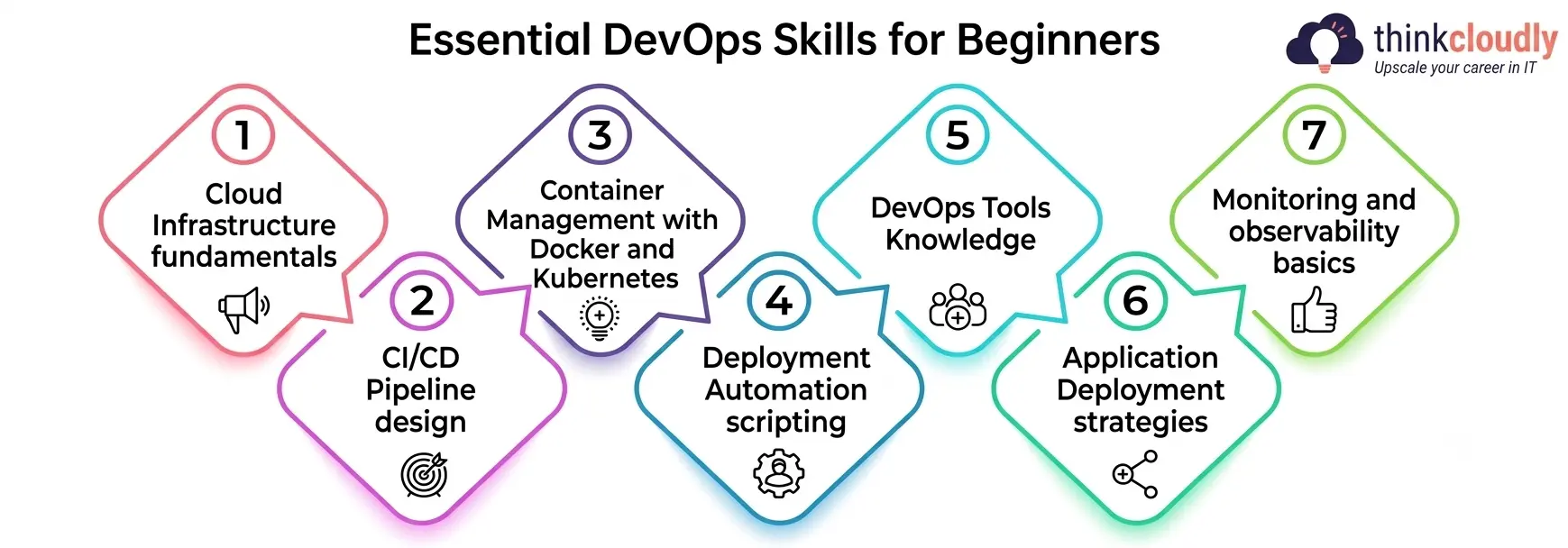
- Cloud Infrastructure fundamentals—Learn how compute, storage, and networking work on at least one major provider (AWS, Azure, or Google Cloud). You don’t need to master all three; pick one and go deep.
- CI/CD Pipeline design—Understand how code moves from a commit to a running application through automated build, test, and release stages.
- Container Management with Docker and Kubernetes—Learn to package an application into a container and at least how orchestration keeps many containers running reliably.
- Deployment Automation scripting—Learn enough Python, Bash, or Go to automate repetitive operational tasks instead of doing them manually
- DevOps Tools Knowledge—Get familiarized with Git for version control, a CI tool such as Jenkins or GitHub Actions, and an infrastructure-as-code tool such as Terraform.
- Application Deployment Strategies—Learn the difference between a rolling deployment, a blue-green deployment, and a canary release, and why each exists.
- Monitoring and observability basics—Learn to read logs, metrics, and dashboards well enough to notice a problem before a user reports it.
None of these need to be mastered on day one. They need to be started, in roughly this order, because each one makes the next easier to understand.
Must-Have Soft Skills for a DevOps Engineer
Technical ability gets you the interview. These get you hired and, more importantly, kept:
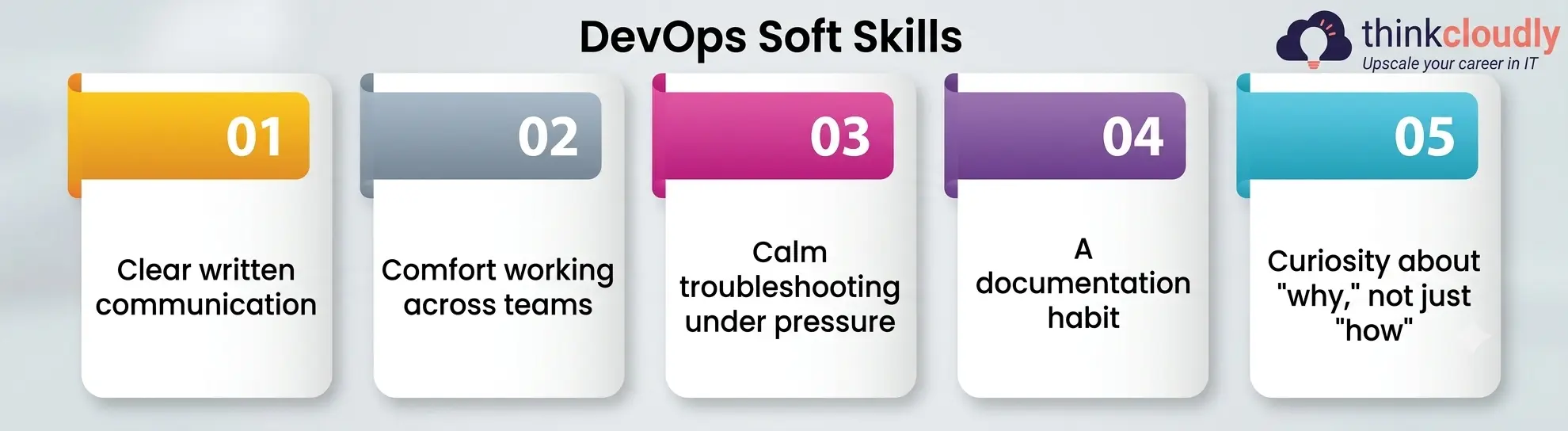
- Clear written communication—Incident reports, runbooks, and pull request descriptions are read by tired people at inconvenient hours. Clarity matters more than polish.
- Comfort working across teams—You’ll sit between developers, security, and product, and each group speaks a slightly different language.
- Calm troubleshooting under pressure—Production breaks at the worst possible time, every time. The engineers who stay useful during an incident are the ones who stay calm during it.
- A documentation habit—Writing things down as you learn them is the single most underrated skill in this field, and almost nobody teaches it directly.
- Curiosity about “why,” not just “how”—memorizing commands fades fast. Understanding why a system is built the way it sticks.
These two skill lists—technical and human—are deliberately the backbone of this guide, because most beginners overinvest in one and ignore the other, then wonder why their first year on the job feels harder than their bootcamp did.
A Skill-by-Skill Breakdown Table
A table format explanation makes it easier to see how each skill connects to a real job responsibility and the tools you’ll actually touch:
|
Skill Area |
What It Covers | Why It Matters on the Job |
Common Tools to Learn |
|
Cloud Infrastructure |
Compute, storage, networking, IAM | Nearly every workload now runs on it |
AWS, Azure, Google Cloud |
|
CI/CD Pipeline |
Build, test, and release automation | Shortens the time from code to production |
Jenkins, GitHub Actions, GitLab CI |
|
Container Management |
Packaging and orchestrating workloads | Standardizes how apps run across environments |
Docker, Kubernetes, Helm |
|
Deployment Automation |
Scripting away manual release steps | Removes human error from repeatable tasks |
Python, Bash, Ansible |
|
Application Deployment |
Release strategy and rollout control | Reduces the blast radius of a bad release |
Argo CD, Spinnaker, Octopus |
|
DevOps Tools |
Version control, IaC, config management | Keeps infrastructure consistent and reviewable |
Git, Terraform, Pulumi |
|
Monitoring & Observability |
Logs, metrics, traces, alerting | Catches problems before customers do |
Prometheus, Grafana, Datadog |
Keep this table nearby as a checklist. If you can hold a basic conversation about each row, you’re already ahead of a large share of applicants at the entry level.
Building Real Cloud Infrastructure Skills as a Beginner
Cloud infrastructure is where most beginners should start, because it’s the layer everything else sits on top of. You can’t meaningfully practice building or running anything without somewhere to actually deploy to. The good news is that every major provider offers a free tier generous enough to build real projects on.
A practical starting point: spin up a basic virtual machine, then a managed database, then a load balancer in front of a small application. Don’t just read about these concepts—provision them, break them, and fix what you broke.
The CNCF’s 2025 Annual Cloud Native Survey found that Kubernetes has reached roughly 82% adoption in production environments, which tells you plainly that cloud-native infrastructure skills aren’t optional anymore—they’re close to the default expectation for any infrastructure role.
Mastering the CI/CD Pipeline: Where Most Beginners Get Stuck
A surprising number of people entering this field can describe the concept in an interview but have never actually built one from scratch. That gap is obvious to hiring managers within minutes.
Start small: take a basic application, push it to GitHub, and wire up GitHub Actions to run tests automatically on every commit. Once that works, add an automated deployment step so a passing build actually ships somewhere. That’s a complete, if tiny, CI/CD pipeline—and it’s a far stronger portfolio piece than a certificate with no project behind it.
DORA’s long-running State of DevOps research has consistently found that organizations with mature release pipelines ship more often and recover from failure faster, and that pattern holds true at the level of a single developer’s personal projects just as much as it does at a large company.
Container Management: Docker, Kubernetes, and Beyond
Container Management tends to intimidate beginners because Kubernetes has a reputation for being enormous. It is—but you don’t need all of it on day one. Learn Docker first: build an image, run a container, understand what a Dockerfile actually does line by line. Once that feels natural, move to Kubernetes basics — pods, deployments, and services — before touching anything more advanced.
The payoff for getting comfortable with this early is significant, because it’s now the default way applications are packaged and shipped across the industry, not a specialty skill reserved for large companies running thousands of services.
Application Deployment Strategies Every Beginner Should Practice
Application deployment isn’t just “push the new code live.” It’s a decision about how much risk you’re willing to accept with each release, and beginners who skip this concept tend to learn it the hard way, during an actual outage.
Practice three patterns on a personal project: a rolling deployment that updates instances gradually, a blue-green deployment that keeps the old version running until the new one is verified, and a canary release that sends a small slice of traffic to the new version first.
Understanding this at this level—not just the vocabulary, but why each pattern exists—is exactly the kind of depth that separates a strong junior candidate from one who only memorized the terms.
Essential DevOps Tools to Learn First
The number of DevOps tools on the market is genuinely overwhelming, and trying to learn all of them at once is a fast way to learn none of them well. The survey continues to show Git, Docker, and cloud-provider tooling sitting among the most widely used technologies among professional developers—which is a useful signal for where to focus first rather than chasing whatever tool is trending this month.
A sensible beginner stack looks like this: Git for version control, GitHub Actions or Jenkins for CI/CD, Docker for containers, Terraform for infrastructure as code, and Prometheus with Grafana for monitoring. Five DevOps tools, learned properly, will take you further in an interview than a surface-level familiarity with fifteen.
Deployment Automation: The Skill That Separates Beginners From Pros
If there’s one skill on this list that quietly determines how far someone advances in this field, it’s Deployment Automation. Manual deployments don’t just waste time — they introduce the exact human error that automated pipelines exist to eliminate.
Start by automating the smallest, most annoying task in any project you’re working on, whether that’s restarting a service, rotating a log file, or pulling the latest build. It’s a mindset before it’s a toolset: the instinct to ask “why am I doing this by hand a second time” is worth more than memorizing any specific scripting syntax.
Career Outlook for DevOps Engineer Skills in 2026
Demand for these DevOps Online Training shows no sign of slowing down. The U.S. Bureau of Labor Statistics projects employment in software and infrastructure-related occupations to grow much faster than the average for all occupations through the rest of this decade, and roles built around infrastructure, automation, and release engineering sit squarely inside that growth curve.
What’s shifting is the bar for entry. Companies are less interested in a long list of tools on a resume and more interested in evidence that a candidate has actually built, broken, and fixed something — a working release pipeline, a small Kubernetes cluster, a documented incident from a side project. Beginners who can show that evidence consistently out-interview candidates with more certifications but no hands-on proof.
A Simple 90-Day Learning Roadmap for Beginners
If you want a sequence rather than a scattered list, this is roughly how I’d structure the first three months:
- Days 1–20: Core infrastructure basics on one cloud provider — compute, storage, networking, and identity management.
- Days 21–40: Git fundamentals, then a first CI/CD Pipeline on a small personal project.
- Days 41–60: Docker first, then basic Container Management with Kubernetes.
- Days 61–75: Deployment Automation through scripting — automate at least three manual tasks from your own projects.
- Days 76–90: Application Deployment strategies and a basic monitoring setup, tying every earlier piece into one working, observable pipeline.
Follow that sequence and you’ll finish the quarter with a working project that demonstrates nearly every skill covered in this guide, which is a far stronger starting point for interviews than a stack of disconnected course certificates.
A Personal Note
I’ll be honest about something most guides won’t tell you: nobody learns this field by reading about it, including from an article as detailed as this one. I’ve watched students spend three months collecting certifications and still freeze during a technical screen, while a classmate with half the certificates but one real, broken-and-fixed side project walked straight into an offer.
Pick one small application, deploy it badly the first time, fix what breaks, and do that on repeat. That’s the whole job, really, just at a larger scale. Everything else in this guide is scaffolding around that one habit.