Most people who fail an Azure AI certification exam don’t fail because the material is too hard. They fail because of decisions they made weeks before they ever opened a practice test—the exam they picked, the way they studied, and the gap between watching tutorials and actually building something.
If you’re planning to sit for an Azure AI certification this year, the mistakes below are the ones that quietly derail candidates long before exam day, and they’re almost all avoidable once you know what to look for.
This isn’t a motivational pep talk about “believing in yourself.” It’s a practical breakdown of where preparation plans go wrong, drawn from how training providers and candidates actually describe their failed first attempts, and from what Microsoft’s own AI-102 certification page says the exam is actually testing.
Why Most First Attempts Fail Before the Exam Even Starts?
The honest answer is that candidates confuse familiarity with competence. Watching someone else configure a Cognitive Services resource on YouTube feels like learning, but it builds recognition, not recall.
When the exam presents a case study and asks you to choose the right service combination under time pressure, recognition isn’t enough—you need to have made those decisions yourself, with a subscription open in front of you, more than once.
This gap shows up most often with people transitioning into an Azure AI Engineer role from general software development or data analysis backgrounds. They know how to code, but they haven’t yet built the specific muscle memory for Azure’s AI services—which one handles sentiment analysis, which handles entity extraction, and when Azure Machine Learning is the better fit than a pre-built Cognitive Services API.
An Azure AI certification doesn’t reward general intelligence about AI; it rewards specific, practiced familiarity with Azure’s toolset.
Top Mistakes That Sink an Azure AI Certification Attempt
Here’s the short version, formatted so you can scan it in under a minute or turn it into a checklist of your own:
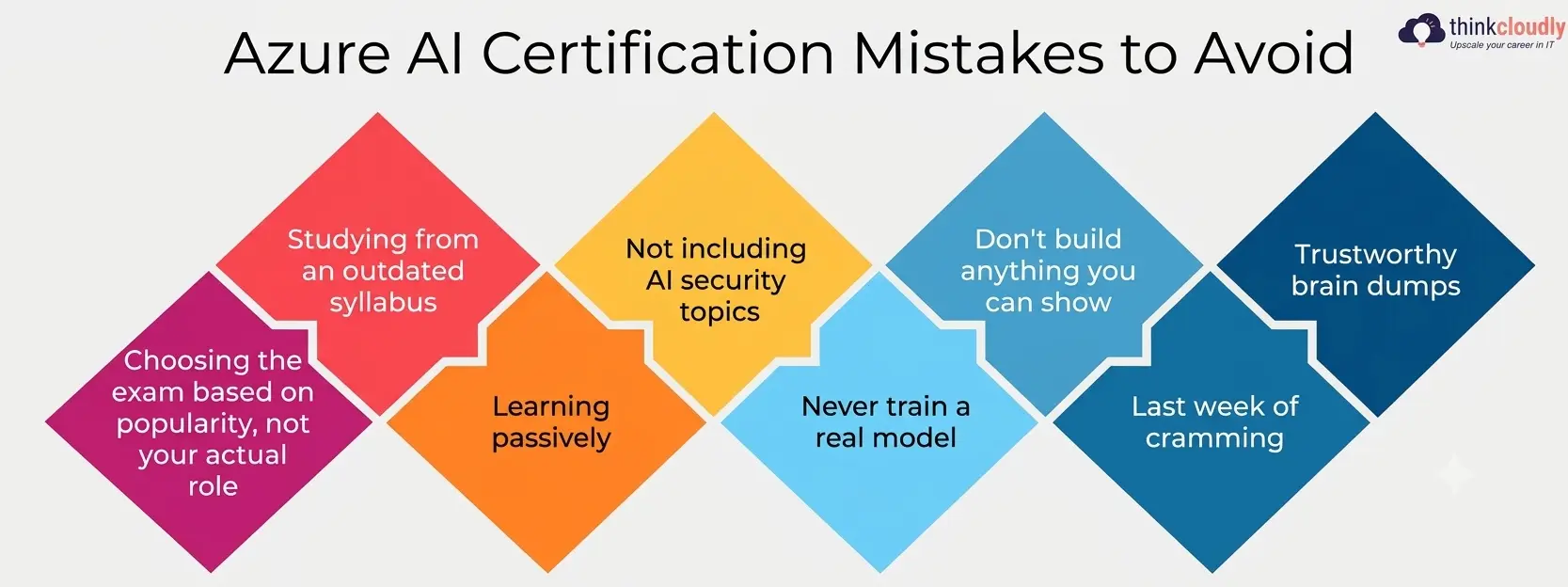
- Choosing the exam based on popularity, not your actual role—picking AI-102 because it’s trending instead of checking whether your target job needs AI-900, AI-102, or a newer associate-level path.
- Studying from an outdated syllabus—using a course or PDF that doesn’t match the current Skills Measured document on Microsoft Learn.
- Learning passively—reading slides and watching videos without opening the Azure portal and breaking something on purpose.
- Not including AI security topics—for example, making authentication, data privacy, and responsible AI “extra credit” rather than core content.
- Never train a real model—use pre-built APIs always and never train any AI model, even at a small scale.
- Don’t build anything you can show—make it to exam day with no Azure AI projects you can point to in an interview later.
- Last week of cramming—Cramming months of practice into a weekend of panic-reading.
- Trustworthy brain dumps—these use leaked questions that are against Microsoft’s exam policies and are typically out of date or just wrong.
Each of these sounds minor in isolation. Combined, they’re the reason so many first attempts end in a score just under the 700/1000 passing mark.
Skipping the Fundamentals of an Azure AI Engineer Role
A surprising number of candidates try to jump straight into exam-specific cramming without first understanding what an Azure AI Engineer actually does day to day. The AI-102 exam is explicitly built around a job role, not an abstract topic list—it tests whether you can design, build, and maintain AI solutions on Azure, not just whether you can recite service names.
If you skip this grounding, you end up memorizing which API does what without understanding why someone in this role would choose one Cognitive Services option over Azure Machine Learning for a given business problem.
That distinction—service selection based on cost, scale, and maintainability—is exactly what the exam’s case-study questions are designed to test. Spend real time understanding what the role actually demands before you touch a single practice question, and the rest of your preparation will make far more sense.
It also helps to understand that an Azure AI Engineer is expected to work across the full lifecycle: provisioning resources, integrating them into applications, monitoring them in production, and retraining them as data drifts. Candidates who only study the “build” phase and ignore the “operate” phase consistently get caught out by monitoring and scaling questions.
Treating AI Model Training Like a Checkbox, Not a Skill
Here’s an uncomfortable truth: a lot of candidates prepare for an Azure AI certification without ever running a full AI model training cycle themselves. They read about training, validation splits, and hyperparameter tuning, but they never actually sit through a model underperforming and have to figure out why.
That’s a mistake, because model-training questions on the exam aren’t about trivia—they’re about judgment. Should you retrain from scratch or fine-tune? Is the drop in accuracy a data problem or a model problem?
You can’t reason through that under exam pressure if your only exposure to training a model was a diagram in a slide deck. Set up a small, disposable project, deliberately feed it messy data, and watch what happens to your metrics. Do this two or three times before exam day, and the whole process stops being abstract.
This matters even more if your target role sits closer to MLOps than application development, since real-world model-training work is iterative, not a one-time event—a point Microsoft Learn’s own skills-measured documentation reinforces by weighting “train, retrain, and monitor” content as a standing exam domain rather than a one-off topic.
Ignoring Real AI Application Development Experience
The second big gap is treating the exam as a knowledge test rather than an applied-skills test. AI application development is listed explicitly in the AI-102 skills-measured document, and it means something specific: wiring a trained model or a Cognitive Services endpoint into an actual application that handles errors, retries, and rate limits gracefully.
Candidates who only study theory tend to assume this skill area means “call the API and print the result.” In practice, it means understanding authentication flows, handling throttling responses, managing API keys securely, and designing for the possibility that a service call fails mid-transaction. If your preparation has never involved writing code that calls an Azure AI service end-to-end, you’re missing the exact skill the certification exists to verify.
A simple fix: build one small end-to-end application—even a basic chatbot or an image-tagging tool—before you book your exam date. That single project teaches more about practical integration work than another three hours of slide review ever will.
Underestimating AI Security in Your Study Plan
This is the mistake almost everyone underweights. AI security isn’t a side note on the AI-102 exam blueprint—it shows up embedded inside scenario questions about key management, role-based access control, and data privacy across almost every domain. Candidates who treat this topic as “something from the AZ-900 exam I already passed” walk in with a dangerous blind spot.
Think about what AI security actually covers in an Azure AI context: protecting API keys and endpoints, understanding how Azure Key Vault fits into an AI pipeline, knowing the compliance implications of sending customer data to a cognitive service, and applying responsible AI principles so a model doesn’t produce biased or harmful outputs in production.
Questions testing this knowledge are often disguised as general case-study questions, which is exactly why candidates miss them—they’re not labeled, so you have to recognize the pattern yourself.
If your study plan has a dedicated section for data protection and compliance rather than treating it as background noise, you’ll catch these disguised questions far more reliably.
What Azure AI Projects You Must Build Before Sitting the Exam?
Reading and watching will only get you so far. Before you book the exam, make sure you can point to real, working evidence of your skills:
- At least two completed Azure AI projects—small is fine, but they need to actually run, not just exist as half-finished notebooks.
- One project involves custom AI model training, not just a pre-built API call.
- One end-to-end AI application development project with basic error handling and authentication built in.
- A documented security review of at least one of your Azure AI projects, covering key management and data handling.
- A short written explanation, in your own words, of why you chose each Azure service over its alternatives.
This list doubles as interview preparation. Hiring managers for Azure AI Engineer roles routinely ask candidates to walk through a project they’ve actually built—a certificate alone rarely closes that conversation.
Mistake, Risk, and Fix at a Glance
|
Mistake |
Why It Hurts You |
What Fixes It |
|
Picking the wrong exam for your role |
Wastes months studying content irrelevant to your job target |
Match the exam to the role using Microsoft’s official skills-measured document. |
|
Studying passively |
Builds recognition, not recall, under exam pressure |
Rebuild each concept hands-on in a real Azure subscription. |
|
Skipping security topics |
Misses disguised scenario questions across multiple domains | Give this area its own dedicated study block, not a footnote |
| Avoiding real AI model training | Can’t reason through “why did accuracy drop” questions |
Run a small, messy training cycle yourself at least twice. |
|
No AI application development practice |
Can’t answer integration, retry, or throttling scenarios | Build one small end-to-end application calling a live Azure AI service |
| No portfolio of Azure AI projects | Nothing to reference in interviews after passing |
Keep two to three working, documented projects ready to demo |
|
Cramming in the final week |
Shallow recall collapses under case-study pressure | Spread study into focused two-week sprints per domain |
| Using brain dumps | Violates exam policy and teaches wrong answers |
Use official practice assessments and trace every gap back to source material |
A Realistic Study Plan That Actually Works
Give yourself eight to ten weeks, not two. Spend the first two weeks purely on fundamentals and terminology, the next four weeks building the hands-on projects listed above, and the final two to three weeks on timed practice exams and reviewing weak domains. Treat security and monitoring as recurring themes across every week rather than a single chapter you read once and move past.
Here’s what that looks like broken into a rough weekly rhythm: weeks one and two cover terminology and the Skills Measured document line by line; weeks three through six are for building, breaking, and rebuilding your hands-on projects, one new concept at a time; week seven is for timed, full-length practice exams under real exam conditions, no pausing and no notes; and week eight is reserved entirely for revisiting whichever domain scored lowest.
Most people skip that last week and go straight to booking the exam — don’t. A single focused week on your weakest domain closes more gaps than another month of general review. Readynez’s breakdown of common Azure certification prep mistakes makes a similar point: candidates who study in short, focused sprints with a small capstone project at the end consistently outperform those who try to absorb everything in one long stretch.
The same source’s deeper strategic guide to the AI-102 exam is worth reading in full once you’ve built your first project, since the exam’s case-study format rewards exactly the kind of structured, scenario-based thinking that guide walks through.
It’s also worth keeping an eye on the bigger picture while you prepare. Broader industry data — summarized in IBM’s coverage of the Stanford AI Index — shows AI adoption inside businesses climbing sharply year over year, which is part of why these roles keep showing up on in-demand skills lists.
A separate analysis of AI engineering demand points to double-digit growth in postings requiring applied AI skills, not just theoretical knowledge — another reason a certification backed by real projects carries more weight than one earned through memorization alone.
A Personal Note
I’ve watched enough people prepare for Azure AI certification exams to notice the same pattern repeat itself: the candidates who struggle aren’t the ones who studied less, they’re the ones who studied the wrong way — passively, and without ever opening a real Azure subscription to break something on purpose.
If you take one thing from this piece, let it be this: stop collecting notes and start building. A single messy, half-working project will teach you more in an afternoon than another week of slide decks. Good luck — and build something you’d actually be proud to show in an interview, not just something you’ll forget the day after the exam.