A resume full of certification badges doesn’t get you hired anymore. What gets a hiring manager to actually open your GitHub profile is a working pipeline they can click through themselves—which is exactly why DevOps project ideas have quietly become the real interview currency in 2026.
Recruiters have seen enough people recite “I know CI/CD” to stop trusting the sentence on its own, and a short list of real builds, including a Docker containerization exercise or two, says more than any slide deck.
This guide collects project ideas organized the way you’d actually build skill: starting with container basics, moving into pipeline automation and deployment discipline, and finishing with AWS-based cluster work that mirrors what production teams run today. Every project below is something you can build, break, and fix yourself—not a theory exercise you read about once and forget.
Why DevOps Project Ideas Matter More Than Certifications Right Now?
Here’s the uncomfortable part first: a certificate proves you sat through a course. A project proves you can ship. The data backs this shift up. The CNCF 2026 Annual Cloud Native Survey found Kubernetes production use hit 82% among surveyed organizations in 2025, describing it as near-universal adoption across cloud-native teams. If that many companies run Kubernetes in production, interviewers are going to ask whether you’ve actually touched a cluster—not whether you can define a pod on a whiteboard.
Container adoption tells a similar story. Docker’s report, based on responses from IT and engineering teams, found container use inside IT organizations reached 92%, up from 80% the year before.
That same report showed Jenkins still holding a 36% share of CI/CD tooling despite newer competitors, which is exactly why older pipeline tools still deserve a spot in your build list, not just the newest GitHub Actions template.
Scale matters here too. GitHub’s Octoverse report counted more than 180 million developers on the platform, which means your portfolio is competing against an enormous pool. A handful of genuinely working builds, documented well, is how you stand out in that crowd instead of blending into it.
What Do You Need Before Starting These Projects?
A short checklist before diving in, so you’re not blocked halfway through a build:
- A free-tier AWS account (most of these projects fit comfortably inside free-tier limits if you shut resources down after use)
- Docker Desktop or Docker Engine installed locally
- A local Kubernetes option like Minikube or Kind, plus access to Amazon EKS for the cluster-scale projects
- Jenkins installed locally or run as a container for the pipeline-focused builds
- A GitHub account to host the code and document each build with a proper README
None of these need a paid course to start. They need a working environment and a willingness to let something break on day one so you can learn exactly why.
Beginner DevOps Project Ideas Using Docker Containerization
Start here if you’re newer to the field. These beginner builds focus on getting comfortable with Docker containerization before any orchestration enters the picture.
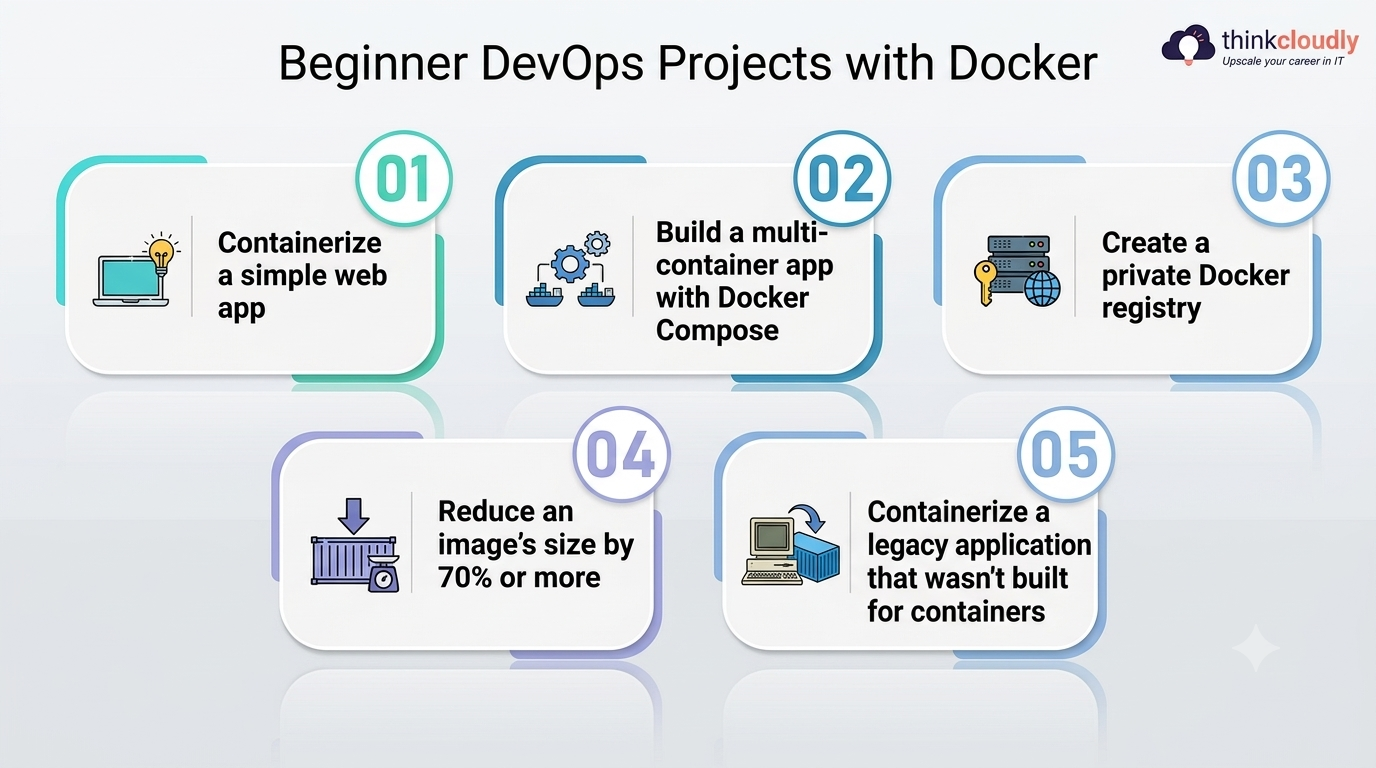
- Containerize a simple web app. Take a small Flask, Node, or Django app you already understand and write a Dockerfile for it from scratch. This teaches layers, caching, and image size all at once.
- Build a multi-container app with Docker Compose. Wire up a web service, a database, and a caching layer (Redis works well) in one docker-compose.yml file. This moves you past single-container thinking into how real applications are actually structured.
- Create a private Docker registry. Instead of pushing to Docker Hub, stand up your own registry container and push a custom image to it. It’s a small build, but it teaches you what Docker Hub is actually doing behind the scenes.
- Reduce an image’s size by 70% or more. Take a bloated image built on a full OS base, switch to an Alpine or distroless base, and use multi-stage builds to strip out build tools from the final image. Document the before-and-after size—it’s a genuinely impressive portfolio metric.
- Containerize a legacy application that wasn’t built for containers. Pick an older app with hardcoded file paths or config, and refactor it to run cleanly without touching the app’s core logic. This is closer to real client work than any from-scratch build.
- Each of these projects takes a weekend at most, and together they build the exact muscle memory that every later project on this list assumes you already have.
Intermediate DevOps Project Ideas: Jenkins Automation and Application Deployment
Once containers feel routine, the next layer is getting them to deploy themselves. This is where pipeline work earns its keep, and it’s usually the point where a simple build starts looking like actual production work.
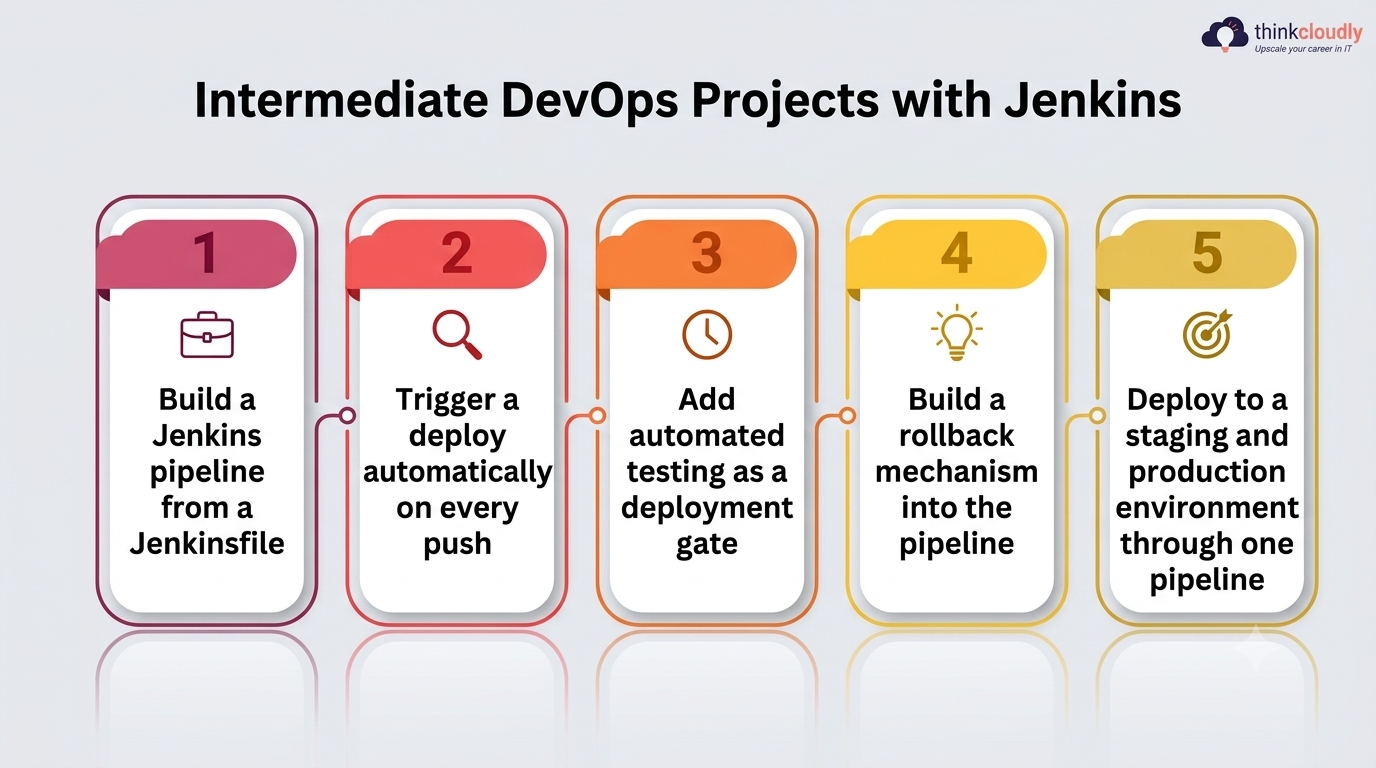
- Build a Jenkins pipeline from a Jenkinsfile. Write a declarative Jenkinsfile with build, test, and deploy stages for one of your containerized apps from the section above. This single project teaches more about real Jenkins automation than any tutorial video.
- Trigger a deploy automatically on every push. Configure a webhook so a GitHub push kicks off the pipeline without anyone touching a button. Watching that happen for the first time is usually the moment CI/CD stops being an abstract term.
- Add automated testing as a deployment gate. Wire unit and integration tests into the pipeline so a failing test blocks the release outright. This is the detail that separates a toy setup from one a real team would trust.
- Build a rollback mechanism into the pipeline. Script a way for the pipeline to detect a failed health check after release and automatically revert to the previous container image. Interviewers ask about rollback far more often than beginners expect.
- Deploy to a staging and production environment through one pipeline. Extend your Jenkins setup so merges to a staging branch deploy to one environment and merges to main trigger application deployment to another, with a manual approval gate in between.
These builds are where most entry-level candidates fall short—not because the tools are hard, but because they’ve only read about Jenkins automation instead of watching one of their own pipelines fail and fixing it at 11 p.m. A clean application deployment flow, documented with screenshots of a failed run and the fix, is worth more than three pipelines that always happened to pass.
Advanced DevOps Project Ideas for AWS and Kubernetes Cluster Management
This is the tier that mirrors what a mid-level DevOps engineer actually does day to day. These builds lean on AWS infrastructure and real cluster work, not a local sandbox.
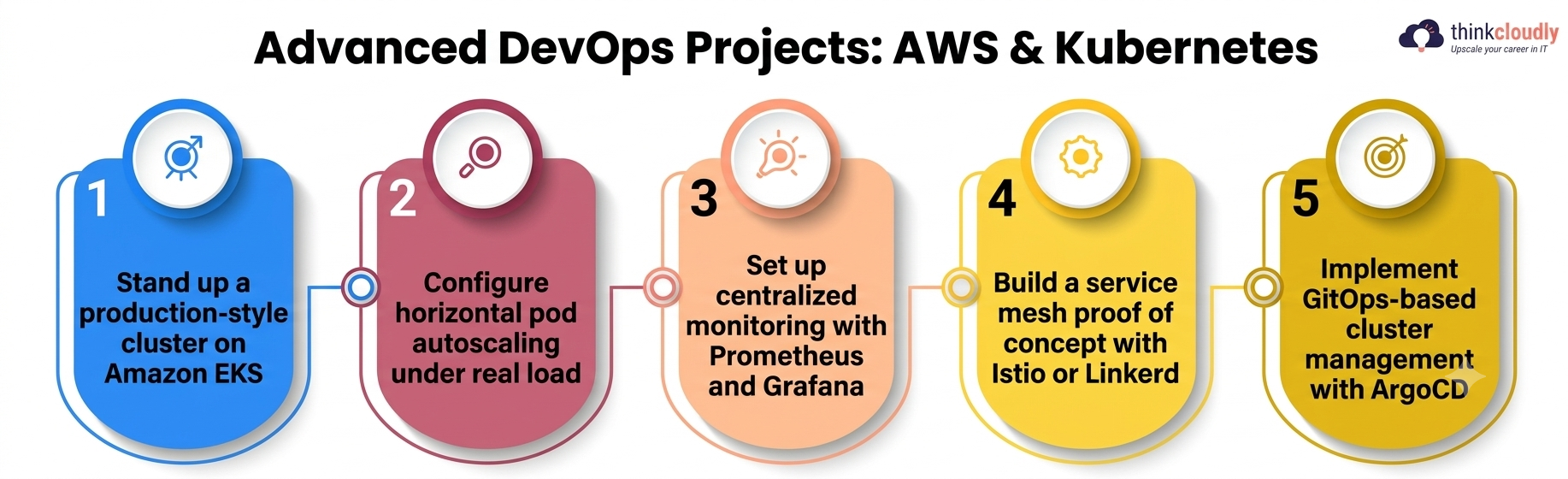
- Stand up a production-style cluster on Amazon EKS. Provision the cluster with Terraform instead of clicking through the console, then deploy one of your earlier containerized apps onto it. This single project touches infrastructure as code and real-world Kubernetes cluster management in the same build.
- Configure horizontal pod autoscaling under real load. Use a load-testing tool to push traffic at your deployment and watch the cluster scale pods up and back down automatically. Screenshot the scaling graph—it’s one of the more convincing portfolio artifacts you can show.
- Set up centralized monitoring with Prometheus and Grafana. Wire cluster and application metrics into a dashboard so you can actually see what’s happening instead of guessing. Confident Kubernetes cluster management is impossible to demonstrate without some form of observability attached.
- Build a service mesh proof of concept with Istio or Linkerd. Add traffic splitting and mutual TLS between two services running in the same cluster. It’s a harder build, but it’s one of the more senior-sounding entries on this entire list.
- Implement GitOps-based cluster management with ArgoCD. Instead of running kubectl apply by hand, let ArgoCD continuously reconcile your cluster state with what’s committed in Git. This is close to how a lot of real platform teams run things in 2026.
Automated Software Deployment Projects That Tie Everything Together
The strongest entries on any build list combine everything above into one end-to-end automated software deployment pipeline—code committed to production, with nobody touching a terminal in between.
Google’s report, built on more than a decade of delivery data, found that elite teams consistently pair this kind of automation with real human review rather than removing people from the loop entirely—a detail worth keeping in mind as you design the rollback and approval steps below.
- Build a full pipeline: Git push to AWS production. Chain a container build, a Jenkins stage, and a cluster deploy step into one release flow, triggered by nothing but a commit.
- Add blue-green or canary releases to your application deployment flow. Route a small percentage of traffic to a new version first, and only shift everything over once health checks pass. This is one of the clearest signs of a mature, well-tested release process.
- Build infrastructure-as-code into the same pipeline. Have the pipeline provision or update AWS resources with Terraform before the deploy step runs, so infrastructure and code move together instead of drifting apart.
- Add automated rollback triggered by real monitoring alerts, not just a failed health check. Connect your Prometheus alerts to the same pipeline so a spike in error rate after release pulls it back automatically.
Pick one project from this section as your capstone. An interviewer who sees one fully working automated software deployment pipeline, documented end to end, will remember it longer than five half-finished repositories.
DevOps Project Ideas by Tool and Difficulty
|
Project Area |
Primary Tools | Difficulty |
What It Proves |
|
Containerized web app |
Docker | Easy |
Core Docker containerization fundamentals |
|
Multi-container app |
Docker Compose | Easy | Service composition and networking |
| CI pipeline from scratch | Jenkins | Moderate |
Real Jenkins automation, not just theory |
|
Automated test gating |
Jenkins, test frameworks | Moderate | Reliable application deployment discipline |
| EKS cluster with Terraform | AWS, Terraform, Kubernetes | Hard |
Infrastructure as code and cluster provisioning |
|
Autoscaling under load |
Kubernetes, load testing tool | Hard | Practical Kubernetes cluster management |
| GitOps with ArgoCD | ArgoCD, Kubernetes, Git | Hard |
Modern automated software deployment practice |
|
End-to-end pipeline |
Docker, Jenkins, AWS, Kubernetes | Advanced |
Everything above working together |
Keep this table handy while deciding what to build next — it’s a reasonable order to work through if you want each project to build on the last one instead of jumping around.
Common Mistakes When Building DevOps Project Ideas
A few patterns show up again and again in portfolios that don’t land interviews, and most are easy to fix once you notice them:
- Skipping documentation. A project with no README explaining what it does and why is invisible to a recruiter skimming GitHub for ten seconds.
- Never breaking anything on purpose. The strongest builds include at least one deliberately broken scenario — a failed deploy, a crashed pod — with the fix documented alongside it.
- Treating older automation tools as optional because something newer is trendier. Plenty of established companies still run Jenkins in production, and panels notice when a candidate has never touched it.
- Building in isolation from AWS costs. Leaving an EKS cluster running overnight is a common and avoidable mistake; shut resources down and note the cost awareness in your README.
- Stopping at “it deployed once.” A single successful run proves far less than a pipeline that survives a failed test, a bad image, and a rollback.
A Personal Note
I’ve reviewed enough portfolios to notice the pattern immediately: the candidates who stand out never have the longest list of DevOps project ideas, they have the most honestly documented one. A single pipeline that you broke twice, explained clearly, and fixed in public beats five identical “Dockerize a to-do app” repositories copied from the same tutorial.
Pick one project from this guide this week — ideally one that forces you to touch AWS, Docker, and Kubernetes together — and write down what actually went wrong while you built it. That note, more than the code itself, is usually what gets remembered in the room.
You can also learn the programs for these AWS Program, Devops Program & Kubernetes Program.