If you’ve typed “DevOps tools list” into a search bar at 11 p.m. trying to figure out where to even start, you’re not alone, and you’re not behind. I ask almost every student I mentor the same opening question: “Which tool do you want to learn first?” Nine times out of ten, the honest answer is “I don’t know; there are too many.” That confusion is exactly why most beginner guides fail—they dump forty tool names on you with no order and call it a roadmap.
This guide is a practical lineup built around what you’ll actually touch in your first year on the job: solid fundamentals in Git, a handful of automated pipeline tools, a GitLab pipeline you can build yourself in an afternoon, a comfortable grip on Docker, and the automation that turns repetitive manual work into something a script handles while you sleep. Every section is written so you can learn one tool, see it work, and move to the next without losing the thread.
Why Beginners Need a Focused DevOps Tools List, Not a Long One?
Here’s a number worth sitting with. GitLab’s 2025 Global DevSecOps survey, run with The Harris Poll across more than 3,200 software and security professionals, found that 60% of teams already use more than five separate tools just to ship software, and team members lose close to seven hours a week to inefficiency caused by exactly that kind of tool sprawl.
GitLab’s own research makes the point plainly: more tools do not automatically mean more progress, and a beginner piling on software before understanding any of it will hit that wall faster than an experienced engineer would.
That’s the real argument for a short, deliberate toolkit over a sprawling one. You don’t need fifteen tools in month one. You need five or six, learned properly, in an order where each one makes the next easier to understand. That’s what the rest of this guide walks through.
What Does This DevOps Tools List Actually Cover?
Before going deep on any single tool, it helps to see the whole map at once. Every category below solves a different problem in the software delivery process, and almost every beginner-level job posting expects at least basic comfort with each one:
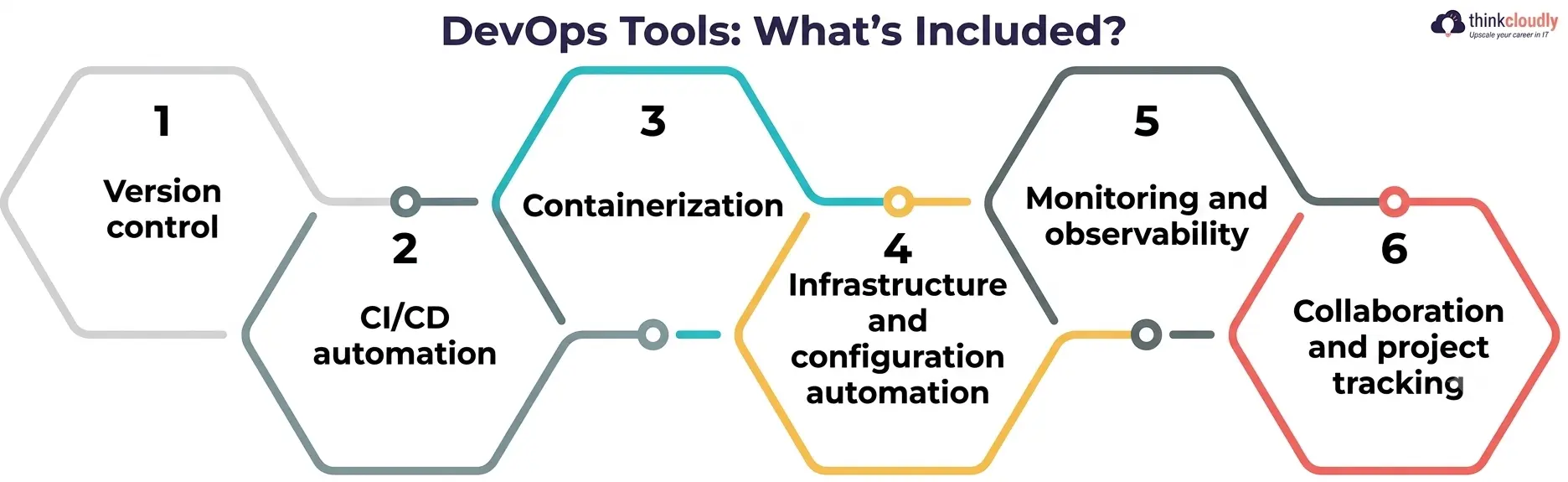
- Version control—tracking every code change and letting teams work on the same project without overwriting each other.
- CI/CD automation — building, testing, and releasing code automatically instead of by hand.
- Containerization—packaging an application so it runs identically on any machine.
- Infrastructure and configuration automation—provisioning and managing servers through code instead of manual setup.
- Monitoring and observability—watching logs, metrics, and alerts so problems get caught before users notice them.
- Collaboration and project tracking—keeping the whole team aligned on what’s shipping and when.
The next sections take each of the first four categories and go deep enough that you can actually start using the tools, not just recognize their names on a resume.
Git Version Control System: Where Every Beginner Should Actually Start
Nothing else on this list works without this one. A Git version control system is the backbone of basically every modern engineering workflow, because it gives you a complete, searchable history of every change ever made to a project, along with a safe way to experiment without breaking anything permanent.
Here’s what makes it worth learning first, before touching anything else on this page:
- You can branch off, try something risky, and throw it away with zero consequences if it doesn’t work.
- Every change is attributed to a person and a reason, which makes debugging a production issue dramatically faster.
- Platforms like GitHub, GitLab, and Bitbucket build their entire collaboration model—pull requests, code review, and issue tracking—on top of this one underlying system.
A practical first project: create a repository, make a handful of commits, open a branch, and merge it back through a pull request. That small loop—branch, commit, merge—is the single most repeated action in this entire field, and genuinely understanding a Git version control system before moving on will save you hours of confusion later, especially once automation enters the picture.
Scale matters here too. GitHub’s report counted more than 180 million developers on the platform and over 518 million pull requests merged in a single year, with nearly a billion commits pushed worldwide. That’s the scale version control built to handle calmly, whether a project has two contributors or two thousand.
CI/CD Tools That Turn Manual Releases Into Automatic Ones
Once your code lives in version control, the next problem is getting it tested and shipped without someone babysitting the process every single time. That’s the whole job of this category of tooling.
The landscape here moved fast through 2026 and into 2027. According to Stack Overflow’s Developer Survey technology data, GitHub Actions now sits at roughly 40% adoption among developers using CI/CD tools, with GitLab close behind at around 39% and Jenkins still holding a meaningful 36% share despite being the oldest name on that list.
That spread matters for a beginner: it means there isn’t one “correct” tool to learn, and there’s a correct order—and the order should follow whichever platform already hosts your code.
A sensible first stack for a beginner looks like this:
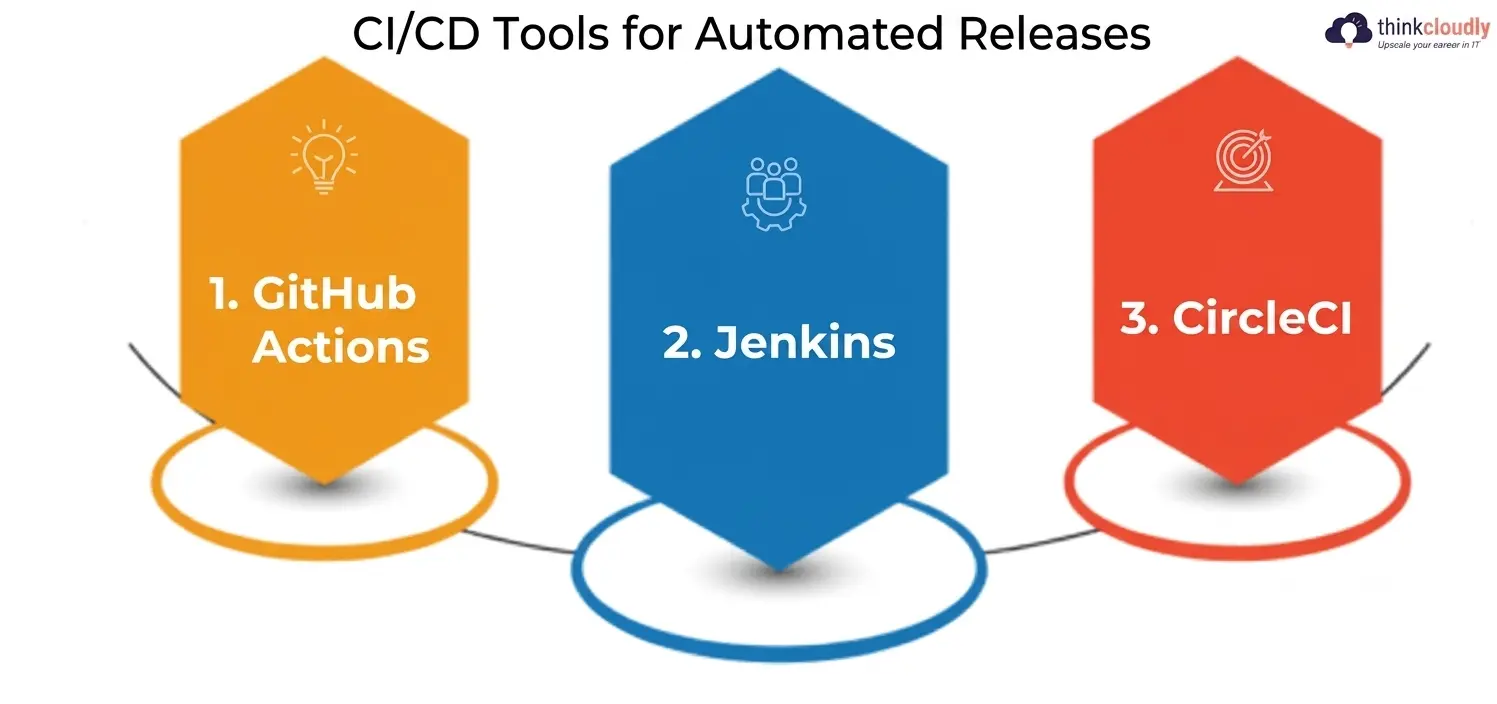
- GitHub Actions—the easiest entry point if your code already lives on GitHub, with workflows defined in a simple YAML file sitting right in your repository.
- Jenkins—older, more complex to configure, but still widely used in larger, established companies, so worth recognizing even if you don’t master it first.
- CircleCI—a clean, fast option that many startups prefer for its simplicity and generous free tier.
Whichever one you pick, the goal is the same small milestone: push a commit, watch it trigger an automated test, and see a pass or fail result without touching anything by hand. That single loop is what every CI/CD tool conversation in an interview is really testing for.
GitLab CI/CD Pipeline: A Beginner-Friendly Way to Learn Real Automation
If you want one single project that teaches CI/CD concepts faster than anything else on this page, build a GitLab CI/CD pipeline from scratch. It’s one of the most approachable ways to learn pipeline automation because the entire configuration lives in one readable file, right next to your code.
Here’s how a basic pipeline is structured, stage by stage:
- A .gitlab-ci.yml file at the root of your repository defines every stage of the pipeline in plain, readable YAML.
- Typical stages run in order: build, test, and deploy—each one only starts once the previous stage passes.
- Each stage runs inside its own isolated runner, so a messy local environment never affects what actually gets tested.
- Failures stop the pipeline immediately and show you exactly which stage and which command broke, instead of leaving you to guess.
Start small: write a pipeline that only runs a linter and a test suite on every push. Once that’s reliable, add a deploy stage that pushes to a free hosting tier. By the time your GitLab CI/CD pipeline handles all three stages without you touching it manually, you’ve built a genuinely strong portfolio piece—far stronger than a certificate that only proves you watched a video about one.
Docker Container Platform: Why Everything Runs in Containers Now
The Docker container platform solved a problem every developer used to dread: “It works on my machine,” turning into a production outage the moment the code moved somewhere else. A container packages an application together with everything it needs to run—libraries, dependencies, configuration—so it behaves identically no matter where it’s deployed.
Learning Docker as a beginner should follow this order:
- Write a basic Dockerfile for a small application you already know well.
- Build the image, run it locally, and confirm it behaves exactly the same as it does outside a container.
- Push that image to a registry so it can be pulled and run anywhere else.
- Only after that does it feel comfortable; move on to orchestration basics with Kubernetes—running many containers reliably across many machines.
Don’t skip straight to Kubernetes. A Docker container platform without a solid grasp of containers themselves just becomes another layer of commands copied from a tutorial without understanding why any of them work.
DevOps Automation Tools for Infrastructure and Configuration
Everything covered so far automates code. This section automates the servers and infrastructure that code actually runs on, which is where DevOps automation earns its name as a discipline rather than just a job title.
The core idea behind DevOps automation is simple: instead of manually clicking through a cloud console to create a server, you write a file describing what you want, and a tool builds exactly that, every time, identically. That approach is usually called infrastructure as code, and it’s the backbone of modern infrastructure practice.
A few DevOps automation tools worth learning, roughly in order of how often beginners encounter them:
|
Tool |
Category | What It Automates |
Beginner Difficulty |
|
Git |
Version control | Code history, branching, collaboration |
Easy |
|
GitHub Actions |
Automation |
Build, test, and deploy workflows |
Easy |
|
GitLab CI/CD |
Automation | Full pipeline automation in one file |
Moderate |
|
Docker |
Containerization | Packaging apps for consistent deployment |
Moderate |
|
Kubernetes |
Container orchestration | Running many containers reliably at scale |
Hard |
|
Terraform |
Infrastructure as code | Provisioning cloud infrastructure from a config file |
Moderate |
|
Ansible |
Configuration management | Setting up and configuring servers automatically |
Moderate |
|
Prometheus + Grafana |
Monitoring | Tracking metrics and alerting on problems |
Moderate |
Keep this table close while you’re planning your learning order. Nearly every beginner job posting worth applying to expects familiarity with at least four or five rows on it, not all eight.
A Beginner’s Step-by-Step Roadmap Through This DevOps Tools List
If you’d rather follow a sequence than jump around the sections above, here’s a realistic order to work through everything above over roughly ten weeks:
- Weeks 1–2: Master the basics of a Git version control system — branching, committing, merging, resolving a conflict on purpose so you know what one looks like.
- Weeks 3–4: Pick one of the CI/CD tools covered above and automate testing on a small personal project.
- Weeks 5–6: Build a complete GitLab CI/CD pipeline with build, test, and deploy stages, even if it’s deploying something tiny.
- Weeks 7–8: Learn the Docker container platform — write a Dockerfile, build an image, and run it consistently across two different machines.
- Weeks 9–10: Pick one infrastructure tool, such as Terraform, and provision a small piece of real infrastructure through code instead of a console.
Finish that sequence and you’ll have hands-on proof — not just vocabulary — behind every major category covered here, which is a far more convincing story in an interview than a stack of unconnected course certificates.
Common Mistakes Beginners Make With a DevOps Tools List
A few patterns show up again and again among people just starting out, and most of them are easy to avoid once you know to watch for them:
- Trying to learn every tool at once. A long list of tools memorized shallowly is worse than a short one understood deeply.
- Skipping Git fundamentals to jump straight to Kubernetes. Orchestration without a solid version control habit just creates confusion faster.
- Treating automated pipelines as a checkbox skill. Reading about a pipeline and building one from scratch are not the same thing, and interviewers can tell the difference within minutes.
- Ignoring configuration management entirely. DevOps automation isn’t only about pipelines; provisioning and configuring servers consistently matters just as much.
A Personal Note
I’ll say the thing most tutorials won’t: nobody becomes comfortable with this DevOps tools list by reading about it once, including an article as detailed as this one. I’ve watched students bookmark a dozen tool comparison pages and still freeze the first time a real pipeline failed on them, while a classmate who built one scrappy CI/CD pipeline from scratch — and broke it twice — walked into an interview with real answers instead of memorized definitions.
Pick one small project this week. Put it under a Git version control system, wire up one CI/CD tool, and let it fail at least once before you fix it. That one habit, repeated, is the entire roadmap above in miniature. You can also enroll to our DevOps traning program by thinkcloudly.