If you’ve ever hit “upload” on Google Drive, Dropbox, or a college project stored on AWS without thinking twice about who else might see it, you’re not alone. Most of us treat the cloud like a magic filing cabinet that just works. But behind that convenience sits a real question: how safe is your data once it leaves your laptop?
That question is exactly what cloud storage security is all about, and it’s more relevant today than ever, especially for students who are building projects, storing assignments, or interning at companies that live and breathe in the cloud.
This blog breaks down what cloud storage security actually means, why it matters, and the practical steps anyone — from a computer science student to a working professional — can take to protect their data. No jargon overload, no scare tactics. Just a clear, honest walkthrough.
What Is Cloud Storage Security, Really?
Cloud storage security refers to the set of technologies, policies, and practices used to protect data that lives in cloud environments—think AWS S3 buckets, Google Cloud Storage, Microsoft Azure Blob Storage, or even everyday apps like Dropbox and OneDrive. It covers everything from who can access a file to how that file is encrypted, monitored, and backed up.
As more organizations shift their operations online, Cloud Storage Security has become a foundational part of any IT strategy. It’s not just about stopping hackers — it’s about making sure your data stays available, accurate, and private, no matter what happens.
Here’s the thing most people miss: cloud providers secure the infrastructure, but you are usually responsible for securing what you put into it. This is called the “shared responsibility model,” and it’s the single most misunderstood concept in cloud storage security today.
Why Does Cloud Storage Security Matter More Than Ever?
Cloud adoption isn’t slowing down. According to recent industry surveys, a large majority of organizations have accelerated their move to the cloud, and cloud spending keeps climbing year over year, as reported by Sysdig’s cloud security research. More data in the cloud means more opportunities for things to go wrong — misconfigured storage buckets, weak passwords, or forgotten backup files sitting exposed to the internet.
For students, this matters in two ways. First, if you’re storing personal documents, research, or project data on cloud platforms, weak cloud storage security practices could expose sensitive information. Second, if you’re heading into a tech career, understanding these fundamentals isn’t optional anymore — it’s a baseline expectation in almost every IT, data, and software role.
The Building Blocks of Strong Cloud Storage Security
Let’s walk through the practices that actually move the needle. These aren’t theoretical — they’re the same principles security teams at major companies use every day.
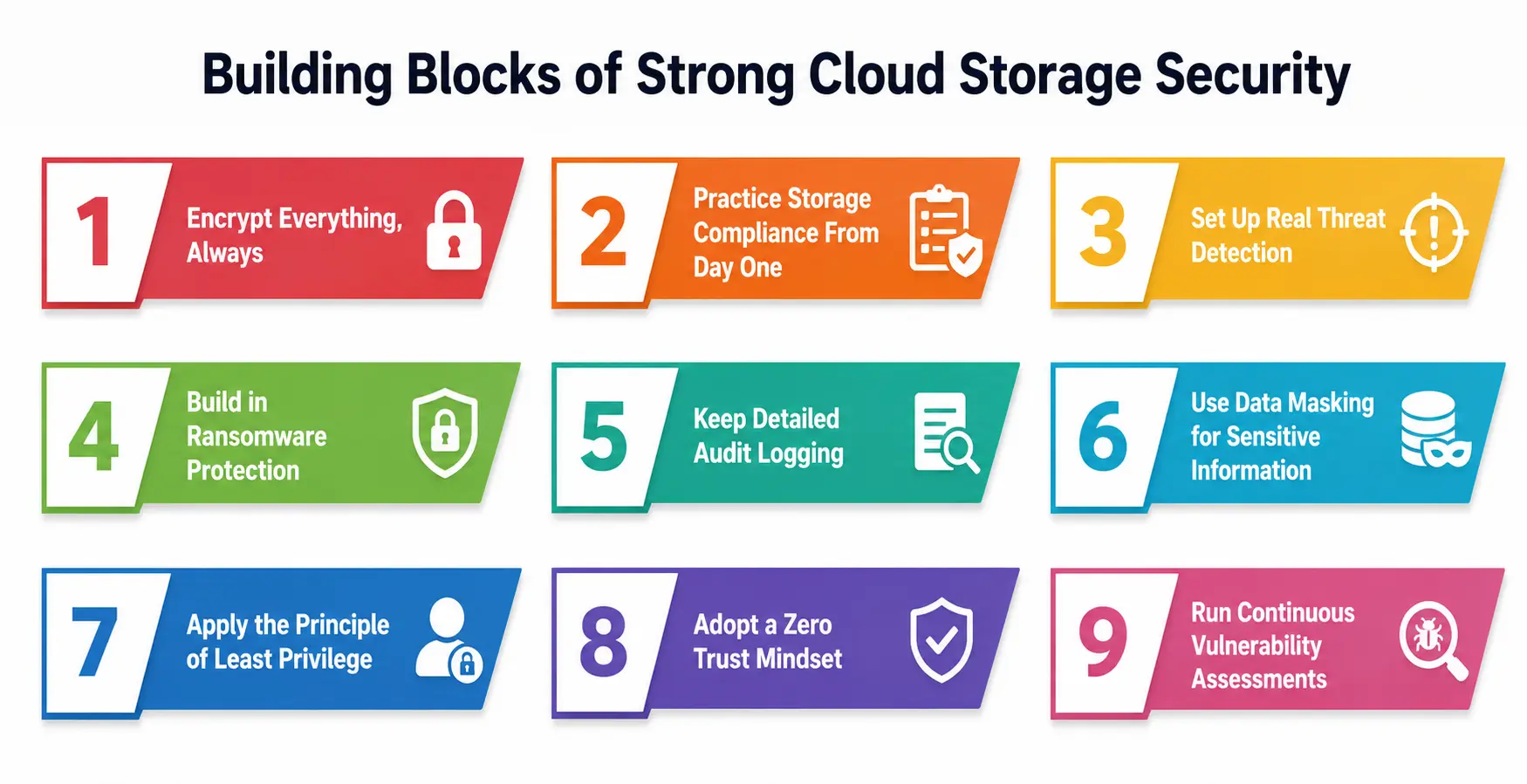
1. Encrypt Everything, Always
Encryption is the backbone of any solid cloud storage security strategy. It scrambles your data so that even if someone intercepts it, they can’t read it without the right key. This applies to data at rest (sitting in storage) and data in transit (moving between systems).
As Fidelis Security explains, all data stored in databases, storage buckets, and backups should be encrypted, and information moving between systems should travel through secure protocols like HTTPS and TLS. Poor key management can quietly undo even the best encryption setup, so many organizations now use hardware security modules or managed key services to keep encryption keys safe.
2. Practice Storage Compliance From Day One
Storage compliance means making sure your data storage practices align with legal and industry regulations — think GDPR, HIPAA, or ISO standards, depending on your field. This isn’t just a checkbox exercise. Storage compliance protects you legally and builds trust with users whose data you’re handling.
For students working on projects involving real user data — say, a capstone app or research survey — storage compliance should be considered early, not bolted on later. Ignoring storage compliance can lead to real consequences, from failed audits to legal penalties, once that project scales into something bigger.
3. Set Up Real Threat Detection
Threat detection is about spotting suspicious activity before it turns into a full-blown breach. This might include unusual login attempts, unexpected data transfers, or access from unfamiliar locations. Modern cloud platforms often include built-in threat detection tools, but they need to be configured and actively monitored—they don’t work well left on autopilot.
CyCognito’s research on cloud security points out that organizations are increasingly deploying decoy resources specifically to catch unauthorized access attempts early. That’s threat detection in action—designed not just to block attacks but to notice them happening in real time.
4. Build in Ransomware Protection
Ransomware protection deserves its own spotlight because ransomware attacks specifically target backups and storage systems, hoping to lock you out of your own data until you pay up. Good ransomware protection includes maintaining immutable backups (copies that can’t be altered or deleted), segmenting networks so an attack can’t spread easily, and regularly testing your recovery process.
Think of ransomware protection like a fire escape plan—you hope you never need it, but if you do, you’ll be glad you practiced it beforehand rather than figuring it out mid-crisis. Without solid ransomware protection in place, a single compromised login can spiral into weeks of downtime and permanently lost files.
5. Keep Detailed Audit Logging
Audit logging means recording every significant action taken on your cloud storage: who accessed a file, when, from where, and what they did with it. Without audit logging, you’re essentially flying blind if something goes wrong — you won’t know what happened, when it happened, or who was responsible.
Regular audits, supported by strong audit logging, are one of the most effective ways to catch misconfigurations before they turn into breaches, since many cases of cloud data exposure trace back to unnoticed configuration errors. For students managing shared projects or team repositories, even basic audit logging habits (like reviewing access logs monthly) can catch problems early.
6. Use Data Masking for Sensitive Information
Data masking involves disguising real data with altered but structurally similar values—so sensitive information stays hidden during testing, development, or when handled by people who don’t need full access. For example, replacing real credit card numbers with realistic-looking dummy ones during app testing.
Data masking is especially valuable when students or junior developers are working with test environments that mimic production data. Instead of exposing real user information, data masking lets teams work with realistic datasets without any actual risk.
7. Apply the Principle of Least Privilege
Not everyone needs access to everything. Limiting permissions so people can only access what’s necessary for their role dramatically reduces your attack surface. Wiz recommends implementing role-based access controls to keep data access tightly scoped, paired with clear data classification standards so sensitive information is handled consistently.
8. Adopt a Zero Trust Mindset
Zero Trust assumes no user or device should be trusted automatically, even if they’re already inside your network. Every request gets verified. This approach has become central to modern cloud storage security, particularly for organizations juggling hybrid or multi-cloud environments where traditional network boundaries don’t really exist anymore.
9. Run Continuous Vulnerability Assessments
Cloud environments change constantly, so a one-time security check isn’t enough. Regular vulnerability assessments and penetration testing help catch new weaknesses as they appear, whether from a misconfigured setting or newly introduced software. Automated compliance checks add another layer, ensuring your security configurations don’t quietly drift out of line with industry standards over time.
Quick Reference Table: Core Cloud Storage Security Practices
|
Practice |
What It Does |
Why It Matters |
|
Encryption (at rest & in transit) |
Scrambles data so it’s unreadable without a key |
Protects data even if intercepted or stolen |
|
Storage compliance |
Aligns storage practices with legal/industry standards |
Avoids legal penalties and builds user trust |
|
Threat detection |
Identifies suspicious activity in real time |
Stops breaches before they escalate |
|
Ransomware protection |
Uses immutable backups and network segmentation |
Prevents attackers from locking you out of data |
|
Audit logging |
Tracks who accessed what, when, and how |
Enables fast investigation and accountability |
|
Data masking |
Hides sensitive data with realistic substitutes |
Reduces risk during testing and development |
|
Least privilege access |
Limits permissions to what’s essential |
Shrinks the attack surface |
|
Zero Trust |
Verifies every access request, no exceptions |
Prevents lateral movement inside a breach |
Common Mistakes That Undermine Cloud Storage Security
Even well-intentioned teams slip up. A few recurring issues worth flagging:
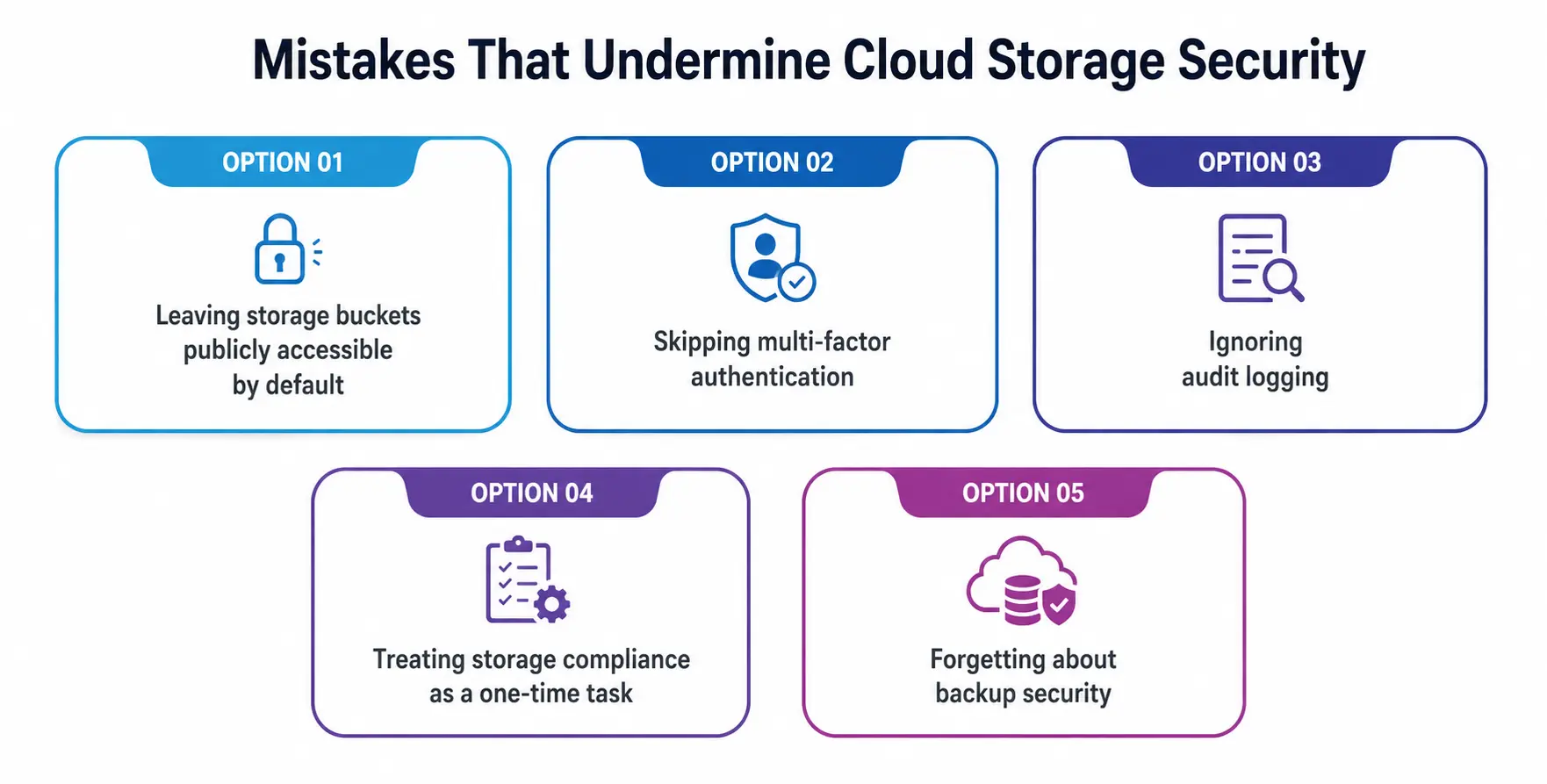
- Leaving storage buckets publicly accessible by default, often unknowingly.
- Skipping multi-factor authentication because it feels like an extra step.
- Ignoring audit logging until after an incident has already happened.
- Treating storage compliance as a one-time task instead of an ongoing process.
- Forgetting about backup security, assuming backups are automatically safe just because the original data is protected.
According to Fortinet’s cybersecurity glossary, insecure data storage and unmanaged third-party access remain two of the most common weak points organizations face—both are entirely preventable with consistent habits.
How Can Students Apply This Right Now?
You don’t need to work at a Fortune 500 company to start practicing good cloud storage security. Here’s what you can do today:
- Turn on multi-factor authentication for every cloud account you use — Google Drive, GitHub, university portals, everything.
- Avoid storing sensitive personal data (ID numbers, financial details) in unencrypted cloud folders.
- If you’re building a class project involving user data, think about storage compliance and data masking from the start, not as an afterthought.
- Review your sharing permissions occasionally — old shared links have a way of staying active far longer than intended.
- If you’re learning cloud platforms like AWS or Azure, spend time understanding their built-in threat detection and audit logging features. It’s genuinely useful, resume-worthy knowledge.
Final Thoughts
Cloud Storage Security isn’t a one-and-done setup—it’s an ongoing habit, much like locking your door every time you leave the house, not just the first week you move in.
Whether you’re a student managing a handful of files or an organization running massive cloud infrastructure, the fundamentals stay the same: encrypt your data, control who can access it, watch for suspicious activity, and always have a recovery plan ready. Get those right, and you’re already ahead of most.
A Personal Note
I’ll be honest — when I first started using cloud storage in college, I didn’t think twice about permissions or encryption. It was just a place to dump files before a deadline. It wasn’t until I saw a friend’s project get accessed by someone who shouldn’t have had permission that I realized how easily these things slip through the cracks.
Cloud storage security isn’t about paranoia—it’s about building small, sensible habits before you actually need them. Start now, while the stakes are low, and it’ll feel second nature by the time it really counts.