If you’ve ever saved a college project to Google Drive so you wouldn’t lose it before submission, congratulations — you’ve already used cloud storage without even thinking about the tech behind it. But here’s the thing: not all cloud storage works the same way.
Once you start exploring types of cloud storage, you realize there’s a whole system behind that “upload” button you click every day. This blog breaks it down in plain language — no jargon overload, no confusing diagrams, just a clear walk-through of how cloud storage actually works, why it matters for students and professionals alike, and which option might suit your needs.
Whether you’re storing assignment files, backing up photos, or just curious about how Netflix stores a gazillion movies, this guide on cloud storage models has you covered.
What Exactly Is Cloud Storage?
Before diving into how cloud services are classified, let’s get the basics straight. Cloud storage means saving your data — documents, photos, videos, or app files — on remote servers instead of your laptop’s hard drive. These servers are maintained by companies like Google, Amazon, or Microsoft, and you access your files over the internet, from any device, anytime.
Think of it like renting a storage locker in a building you don’t own, but you get a key (your login credentials) that lets you open it from anywhere in the world. That’s essentially data accessibility in a nutshell—your files aren’t tied to one physical location anymore, and this kind of data accessibility is what makes cloud storage so appealing to busy students.
According to Google Cloud’s official overview, cloud storage services allow individuals and businesses to store, manage, and retrieve data over the internet without owning physical hardware. This shift has completely changed how we handle file storage, especially for students juggling assignments, research papers, and group projects across multiple devices.
Why Should Students and Beginners Care About This?
Here’s a scenario: you’re finishing a thesis at 1 AM, your laptop crashes, and you haven’t saved a backup anywhere else. Sound familiar? This is exactly why understanding data backup matters — cloud storage isn’t just for big companies; it’s a lifesaver for anyone who works digitally.
Knowing the different storage models available helps you pick the right option for your needs—whether that’s free personal storage for notes and PDFs or more advanced systems used by companies to manage massive amounts of information securely.
The Main Types of Cloud Storage
Now let’s get into the actual types of cloud storage—the core of this guide. Broadly, cloud storage is categorized based on two things: how it’s deployed (who owns and manages it) and how data is structured within it. Let’s cover both angles.
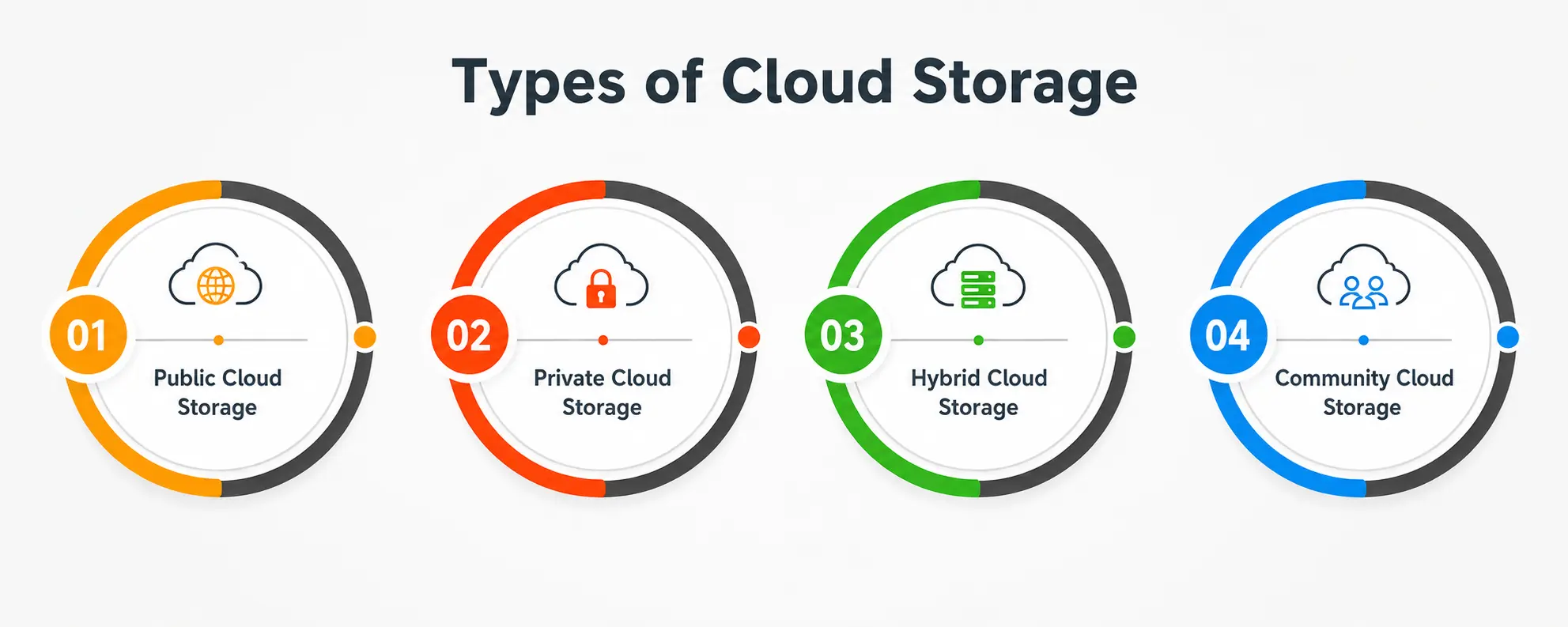
1. Public Cloud Storage
This is the most common type most students and everyday users interact with. Public cloud storage is owned and operated by third-party providers like Google Drive, Dropbox, or Amazon S3, and the infrastructure is shared among multiple users.
You don’t manage any servers — the provider handles everything, including cloud storage security, maintenance, and updates. It’s affordable, easy to set up, and perfect for personal use like storing college notes, photos, or small projects.
The downside? Since it’s a shared environment, some organizations with highly sensitive data prefer more controlled options. Still, for 90% of everyday users, public cloud storage covers all the bases.
2. Private Cloud Storage
Private cloud storage is dedicated entirely to a single organization. Instead of sharing server space with other users, a company gets its own isolated environment — either hosted on-site or managed by a third party exclusively for them.
This option is popular among businesses handling confidential data, like hospitals, banks, or government bodies, where cloud data protection is a top priority—every layer of cloud data protection here is fine-tuned to the organization’s exact compliance needs.
Private cloud gives full control over configurations, compliance settings, and security protocols. Naturally, it costs more and requires more technical management, but the trade-off is stronger governance and customization, as explained in this Tata Communications article.
3. Hybrid Cloud Storage
Hybrid cloud storage is exactly what it sounds like—a mix of public and private clouds. Sensitive data stays protected in a private environment, while less critical files use public cloud space for cost efficiency and flexibility.
This is one of the smartest storage models for growing businesses because it balances security with affordability. For instance, a company might keep customer financial records on a private server but store marketing materials or website assets on a public cloud. It’s the best of both worlds—control where you need it and scalable storage where you don’t.
4. Community Cloud Storage
Less commonly discussed but equally important, community cloud storage is shared between multiple organizations that have similar goals or compliance requirements—think universities collaborating on research or government agencies within the same sector.
It offers a middle ground: more security than the public cloud but shared costs like the public cloud, since multiple parties split the infrastructure expenses.
Types of Cloud Storage Based on Data Structure
Apart from deployment models, cloud storage can also be classified by how data is technically stored. This matters more for IT students or anyone curious about the backend side of things.
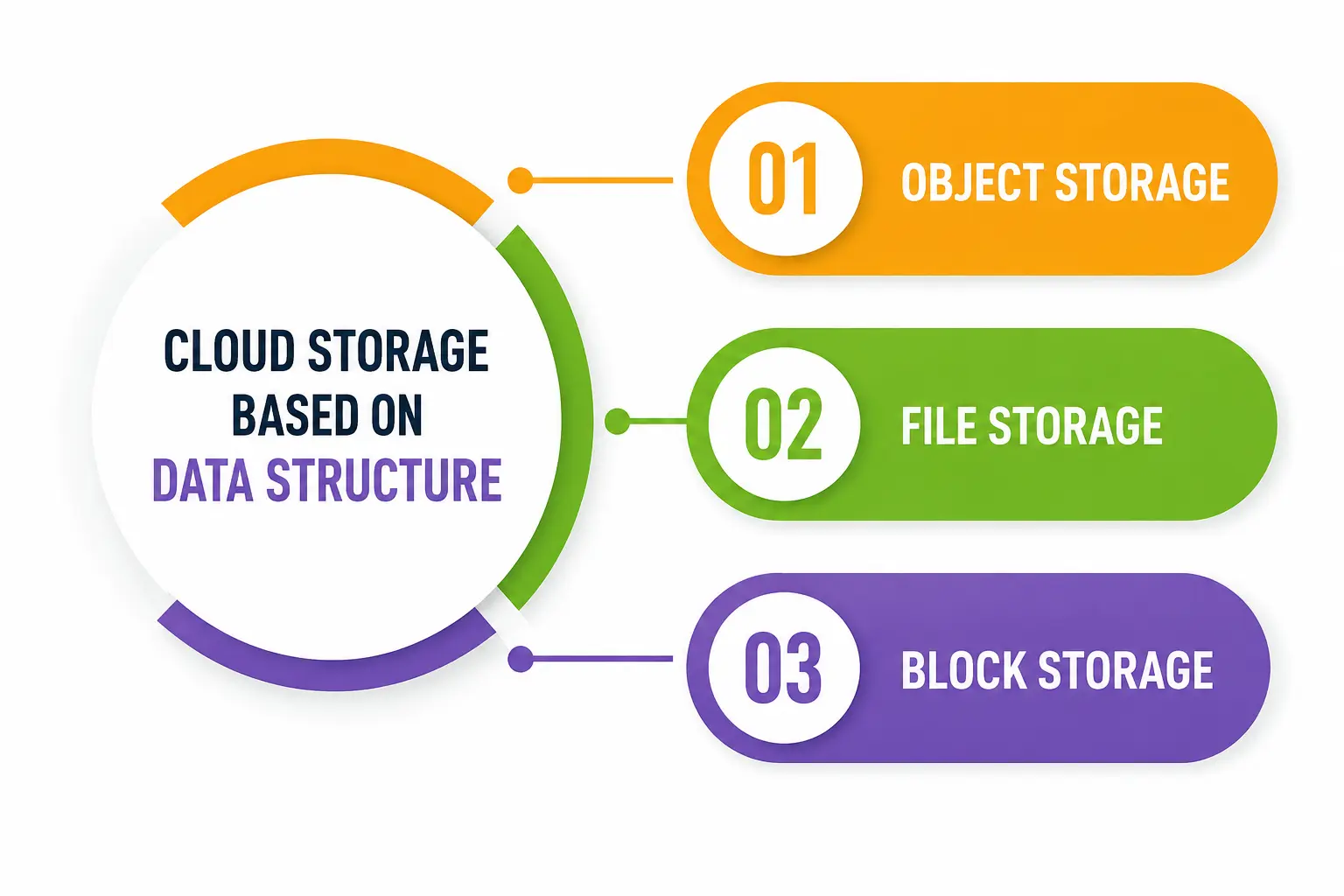
- Object Storage: Data is stored as individual units called “objects,” each with metadata and a unique identifier. This is ideal for unstructured data like images, videos, and backups—Amazon S3 is a classic example of scalable storage built on this model.
- File Storage: Data is organized in a traditional folder-and-file hierarchy, similar to how you’d organize documents on your computer. This is the most intuitive form of file storage and is widely used for shared drives and collaborative work. Most students already use file storage systems daily without realizing the technical term behind it.
- Block Storage: Data is split into fixed-size blocks, each with its own address, and reassembled when needed. It’s known for high performance and is typically used for databases and applications requiring fast read/write speeds.
Understanding these distinctions helps you see why certain types of cloud storage work better for certain tasks—a video streaming platform needs different storage architecture than a banking database.
Comparing the Types of Cloud Storage at a Glance
|
Type |
Best For | Cost | Data Accessibility | Cloud Storage Security |
Scalable Storage |
|
Public Cloud |
Students, individuals, small businesses | Low | High — accessible from anywhere | Managed by provider |
Very high |
|
Private Cloud |
Hospitals, banks, government | High | Restricted, controlled | Strongest, fully customizable |
Limited by owned infrastructure |
|
Hybrid Cloud |
Growing businesses, mixed workloads | Medium | Flexible, based on data type | Balanced |
High |
|
Community Cloud |
Universities, shared-sector organizations | Medium | Shared among members | Shared responsibility |
Moderate |
|
Object Storage |
Unstructured data (photos, videos, backups) | Varies | Very high | Depends on provider |
Extremely high |
|
File Storage |
Shared documents, collaborative folders | Low-Medium | High | Depends on provider |
Moderate |
|
Block Storage |
Databases, high-performance apps | Higher | High, fast retrieval | Strong |
High |
How Does Cloud Storage Support Data Backup and Protection?
One of the biggest reasons people switch to cloud solutions is reliable data backup. Losing years of academic work or business records to a crashed hard drive is genuinely painful—and entirely avoidable now.
Cloud providers use redundancy, meaning your data is copied across multiple servers and locations. So even if one server fails, your files remain safe elsewhere. This redundancy is a core part of cloud data protection, and it’s why cloud storage has become the default choice over physical drives for anyone serious about safeguarding their work. Strong cloud data protection practices are what separate a reliable provider from a risky one.
For deeper insight into how backup redundancy works across data centers, the AWS documentation on Amazon S3 explains how object storage automatically replicates data to prevent loss — a useful read if you want to understand the mechanics further.
Understanding Cloud Storage Security
Security is often the first concern people raise about cloud storage—and rightly so. Cloud storage security typically involves several layers: encryption during transfer, encryption at rest, multi-factor authentication, and regular security audits by providers.
Public cloud providers invest heavily in security infrastructure since their reputation depends on it. Private cloud, on the other hand, gives organizations direct control over every security layer, which is why regulated industries often lean toward it.
For students, the practical takeaway is simple: always enable two-factor authentication on your cloud accounts, and avoid storing sensitive personal documents on public shared links. Small habits like these strengthen your personal cloud data protection significantly.
Scalable Storage: Why It Matters as You Grow
Whether you’re a student whose file collection grows every semester or a startup scaling from ten users to ten thousand, scalable storage is what keeps systems running smoothly without constant upgrades.
Traditional physical storage requires buying new hardware every time you run out of space. Cloud storage removes that headache entirely — you simply upgrade your plan, and the provider handles the technical backend. This flexibility is one of the strongest arguments in favor of understanding different storage models, because scalability needs vary drastically between a personal user and a growing enterprise.
Data Accessibility: The Real Game-Changer
Perhaps the most underrated benefit of any cloud storage system is data accessibility. Gone are the days of emailing yourself a file or carrying a USB drive to college. With cloud storage, your data lives online, accessible from your phone, laptop, or a friend’s computer during an emergency printout situation.
This accessibility isn’t just convenient — it’s transformative for collaborative work. Group assignments, shared research documents, and team projects all benefit from real-time access and editing, something that traditional storage could never offer.
Choosing the Right Type for You
With so many types of cloud storage available, how do you decide? Here’s a simple way to think about it:
- If you’re a student or individual user, public cloud storage (like Google Drive or OneDrive) is usually sufficient and free or low-cost.
- If you’re running a business with sensitive customer data, private cloud storage offers the control and compliance you need.
- If you want flexibility without overspending, hybrid cloud storage strikes a practical balance.
- If your organization collaborates with similar entities, community cloud storage might reduce costs while maintaining shared security standards.
There’s no one-size-fits-all answer—it genuinely depends on your priorities around cost, control, and data sensitivity.
A Personal Note
I still remember losing an entire semester’s worth of notes to a corrupted pen drive back in college—no data backup, no cloud account, just pure panic before an exam. That experience taught me, the hard way, why understanding storage options isn’t just “tech talk” for IT professionals.
It’s practical knowledge everyone needs. Writing this piece felt like handing my younger self the guide I wish I’d had—simple, honest, and free of unnecessary jargon. If this helped you understand cloud storage a little better, that’s really all I set out to do.