If you’ve ever uploaded a college assignment to Google Drive, saved photos to iCloud, or used a school portal that runs on a remote server somewhere, you’ve already used the cloud. It’s convenient, it’s fast, and it’s basically invisible until something goes wrong. That “something going wrong” part is exactly what cloud computing security is built to prevent.
For students stepping into IT, computer science, or even business programs, this is one of those topics that sounds intimidating on paper but is actually pretty easy to grasp once someone breaks it down without the jargon overload.
So that’s what we’re going to do here — walk through what this discipline actually means, why it’s become such a big deal, and how it connects to things like scalable storage, reliable data preservation, and regulatory obligations.
What Is Cloud Computing Security, Really?
At its core, cloud computing security is the set of technologies, policies, and practices designed to protect data, applications, and infrastructure that live on cloud platforms instead of on a physical computer sitting in an office.
According to Wiz’s cloud security guide, cloud security encompasses a broad range of policies, technologies, applications, and controls used to protect data, applications, services, and the associated infrastructure of cloud computing, and it sits under the wider umbrella of information security.
Think of it like this: when your data used to live on a hard drive under your desk, you could physically lock the door. In the cloud, there’s no door to lock—your files live on servers owned by companies like Amazon, Microsoft, or Google, often shared with thousands of other users.
That’s why this kind of protection exists: to build digital locks, alarms, and monitoring systems around data that no longer has a physical home. You can guard yourself.
This matters more than ever because almost every app, service, and platform students and businesses use today runs partly or fully on the cloud. A single gap in cloud security can expose personal records, financial details, or entire company databases.
Why Does It Actually Matter?
It’s easy to assume “the cloud provider handles security” and move on. But that’s a myth that gets a lot of organizations into trouble. Most cloud computing managed service providers operate on what’s called a “shared responsibility model”—the provider secures the underlying infrastructure, but the customer is responsible for securing their own data, access settings, and configurations.
As explained in a detailed breakdown by Fidelis Security, most security breaches happen because organizations expect the provider to take care of everything, when in reality the roles differ depending on whether you’re using IaaS, PaaS, or SaaS. That gap in understanding is exactly where a lot of real-world breaches start.
Here’s why this should matter to you, whether you’re a student, a future IT professional, or someone running a small side project online:
- Personal data protection — your emails, banking apps, and even your college’s student portal rely on cloud infrastructure. Weak protection here means your personal information could be exposed.
- Business continuity — companies lose money, trust, and sometimes their entire reputation after a breach.
- Career relevance — cloud security skills are some of the most in-demand in tech hiring right now, so understanding this early gives students a real edge.
- Legal and regulatory risk—mishandled data can lead to lawsuits and heavy fines, especially with cloud data compliance laws tightening across regions.
The Building Blocks of Cloud Security
Let’s break down the core components that make up a solid protection setup. Understanding these individually makes the whole topic feel a lot less abstract.
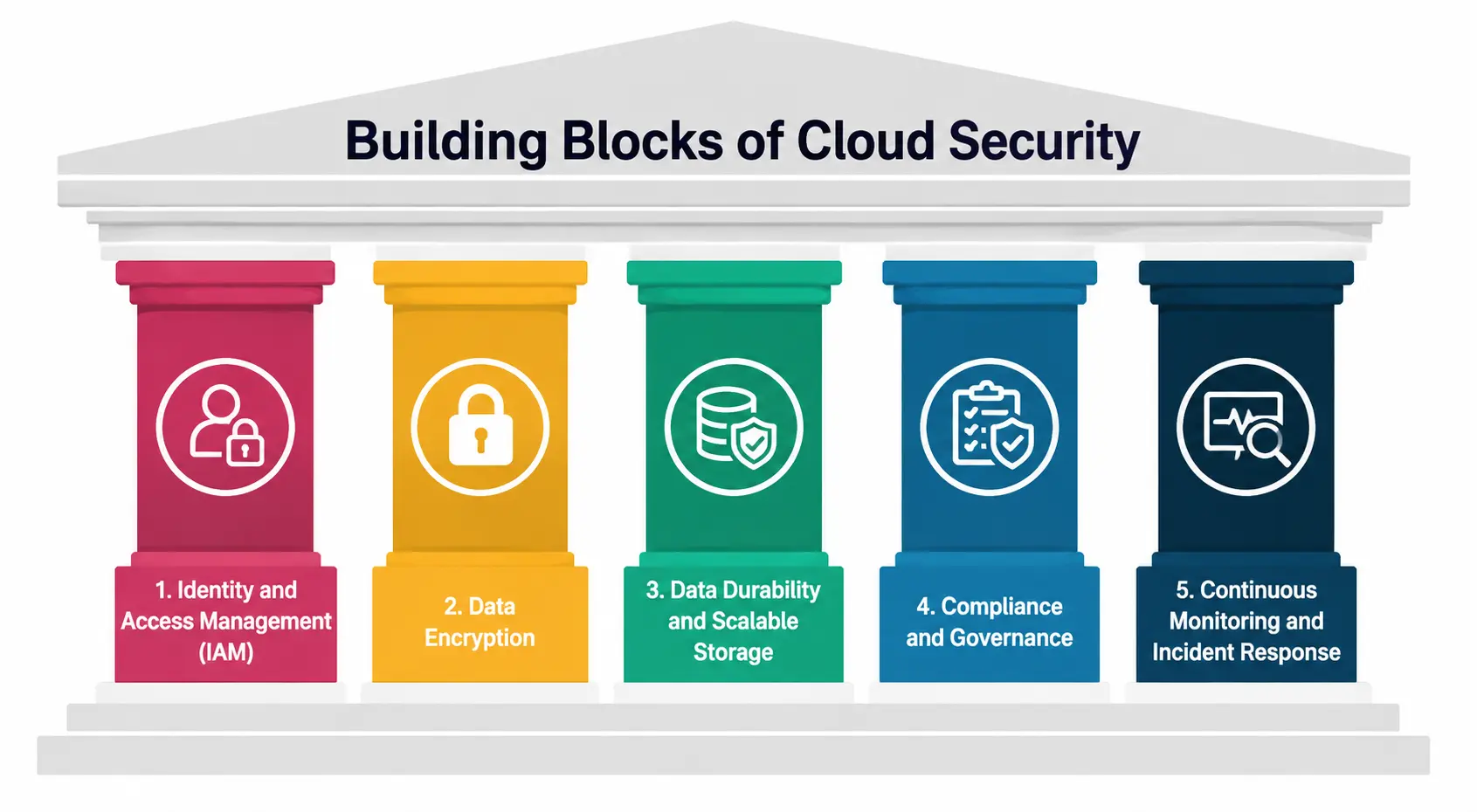
1. Identity and Access Management (IAM)
This is about controlling who gets to see and touch what. A 2026 best practices guide from NetCom Learning points out that strengthening identity and access management across the environment is one of the most important steps organizations can take, including enforcing phishing-resistant multi-factor authentication for all users, especially admin accounts. In simple terms—don’t let everyone have the keys to everything.
2. Data Encryption
Encryption scrambles your data so that if someone intercepts it, they can’t read it without the right key. This is a non-negotiable part of any cloud protection strategy today, especially as new computing methods threaten older encryption standards.
3. Data Durability and Scalable Storage
This is where scalable storage and data durability come into play. It means your storage capacity grows automatically as your data grows — no manual upgrades needed. The latter refers to how reliably your data is preserved over time, even during hardware failures.
A cloud system can offer excellent expandable capacity, but without strong durability guarantees, your files could still be at risk of loss. Good cloud computing security frameworks make sure growth and reliability work hand in hand, so scaling up never comes at the cost of losing data.
4. Compliance and Governance
Cloud data compliance refers to meeting legal and industry standards for how data is stored, processed, and protected—think regulations around healthcare records, financial data, or personal information. Every serious cloud protection plan needs to build this in from day one, not as an afterthought.
5. Continuous Monitoring and Incident Response
Threats don’t wait for business hours. According to SupraITS’s 2026 guide, over 80% of cloud-related breaches involve misconfigured identity and access management policies, excess permissions, or compromised credentials—which shows just how much continuous monitoring matters in catching small issues before they become disasters.
Public, Private, and Hybrid: Where Things Get Tricky
Not every organization stores data the same way. Some rely fully on public cloud platforms, others keep everything on private servers, and a growing number use a mix of both. This is where hybrid cloud computing providers come in because we can see that they let businesses keep sensitive data on private infrastructure while still using public cloud resources for flexibility and cost savings.
The catch? Hybrid setups are more complex to secure. Data moving between private and public environments creates more entry points for attackers, which means cloud computing security has to be even more carefully planned when hybrid cloud computing providers are involved.
It notes that modern cloud security covers public, private, hybrid, and multi-cloud environments, ensuring digital assets remain secure under the shared responsibility model between cloud providers and organizations.
The Role of Cloud Computing Managed Service Providers
Not every business — or student-run startup, for that matter — has an in-house security team. That’s where cloud computing managed service providers step in. These are third-party companies that handle security monitoring, threat detection, compliance management, and infrastructure maintenance on behalf of their clients.
Working with reliable cloud computing managed service providers can be a smart move, especially for smaller teams. But it doesn’t remove the need to understand this discipline yourself—you still need to know what questions to ask and what red flags to watch for.
As highlighted by Qualys’s AWS security guide, a secure cloud platform does not automatically result in a secure cloud environment—organizations must actively close that gap through continuous visibility and governance.
If you’re ever comparing vendors, look closely at how transparent different cloud computing managed service providers are about their monitoring practices, response times, and compliance certifications—that transparency is often the clearest signal of quality.
Common Risks That Make This Non-Negotiable
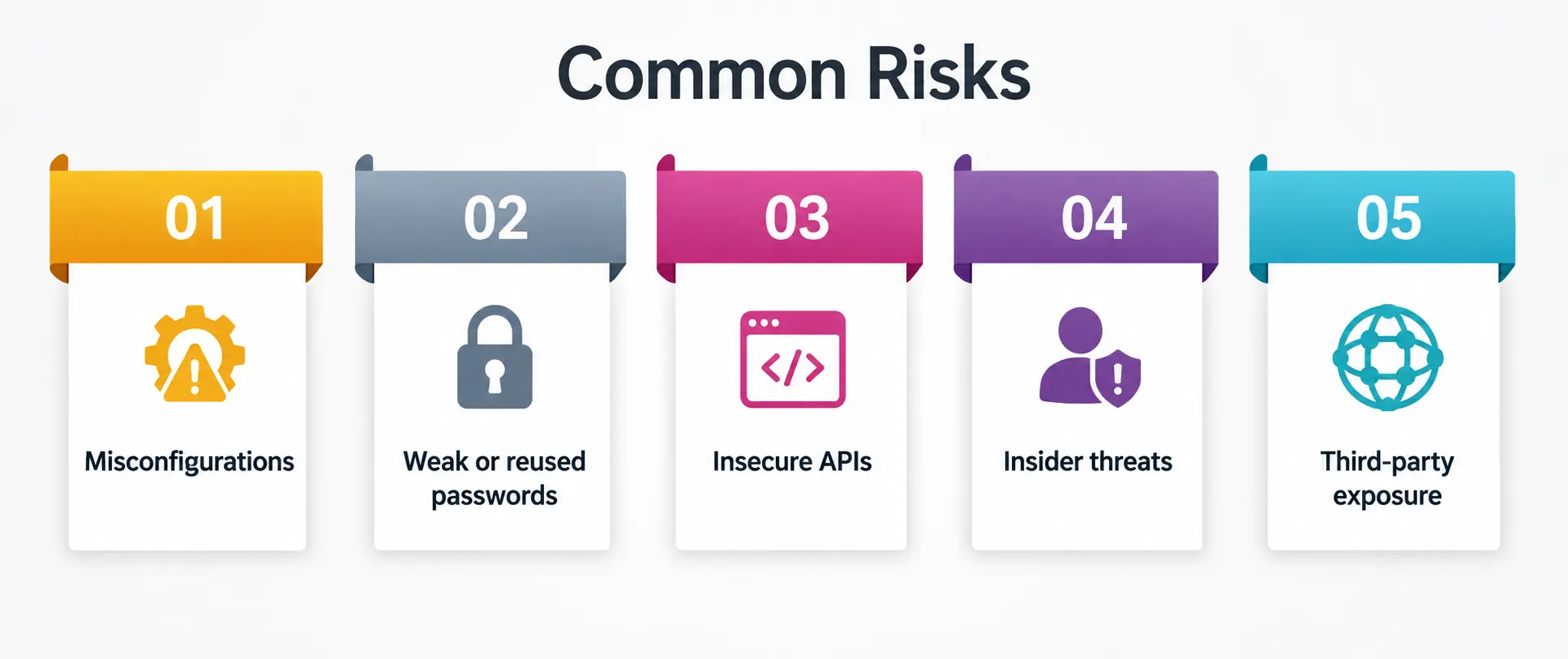
- Misconfigurations — leaving storage buckets or databases open by accident.
- Weak or reused passwords — still one of the top reasons accounts get compromised.
- Insecure APIs — poorly secured connections between apps and cloud services.
- Insider threats — not every risk comes from outside the organization.
- Third-party exposure — vulnerabilities introduced through vendors or partners.
Ignoring any of these can undo even the most well-planned protection strategy, which is why layered defenses—not a single tool—remain the standard approach today.
Quick Comparison: Key Cloud Security Concepts at a Glance
|
Concept |
What It Means |
Why It Matters |
|
Cloud Security |
Policies and tools protecting cloud data, apps, and infrastructure |
Prevents breaches, data loss, and unauthorized access |
|
Scalable Storage |
Storage that grows automatically with demand |
Supports business growth without manual upgrades |
|
Data Durability |
Reliability of data preservation over time |
Protects against data loss from hardware failure |
|
Cloud Data Compliance |
Meeting legal/industry data protection standards |
Avoids fines and legal trouble |
|
Hybrid Cloud Computing Providers |
Mix of private and public cloud infrastructure |
Balances flexibility with control over sensitive data |
How Can Students Start Learning This Field?
If this topic interests you, here’s the good news: you don’t need an advanced degree to start. Free resources from AWS, Microsoft Azure, and Google Cloud offer beginner-friendly certifications.
Understanding IAM, encryption basics, and the shared responsibility model is a great starting point before moving into more advanced concepts like cloud data compliance frameworks or hybrid cloud architecture.
My Personal Note
I’ll be honest—when I first came across the term “cloud computing security,” it felt like something only IT professionals in suits needed to worry about. But the more I dug into it, the more I realized it’s something all of us rely on every single day, often without realizing it.
Whether it’s a student submitting an assignment or a company protecting customer records, the same core ideas apply. My advice? Don’t wait until you’re managing a real system to start learning this. Play around with free-tier cloud accounts, break things, fix things, and get comfortable with the basics now—future you will thank you for it.