Every time you swipe a badge into a secure server room, open a locked file, or get denied access to a folder you swear you should be able to see, some system is making that call for you. Most people never stop to ask who—or what—is actually deciding.
In a lot of high-stakes environments, it isn’t a person at all. It’s a policy engine enforcing Mandatory Access Control, and understanding how it works is one of the more genuinely useful things a student of cybersecurity, IT, or information systems can learn early, rather than just memorize for an exam.
This guide breaks down what Mandatory Access Control is, how it differs from the looser permission models you’ve probably used without realizing it, and why it’s become more relevant—not less—as organizations lock down sensitive systems in 2026.
What Is Mandatory Access Control?
Mandatory Access Control (MAC) is a security model where access decisions are made centrally by a security administrator, not by the individual user who owns or created a piece of data. Under this model, a regular employee cannot loosen the rules on a file just because they feel like sharing it. The system itself enforces a fixed set of rules, and every user, program, and file carries a label that determines what it’s allowed to touch.
That’s the defining trait: control is non-negotiable at the user level. Compare that to the setup on your personal laptop, where you can right-click a folder and hand a friend edit permission on the spot. That flexible, owner-controlled arrangement is called Discretionary Access Control (DAC)—and it runs on the opposite philosophy.
How MAC Actually Works?
MAC systems lean on a layered structure of access policies, data classification, and security clearance to decide, in real time, whether a request gets approved or denied. Here’s the general sequence:
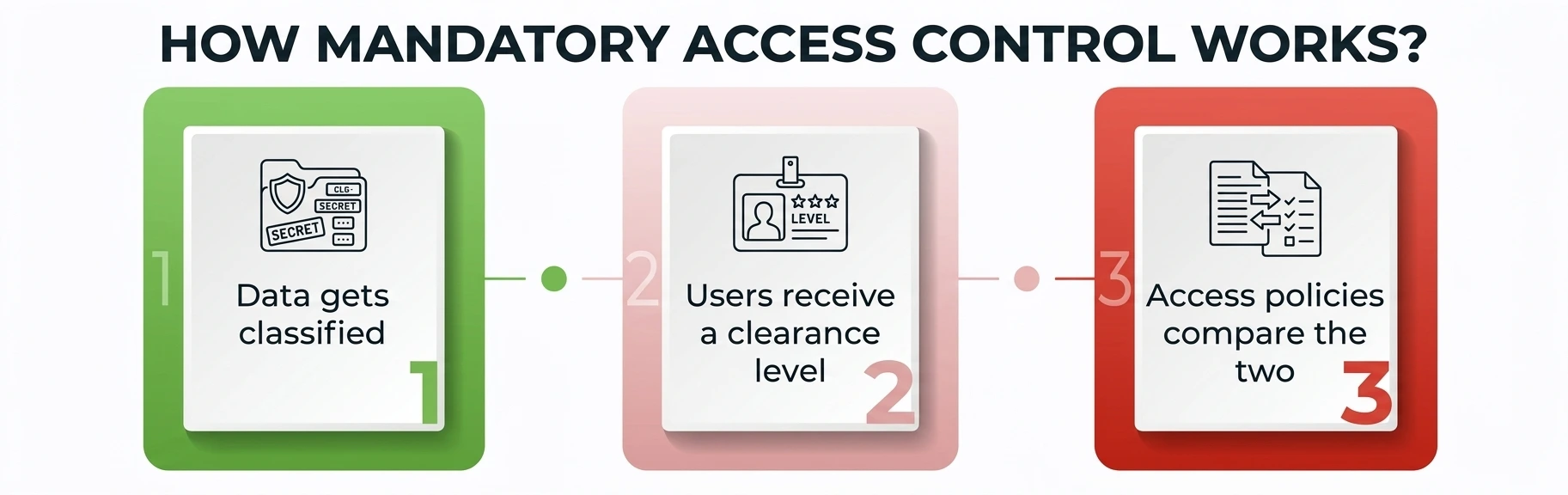
- Data gets classified. Every file, database record, or system object receives a classification label—think “Public,” “Confidential,” “Secret,” or “Top Secret” in government systems, or “Internal,” “Restricted,” and “Highly Restricted” in corporate ones. Data classification is what gives the system something to reason about in the first place.
- Users receive a clearance level. Just as classification labels rank data, security clearance ranks people and processes. A user’s clearance determines the ceiling of what they’re permitted to view or modify—nothing higher, no exceptions granted on the spot.
- Access policies compare the two. The core logic checks the requester’s clearance against the object’s classification. If clearance meets or exceeds classification, and the written access policies allow the specific action—read, write, execute—access is granted. If not, it’s denied automatically, with no appeal process for the end user.
Because these rules are enforced by the operating system or a dedicated security kernel rather than by application logic, they’re extremely hard to bypass, even for the person who technically “owns” the resource in question.
Core Components of a MAC System
A working deployment generally has four moving parts:
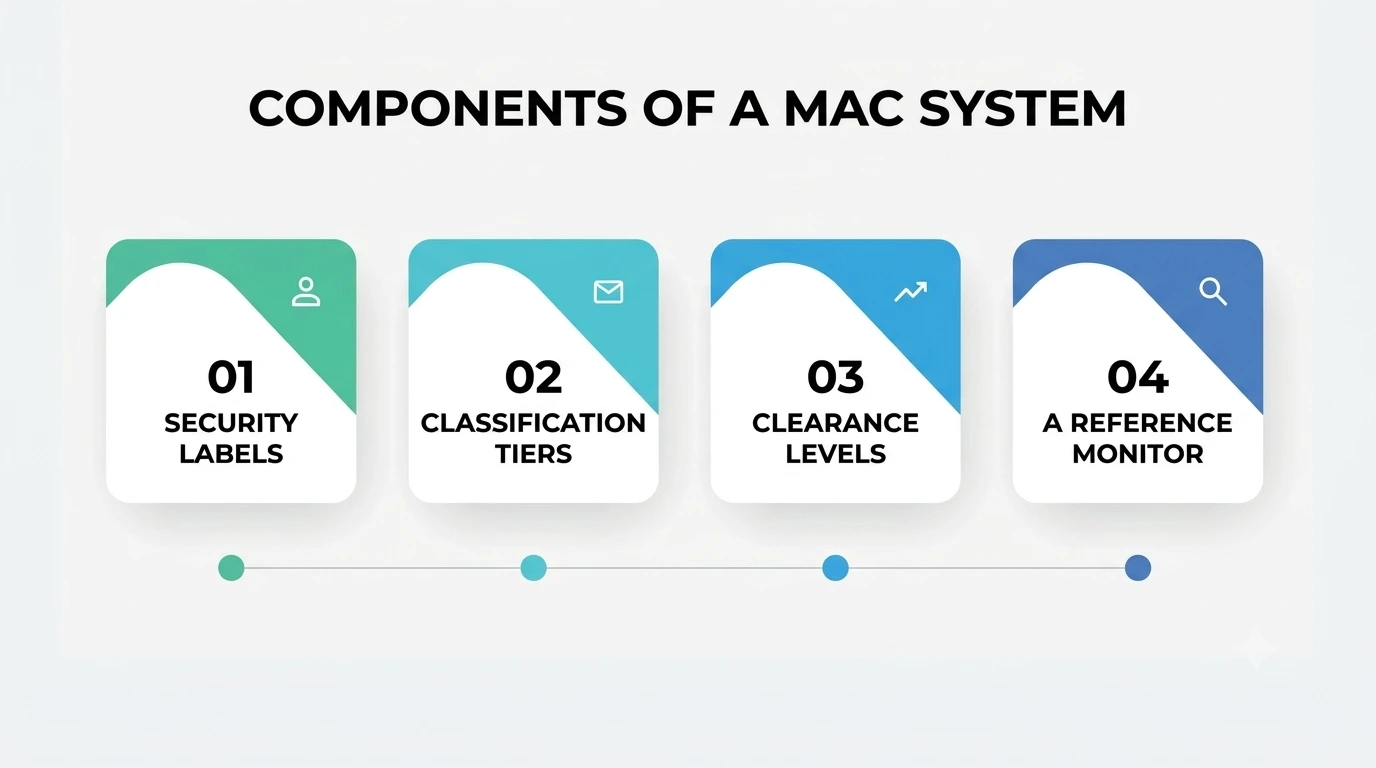
- Security labels—metadata attached to every subject (user, process) and object (file, database, network resource) that reflects its data sensitivity.
- Classification tiers—the ranked levels used for sorting information, from routine to highly sensitive.
- Clearance levels—matching ranked tiers assigned to people based on role, background checks, or job function.
- A reference monitor—the part of the operating system that intercepts every access attempt and enforces access restrictions defined by policy, with no way for an ordinary process to override it.
This is why security researchers often describe MAC as “non-discretionary”—the restrictions aren’t suggestions; they’re structural, built into the kernel rather than left to individual judgment.
Mandatory Access Control vs. Other Access Control Models
Students frequently mix up Mandatory Access Control with Role-Based Access Control (RBAC) and Discretionary Access Control (DAC). All three solve the same basic problem — who gets to touch what — in very different ways.
|
Feature |
Mandatory Access Control (MAC) | Discretionary Access Control (DAC) |
Role-Based Access Control (RBAC) |
|
Who sets the rules? |
Central security administrator | Individual file or data owner |
System designer, based on job roles |
|
Flexibility |
Rigid, policy-driven | Highly flexible, owner-driven |
Moderately flexible, role-driven |
|
Basis for a decision |
Classification level plus clearance | Owner’s personal judgment |
Job function or role assignment |
|
Common use case |
Military, government, healthcare | Personal computers, small teams |
Corporate IT, SaaS platforms |
|
Risk from misconfiguration |
Low—enforced by the system | High—depends on individual users |
Moderate—depends on role design |
|
Typical enforcement point |
OS kernel or security policy engine | File permissions set by the owner |
Application or identity provider |
The practical takeaway: MAC trades flexibility for certainty. You give up the convenience of letting individual users manage their own sharing decisions, but you gain a system where the rules genuinely can’t be talked around by a busy or careless employee.
Real-World Examples
MAC isn’t a theoretical concept confined to textbooks—it runs in production systems that a huge number of people rely on every day.
- SELinux, originally built by the U.S. National Security Agency and now shipped in major Linux distributions, is a well-documented, kernel-level implementation of this approach. It confines programs to the minimum privilege they need, regardless of what a user account tries to grant them. Red Hat explains the architecture in detail, including how it layers on top of ordinary file permissions instead of replacing them outright.
- Government and military networks separate classified information by clearance level, following categorization standards like NIST’s FIPS 199, which formalizes how U.S. federal systems assign impact levels — low, moderate, or high — during data classification.
- Healthcare networks apply similar logic to patient records, gaining access by a clinician’s role and clearance rather than leaving sharing decisions to whoever has the chart open.
Why Data Sensitivity Drives the Whole System?
At the heart of any MAC deployment is a simple judgment call: how sensitive is this piece of information, and what happens if the wrong person sees it? Data sensitivity is the variable that decides classification level, which in turn decides who can touch the data at all.
Not everything on a network carries equal weight. A cafeteria menu and a patient’s diagnosis code might sit on the same server, but their sensitivity is wildly different, and the system is built to treat them that way. Misjudging that sensitivity is one of the more common real-world failures in otherwise well-designed programs: over-classify routine material, and legitimate work grinds to a halt; under-classify something genuinely private, and the protections meant to catch it never trigger at all.
Benefits of This Approach
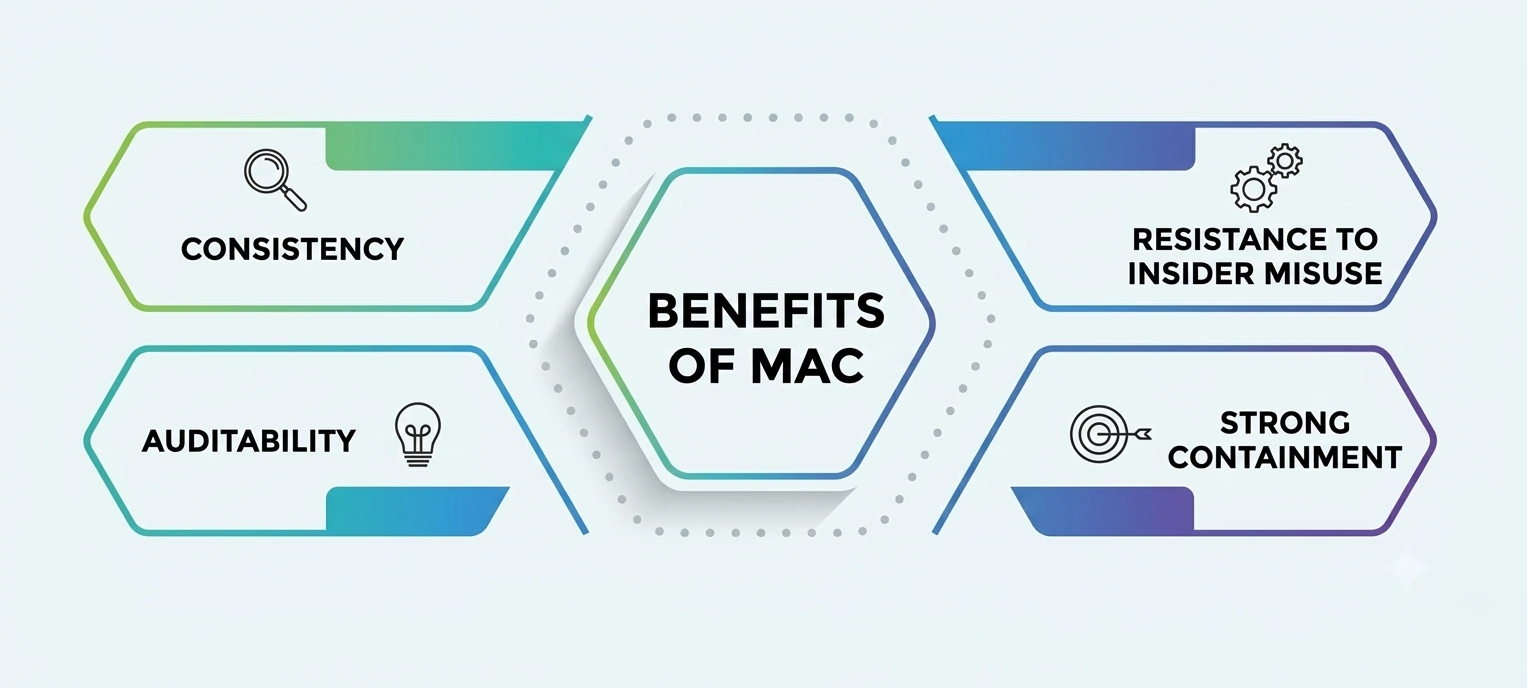
- Consistency. Because rules are centrally defined, there’s no room for a well-meaning employee to accidentally loosen protection on sensitive material.
- Auditability. Every decision can be traced back to a specific policy, which matters enormously for compliance frameworks like NIST SP 800-53, the U.S. catalog of security and privacy controls many organizations use as a baseline for their own access policies.
- Resistance to insider misuse. Even a user with legitimate standing on paper can’t casually override the system, since enforcement doesn’t depend on individual goodwill.
- Strong containment. If one process or account is compromised, MAC limits how far an attacker can move, because the compromised identity still has to clear the same checks as before.
Limitations and Challenges
This model isn’t free. It’s operationally heavier than Discretionary Access Control, and organizations tend to run into the same recurring friction points:
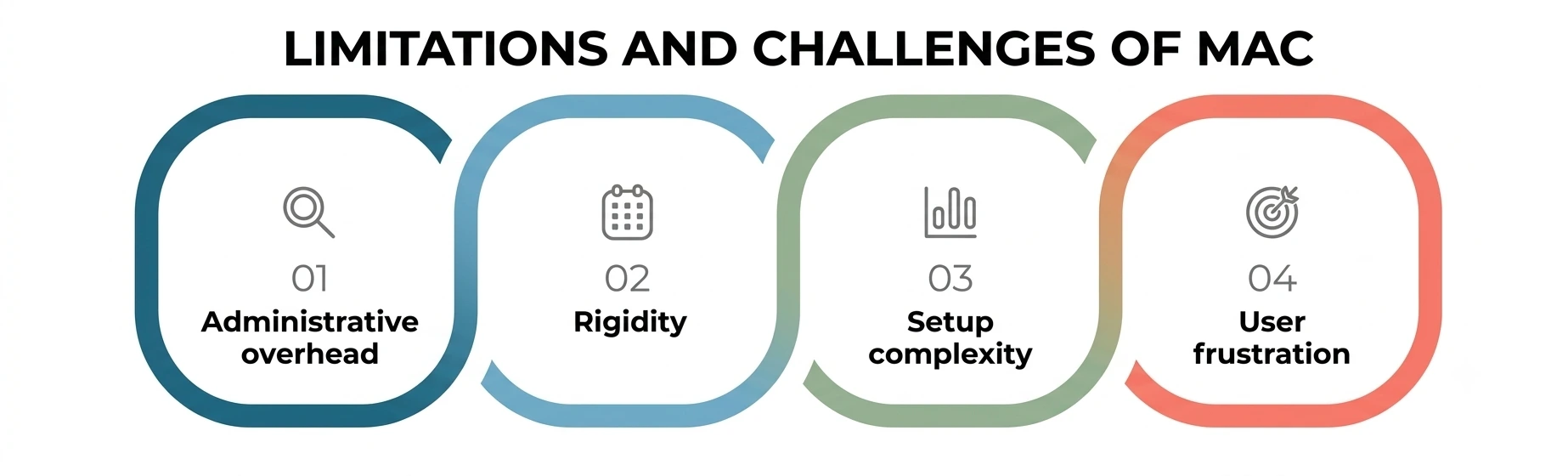
- Administrative overhead. Every new classification and every clearance change has to move through a central authority, which slows things down compared to systems where users manage their own permissions.
- Rigidity. Legitimate edge cases—a contractor who needs temporary access, a cross-department project—can be awkward to accommodate without loosening the whole scheme.
- Setup complexity. Designing sound rules and clearance tiers from scratch takes real security expertise; a poorly built data classification scheme creates more friction than protection, and fixing it later usually means re-labeling large volumes of existing files and systems.
- User frustration. People who don’t understand why a file is out of reach are quick to blame “the system,” even when it’s doing exactly what it was designed to do.
Why Does It Matter More in 2026?
Two forces are pushing this older security model back into the spotlight this year. First, breach costs keep climbing: IBM’s 2026 Cost of a Data Breach Report put the global average cost of a breach at a record $4.99 million, with AI-enabled attacks pushing individual incidents even higher. When a single misstep carries a multimillion-dollar price tag, letting individual users set their own sharing rules stops looking like a convenience and starts looking like a liability.
Second, the industry-wide shift toward zero-trust architecture reinforces the same non-discretionary philosophy this model was built on decades ago. The Cybersecurity and Infrastructure Security Agency’s Zero Trust Maturity Model pushes organizations toward continuous verification instead of standing trust—which lines up naturally with a system that checks clearance and classification on every single request, with nothing carried over from the last login.
MAC in Cloud and AI-Driven Environments
The same non-discretionary logic is showing up outside traditional government networks now. Cloud platforms increasingly bake policy engines directly into their identity layers, so a workload or an AI agent only gets to touch a resource if it clears a check equivalent to security clearance and the resource’s own data classification—the model is the same even when the vocabulary changes to “roles,” “scopes,” or “permission boundaries.”
This matters more in 2026 because AI agents are being given standing access to internal systems at a scale that didn’t exist a few years ago, and a misconfigured permission can let an automated process read far more than any human would have been handed.
Teams building these systems are borrowing directly from MAC thinking: write the access policies once, tie them to the sensitivity of the underlying data, and let the platform enforce access restrictions automatically rather than trusting every new integration to configure its own boundaries correctly.
Best Practices for Implementation
- Start with an honest classification exercise before writing a single rule—you can’t protect what you haven’t sorted by data sensitivity first.
- Keep clearance tiers few and clearly defined; overly granular security clearance levels are hard to maintain and easy to misapply.
- Review access restrictions on a fixed schedule, not only when something has already gone wrong.
- Revisit security clearance assignments whenever someone changes roles or leaves a project, instead of letting old permissions quietly linger.
- Pair the system with logging and monitoring so unusual attempts stay visible even though most of them never succeed.
- Train staff on why the rules exist—a system nobody understands gets worked around, not respected.
A Personal Note
I’ll be honest: the first time I studied this topic, it felt overly bureaucratic—layers of clearance and classification just to open a file. It wasn’t until I watched how quickly a single overshared folder can spiral into a real incident that the design clicked for me. This model isn’t built for a world where people always make the right call by accident; it’s built for the far more realistic world where they occasionally don’t, and something needs to catch that before it becomes a headline.
If you’re a student heading into cybersecurity, IT, or systems administration, this is a topic worth actually sitting with instead of cramming for a quiz—it shows up in nearly every serious security architecture you’ll encounter later on.
Conclusion
Mandatory Access Control was never meant to be the most flexible model on the shelf. It’s what organizations reach for when the cost of a wrong decision is too high to leave in any one person’s hands. The access restrictions it imposes can feel heavy-handed from the inside, but they’re doing exactly what they’re supposed to do: making sure the rules hold even on the day someone forgets to follow them.
Learning how classification, clearance, and policy fit together isn’t just exam material—it’s the logic quietly running underneath a huge share of the systems protecting sensitive information every day, and it’s a genuinely good thing to understand well before you’re the one responsible for configuring it.