If you’ve ever wondered how a bank, a hospital, or your own college proves that student and staff data is actually safe, the answer usually comes down to one process: an Information Security Audit. It isn’t a buzzword thrown around in a compliance meeting.
It’s a structured check-up that tells an organization, with real evidence, whether its data-protection promises hold up under pressure or fall apart the moment someone tests them.
This guide is written for students who are new to cybersecurity, IT governance, or compliance and want a clear explanation of what an information security audit actually involves.
We’ll cover the definition, why it matters, the exact steps auditors follow, a checklist you can reuse for coursework or internships, a few certifications worth knowing, and the mistakes almost every beginner makes the first time they attempt one.
What Is an Information Security Audit?
An information security audit is a systematic, independent evaluation of an organization’s information systems, policies, and security controls to determine whether data is protected the way it’s supposed to be.
Unlike an informal internal review, a proper audit is measured against a documented standard—often a recognized framework such as the NIST Cybersecurity Framework or ISO/IEC 27001—and it produces evidence, not opinions.
Put simply, it answers three questions: What are we protecting, and how sensitive is it? What safeguards are supposed to be protecting it? And are those safeguards actually working or just written down on paper somewhere?
Most organizations run more than one type of audit each year. Some are internal, carried out by an in-house team as a routine health check; others are external, carried out by an independent third party for certification or investor confidence; and some are mandated by a specific standard, such as the PCI Data Security Standard for anyone handling card payments.
The methodology overlaps heavily across all three, though the level of independence and the paperwork involved can differ a lot. How often this happens depends on size and industry.
A small startup might do one lightweight internal review a year, while a bank or hospital, both operating under heavy regulation, might face several formal reviews annually plus continuous, automated checks running in the background. Neither extreme is wrong—the right frequency is whatever matches the actual risk the organization carries, not a fixed number copied from a textbook.
Why Does It Matter?
Cyberattacks rarely succeed because an organization has a zero-security policy. They succeeded because the policy existed only on paper while the real systems quietly drifted out of line with it. A proper audit closes that gap by forcing a comparison between what’s documented and what’s actually deployed.
This is also where security governance comes into the picture. Security governance is the set of leadership decisions, policies, and oversight structures that decide how risk gets managed across an organization.
A weak audit program is almost always a symptom of weak security governance at the top, not just a technical shortfall lower down. When leadership treats an audit as a formality instead of genuine feedback, safeguards tend to decay quietly until a breach forces the issue.
The financial stakes back this up. IBM’s 2025 Cost of a Data Breach Report put the global average cost of a breach at $4.44 million and found that breaches taking longer to detect and contain cost organizations noticeably more than ones caught early—which is exactly the kind of gap a well-run audit program is built to catch before an attacker does.
The Audit Process, Step by Step
Every engagement looks a little different depending on the industry and framework in play, but almost all of them follow roughly the same underlying sequence. Here are the key steps involved in a typical information security audit:
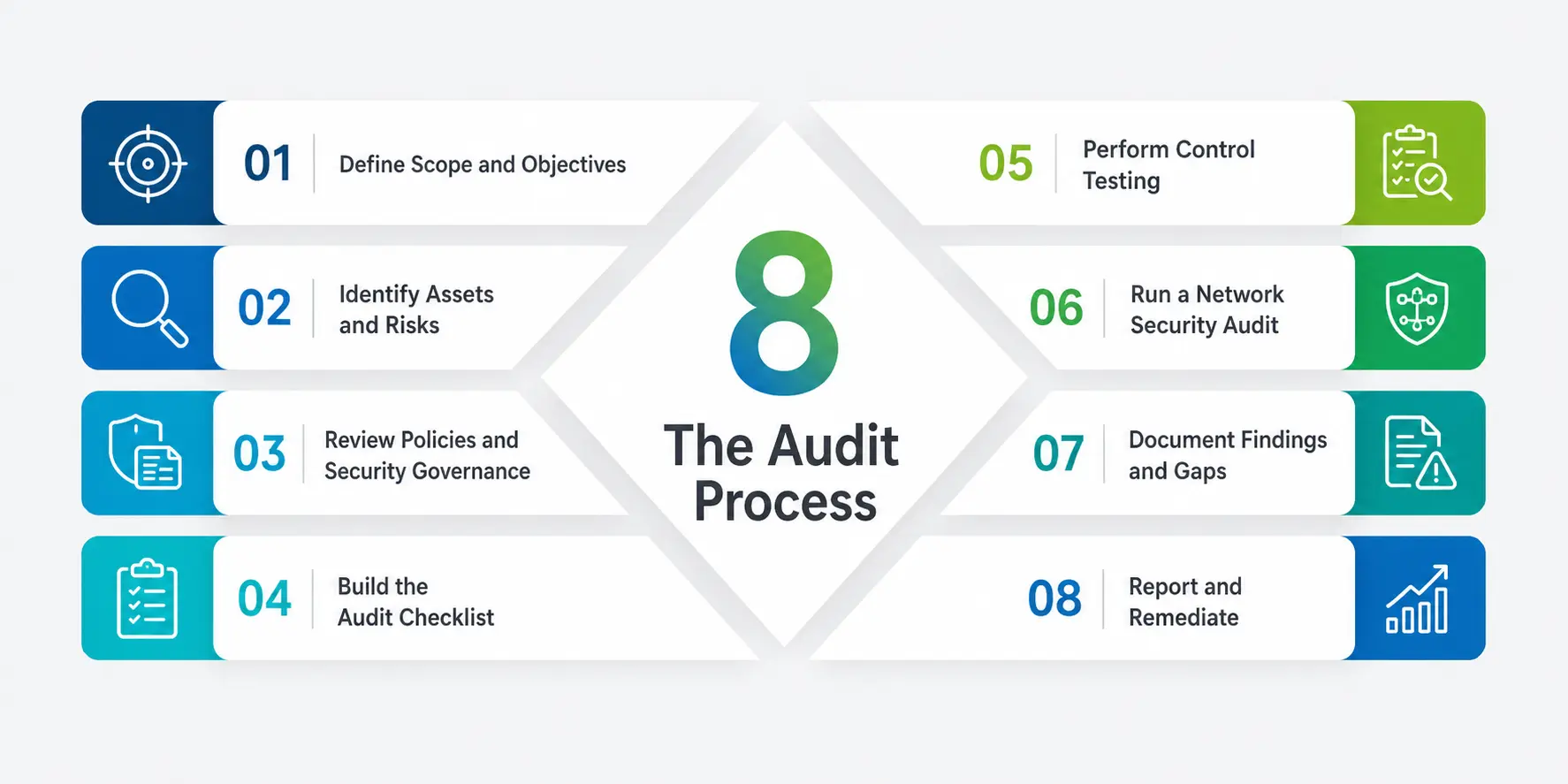
1. Define Scope and Objectives
Before anything else, the team defines exactly what’s being reviewed—a single application, an entire data center, a cloud environment, or a specific compliance requirement. Scope decides everything that follows, so rushing this step is one of the most common mistakes beginners make.
2. Identify Assets and Risks
The team catalogs what needs protecting—servers, databases, customer records, and source code—and ranks each asset by how damaging its loss or exposure would actually be. This risk-based approach is what separates a genuine review from a generic checklist exercise done for its own sake.
3. Review Policies and Security Governance
Auditors examine written policies, access rules, and incident response plans and look at how decisions about risk actually get made day to day. This is where governance gets assessed directly: Is there a clear owner for information security, and does leadership genuinely review the outcomes or just sign off on them?
4. Build the Audit Checklist
A well-built audit checklist maps every requirement in the chosen framework to a specific piece of evidence the auditor needs to see. This checklist becomes the backbone of the entire engagement, and reusing a tested template saves enormous time on both academic projects and real assessments.
5. Perform Control Testing
This is the technical core of the whole exercise. “Control testing” means actually verifying that a safeguard works in practice, not just reading the policy paragraph that describes it. For example, testing a password-expiry rule might mean attempting a login with old credentials, while testing a backup process might mean actually requesting a data restore and watching it succeed.
6. Run a Network Security Audit
Because so many breaches start at the network level, this step of the process usually gets its own name: “a network security audit.” A network security audit examines firewall rules, segmentation, open ports, wireless access points, and remote-access configurations, and it’s frequently benchmarked against a recognized baseline such as the CIS Controls framework.
7. Document Findings and Gaps
Every gap between what the policy says and what testing actually found gets written up with a severity rating, so leadership can prioritize fixes instead of guessing which ones matter most.
8. Report and Remediate
The engagement closes with a formal report and a remediation plan, followed by a follow-up review to confirm the gaps were genuinely closed—not just promised to be closed by a certain date.
Sample Audit Checklist
Here’s a simplified reference table you can adapt for coursework, internships, or your own practice reviews. It isn’t exhaustive, but it covers the areas every information security audit should touch.
|
Audit Area |
What to Check |
Typical Evidence |
|
Governance |
Policy ownership, sign-off, review cadence |
Policy documents, meeting minutes |
|
Access Control |
Least privilege, offboarding process |
Access logs, HR termination records |
|
Network Security Audit |
Firewall rules, segmentation, open ports |
Scan reports, configuration exports |
|
Data Protection |
Encryption at rest and in transit |
Encryption standards, key-management logs |
|
Control Testing |
Backup restore, patch compliance |
Test results, patch reports |
|
Incident Response |
Documented plan, tested at least annually |
Tabletop-exercise records |
|
Third-Party Risk |
Vendor security assessments |
Vendor questionnaires, contracts |
Security Controls: The Foundation of Every Audit
Security controls are the actual safeguards—technical, administrative, or physical—that bring risk down to an acceptable level. Firewalls, multi-factor authentication, encryption, and background checks are all common examples, and no review is complete without testing a representative sample of them directly rather than trusting the inventory list.
Frameworks such as ISO/IEC 27001 group security controls into categories covering people, process, and technology, which is a useful mental model for students: a safeguard is rarely “just technical.” A firewall rule is only effective if someone reviews it on a schedule and the team actually understands why it exists in the first place.
Certifications Worth Knowing
If you’re building toward a career in this field, a few credentials come up constantly in job listings. ISACA’s CISA (Certified Information Systems Auditor) is the most widely recognized auditing credential and covers exactly the information security audit process described above—scoping, evidence gathering, and reporting.
It’s usually paired with broader credentials once you’ve got a few years of hands-on experience: a CISM covers security management for people heading toward leadership, while an ISO/IEC 27001 Lead Auditor course focuses specifically on assessing an organization’s management system against that standard.
Most students begin by working toward an entry-level credential during (or right after) a degree in information systems, computer science, or a related field, then layer on the more advanced ones once they’ve actually sat through a few real engagements.
Employers generally value hands-on exposure—even a student project reviewing a small non-profit’s setup—as much as the certificate itself, because it proves you can actually apply the checklist rather than just recite it.
How Long Does It Take, and What Do You Walk Away With?
Timelines vary enormously with scope. A single application review might wrap up in a week; a full organization-wide engagement mapped to ISO/IEC 27001 can easily run six to twelve weeks once evidence-gathering, interviews, and remediation follow-up are included.
Students are sometimes surprised that the technical scanning is the fastest part—most of the calendar time goes into scheduling interviews, chasing evidence from busy teams, and writing findings up clearly enough that a non-technical executive can act on them.
The deliverable at the end is rarely just a pass/fail stamp. Expect an executive summary, a detailed findings register with severity ratings, a remediation timeline, and often a maturity score against the chosen framework so the organization can track improvement year over year.
Learning to write that report clearly is, honestly, a skill that matters just as much as the technical testing itself.
Common Mistakes Beginners Make
Anyone running their first information security audit tends to repeat the same handful of mistakes, regardless of the industry or the framework being used:
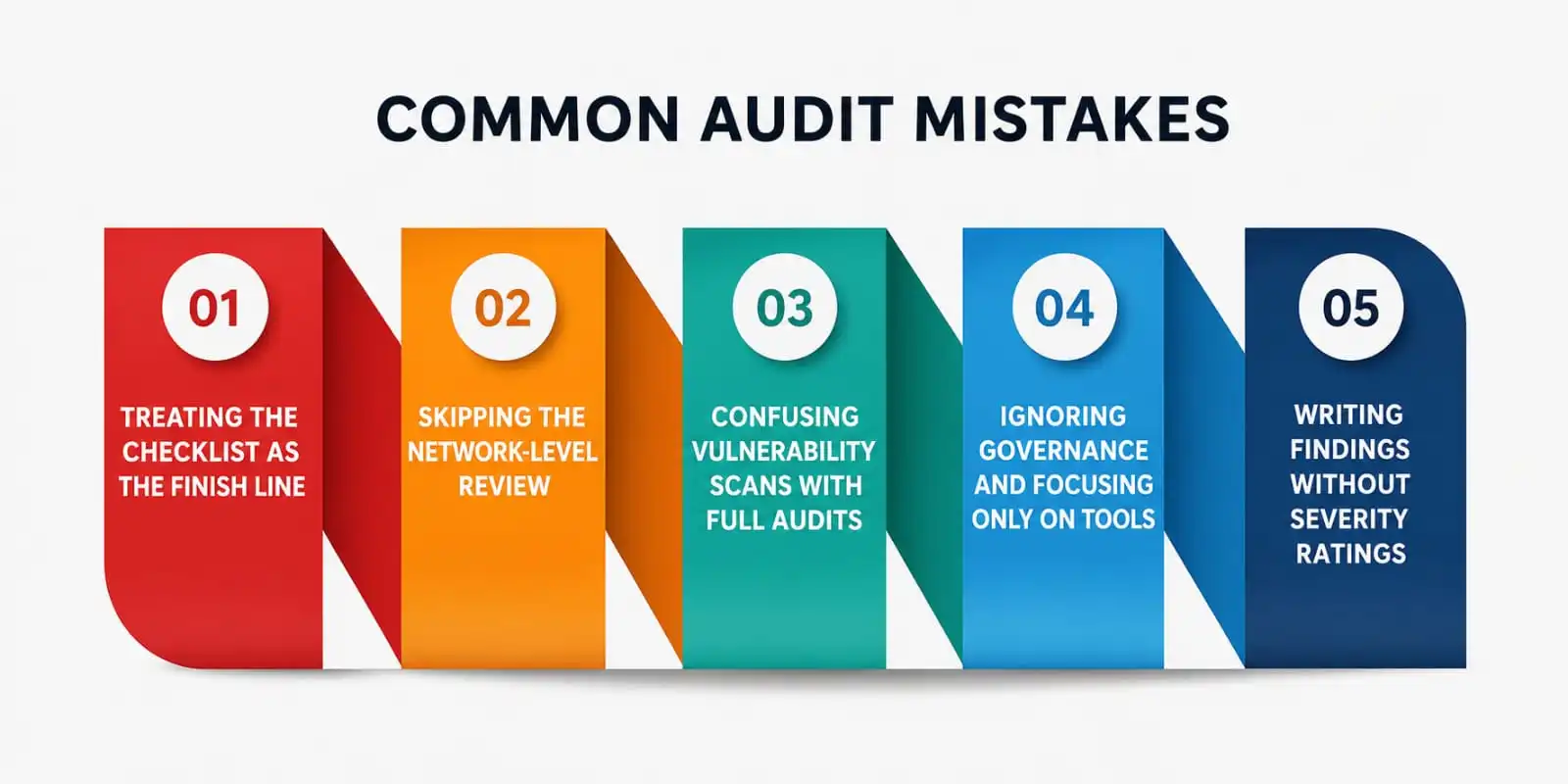
- Treating a checklist as the finish line instead of a starting point for real testing
- Skipping the network-level review because it feels too technical to attempt early on
- Confusing a vulnerability scan with a full audit—a scan finds weaknesses, an audit evaluates the entire management system built around them
- Ignoring governance and focusing only on tools, which produces a report full of findings nobody in leadership actually acts on
- Writing findings without severity ratings, which leaves leadership guessing which gap to fix first
Benefits of Doing This Well
- Builds trust with customers, regulators, and business partners
- Reduces the likelihood and cost of a breach by catching gaps early, before an attacker finds them first
- Strengthens Security Governance by giving leadership real data instead of assumptions
- Supports compliance with frameworks like ISO/IEC 27001, PCI DSS, and NIST CSF
- Replaces guesswork with real Control Testing evidence leadership can actually act upon
- Turns Security Controls from a checklist item into a measurable, tested reality
A Personal Note
I’ve sat through reviews that felt like pure formality and reviews that genuinely changed how a team worked, and the difference always came down to one thing: whether testing was treated as real verification or as a box-ticking exercise to get through before lunch.
If you’re a student aiming for a career in this field, resist the temptation to memorize frameworks without understanding why each requirement exists in the first place. The frameworks are just shared language.
The actual skill is learning to ask “prove it” and knowing exactly what proof should look like when someone hands it to you. That habit will serve you far longer than any single certification on your resume.
If you’re still studying, try this: pick any app or service you use daily, and mentally walk it through the eight steps above. You’ll be amazed how quickly “prove it” turns into genuinely useful questions—and how often the honest answer is “we’re not actually sure.”