If you’ve spent any time around a compliance team, an internal audit desk, or a risk management classroom, you’ve probably heard someone mutter “we really need better GRC tools.”
It usually comes up right after a shared spreadsheet crashes, a regulatory deadline gets missed, or three departments discover they’ve each been tracking the same vendor risk in three completely different files.
This guide breaks down what these platforms actually do, the different types available, and how to choose one that fits your organization instead of fighting against it every single day.
By the end, you should have a clear, practical picture of the market — useful whether you’re a student trying to understand the field for the first time, someone writing a case study for a class assignment, or a professional about to sit through your first vendor demo and unsure which questions actually matter versus which ones are just sales talking points.
What Is GRC, and What Do GRC Tools Actually Do?
GRC stands for Governance, Risk, and Compliance. According to OCEG, the nonprofit that popularized the term, GRC is best understood as the integrated set of capabilities an organization needs to reliably meet its objectives, address uncertainty, and act with integrity.
That’s a fairly abstract definition, so here’s the practical version: GRC brings together three functions that used to live in separate silos — the board and leadership setting direction and policy, the risk team figuring out what could go wrong, and the compliance team making sure the company actually follows the laws and standards that apply to it.
Software built for this purpose exists because doing all three by hand, across a growing company, simply stops working past a certain size. A platform that pulls governance, risk, and compliance into one connected system is, in short, what most people mean when they talk about a modern GRC solution.
It replaces static documents with a living system that different departments can log into, trust, and update in real time — which is a very different experience from chasing down the “final_v3_ACTUAL.xlsx” file someone emailed around last quarter.
Why Are Organizations Investing More in This Category?
Regulatory requirements have multiplied fast over the past decade: data privacy laws, sector-specific mandates, cybersecurity frameworks, and disclosure rules have all stacked on top of each other.
Tracking that manually across departments isn’t just slow, it’s genuinely risky. A missed control, a stale policy, or an unreported incident can quietly turn into a fine, a lawsuit, or reputational damage that takes years to repair.
Think about a mid-sized healthcare company juggling HIPAA, a handful of state privacy laws, and a cybersecurity insurance policy that requires proof of specific safeguards. Without a shared system, three different people might each keep their own version of “the current policy,” and nobody notices the drift until an auditor points it out.
Frameworks like the NIST Risk Management Framework give organizations a structured, repeatable process for managing this kind of exposure, but a framework on paper is only as useful as the system used to operationalize it day to day.
That’s the gap dedicated software closes: instead of governance sitting with the board, risk sitting with a risk committee, and compliance sitting with legal, a shared platform gives everyone a common source of truth.
When an auditor asks for proof that a control works, or a regulator asks how a specific exposure is being handled, the answer becomes a few clicks away instead of a week of digging through inboxes.
Key Features to Look For
Not every platform marketed this way actually covers the full picture. Here’s what tends to separate a genuinely useful system from a glorified spreadsheet with a login screen.
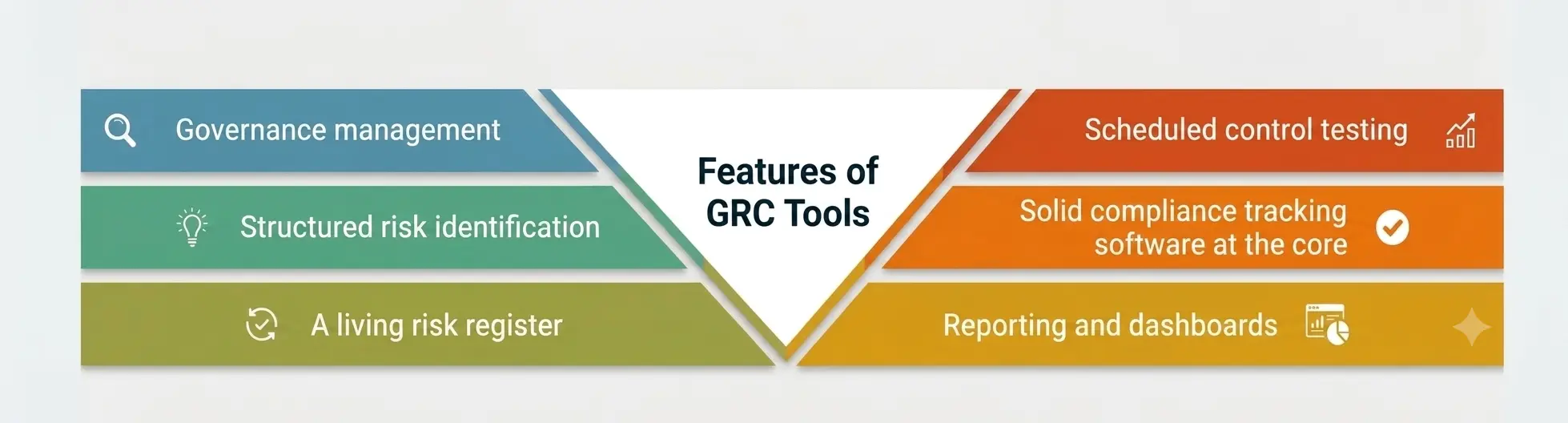
- Governance management. Strong governance management gives leadership one place to handle policies, approvals, board reporting, and accountability structures. Every policy should have a version history, a named owner, and a scheduled review date, so nothing quietly goes stale between audits.
- Structured risk identification. The strongest platforms don’t wait for problems to surface after the fact. Built-in risk identification workflows — surveys, incident logs, control failures, even external threat feeds — help emerging issues get flagged early instead of during a once-a-year review.
- A living risk register. Nearly every serious platform includes some version of this centralized, continuously updated record of identified risks — their likelihood, potential impact, assigned owner, and current mitigation status. A useful version of it is searchable and tied directly to the controls meant to address each entry, rather than a static file that nobody reopens between quarterly review meetings.
- Scheduled control testing. Controls only matter if someone actually checks that they’re working. This process can be scheduled, assigned, and tracked automatically inside the platform, with supporting evidence attached to each test, so audit season stops being a last-minute scramble for screenshots and half-remembered email threads.
- Solid compliance tracking software at the core. At its heart, most of what people call compliance tracking software is a mapping engine — it links specific regulatory requirements to the internal controls that satisfy them, flags gaps automatically, and reminds the right owner when something needs attention before a deadline slips.
- Reporting and dashboards. Executives rarely want to read a forty-page risk report. Good platforms translate raw data into visual dashboards — risk heat maps, control status, and overall compliance posture — that make sense at a glance, even for someone outside the compliance function.
Types of GRC Tools
Not every organization needs the same kind of platform, and picking the wrong category is one of the most common (and expensive) mistakes teams make.
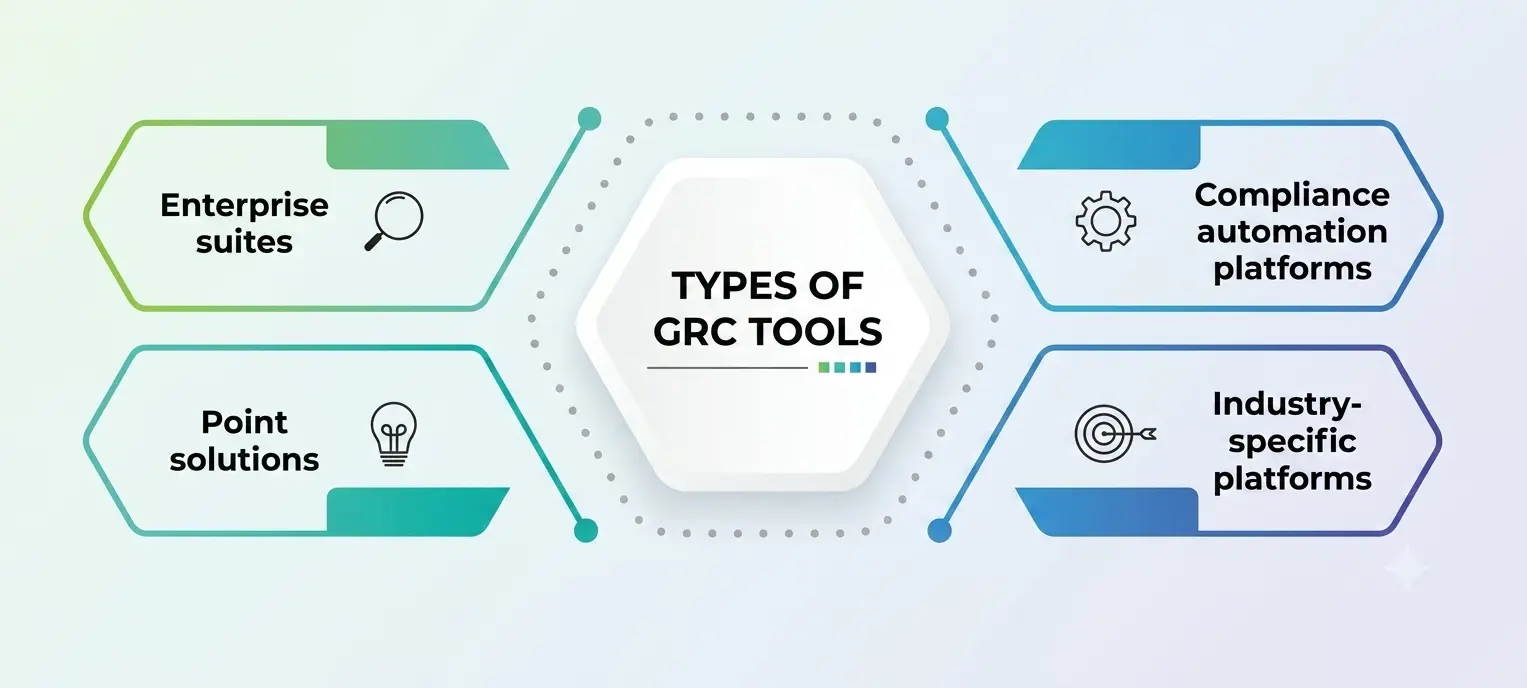
- Enterprise suites are built for large, complex organizations spanning multiple business units and geographies. They typically bundle full governance management, a comprehensive risk register, control testing, and compliance mapping into a single, highly configurable system — with a correspondingly longer setup timeline.
- Point solutions focus on one discipline, such as IT risk, vendor risk, or policy management alone. Smaller teams often choose these because they don’t yet need, or can’t yet justify the cost of, a full enterprise deployment.
- Compliance automation platforms lean heavily toward evidence collection and framework certification — think SOC 2, ISO 27001, or HIPAA readiness. Startups and mid-market companies often reach for these first, since the goal is passing a specific audit quickly rather than running a broad, organization-wide program.
- Industry-specific platforms are tailored to sectors like banking, healthcare, or energy, where regulatory language and control expectations are specialized enough that generic software falls short.
Benefits of Adopting the Right Platform
The case for these platforms usually comes down to five practical outcomes.
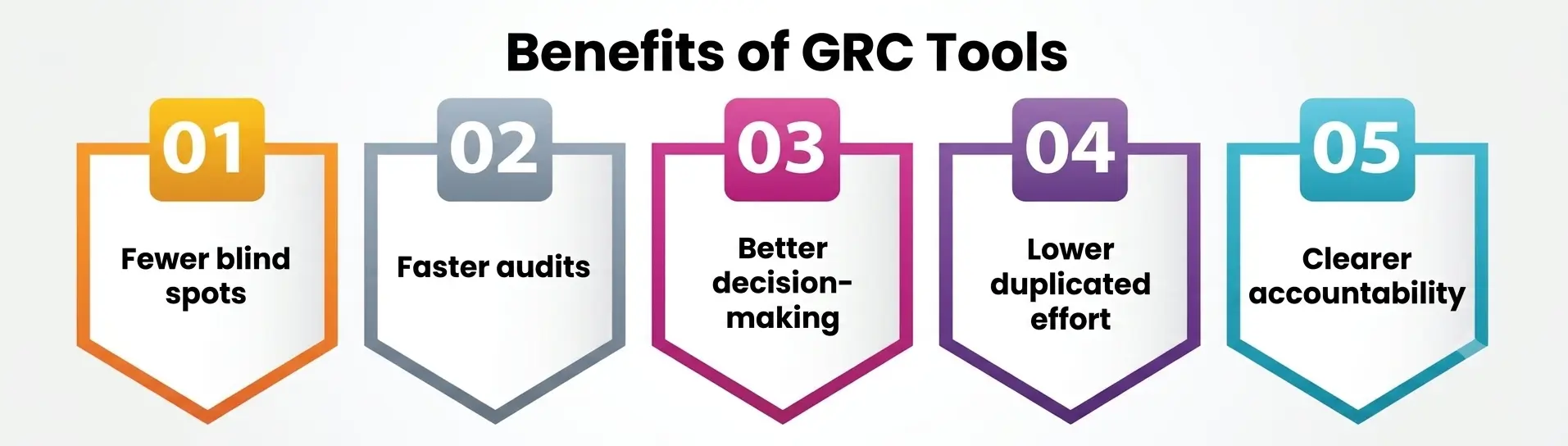
- Fewer blind spots. Consistent risk identification across every department means fewer issues slip through the cracks between teams that don’t normally talk to each other.
- Faster audits. When evidence lives in one system instead of scattered inboxes, an audit that used to take weeks can shrink to days.
- Better decision-making. Leadership gets a real-time view of exposure instead of a quarterly snapshot that’s already stale by the time it’s presented in a meeting.
- Lower duplicated effort. Rework drops sharply once every team pulls from the same records instead of maintaining five separate versions of “the truth.”
- Clearer accountability. Every task, control, and risk gets a named owner and a deadline, which makes it much harder for issues to quietly disappear.
Analyst firms including Gartner track this market closely, and their peer-reviewed vendor listings show a steady stream of new entrants — a sign that demand keeps climbing as regulatory complexity increases across nearly every industry.
A Quick Comparison of GRC Tool Types
|
Type |
Best Suited For | Core Strength |
Typical Limitation |
|
Enterprise Suite |
Large, multi-department organizations | End-to-end governance, risk tracking, and testing workflows in one system |
Longer setup time, higher cost |
|
Point Solution |
Small teams with one narrow need | Deep functionality in a specific area |
Doesn’t scale across the whole company |
|
Compliance Automation Platform |
Startups pursuing SOC 2, ISO 27001, etc. | Fast evidence collection |
Shallower on broader enterprise risk work |
|
Industry-Specific Platform |
Regulated sectors like banking or healthcare | Pre-built frameworks matching sector rules |
Less flexible outside that industry |
Common Challenges Worth Planning For
Buying the platform is rarely the hard part — getting the whole organization to actually use it well tends to be where things get bumpy. A few recurring challenges show up across almost every rollout.
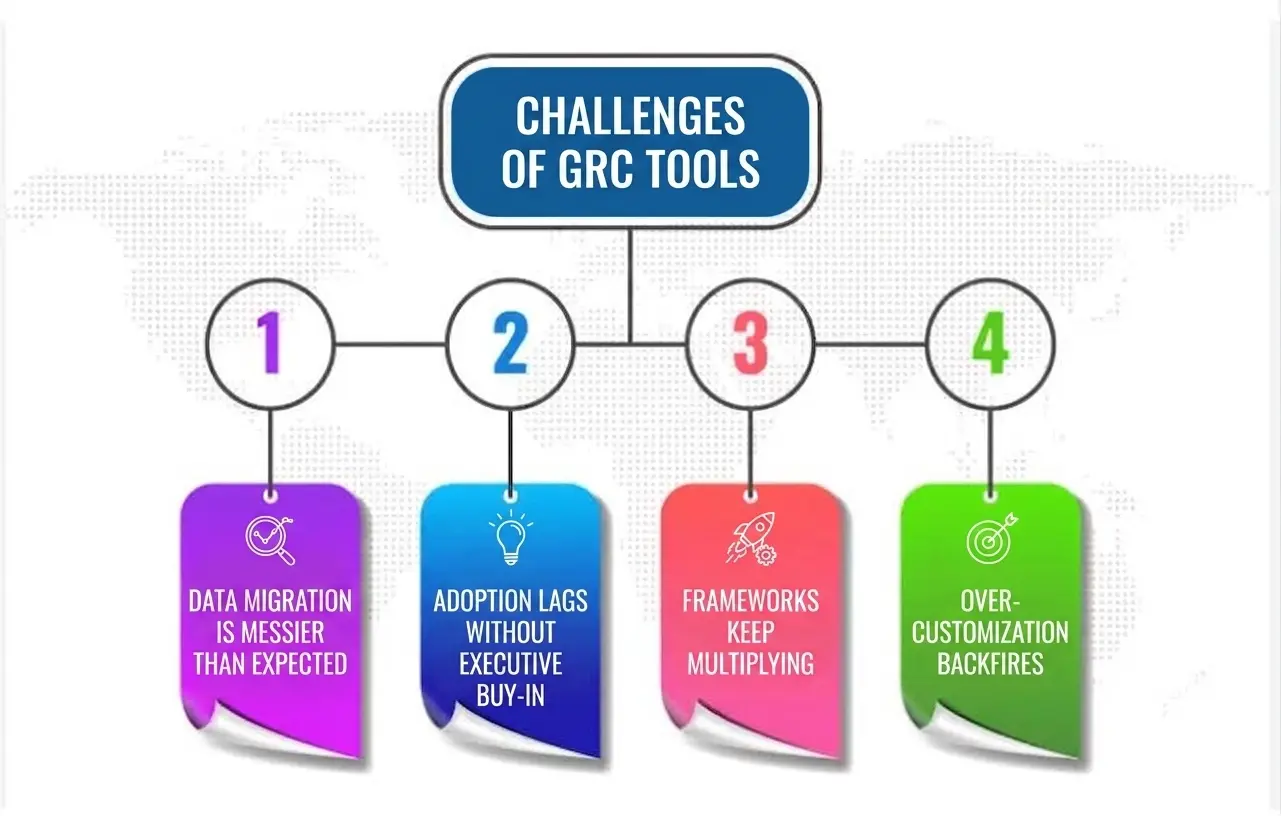
- Data migration is messier than expected. Years of policies, incident logs, and audit history usually live in inconsistent formats across departments. Cleaning and importing that history properly takes longer than most implementation timelines admit up front, and rushing it just moves the mess into the new system instead of solving it.
- Adoption lags without executive buy-in. If leadership treats the new platform as an afterthought, frontline staff will too. The organizations that see the strongest results tend to have a senior sponsor who actively champions the rollout and models using it in meetings, not just in a launch email.
- Frameworks keep multiplying. New regulations, updated standards, and evolving customer security questionnaires never really stop arriving. A platform that can’t absorb an added framework without a costly reconfiguration project will start feeling outdated within a couple of years, no matter how good it looked during procurement.
- Over-customization backfires. It’s tempting to configure every workflow to match exactly how things were done in the old spreadsheet system. In practice, heavily customized deployments are harder to upgrade, harder to train new hires on, and often end up drifting so far from the vendor’s default setup that support becomes difficult.
Anticipating these issues during the selection process — not after signing a contract — tends to separate the rollouts that actually stick from the ones that quietly get abandoned a year later.
How to Choose the Right GRC Tools for Your Organization?
Picking from a crowded field of GRC tools is less about finding the objectively “best” one and more about finding the one that matches your organization’s actual maturity level. A few questions are worth asking before you sign anything.
- How complex is your regulatory footprint? A single-location startup chasing one certification doesn’t need the same depth as a multinational bank. Match the platform’s scope to your real obligations, not to what looks impressive in a sales demo.
- Does it support a real risk register, or just a checklist wearing a fresh coat of paint? Ask to see how risks get scored, assigned, and linked to controls before you buy. A shallow register that can’t be filtered or cross-referenced will frustrate your team within months, not years.
- How is testing actually handled? Look for automated scheduling, evidence attachment, and clear audit trails. If control testing still means manual screenshots and emailed spreadsheets, you haven’t upgraded much of anything.
- Can it grow with you? Whatever you pick today needs room to absorb new frameworks — a new privacy law, a new industry standard — without forcing a full migration two years down the road. This is where the underlying compliance tracking software architecture really matters, since bolt-on modules tend to age badly.
- Will people actually use it? The most sophisticated feature list is worthless if employees find the interface confusing and quietly route around it with their own spreadsheets. Ask for a trial, involve the people who’ll use it daily, and weigh usability as heavily as the feature checklist.
- What does implementation realistically look like? Get a grounded timeline, not a marketing one. Larger suites in particular can take months to configure properly, and that cost belongs in your decision from day one, not as a surprise afterward.
Cost matters too, and the market itself is not small: research firms tracking GRC platform demand generally agree the category has grown steadily as AI-assisted monitoring, cyber risk, and cross-border regulation push more organizations toward a connected system rather than a patchwork of spreadsheets.
A Personal Note
I’ve sat through more than one vendor demo promising to solve every compliance headache with a single, beautiful dashboard, and I’ve also watched teams quietly drift back to spreadsheets six months later because the platform never actually matched how they worked day to day.
My honest advice, especially for students and early-career professionals reading this: learn the underlying concepts first — how risk identification actually happens, what good control testing looks like in practice, what governance management is trying to achieve — before you get attached to any single interface.
Software changes every few years. The logic connecting governance, risk, and compliance doesn’t. Understanding the “why,” and picking up whichever platform your first employer uses becomes far less intimidating than it looks from the outside.