If you’re new to IT auditing, you’ve probably noticed fast that no two audits look the same. Every organization runs different systems, follows different rules, and carries different risks.
That’s exactly why a well-built IT audit checklist matters so much — it’s the one tool that keeps you grounded when the environment in front of you doesn’t match anything you studied in a textbook.
Whether you’re a student preparing for your first internship, a junior auditor building your own working papers, or someone studying for a certification like CISA, this guide walks through the areas a solid IT audit checklist should always touch, and why each one earns its place on the list.
Even outside a classroom, this kind of structured list stays useful. IT managers preparing for an external review use it to spot gaps ahead of time, and small business owners often lean on a simplified version just to get an honest picture of where their data actually stands. The underlying structure works the same regardless of who’s holding the pen.
What Is an IT Audit Checklist, and Why Does It Exist?
An IT audit checklist is a structured list of items, controls, and questions an auditor works through to evaluate how well an organization’s technology, data, and processes are managed and protected. Think of it less as a rigid form and more as a map. It tells you where to look, what evidence to gather, and what “good” looks like for each area of IT operations.
The ISACA IT Audit resources hub is a solid starting point for anyone building or refining their own checklist, since it collects standards, guidelines, and practical tools used by IT auditors around the world.
Without a checklist, audits get inconsistent fast. One auditor might dig deep into network security and barely touch user access; another might do the opposite. A checklist forces consistency, and consistency is what makes audit findings defensible when they’re challenged by management or regulators later on.
Why Every Organization Needs a Structured Checklist?
Technology risk doesn’t sit still. New tools, new vendors, and new regulations show up faster than most internal teams can track manually. A structured checklist gives auditors a repeatable process to catch gaps before they turn into breaches, fines, or failed external reviews.
There’s also a practical reason for keeping one on hand: auditors get rotated, teams change, and institutional knowledge walks out the door when people leave. A well-documented checklist protects an organization from depending on any single person’s memory of “how we usually check this.”
Frameworks and Standards Auditors Commonly Reference
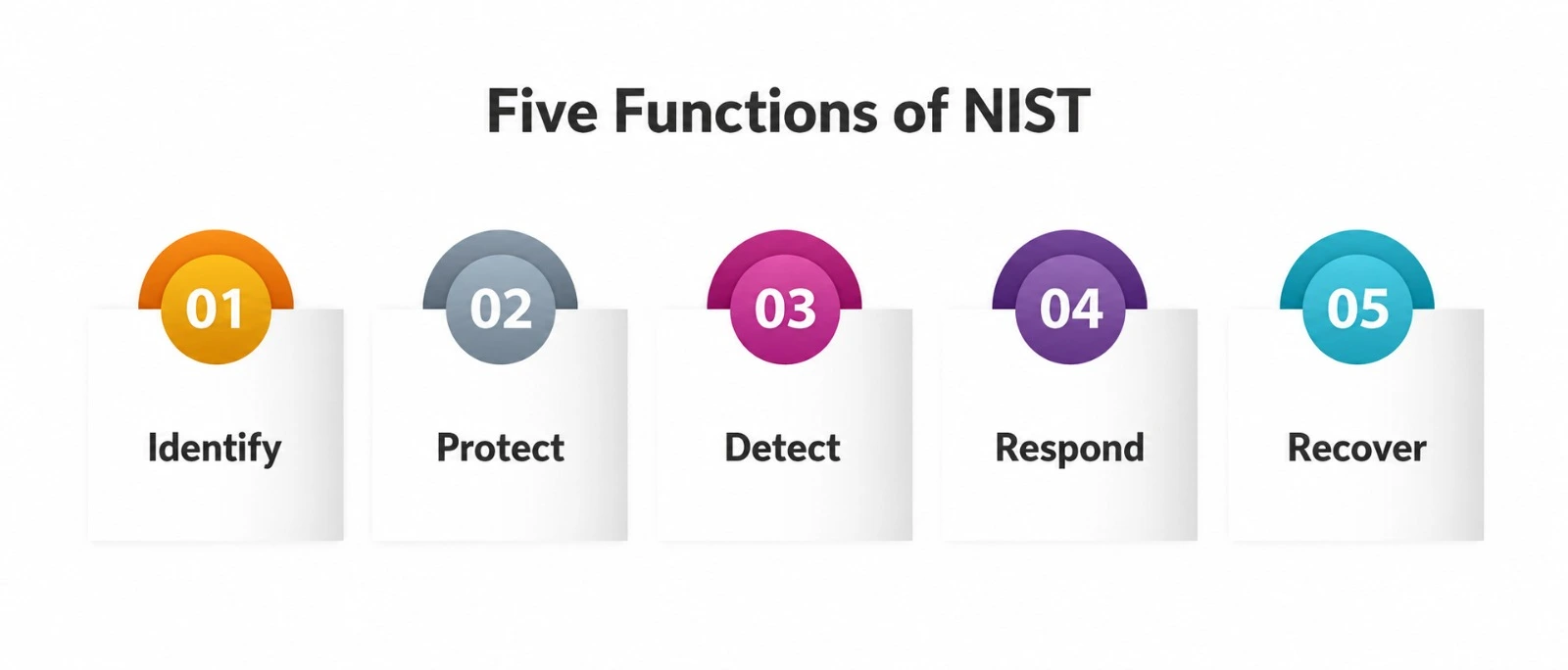
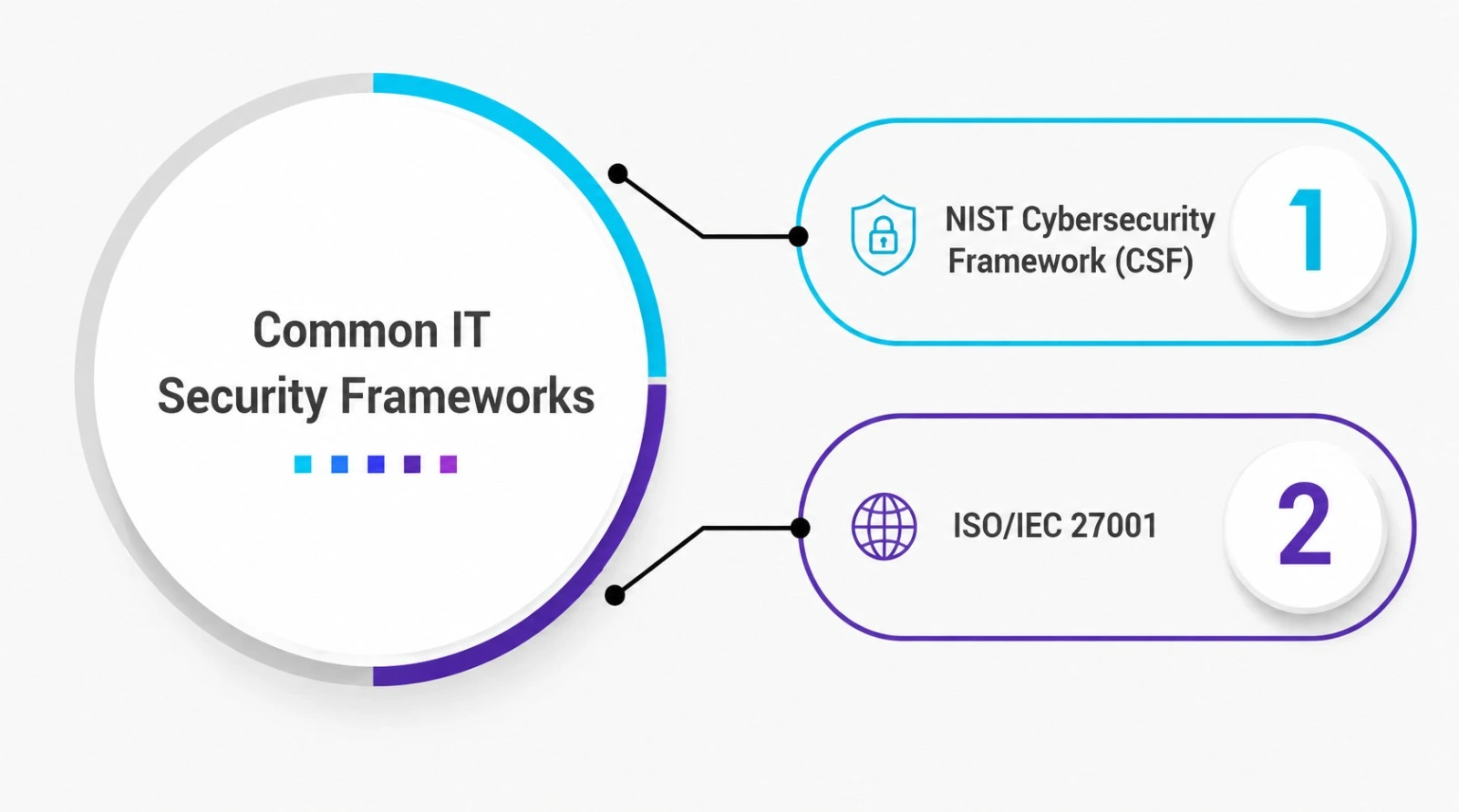
Most auditors don’t build their working list entirely from scratch. Instead, they lean on established frameworks and adapt them to the organization being reviewed. The NIST Cybersecurity Framework organizes work into five functions, identify, protect, detect, respond, and recover, and it’s widely used because it flexes to fit almost any industry.
ISO/IEC 27001 takes a more formal route, laying out requirements for an information security management system that can actually be certified by an external body.
COBIT, maintained by ISACA, leans more toward governance and management of enterprise IT as a whole, which makes it a favorite among auditors who need to connect technical findings back to business risk.
For organizations that handle payment card data specifically, PCI DSS adds a detailed, prescriptive layer on top of whatever broader framework is already in place. None of these frameworks are mandatory on their own unless a contract, regulator, or industry body says otherwise, but referencing one gives an auditor’s working papers credibility.
It also gives the organization being reviewed a clear standard to measure itself against, instead of relying on one person’s personal opinion of what “secure enough” looks like.
Key Areas an IT Audit Checklist Should Cover
Every checklist looks a little different depending on the industry and the framework in use, but most cover the same core territory. Here’s a quick breakdown of the areas that show up in nearly every audit:
|
Audit Area |
What Auditors Look For |
Why It Matters |
|
Access Management |
User provisioning, role-based access, and removal of former employees’ accounts |
Prevents unauthorized users from reaching sensitive systems |
|
Security Policies |
Written, approved, and regularly updated policies covering acceptable use, passwords, and remote work |
Sets the baseline every control is measured against |
|
Control Testing |
Evidence that controls actually work as designed, not just as documented |
Separates paper compliance from real protection |
|
Compliance Review |
Alignment with laws, contracts, and frameworks such as ISO 27001 or PCI DSS |
Reduces legal and financial exposure |
|
Audit Evidence |
Logs, screenshots, configuration exports, and sign-offs collected during fieldwork |
Supports every conclusion the auditor reaches |
|
Change Management |
Approval trails for system and code changes |
Stops unauthorized changes from slipping into production |
|
Data Backup and Recovery |
Backup frequency, storage location, and restore testing |
Confirms the organization can actually recover from an incident |
|
Incident Response |
Documented response plans and evidence that they’ve been tested |
Measures how fast the organization reacts under pressure |
Access Management: The First Line of Defense
Access management usually gets flagged early in any review, and for good reason — most breaches start with an account that should have been disabled and wasn’t. Auditors checking this area typically look at three things: how new accounts get approved, whether access matches actual job duties, and how quickly access is revoked when someone leaves or changes roles.
A common finding here is “access creep,” where employees accumulate permissions from old roles that were never removed. Strong access management means running periodic access reviews, not just relying on the approval that was granted years ago.
Security Policies and Procedures
Security policies are the written rules that everything else on the checklist gets measured against. If a company doesn’t have documented policies, or has policies nobody actually follows, nearly every other control becomes harder to evaluate fairly.
Auditors typically request the organization’s password policy, acceptable use policy, remote access policy, and incident response policy, then compare what’s written against what actually happens day to day.
Frameworks like the NIST Cybersecurity Framework and ISO/IEC 27001 are commonly used as benchmarks when reviewing whether an organization’s security policies are complete and current.
Control Testing: Proving Controls Actually Work
This is where a lot of new auditors get tripped up. It’s not enough for a control to exist on paper — control testing is how you confirm it’s actually operating the way it’s supposed to.
That might mean sampling a batch of access requests to check whether approvals were properly documented, or attempting to push through an unauthorized change to see if it actually gets blocked.
Control testing generally falls into two categories: testing the design of a control (does it make sense on paper) and testing operating effectiveness (does it actually work when someone tries to use it). A review that skips straight to “policy exists, checked” without testing controls directly is really just a documentation review, not an audit.
Compliance Review: Matching IT Practices to Regulations
A compliance review assesses whether an organization’s IT practices actually comply with applicable laws, industry norms, and contractual obligations. This could be PCI DSS for any company taking card payments, HIPAA for health data or GDPR for those serving EU customers.
A compliance review is not simply a box that says “we’re compliant.” Auditors want to see evidence that compliance was maintained on an ongoing basis, in the form of policy documents, training records and audit logs, not assembled just before the audit started.
Audit Evidence: Recording Your Findings
Each conclusion made in an IT audit report must be backed by audit evidence. This can include screenshots, system logs, exports of configurations, notes from interviews and signed approvals. Without solid evidence, a finding is just an opinion, and opinions don’t hold up well when a client or regulator pushes back.
Good audit evidence is specific, timestamped, and traceable back to the exact system or record it came from. Auditors who skip this step often find their conclusions questioned later, simply because there’s nothing on file to back up what they claimed.
Building Your IT Audit Checklist Step by Step
Putting together your own checklist doesn’t need to be complicated. A practical approach looks like this:
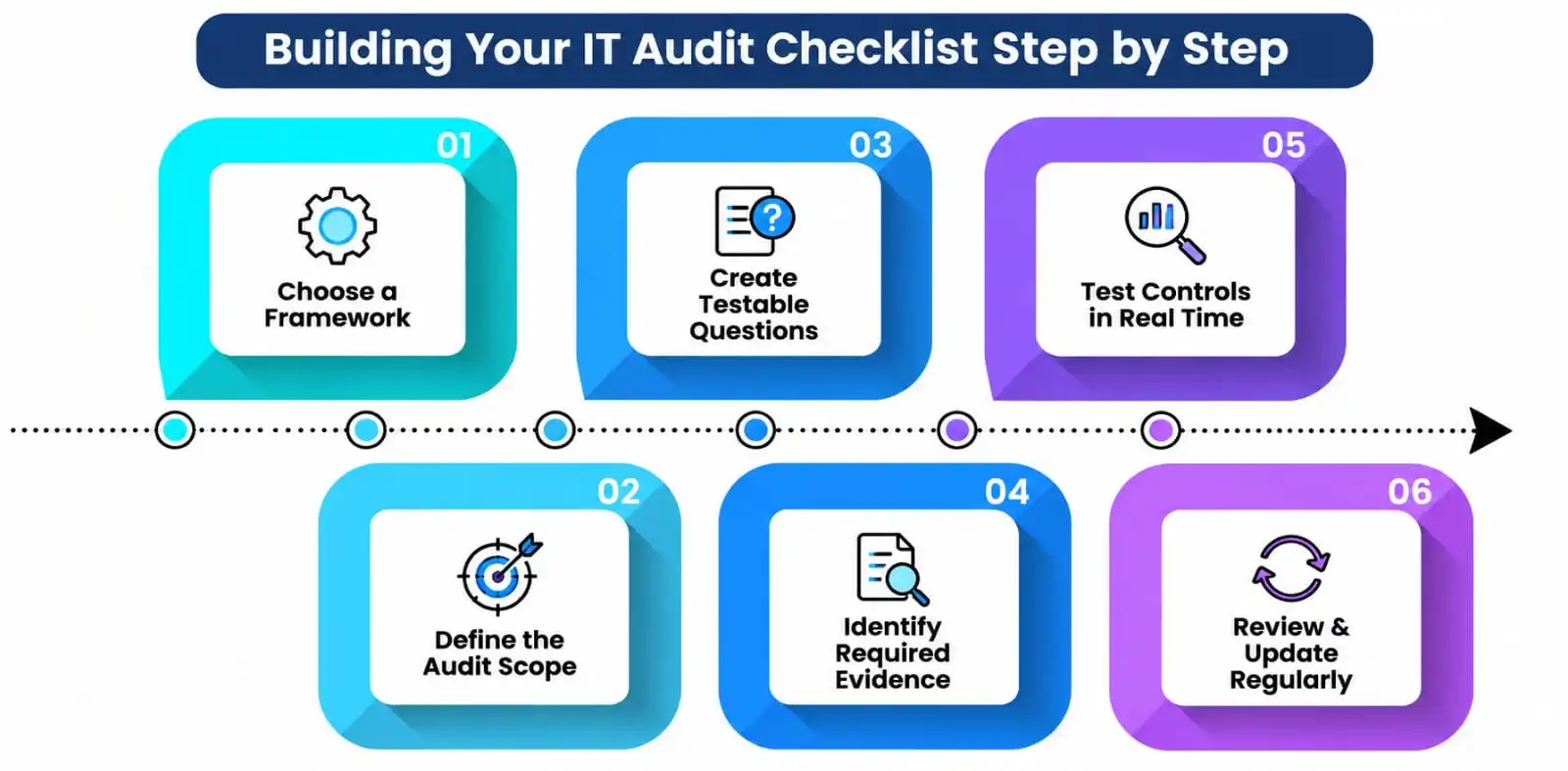
- Start with a framework. COBIT, the NIST Cybersecurity Framework, or ISO 27001 can all provide a solid backbone.
- List the systems, applications, and data types that fall within the audit’s scope.
- Break each area, including user access rights, written policy documentation, and backups, into specific, testable questions.
- Decide what proof you’ll need to collect for each item before fieldwork begins, and where it will come from.
- Build in real time to test controls directly rather than relying only on document review.
- Review and update the checklist after every audit cycle, since environments change constantly.
Common Mistakes Students and New Auditors Make
Even with a good checklist in hand, it’s easy to slip into habits that quietly weaken an audit. None of these come from bad intentions; they usually creep in when time is tight and the work starts to feel like a box-checking exercise instead of a genuine risk assessment.
- Treating the checklist as the entire audit instead of a starting point for judgment
- Accepting a policy document as proof a control works, instead of testing it directly
- Collecting evidence that’s too vague to trace back to a specific date or system
- Skipping compliance checks because “the last audit didn’t flag anything”
- Rushing through user access reviews because they feel repetitive next to more technical areas
- Treating one successful test as proof an entire area is sound, instead of sampling broadly enough to be confident
Conclusion
An IT audit checklist isn’t about running through a rigid script. It’s about making sure nothing important gets missed while still leaving room for professional judgment where it’s genuinely needed.
Cover access management, security policies, control testing, compliance review, and audit evidence properly, and you’ll catch the vast majority of issues that actually matter to an organization’s security and governance. That’s the real point of building an IT audit checklist in the first place: fewer surprises, better evidence, and audits that hold up under scrutiny.
A Personal Note
I still remember my first real audit fieldwork, checklist in hand, absolutely convinced I had it all figured out because every box had a neat little checkmark next to it. What I hadn’t grasped yet was that the checklist was never meant to replace thinking. It’s meant to make sure I didn’t forget to think about something.
The best auditors I’ve worked with treat their checklist as a floor, not a ceiling. If you’re a student reading this before your first internship, that’s the one thing I’d want you to take with you: build the habit of asking “why” after every checked box, not just “is it checked.”
Years later, my own lists look shorter than the ones I started with, not because I check less, but because I’ve finally learned when a box needs a real conversation instead of a quiet tick mark. Give yourself permission to get there slowly.