




Search “best SIEM certification USA” and you’ll land on listicles that treat every security platform as interchangeable. They aren’t. If the job posting in front of you names Microsoft Sentinel specifically—and a growing share of US security operations center postings now do—generic SIEM coursework won’t close the gap.
You need Microsoft Sentinel training that puts you inside the actual product: writing real queries, triaging realistic alerts, and building the incident response management habits a hiring manager tests for in a screening call.
This guide covers why specific training matters in the US market right now, which online courses are worth your time, and the common traps that leave learners with a certificate and not much else.
Why Microsoft Sentinel Training Matters for US Security Teams Right Now?
The numbers behind this aren’t abstract. The median pay for the role sat at $129,180 a year as of May 2025, with employment projected to grow 21% between 2025 and 2035—”much faster than average” for any tracked occupation—alongside roughly 14,100 openings a year over that decade.
CyberSeek data reported by Dark Reading sharpens that picture: roughly 301,873 cybersecurity jobs sat open across US private and public employers, against about 768,096 people already working in the field—close to one unfilled role for every 2.5 workers, far tighter than the national average across all occupations. “Operate and Maintain” roles, the category most Tier 1 and Tier 2 SOC analyst jobs fall under, account for more than 194,000 of those openings alone.
Microsoft’s own security stack sits squarely inside that demand. A large and growing share of US enterprises already run Microsoft 365 or Azure, which makes Microsoft Sentinel the default cloud-native SIEM rather than an add-on purchase, and that’s exactly why employers are naming it directly in job postings instead of asking for generic “SIEM experience.”
Cybersecurity analyst training that skips straight to Sentinel’s dashboards without the underlying security monitoring logic—why an alert fired, what a baseline looks like, how to tell a false positive from something that needs escalation—tends to produce candidates who can click around the product but can’t explain a decision out loud. That gap shows up fast in a live technical interview, and it’s the single biggest reason some training leaves people stuck at the application stage.
What a Real Sentinel Training Course Should Teach You?
A lot of courses labeled “Sentinel training” are thin—a product tour dressed up as a curriculum. Training actually worth your evenings should leave you able to do the following, not just recognize the terms:
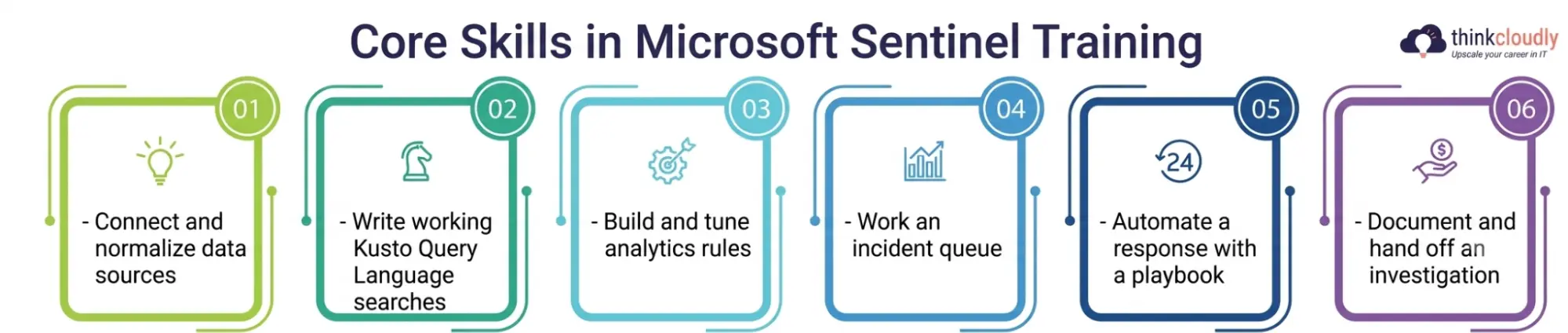
- Connect and normalize data sources inside Microsoft Sentinel, from firewall logs to Microsoft 365 activity feeds, so you understand what’s landing in the workspace before you ever write a query.
- Write working Kusto Query Language searches that pull a single relevant event out of millions of log entries, not copy-pasted queries you don’t understand.
- Build and tune analytics rules so a pattern you’ve already investigated once surfaces automatically the next time it happens.
- Work an incident queue inside Sentinel’s investigation graph, separating false positives from real escalation-worthy activity.
- Automate a response with a playbook, even a simple one, so you understand how automation fits into a real SOC workflow.
- Document and hand off an investigation clearly enough that a Tier 2 analyst doesn’t have to redo your triage from scratch.
If a course skips the “why” behind an alert and jumps straight to clicking through dashboards, you’ll finish it familiar with the interface but unable to defend a single decision when an interviewer asks you to walk through your reasoning.
Best Online Courses for Microsoft Sentinel Training in the USA
Here’s how the main US-accessible options compare, from free self-paced material through full instructor-led bootcamps built around the SC-200 exam.
|
Course / Provider |
Format | Typical Cost (USD) |
Best Suited For |
|
Microsoft Learn’s SC-200T00 self-paced path |
Free, browser-based, self-paced | $0 |
Beginners who want the official curriculum straight from Microsoft before spending anything |
|
Pluralsight Sentinel & SC-200 learning paths |
Self-paced video + hands-on labs | ~29–45/month subscription |
Learners who already have a tech background and want structured video plus lab reinforcement |
|
Udemy SC-200 / Sentinel prep courses |
Self-paced video, lifetime access | ~15–90 one-time (frequent discounts) |
Budget-conscious learners who want a single affordable course rather than a subscription |
|
Coursera Microsoft security certificate tracks |
Self-paced, guided projects | ~$49/month subscription |
Career-switchers who want a structured syllabus with deadlines and peer discussion |
|
Instructor-led SC-200 boot camps (e.g., Training Camp) |
4-day live virtual or in-person | Roughly 2,500–3,500, often bundling the exam voucher |
Candidates who want guided labs, a practice exam, and a certification guarantee in one package |
If you’re choosing between these, the honest answer is that cost doesn’t track quality in either direction. The free Microsoft Learn SC-200T00 path covers the same exam objectives as the $3,000 boot camp—what the paid options add is guided lab time, an instructor to ask questions of, and in some cases a free retake if you don’t pass the SC-200 exam the first time. Pick based on how much structure you actually need, not on which number looks the most serious.
Microsoft Sentinel Certification vs. General Cybersecurity Analyst Training
It’s worth separating two things people often blur together: Microsoft Sentinel certification and general cybersecurity analyst training. The certification—Microsoft Certified: Security Operations Analyst Associate, earned by passing the SC-200 exam—is a vendor-issued credential telling an employer you can operate Sentinel, Microsoft Defender XDR, and related tools to a tested standard.
According to Microsoft’s own SC-200 certification page, the 100-minute exam covers managing a security operations environment, responding to incidents, and threat hunting and must be renewed yearly through a free online assessment. Pricing varies by country, but US candidates are currently looking at roughly $165 per attempt.
General cybersecurity analyst training, by contrast, is broader and vendor-agnostic—it covers networking fundamentals, log analysis concepts, and incident handling in a way that applies whether your next employer runs Sentinel, Splunk, or something else entirely.
Most people get the best outcome by sequencing the two: the broader fundamentals first, then Microsoft Sentinel training and the SC-200 certification once you’ve picked a platform to specialize in.
Going straight for the vendor-specific credential without the fundamentals underneath it tends to produce someone who can pass the exam but struggles the first time a real incident doesn’t match the textbook pattern.
Building Incident Response Management Skills Through Microsoft Sentinel Training
Finding an alert inside Sentinel is only half the job. The harder half—deciding what to do about it—is where real judgment separates a candidate who can talk about security monitoring from one who can actually run a shift. Strong Sentinel coursework builds this deliberately, usually around skills like:
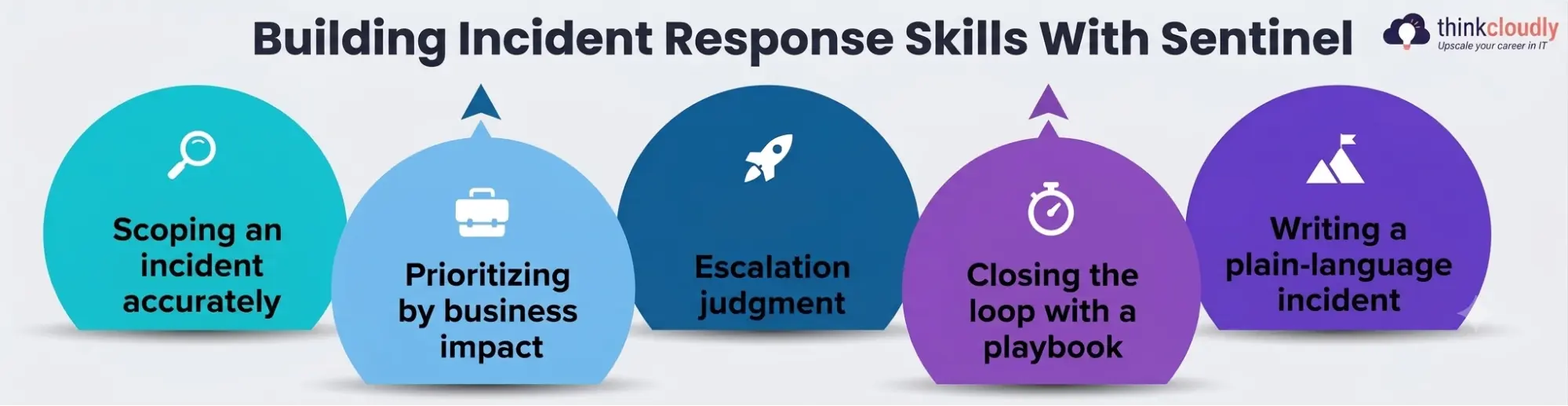
- Scoping an incident accurately—working out what’s genuinely affected versus what merely shares a timestamp with something suspicious.
- Prioritizing by business impact, not by how loud or recent an alert happens to be in the queue.
- Escalation judgment—knowing which findings need immediate incident response management attention from a Tier 2 or Tier 3 analyst and which can wait for the next shift handoff.
- Closing the loop with a playbook so the same low-value alert type doesn’t keep eating analyst time every single day.
- Writing a plain-language incident summary that a non-technical manager could follow in under a minute, without losing the technical substance underneath it.
Most entry-level courses cover detection well and spend comparatively little time on this half of the job, which is exactly the gap that shows up in a hiring manager’s follow-up questions. Treat every lab exercise in your training as though you’ll have to explain the decision out loud afterward—because in a real SOC, you will.
Kusto Query Language: The Skill Every Sentinel Course Has to Get Right
If there’s one single skill that separates someone who’s “done Sentinel training” from someone who can actually work inside a SOC, it’s fluency with Kusto Query Language. Microsoft Sentinel is built on top of Azure Monitor’s log analytics engine, and KQL is how every search, every analytics rule, and every hunting query actually gets written. A course that treats it as a side topic rather than a core module is skipping the single most testable, most interview-relevant skill in the entire curriculum.
Good training sequences KQL deliberately: starting with basic filtering and projection, moving into joins across multiple log tables, and finishing with the kind of multi-stage hunting queries SC-200’s threat-hunting domain actually tests. If you finish a course and still feel shaky writing a query from a blank screen rather than copying one from a slide, that’s worth fixing with extra practice before you sit the exam or walk into an interview—not after.
Security Information and Event Management: Where Sentinel Fits the Bigger Picture
Microsoft Sentinel is one implementation of a much older idea: security information and event management, the practice of collecting, correlating, and acting on log data across an entire environment from one central place. Understanding it as a discipline—not just as “the Sentinel dashboard”—is what lets you transfer your skills if a future employer runs a different platform.
The core job of any security information and event management system is the same regardless of vendor: ingest data from firewalls, endpoints, identity providers, and cloud services; normalize it into a consistent format; correlate events that look unrelated on their own but form a pattern together; and surface that pattern to an analyst fast enough to matter.
Training framed this way — rather than teaching Sentinel as an isolated product — gives you a foundation that holds up even if your career eventually takes you to a differently branded SIEM platform.
A Realistic Plan for Finishing Microsoft Sentinel Training in 2027
Trying to absorb KQL syntax, Sentinel’s interface, and incident response workflow all at once is how most self-taught learners stall out around week three. A sequenced plan holds up better:
- Weeks 1–2: Build or refresh networking and log fundamentals before touching Sentinel’s dashboard at all — skipping this step is the single most common reason beginners feel lost later.
- Weeks 3–6: Work through Microsoft Learn’s SC-200T00 self-paced path, treating every KQL exercise as something to redo from memory, not just read through once.
- Weeks 7–9: Add a paid course (Pluralsight, Udemy, or Coursera) or instructor-led boot camp for structured lab reinforcement and a second explanation of anything that didn’t stick the first time.
- Weeks 10–11: Practice incident-handling scenarios specifically — triage, escalation, and writing summaries — since this is the part most self-study skips.
- Week 12 onward: Book the SC-200 exam once you can write a KQL query from scratch without a reference open, and start applying to Tier 1 SOC roles in parallel rather than waiting to feel fully ready.
Common Mistakes That Slow Down Microsoft Sentinel Training
- The most expensive mistake isn’t picking the wrong course — it’s booking the SC-200 exam the moment the course material ends, with no independent query-writing practice in between, and then paying to retake it.
- A second mistake is treating Microsoft Sentinel certification as a substitute for foundational cybersecurity analyst training rather than a complement to it; the exam tests Sentinel-specific skills, but interviewers still probe the fundamentals underneath.
- A third, quieter mistake is skipping hands-on response practice because it feels less exciting than alert-hunting, even though it’s usually the first thing a hiring manager asks about in a screening call.
- A fourth is assuming every course labeled “Sentinel training” is equally hands-on — some are little more than a recorded product demo with a certificate attached at the end.
Final Thoughts
Microsoft Sentinel training in the USA isn’t short on options — the harder part is picking one that actually builds the skills a real SOC shift demands, rather than one that just gets you familiar with where the buttons are. Between a free Microsoft Learn path, a handful of solid paid video courses, and instructor-led boot camps bundling the SC-200 exam, there’s a reasonable option at every budget.
What matters more than which one you pick is finishing it properly: writing real KQL queries until they’re second nature, practicing incident response management on realistic scenarios, and understanding security information and event management as a discipline rather than memorizing one product’s menu structure.
A Personal Note
The thing that surprised me most watching people go through Microsoft Sentinel training is how rarely the expensive option is the deciding factor. I’ve seen someone pass the SC-200 exam off nothing but the free Microsoft Learn path and a few focused weekends of KQL practice, and watched someone else struggle after a $3,000 boot camp whose theory was solid but never forced them to write a query unassisted.
If you’re deciding where to start, spend your first few hours figuring out honestly how much structure you need — not shopping for whichever course looks most impressive on a resume line.