



Most people searching for a SIEM training course assume the only real path into security operations runs through a four-figure bootcamp invoice. It doesn’t. Canada’s SOC teams are short-staffed enough right now that free, self-paced material from Splunk and Microsoft carries real weight on an entry-level resume, provided you can show you actually worked through it instead of just collecting badge screenshots.
This guide pulls together the free resources actually worth your time in Canada, how to sequence them, and where the free material stops and paid credentials start making sense.
Why Does an SIEM Training Course Matter More in Canada Right Now?
The numbers behind this aren’t marketing copy. Canada is heading into 2026 short of more than 26,000 cybersecurity professionals, according to Mile2 Canada’s breakdown of the national job market, which tracked 2,448 unique cybersecurity job postings between March 2025 and February 2026, with new openings landing between 180 and 270 every month.
That same report cites Job Bank Canada data showing security analyst wages running from roughly $62,400 to $150,000 a year, with entry-level pay sitting toward the lower end of that band—still a meaningful jump for anyone coming from an unrelated field.
Statistics Canada figures referenced in the same report show about 16% of Canadian businesses reported a cybersecurity incident in 2023, and incident-recovery spending doubled to $1.2 billion that year. Every one of those incidents needed someone watching logs, correlating alerts, and making a judgment call—the exact job this kind of training is built to prepare you for.
Ontario’s near-term hiring outlook is rated more cautiously than Nova Scotia’s in the same data, so where you’re searching inside Canada does shape how fast free training turns into interviews, but the underlying shortage is national.
That shortage isn’t evenly spread across security roles, either. Postings for Tier 1 SOC analyst work consistently outnumber senior threat-hunting or architecture roles in the same data, which is the practical reason free, entry-level material matters so much here: employers aren’t just short-staffed in theory, they’re short-staffed at exactly the level a self-taught beginner can realistically reach within a few months of focused effort.
What a Real SIEM Training Course Should Actually Teach You?
A lot of free material online is thin—a few slides calling themselves a course. A course worth your evenings should leave you able to do the following, not just describe it:
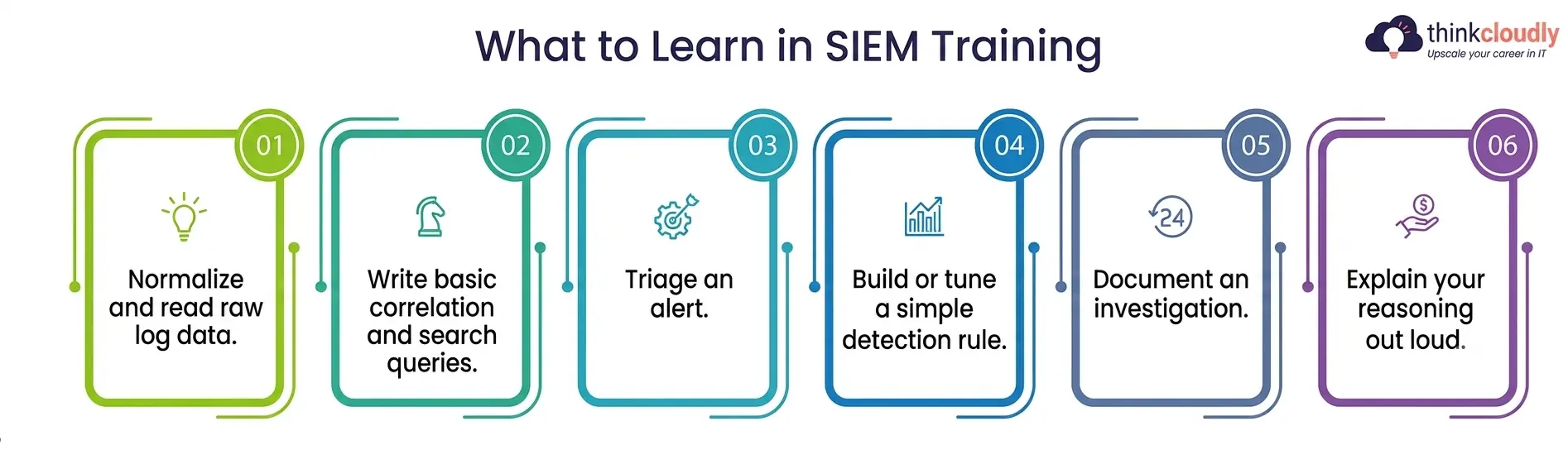
- Normalize and read raw log data from firewalls, endpoints, and cloud services inside a SIEM dashboard, not just a spreadsheet export.
- Write basic correlation and search queries—Splunk’s SPL or Microsoft’s KQL—to pull a specific event out of millions of log lines.
- Triage an alert by working out whether it’s a false positive, a low-priority anomaly, or something that needs immediate incident response skills applied.
- Build or tune a simple detection rule so the next occurrence of the same pattern surfaces automatically instead of getting buried.
- Document an investigation clearly enough that a Tier 2 analyst can pick it up without asking you ten follow-up questions.
- Explain your reasoning out loud, since interviewers consistently rate a candidate who can narrate a decision higher than one who can only point at a dashboard and say it looked suspicious.
If a course skips straight to dashboards and skips the underlying security monitoring logic—why an alert fired, what normal traffic looks like first—you’ll finish it able to click around a product but not actually investigate anything. That gap is exactly why so many self-taught beginners stall in interviews: they can describe a SIEM tool’s interface but not the reasoning behind a real alert.
Free SIEM Training Course Resources You Can Start in Canada This Week
None of these require a Canadian address, a credit card, or a corporate email to begin, and each one puts you inside real SIEM tools rather than a slide deck describing them. They do require consistency, since free courses tend to earn far less trust than live project work and are most believable the moment you can describe something specific you actually did inside them.
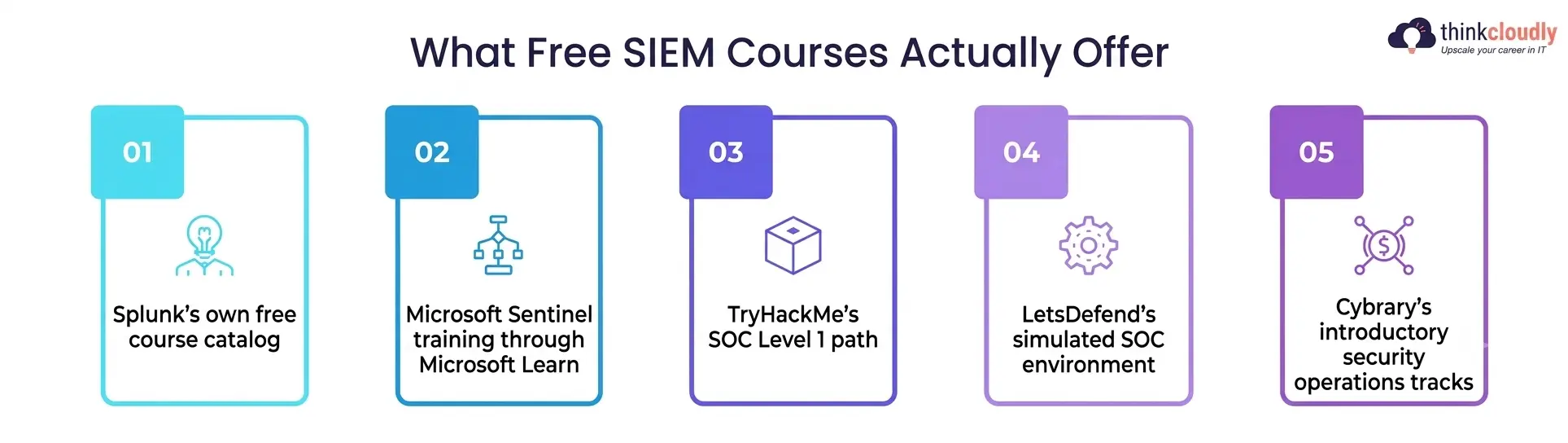
- Splunk’s own free course catalog—roughly 75 self-paced courses covering Splunk Enterprise, Splunk Cloud, and dedicated Splunk training on security use cases, including Introduction to Enterprise Security, Security Operations and the Defense Analyst, and SOC Essentials: Investigating with Splunk. Start with Splunk Fundamentals before touching the security-specific tracks.
- Microsoft Sentinel training through Microsoft Learn—the self-directed path behind the SC-200 exam teaches you to configure and run Microsoft’s cloud-native SIEM, write KQL queries, and investigate alerts across Microsoft Sentinel and Microsoft Defender XDR, listed at roughly 96 hours of material. It’s free to work through on your own; only instructor-led delivery carries a cost.
- TryHackMe’s SOC Level 1 path—guided rooms using real log data and SIEM tools rather than slides, described by the platform’s own writeup as the most direct structured route to Tier 1 SOC readiness available free online. Pair it with the pre-security path if networking fundamentals are still shaky.
- LetsDefend’s simulated SOC environment—a free tier that drops you into a mock security-operations center with live-looking alerts, which is closer to a real shift than most paid courses manage.
- Cybrary’s introductory security operations tracks are useful as a second opinion on terminology before you commit real hours to a longer course elsewhere and a reasonable gut check on whether this field actually suits you before you go further.
Splunk Training vs. Microsoft Sentinel Training: Picking Your Free Starting Point
Both paths are legitimate, and most SOC job postings in Canada name one or the other by product rather than asking for “SIEM experience” in the abstract. Picking between the two isn’t really a question of which product is “better”—both are enterprise-grade and both show up constantly in Canadian job boards running live security monitoring programs—it’s a question of which ecosystem matches the employers you’re actually targeting. Here’s how the two free tracks compare for a beginner choosing where to spend the first thirty hours.
|
Factor |
Splunk Training (Free) |
Microsoft Sentinel Training (Free) |
|
Query language |
SPL (Search Processing Language) |
KQL (Kusto Query Language) |
|
Access needed |
Free Splunk account, browser-based labs |
Free Microsoft Learn account, Azure sandbox for some modules |
|
Best starting course |
Splunk Fundamentals 1 |
SC-200T00 self-directed path |
|
Hands-on security module |
SOC Essentials: Investigating with Splunk |
Investigate threats with Microsoft Sentinel. |
|
Market fit in Canada |
Common in finance, retail, and large enterprises |
Common where the organization already runs Microsoft 365 or Azure |
|
Pairs well with |
CompTIA Security+ | Microsoft SC-200 certification exam |
If you’re not sure which to start with, look at job postings in your own city first. Picking the platform your local employers actually run will always beat a generic “learn both equally” plan, and it keeps your free hours pointed at something a hiring manager will recognize on your resume.
A rough rule of thumb that holds up across most Canadian job boards: older, established enterprises in finance, insurance, and retail tend to run Splunk because they adopted it years before cloud-native options existed, while organizations already deep into Microsoft 365 or Azure default to the Microsoft stack because it’s bundled into licensing they already pay for.
Startups and smaller firms are more of a toss-up, and sometimes run both, which is where picking the free track with the deeper lab content—usually Splunk’s security course catalog—gives you a slight edge if you genuinely can’t decide.
Building Incident Response Skills While You Practice With Free SIEM Tools
Finding an alert is only half the job. The other half—deciding what to do about it—is where incident response skills separate a candidate who can talk about security monitoring from one who can actually run a shift. As you work through free material, deliberately practice:
- Scoping an incident—what’s actually affected, versus what merely looks related.
- Prioritizing by impact, not by how loud or recent an alert is.
- Escalation judgment—knowing which findings need a Tier 2 analyst immediately and which can wait for the next shift handoff.
- Writing a clear incident summary a non-technical manager could follow in under a minute.
Most free training material covers detection well and incident response thinly, which is the single biggest gap between a beginner’s lab notebook and a real Tier 1 shift. Fill that gap deliberately by treating every lab exercise as if you had to explain your decision to a supervisor afterward—Cybrary and TryHackMe both include short scenario-based exercises built for exactly this, and they’re worth doing twice. A candidate who can calmly walk through why they escalated one alert and ignored another is demonstrating incident response skills most free courses only mention in passing.
A Realistic 90-Day Plan to Finish a Free SIEM Training Course
Trying to absorb Splunk, Microsoft Sentinel, and three different lab platforms simultaneously is how most self-taught learners burn out around week three. A sequenced plan holds up better:
- Weeks 1–3: Finish the networking and log-fundamentals basics through TryHackMe’s Pre-Security path before touching a SIEM dashboard at all.
- Weeks 4–7: Work through Splunk Fundamentals or the SC-200 self-directed path—pick one platform ecosystem first rather than splitting attention.
- Weeks 8–10: Move into the security-specific modules—Splunk’s Enterprise Security courses or Sentinel’s threat-investigation content—and start logging what you did in a plain-text journal.
- Weeks 11–12: Run through TryHackMe’s SOC Level 1 or LetsDefend’s simulated alerts, timing yourself the way a real shift would.
- Week 13 onward: Write up two or three detection scenarios in detail and start applying to Tier 1 SOC roles — don’t wait to feel fully ready before submitting an application.
Mistakes That Slow Down a Free SIEM Training Course Plan
- The most common failure isn’t picking the wrong platform — it’s switching platforms every time motivation dips, which leaves a learner with four unfinished free course accounts and no deep repetition in any of them.
- A second mistake is skipping the boring foundational networking content to reach the “exciting” alert-triage labs faster, which backfires the moment an interviewer asks why a particular log pattern matters.
- A third is treating every free course as equally credible — some genuinely teach security monitoring fundamentals, and some are thin marketing funnels dressed up as training; read a course’s syllabus before enrolling, not after finishing it.
- A fourth, quieter mistake is skipping incident response practice entirely because it feels less exciting than alert-hunting — yet it’s usually the first thing a hiring manager probes for in a screening call.
- A fifth mistake, specific to Canada, is assuming every province’s job market behaves the same way; a learner in a region with a thinner local hiring pool may need to widen their search to remote-friendly postings sooner than someone based in a larger tech hub.
Final Thoughts
A free SIEM training course won’t hand you a job on its own, and no legitimate resource — Splunk’s, Microsoft’s, or otherwise — claims it will. What it can do is give you enough real Splunk training or Microsoft Sentinel training to talk credibly about security monitoring, SIEM tools, and incident response skills in an interview, which is the actual bar most Tier 1 SOC postings in Canada are testing for.
Pick one ecosystem, finish it properly, document what you built, and apply before you feel completely ready. That sequence, done with free material, consistently beats an unfinished paid bootcamp sitting half-watched in a browser tab.
A Personal Note
The thing nobody tells beginners about free SIEM training is that the material was never the hard part — Splunk and Microsoft both put genuinely good content out for free. The hard part is sitting with one platform long enough to stop feeling like a tourist clicking through someone else’s dashboard.
I’ve seen people bounce between three free courses in a month and come out knowing less than someone who stayed with one slightly boring Splunk module for three weeks straight. If you’re in Canada and weighing where to start, pick whichever free path matches the job postings you’re actually seeing locally, and give it longer than feels comfortable before judging whether it’s working.