If you’ve ever tried to launch a small app and gotten stuck configuring servers, installing runtimes, and figuring out load balancers before you’d even written your first real feature, you already understand why Platform as a Service exists.
I’ve been in that exact spot—staring at a terminal, three hours into “setup,” with zero actual product built. That frustration is basically what pushed an entire industry toward platform as a service as the default way teams ship software today.
This guide breaks down what Platform as a Service actually means, how it works, why it matters for students and early-career developers, and how to pick the right one without getting overwhelmed. No jargon walls, no fluff — just a clear, honest explanation.
What Is Platform as a Service, Really?
At its core, Platform as a Service is a cloud computing model that hands you a ready-made environment to build, test, and run applications, so you never have to touch the physical servers or operating systems underneath. The provider takes care of the infrastructure layer — servers, storage, networking, patching — while you focus purely on writing code and shipping features.
Think of it like renting a fully equipped kitchen instead of building one from scratch. You don’t need to install the plumbing or wire the electricity. You show up, use the stove and the tools already there, and cook. That’s the entire promise of Platform as a Service: skip the plumbing and focus on the cooking.
According to Red Hat’s overview of PaaS, a platform-as-a-service model provides an all-in-one cloud computing platform—hardware, software, and infrastructure combined—that simplifies how developers build, deploy, and manage applications without maintaining the underlying platform themselves.
This is also why Platform as a Service has become the backbone of modern app development. Industry data shows just how fast this shift has happened. Research shows over 64% of new applications were built on cloud-native platforms like PaaS, up sharply from 46% in just three years — and the global PaaS market itself is projected to grow from roughly $137 billion in 2025 to over $344 billion by 2031.
That’s not a small trend. That’s a fundamental shift in how software gets made.
Where Does Platform as a Service Fit in the Cloud Computing Puzzle?
Cloud computing usually gets split into three layers, and students often mix these up in exams and interviews, so let’s clear it up simply.
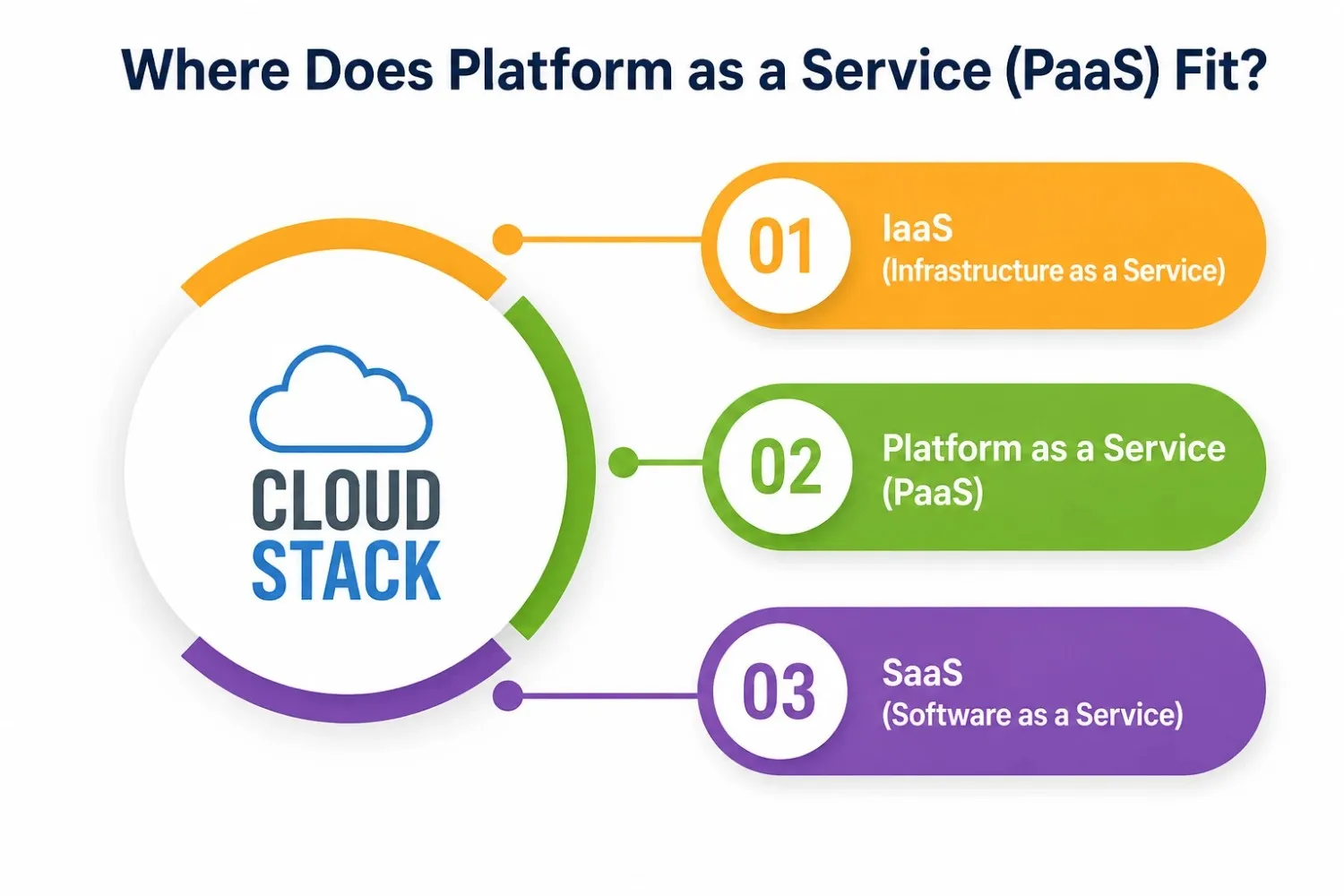
- IaaS (Infrastructure as a Service) gives you raw servers, storage, and networking. You manage the operating system, runtimes, and everything above it yourself.
- Platform as a Service gives you a managed coding environment with the operating system, runtime, and deployment pipeline already handled. You just bring your code.
- SaaS (Software as a Service) gives you a finished, ready-to-use application (think Gmail or Notion)—you don’t build anything; you just use it.
As explained by Encore’s 2026 PaaS guide, a Platform as a Service setup runs everything below your application code—the operating system, runtime, deploy pipeline, scaling, and even the exposed URL—so you literally just push your code and get a working app back.
This middle position is exactly why Platform as a Service feels like the “sweet spot” for most student projects, hackathons, and early-stage startups. You get more control than SaaS but way less setup burden than IaaS.
Core Components of a Platform as a Service
Every solid platform-as-a-service setup is built from a few consistent building blocks. A typical PaaS platform includes the following:
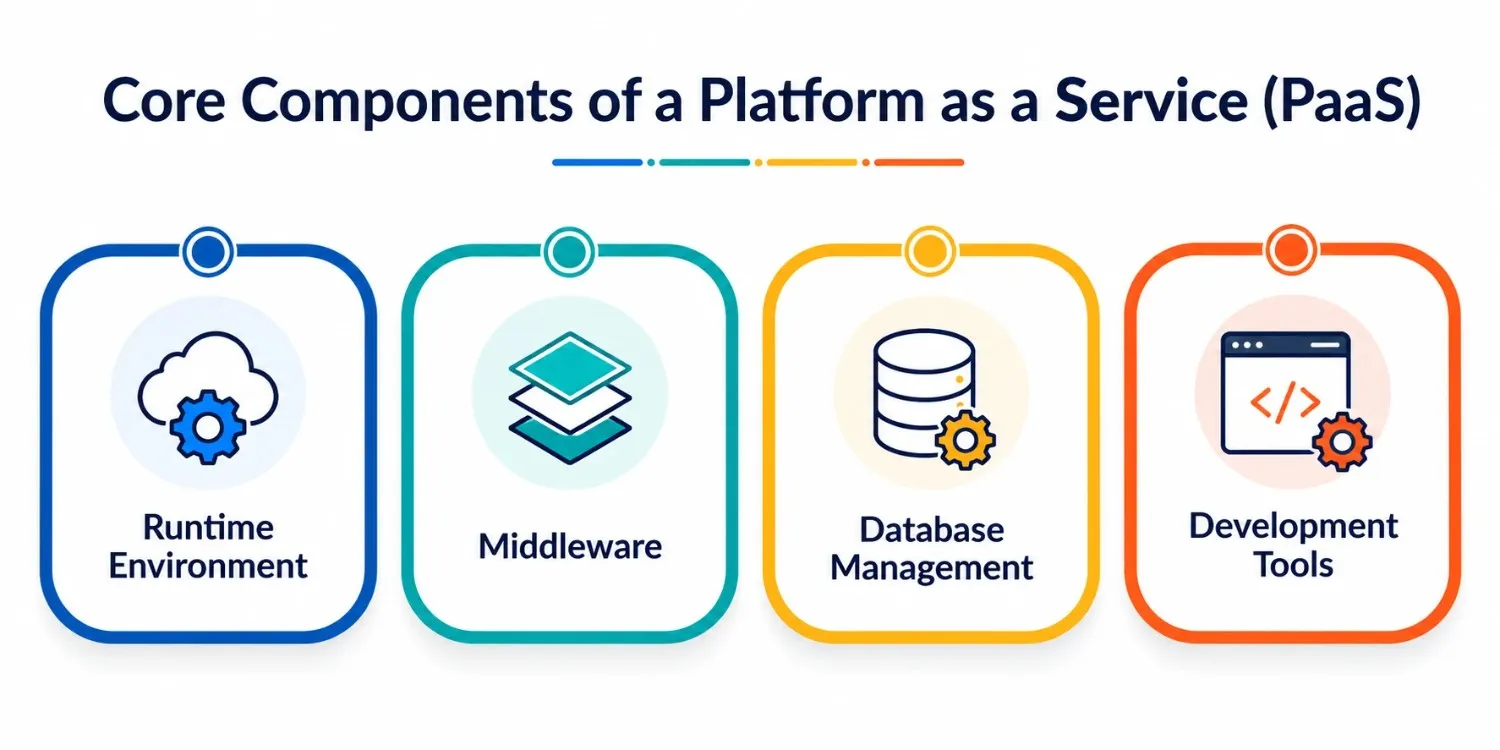
- Runtime environment — pre-configured language runtimes like Node.js, Python, Java, Go, or .NET so your code runs without manually provisioning servers.
- Middleware — the connective tissue like message queues and caching layers that link different parts of your application together, which becomes essential for smooth API integration across services.
- Database management — built-in relational and NoSQL data services with automatic backups and scaling, removing the headache of manual data handling.
- Development tools — CI/CD pipelines, buildpacks, and deployment automation that streamline your entire software deployment process from code commit to live app.
These four pillars are what separate a real Platform as a Service offering from just “a server you rented.”
Why Should Students and Beginners Care About This?
If you’re studying computer science or teaching yourself to code, you might think Platform as a Service is something only “real companies” use. That’s not true anymore. In fact, it’s often the easiest way to actually finish a project instead of getting stuck in setup hell.
Here’s the practical value for students, using the same development tools that professional teams rely on daily:
- You learn faster. Instead of spending a week learning server administration, you spend that week actually building features and understanding your coding environment.
- You avoid expensive mistakes. Cloud platform providers give free tiers generous enough for coursework, portfolio projects, and small startups.
- You build real, deployable projects. A project sitting only on your laptop doesn’t impress recruiters. A live link does.
- You understand modern workflows. Every serious tech job today expects familiarity with some form of cloud platform and deployment pipeline — starting early gives you a head start.
As GeeksforGeeks explains, Platform as a Service is designed specifically for developers and application delivery teams, providing a complete, pre-configured, managed environment so they can build, test, deploy, and scale applications without the burden of managing infrastructure.
How Does Platform as a Service Actually Work (Step-by-Step)?
Let’s simplify the workflow so it’s easy to picture:
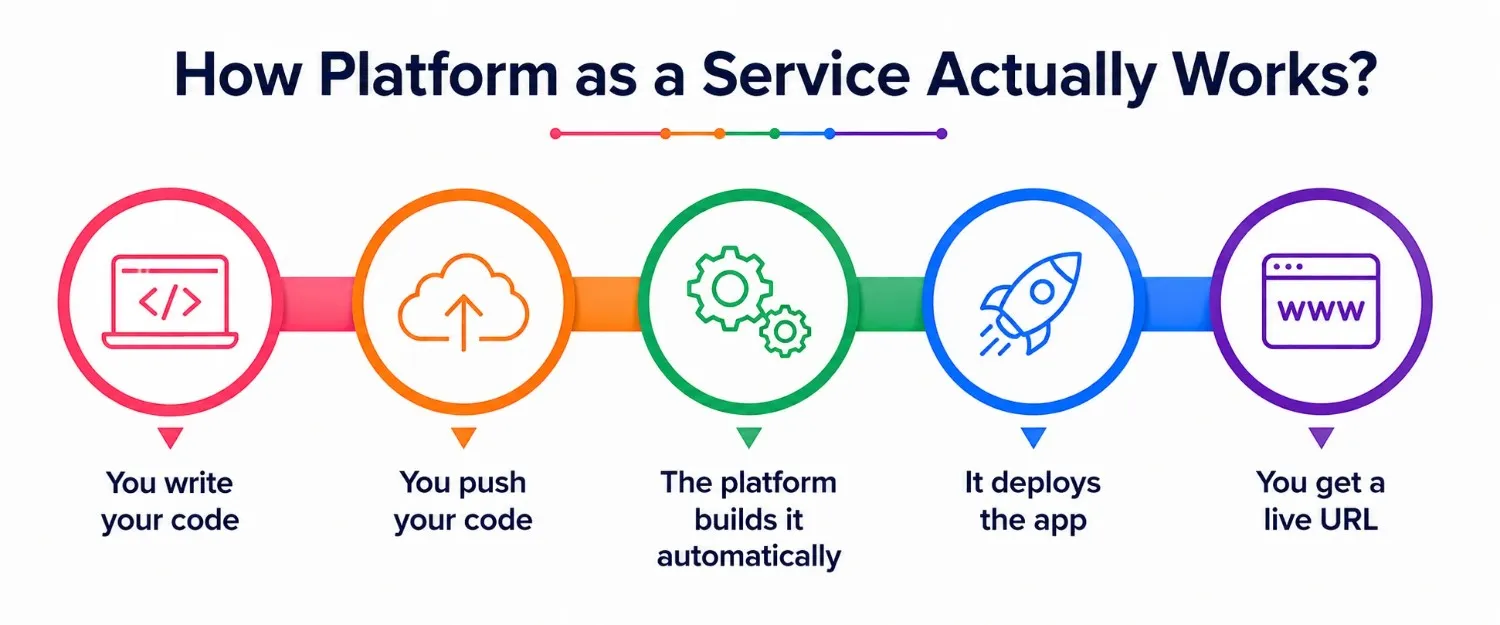
- You write your code in your preferred language, using your usual development tools.
- You push your code to the platform—often through a simple git command or CLI tool.
- The platform builds it automatically — installing dependencies, compiling, and preparing the app.
- It deploys the app to live servers, handling scaling, monitoring, and load balancing behind the scenes.
- You get a live URL where your app runs, updated every time you push new code.
This is the exact process described by Encore’s guide to PaaS in 2026: you push code through git, a CLI command, or a CI hook, and the platform builds it, runs it, and hands you a working URL—no server management involved.
This is precisely why Platform as a Service feels almost magical the first time you use it. Your software deployment process goes from “days of configuration” to “minutes.”
Popular Types of Platform as a Service
Not all PaaS offerings are identical. Understanding the different types helps you choose the right fit for your project.
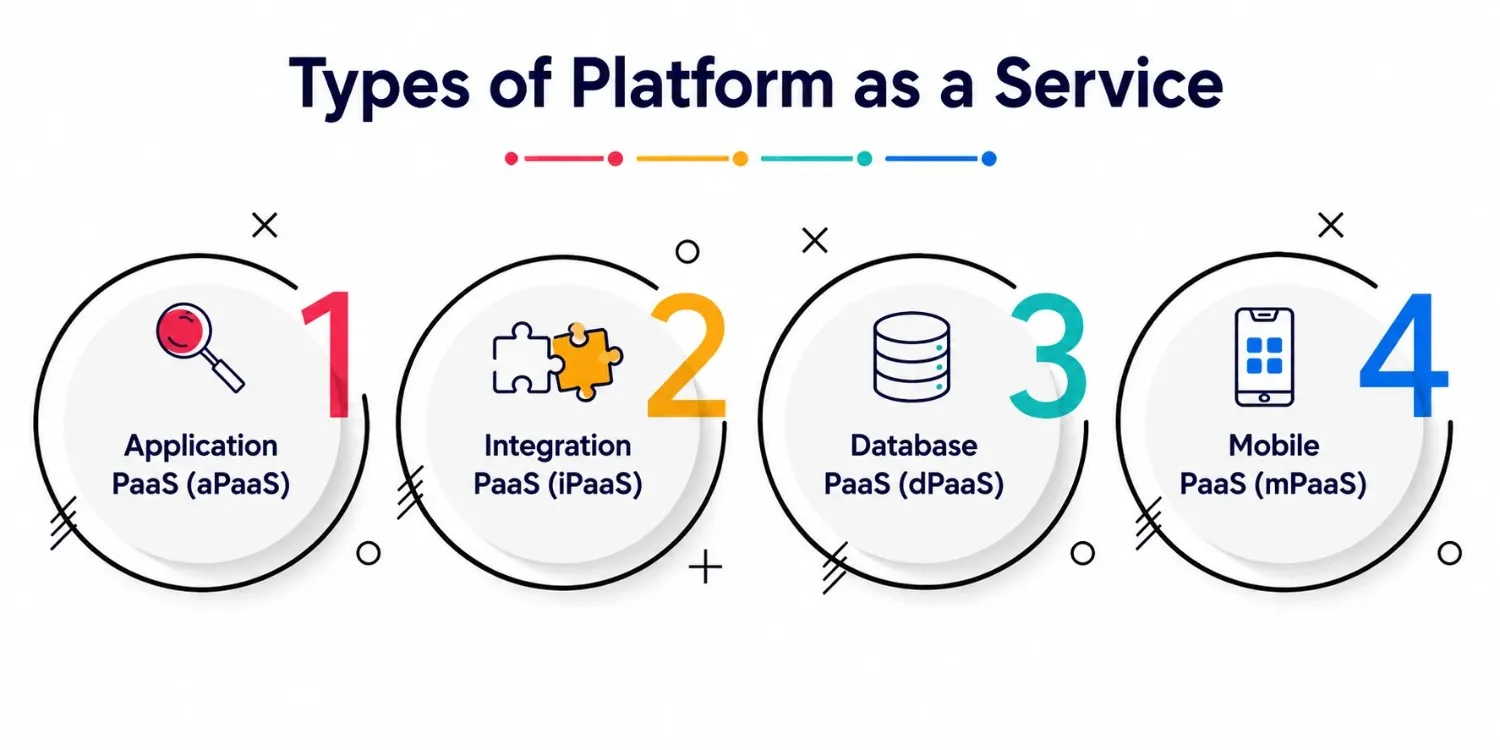
- Application PaaS (aPaaS)—Focused purely on deploying and running applications. Ideal for web apps and APIs.
- Integration PaaS (iPaaS)—Specializes in connecting different software systems together, crucial for smoothly linking tools and services.
- Database PaaS (dPaaS)—A managed environment purely for database management, handling storage, backups, and scaling.
- Mobile PaaS (mPaaS) — Tailored toward building and deploying mobile applications quickly.
Platform as a service provides a robust framework for developers to build, test, deploy, and manage applications efficiently, letting them focus purely on writing code instead of infrastructure headaches—a description that applies across all these variations.
Benefits and Limitations You Should Know
Nothing is perfect, and Platform as a Service is no exception. Here’s a balanced, tabular explanation to help you weigh it properly.
|
Aspect |
Benefit |
Limitation |
|
Speed |
First deployment often takes minutes, not days |
Rapid setup can encourage skipping proper planning |
|
Cost |
No need to buy or maintain physical servers |
Costs can rise sharply once your app scales up |
|
Control |
Sensible defaults for security, logging, and scaling |
Limited access to custom networking or fine-tuned configs |
|
Maintenance |
No patching or manual server management |
You depend entirely on the provider’s uptime and policies |
|
Learning curve |
Beginner-friendly setup for newcomers |
It’s harder to migrate away once deeply integrated |
As Encore’s analysis points out, the biggest limitation shows up as your app grows—pricing that feels reasonable at a small scale can become expensive once real traffic and background workloads enter the picture. That’s a genuinely important consideration before committing long-term.
Choosing the Right Platform as a Service for Your Project
A few honest questions to ask before picking a provider:
- What language and framework does my project use? Make sure the coding environment actually supports your stack.
- Do I need heavy database support? If your app relies on complex data storage and querying, check what’s included versus what costs extra.
- Will I need to connect external services? If yes, look closely at how easy API integration is on that platform.
- What’s my growth plan? A platform perfect for a student project might not be ideal once you’re handling thousands of users.
- What’s the free-tier limit? Almost every major provider offers free tiers — great for learning, testing, and small deployments.
Choosing the wrong platform doesn’t just slow development — it can compress margins and create long-term lock-in issues, so it’s worth thinking a step or two ahead even as a student building your first serious project.
Final Thoughts
Platform as a service isn’t just an industry buzzword you memorize for an exam—it’s genuinely one of the most practical tools available if you want to build and ship real software without drowning in server configuration. Once you understand the basics of how a cloud platform works, how software deployment pipelines function, and how API integration ties everything together, you stop being intimidated by “the backend” and start actually building things that work.
Once you’ve gone through even one real software deployment cycle on a managed platform, the whole idea of “the backend” stops feeling scary.
A Personal Note
I remember the exact week I discovered how much time I’d wasted trying to manually configure servers for a class project that honestly just needed to work for a demo. The moment I switched to a proper platform as a service, I finished in an afternoon what had taken three days before. If you’re a student reading this, don’t feel behind for not knowing server administration inside out — that’s the whole point of PaaS. Focus on your logic, your features, your ideas. Let the platform handle the plumbing. That one shift in approach changed how I build projects, and I genuinely think it’ll do the same for you.