






A friend of mine in Manchester runs a three-person marketing agency, and last spring she asked me a question I now hear constantly: “Everyone’s talking about AI agents, but where do I start without learning to code?” She’d already used ChatGPT for client emails, but she wanted something that could run a task end to end—pull a lead’s details, check inbox activity, and queue a follow-up—without her typing prompt after prompt.
That’s the gap agentic AI for beginners is meant to fill, and in 2027, the UK finally has enough mature, beginner-friendly tools that you don’t need a computer science degree to get started.
This guide is written for exactly that situation: you’ve heard the term, you’re curious, and you want a practical shortlist of what to try first—not a theoretical lecture on machine learning. We’ll walk through no-code AI tools, the frameworks worth knowing once you’re ready to write a little code, and a realistic UK starting path that doesn’t assume you already work in tech.
What “Agentic AI” Actually Means for a Beginner?
Most explanations of agentic AI for beginners jump straight into jargon—planning loops, tool calling, multi-agent orchestration—before answering the question a true beginner actually has: how is this different from the chatbot I already use? The honest answer is autonomy. A standard AI chatbot answers one question and stops.
An agentic system is given a goal, then works through several steps on its own: checking a calendar, searching a database, sending an email, and deciding what to do next based on what it finds—all without you retyping instructions at every stage.
This distinction is why the category has grown into its own learning path rather than a subset of “AI basics.” You’re learning to design a small decision-making process and then hand it off. The UK’s data found that 32% of UK businesses used at least one AI technology in 2026, roughly double the 16% recorded the year before—but limited skills and understanding of use cases were the biggest barriers, cited by 67% of adopters and 78% of businesses still planning to adopt. That skills gap is the opening for anyone starting now: the tools have matured faster than the know-how needed to use them well.
Autonomous AI Agents vs. the Chatbot You Already Know
It helps to get concrete about what autonomous AI agents can actually do that a chat window can’t, because the word “agent” gets thrown around loosely in marketing copy.
Autonomous AI agents typically combine three things a plain chatbot lacks: memory across steps (it remembers what it already tried), tool access (it can call an API, search the web, or update a spreadsheet), and a planning loop (it decides its own next action rather than waiting for yours).
When my friend’s marketing agency eventually set up a lead-qualification workflow, the agent didn’t just draft a reply — it checked the lead’s company size against a saved list of criteria, decided whether to escalate or auto-respond, and logged the outcome, all from a single trigger.
That’s the real promise behind agentic AI for beginners: you’re not trying to become an AI researcher; you’re trying to delegate a small, well-defined piece of judgment to software you’ve configured.
According to the AI Agents report, which surveyed over 1,300 professionals, 51% already run agents in production, and 78% have active plans to deploy them soon—and the report names a lack of technical know-how and the time needed to build and debug agents as the two biggest hurdles beginners face. That’s exactly why starting with visual, no-code tools, rather than diving into code on day one, is the more realistic route right now.
No-Code AI Tools: Where Agentic AI for Beginners Should Actually Start
If you can’t write a line of Python, no-code AI tools are the honest starting point, and they’re good enough in 2027 to build something genuinely useful, not just a toy demo. Here’s what makes a no-code platform worth your first week, laid out so you can turn it straight into a checklist or a quick infographic:
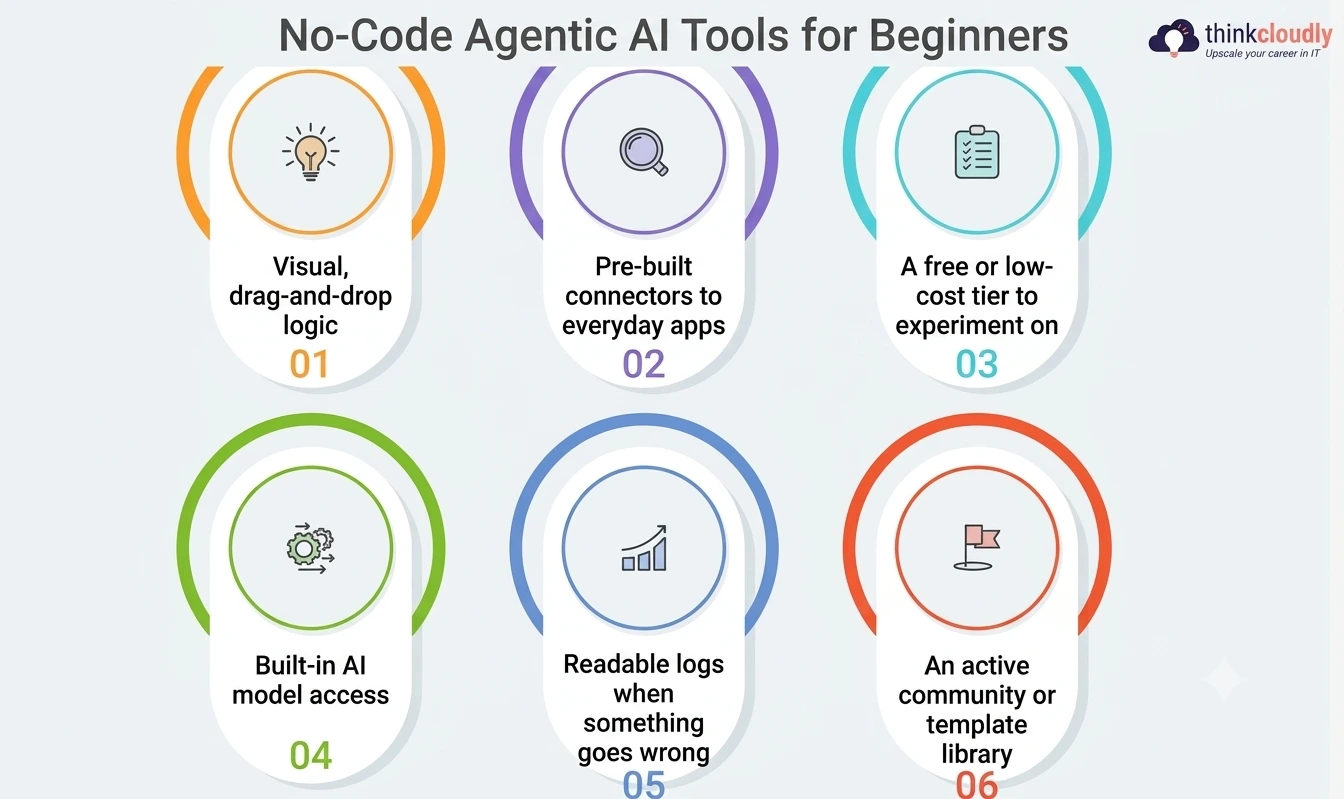
- Visual, drag-and-drop logic — you connect blocks representing triggers, decisions, and actions instead of writing control-flow code, which is the entire point of this category for someone starting from zero.
- Pre-built connectors to everyday apps — email, calendars, spreadsheets, CRMs, and messaging platforms should already have ready-made integrations, so you’re wiring things together rather than writing API calls by hand.
- A free or low-cost tier to experiment on — you want to build and break three or four small workflows before you ever consider paying, and most credible platforms offer exactly that.
- Built-in AI model access — the platform should let you plug in a large language model for the “thinking” part of the workflow without you needing a separate API key and billing account on day one.
- Readable logs when something goes wrong — because something will go wrong, and a tool that just says “error” without showing you which step failed will cost you hours of guessing.
- An active community or template library — borrowing someone else’s working automation and adjusting it teaches you faster than building from a blank canvas, especially in your first month.
Treat this list as your filter when you’re comparing options rather than chasing whichever tool has the flashiest demo video. The tools that score well on all six points are the ones worth actually spending a weekend with.
n8n Automation: Your First Real Agentic Workflow
Of the no-code AI tools available right now, n8n automation is the one I point UK beginners toward most often — it sits in a genuinely useful middle ground, visual enough for a true beginner and flexible enough that you won’t outgrow it in a month.
n8n is a Berlin-founded workflow platform built on what it calls a “fair code” model, and it’s grown fast because it leaned into AI early. According to TechCrunch’s coverage of its Series B funding round, n8n has more than 200,000 active users and over 3,000 enterprise customers, and roughly 75% of its user base now builds AI-powered workflows on the platform, according to founder and CEO Jan Oberhauser. Three-quarters of its users, in other words, aren’t running plain automations anymore — they’re building exactly the kind of beginner-friendly agent project this guide describes.
A first n8n project worth trying: connect a shared inbox, have an AI node read and categorize incoming messages, and route anything matching certain criteria to a specific person automatically.
It’s small and safe, and it teaches you the core agentic loop — trigger, decide, act — without risking anything important if you get a step wrong. Run it reliably for a week and you’ve effectively built your first working autonomous AI agent, even without writing a single line of code.
LangChain Framework: When You’re Ready to Write Some Code
Eventually, most people outgrow drag-and-drop tools and want more control — custom logic, better debugging, or a workflow too specific for pre-built blocks. That’s the point to look at LangChain.
The LangChain framework is a Python and JavaScript toolkit for building applications on top of large language models, and it’s become a near-default starting point for developers moving into agent-building rather than plain prompting.
It gives you building blocks for chaining steps, connecting a model to external tools, and managing memory across a multi-step task — the same ingredients that separate a chatbot from a true agent, except now defined in code instead of a visual canvas. LangChain Academy, mentioned on the company’s own 2026 agents report, offers free beginner courses aimed at people making this exact jump.
The honest trade-off is worth naming plainly: LangChain demands comfort with Python basics and a tolerance for reading documentation, which a visual builder doesn’t require. But it rewards that effort with far more precise control — you can decide exactly when the agent should pause, what counts as a failure, and how memory persists between sessions, none of which a visual builder lets you fully customize.
Microsoft AutoGen: Multi-Agent Systems Made Approachable
Most of what we’ve covered so far involves a single agent handling one workflow. Microsoft AutoGen takes a different approach: it’s built specifically for situations where several agents need to work together, each handling a different part of a bigger task.
It popularized what’s often called the “group chat” pattern for multi-agent systems — one agent researches, another critiques the findings, a third formats the output, passing work between each other automatically.
The current version, AutoGen v0.4, is described by Microsoft’s own research team as a complete redesign built around asynchronous, event-driven messaging, with a layered architecture separating the low-level Core engine from AgentChat, a higher-level API aimed at people who don’t want to manage the plumbing. It also ships AutoGen Studio, a low-code interface for prototyping multi-agent setups visually before touching the underlying code.
Worth knowing as a beginner: Microsoft has since folded these ideas into its broader Agent Framework, aimed at unifying its agent-building tools under one roof. If you’re new to this space in 2027, it’s still worth understanding the group-chat pattern it introduced, because the concept — specialized agents collaborating rather than one agent trying to do everything — shows up across nearly every serious multi-agent system you’ll encounter later, whatever specific tool ends up running it.
Comparing Your First Options at a Glance
|
Tool |
Coding Needed | Best First Project |
Learning Curve |
|
No-code AI tools (general) |
None | A single trigger-and-respond workflow |
Low |
|
n8n automation |
None to minimal | Inbox triage or lead-qualification agent |
Low to moderate |
|
LangChain framework |
Python basics | A custom agent with specific tool access |
Moderate |
|
Microsoft AutoGen |
Python, comfort with async concepts | Two agents collaborating on one task |
Moderate to high |
Read this table as a sequence, not a competition. Most UK beginners in this space start on the left side and drift rightward only once a limitation genuinely forces the issue — not because code is inherently better, but because it’s more flexible once your ambitions outgrow a visual canvas.
A Realistic 30-Day Starting Path
Rather than trying everything at once, here’s a sequence that actually works for someone new to agentic AI for beginners, broken into weekly blocks you can adapt to your own schedule:
- Week 1: Pick one no-code platform and build the simplest possible workflow — a trigger, one decision, one action. Resist the urge to make it clever; the goal is understanding the loop, not the output.
- Week 2: Rebuild that same workflow in n8n specifically, since its AI-node support is some of the most mature available to a beginner right now.
- Week 3: Read a beginner LangChain tutorial and rebuild a simplified version of your Week 1 project in code, to see what the visual tool was abstracting away.
- Week 4: Watch a walkthrough of Microsoft AutoGen’s group-chat pattern and sketch, even on paper, how you’d split an existing workflow across two specialized agents instead of one.
By the end of four weeks, you’ll have touched every major category covered in this guide, and — more importantly — you’ll know from direct experience which layer of this stack actually matches how you like to work, rather than guessing from a video.
Common Mistakes Beginners Make With Agentic AI
A few patterns show up again and again among people new to agentic AI for beginners, and they’re worth naming so you can skip the slow version of learning them:

- Starting with the most complex tool first. Jumping into a multi-agent setup or a coding framework before building one working no-code workflow usually means debugging syntax instead of understanding agent logic.
- Giving an agent too much unsupervised power too early. Let your first few autonomous AI agents run with a human reviewing the output before anything irreversible happens — sending an email, updating a record — until you trust the workflow.
- Ignoring the logs. The gap between “it worked once” and “it works reliably” is almost always visible in a tool’s execution logs, and skipping them is the most common reason beginners abandon a fixable workflow.
- Treating one tool as a permanent choice. People stick with their first platform out of habit long after another would fit better — it’s worth re-evaluating every few months.
A Personal Note
I’ll admit I was skeptical the first time someone told me a three-person agency with zero developers had a working AI agent handling part of their client intake. I’d assumed, wrongly, that agentic AI for beginners was mostly marketing language wrapped around tools that still needed an engineer in the room.
Watching my friend’s workflow quietly sorting a messy inbox for a week without breaking changed my mind — not because it was flashy, but because it was boring in exactly the right way. If you’re on the fence about whether this is worth your time this year, judge it by that bar: not whether it impresses in a demo, but whether you’d trust it to run unattended for a week. Start small, watch the logs, and give yourself permission to feel like a beginner longer than feels comfortable.