





A developer I was mentoring in Manchester messaged me at midnight last month with one line: “I’ve read six tutorials and I still don’t know where to actually start.” She’d been staring at framework documentation for a week, convinced she was missing some secret step. She wasn’t.
The real problem was that every guide she’d found jumped straight into code without explaining what an agent actually is or why each piece exists. So we went back to basics, and what follows is close to the conversation we had that night—a straight, no-fluff answer to how to build an AI agent, written for someone sitting in the UK with a laptop, a Python installation, and genuine confusion about where to begin.
This isn’t a theoretical overview. By the end, you’ll understand how an AI agent is actually structured well enough to explain it to a non-technical manager, you’ll know which AI agent tools and frameworks are worth your time in 2026 and into 2027, and you’ll have a working mental model for how to build an AI agent from a blank file to something that actually does useful work on its own. We’ll also walk through a working Python example, the exact UK demand numbers behind this skill, and the mistakes that trip up almost every beginner on their first attempt.
Why Learn How to Build an AI Agent in the UK Right Now?
The UK job market isn’t waiting around for people to catch up. According to PwC’s 2026 AI Jobs Barometer, specialist AI job postings rose 61% in a single year, climbing from roughly 112,000 to 180,000, and the average wage premium for AI-related skills jumped from 11% to 34.2% over the same period. That’s not a modest bump—in consumer-facing sectors, the premium peaks at 64%.
Separate research drawn from Malt’s freelancer platform found that demand for AI agent expertise rose roughly sixty-fold year over year, while the supply of people who can actually build these systems hasn’t come close to keeping pace. Translation: the market wants people who understand AI agent development hands-on, not just people who can talk about it in a meeting. That gap is exactly why learning how to build an AI agent properly, rather than copying a tutorial without understanding it, is worth the time investment right now.
Understanding AI Agent Architecture Before You Write Code
Jumping into AI agent programming without understanding the underlying architecture is how most beginners end up with code that technically runs but never actually finishes a task reliably. An AI agent isn’t just “a chatbot with extra steps”—it”‘s a small system built around a language model acting as a decision-maker, surrounded by supporting parts that let it perceive, remember, decide, and act.
Drawing on how Shakudo’s architecture breakdown frames it, the language model sits at the center as the reasoning engine, while everything else exists to feed it information or carry out what it decides. Skipping this understanding is the single biggest reason beginner AI agent architecture attempts fall apart after the first few runs—the agent either loses context, repeats the same failed action, or has no way to check whether its last step actually worked.
Learn how to build an AI agent using Python tools in the UK with this step-by-step guide. Explore Python libraries, automation techniques, AI frameworks, and real-world applications to develop intelligent agents. Enhance your programming skills and advance your tech career with a Python Certification Program designed to prepare you for growing AI and automation opportunities.
Here’s the breakdown broken into clean, infographic-ready layers:
The Core Layers of AI Agent Architecture
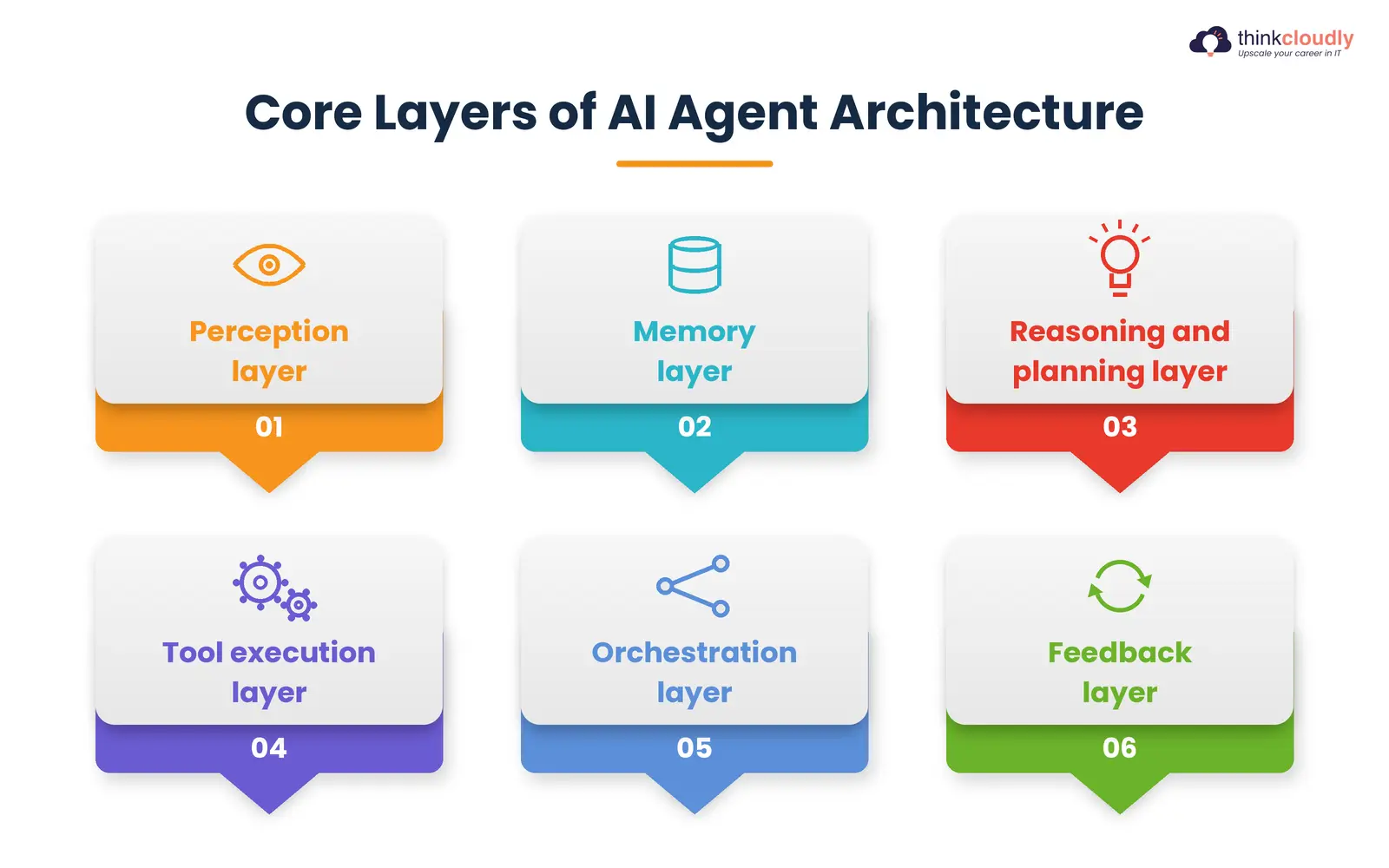
- Perception layer—converts raw inputs (user text, API responses, documents, sensor data) into a format the model can reason over.
- Memory layer—holds short-term context for the current task and, where needed, longer-term memory that persists across sessions.
- Reasoning and planning layer—the language model interprets the goal, breaks it into smaller steps, and decides what to do next.
- Tool execution layer—lets the agent act in the real world through function calls, APIs, or scripts rather than just producing text.
- Orchestration layer—tracks progress across multiple steps and decides when the task is actually complete versus when another loop is needed.
- Feedback layer—checks whether the last action succeeded and feeds that result back into the reasoning layer before the next decision.
Once you’ve internalized this agent design, every framework you look at afterward just becomes a different way of wiring these same six layers together. That’s a far more useful lens than memorising any single library’s syntax, and it’s the difference between someone who can follow a tutorial and someone who can actually debug an agent when it stops behaving the way it’s supposed to.
Why Python Is the Default Language for AI Agent Programming?
Nearly every serious AI agent tool and framework ecosystem is built Python-first, and that’s not an accident. AI agent programming in Python benefits from three things other languages struggle to match at once: a mature machine learning ecosystem, readable syntax that keeps logic close to plain English, and first-class support from virtually every major model provider’s SDK.
When you’re doing AI agent programming, you’re constantly gluing together an LLM call, a database query, an API request, and some conditional logic. Python’s standard library and its enormous package ecosystem—requests, SQLAlchemy, Pydantic for structured outputs, and asyncio for concurrent tool calls—make that gluing work fast rather than painful. This is also why almost every tutorial on AI agent development you’ll find defaults to Python rather than Java or C#; the community momentum simply lives there now.
Essential AI Agent Tools and Frameworks for Python Developers
This is the part most beginners rush, picking whichever framework has the flashiest demo video. According to a framework comparison, the right choice depends entirely on what you’re building, not which tool trended last week. Here’s a grounded look at the AI agent tools and frameworks worth knowing in Python right now.
|
Framework |
Best For | Key Strength |
Watch Out For |
|
LangChain |
Broad integrations, a standard starting toolkit | Wide coverage of models, vector stores, and connectors |
Can feel heavy for a single simple agent |
|
LangGraph |
Production agents needing tight control | Explicit state graphs, checkpointing, human-in-the-loop steps |
Steepest learning curve of the group |
|
CrewAI |
Fast, role-based multi-agent prototypes | Lightweight model agent “crews” with little code |
Less granular control than LangGraph |
|
AutoGen / Microsoft Agent Framework |
Multi-agent conversation patterns | Popularised agents that debate and take turns |
Original AutoGen is in maintenance mode; Microsoft now points new projects to its Agent Framework. |
|
OpenAI Agents SDK |
Teams are already standardized on OpenAI models. | Native tool-calling, simple handoffs between agents |
Tied more closely to one model provider |
Picking from these AI agent tools and frameworks isn’t about finding “the best one” in the abstract—it’s about matching the tool to the scope of what you’re actually building. A single-purpose research assistant doesn’t need the same underlying design as a multi-agent customer support system, so don’t over-engineer your first project by reaching for the heaviest framework on the list.
A Step-by-Step Guide: How to Build an AI Agent With Python
Here is exactly how to build an AI agent, step by step, using nothing exotic—just Python, an API key from a model provider, and about an afternoon of focused time.
5 Steps to Build Your First AI Agent in Python:
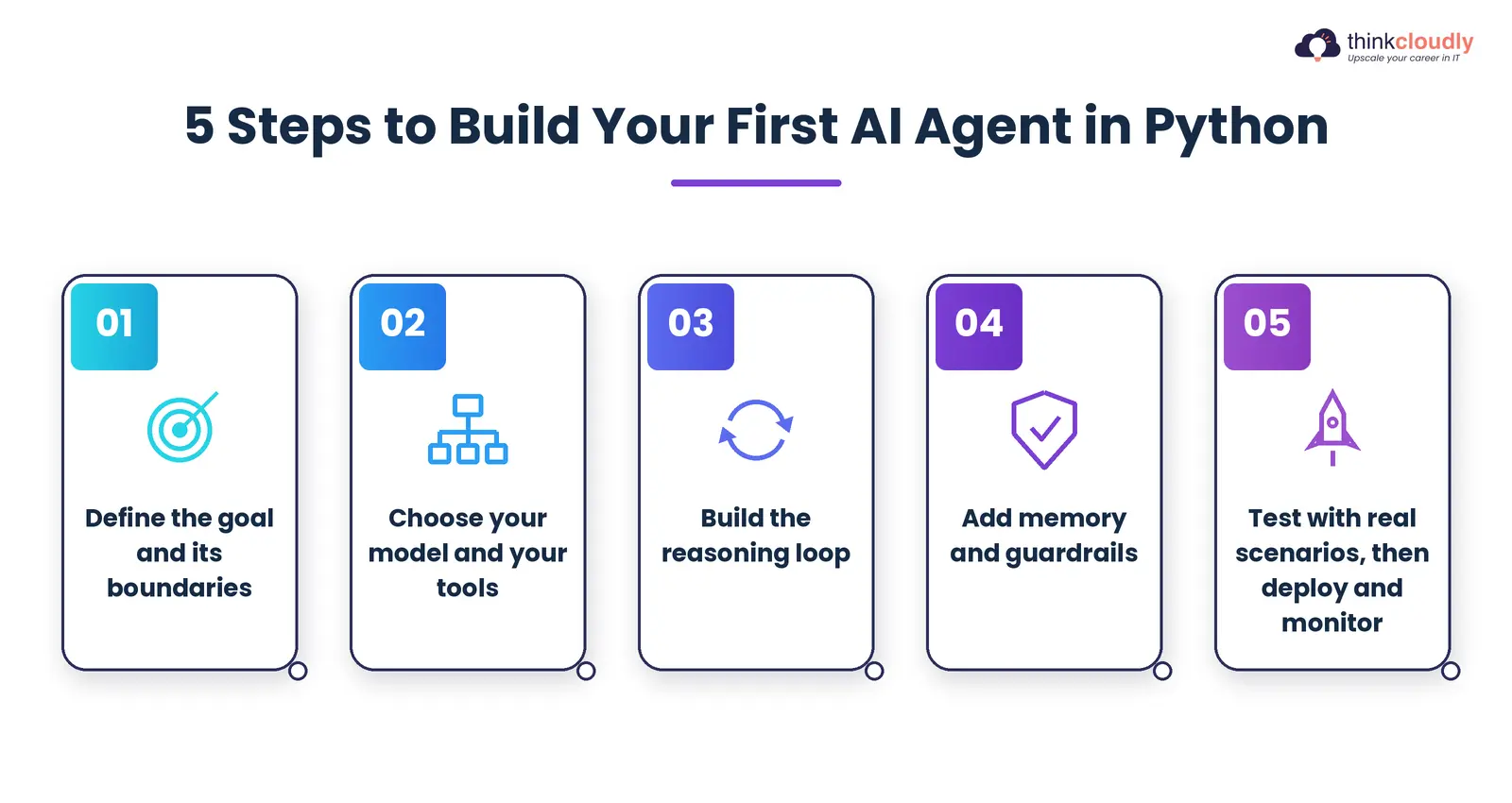
- Define the goal and its boundaries. Before writing a single line, decide precisely what the agent should and shouldn’t do. “Answer customer emails about order status” is a scoped goal; “handle customer service” is not.
- Choose your model and your tools. Pick an LLM provider (OpenAI, Anthropic, or an open-weight model run locally) and list the concrete tools the agent needs—a database lookup function, a web search call, and a calendar API.
- Build the reasoning loop. Write the function that sends the current state and goal to the model, receives a decision, and routes that decision to the correct tool. This is the heart of the agent.
- Add memory and guardrails. Store conversation history or task state so the agent doesn’t repeat itself, and add explicit limits—a maximum number of steps and a list of actions it’s never allowed to take without confirmation.
- Test with real scenarios, then deploy and monitor. Run the agent against messy, realistic inputs before trusting it with anything important, and keep logging every decision so you can see exactly where it goes wrong when it inevitably does.
Notice that nowhere in that list does “pick the trendiest framework” appear first. That’s deliberate. Understanding how to build an AI agent at this basic, mechanical level means you can evaluate any framework later and immediately see what it’s automating for you versus what it’s hiding from you.
Building AI Agents From Scratch vs. Using a Framework
There’s a genuine debate in AI agent circles about whether beginners should start by building AI agents from scratch with raw API calls or jump straight into a framework like LangGraph or CrewAI. Both camps have a point, and the right answer honestly depends on how much time you have before you need something working.
Building AI agents from scratch—writing your own reasoning loop, your own memory handling, your own tool-calling logic—forces you to understand every layer of AI agent architecture directly, with nothing hidden behind an abstraction.
It’s slower, and you’ll reinvent things frameworks already solved, but you’ll never be confused about what your agent is actually doing under the hood. For learning purposes, building AI agents from scratch at least once is genuinely worth the frustration.
Frameworks, on the other hand, exist because building AI agents from scratch for every production system is a waste of engineering time once you already understand the fundamentals. A framework like LangGraph gives you checkpointing, streaming, and state management out of the box—things that would take weeks to build reliably by hand.
The sensible path most working developers land on: learn the fundamentals by hand once, on a small toy project, then move to a framework for anything you actually intend to ship to real users.
Common Mistakes in AI Agent Development
A few patterns show up again and again when teams build these systems, regardless of which framework or language they land on:
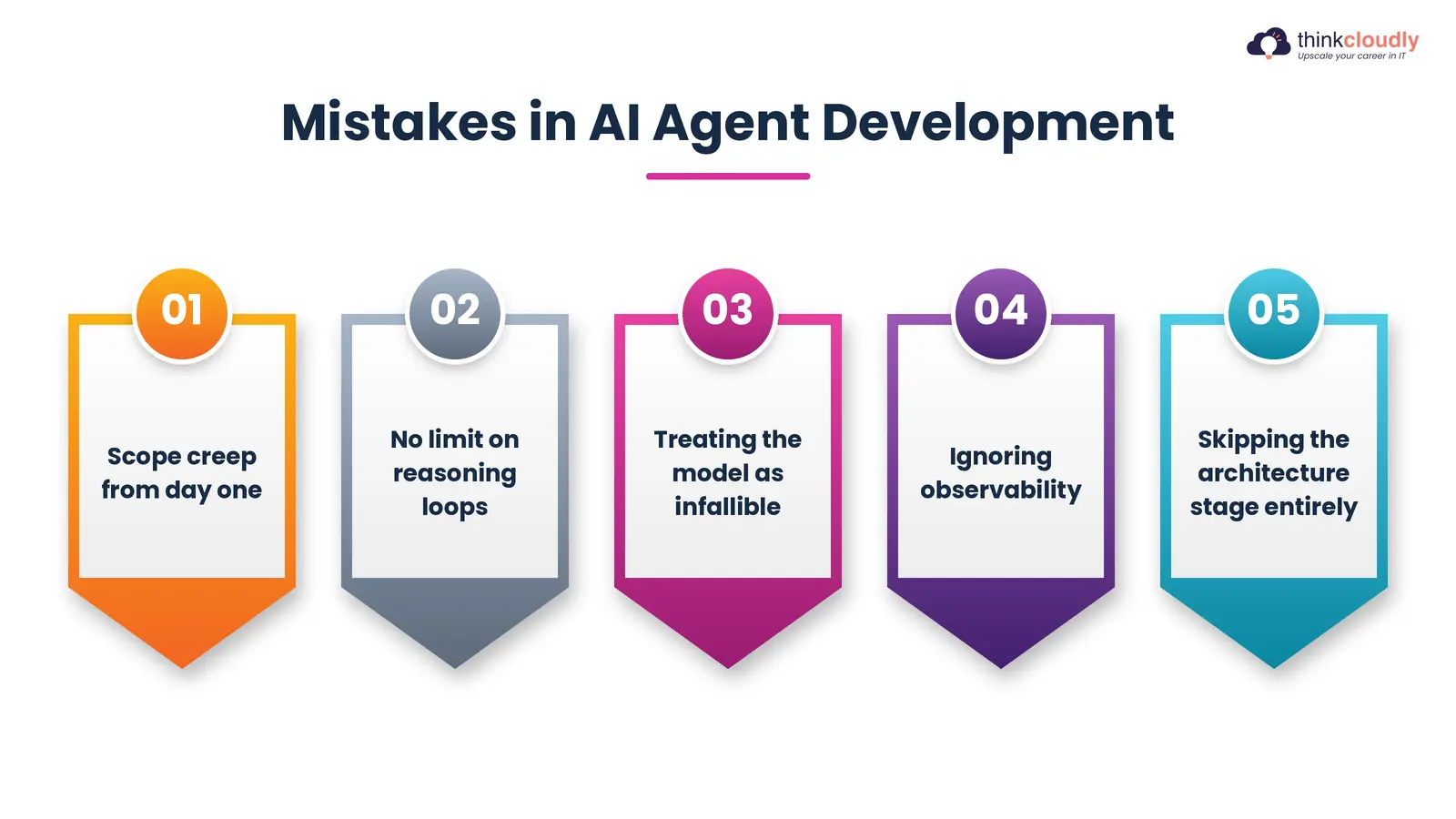
- Scope creep from day one. Trying to build a general-purpose assistant instead of a narrow agent with one clear job almost always ends in an agent that does several things poorly.
- No limit on reasoning loops. Without a hard cap on steps, a confused agent can call the same tool repeatedly, burning API costs for no result.
- Treating the model as infallible. Every output needs a validation step; models hallucinate tool arguments and invented data more often than beginners expect.
- Ignoring observability. If you can’t see every decision your agent made, you can’t debug why it failed, and you definitely shouldn’t trust it in production.
- Skipping the architecture stage entirely. Teams that jump straight to framework code without first sketching their own agent design on paper tend to rebuild the whole thing a month later once requirements shift.
Avoiding these isn’t about being clever — it’s about being disciplined early, before the agent is doing anything that actually matters to a real user.
What This Means for Your Career in the UK
Given the wage and demand figures from PwC and the talent gap flagged by Malt’s research, knowing how to build an AI agent is quickly becoming less of a niche skill and more of a baseline expectation for developers across the UK.
AI agent development roles are no longer confined to London-based AI labs; they’re appearing in logistics firms in Leeds, fintech startups in Edinburgh, and public-sector digital teams across the country.
If you’re weighing how to prioritise your learning time, the practical order is: understand AI agent architecture conceptually first, get comfortable with AI agent programming fundamentals in Python second, and only then specialise in a specific framework once you know what problem you’re actually trying to solve.
That sequence holds up whether you’re job-hunting now or building a side project to prove you can do the work. Recruiters sifting through hundreds of near-identical CVs tend to notice the candidate who can walk through why they chose a particular tool over another, not just the one who lists the most framework names.
A Personal Note
I spent my first few months building agents the hard way — frustrated, rebuilding the same reasoning loop three different times because I kept skipping the planning stage and jumping straight to code. Looking back, every single rebuild happened because I hadn’t actually understood the architecture before I started typing.
If you take nothing else from this guide, take this: slow down on the thinking before you speed up on the typing. The agents that actually work in production are rarely the cleverest ones — they’re the ones someone thought through carefully before writing a single function. Good luck with yours.