






Every cybersecurity job board looks the same to a newcomer: “entry-level” roles that quietly ask for two years of experience nobody fresh out of a bootcamp or degree actually has. I spent months watching friends collect certificates and still get filtered out at the resume stage, and the pattern was always the same—they could define a SIEM on a whiteboard but had never actually triaged a real alert. That gap is exactly why SOC hands-on lab training has become the real entry ticket into security operations in the United States, not just another line item on a LinkedIn profile.
This guide is written specifically for SOC analysts for beginners who want a plan, not a pep talk: what to build, what to practice, what to pay for, and what to skip. If you only take one idea from this piece, take this one—SOC hands-on lab training beats passive studying every single time a hiring manager compares two similar resumes.
Why Does the Skills Gap Make SOC Hands-On Lab Training Non-Negotiable?
The numbers explain why employers have quietly changed what they expect from a first hire. The U.S. Bureau of Labor Statistics projects information security analyst roles to grow 28.5% between 2024 and 2034, adding roughly 52,100 new jobs—one of the five fastest-growing occupations the agency tracks. That sounds like good news for anyone starting SOC analyst training today, and it is, but it comes with a catch.
ISC2’s study found that 59% of security professionals now report a critical or significant skills gap on their team, up sharply from 44% the year before, and that entry- and junior-level staff make up only about 5% of the workforce.
Budgets are tight—nearly a third of organizations say they can’t afford to hire people with the skills they actually need—so teams default to hiring people who can prove, immediately, that they can work inside a real environment. That’s the entire point of SOC hands-on lab training: it turns “I studied this” into “I’ve already done this,” which is a much easier sentence for a hiring manager to say yes to.
CyberSeek’s cybersecurity heat map, maintained with NIST’s NICE framework data, shows well over 450,000 unfilled cybersecurity openings nationally at any given time. The jobs exist. What’s missing is a pipeline of SOC analysts for beginners who can demonstrate, on day one, that they know how to read a log, spot an anomaly, and write up what they found—skills no textbook teaches on its own.
What Good SOC Hands-On Lab Training Should Cover?
Before you build anything or enroll in anything, it helps to know what a complete beginner program actually needs to include. Treat this list as a checklist against any course, bootcamp, or self-built plan you’re considering:
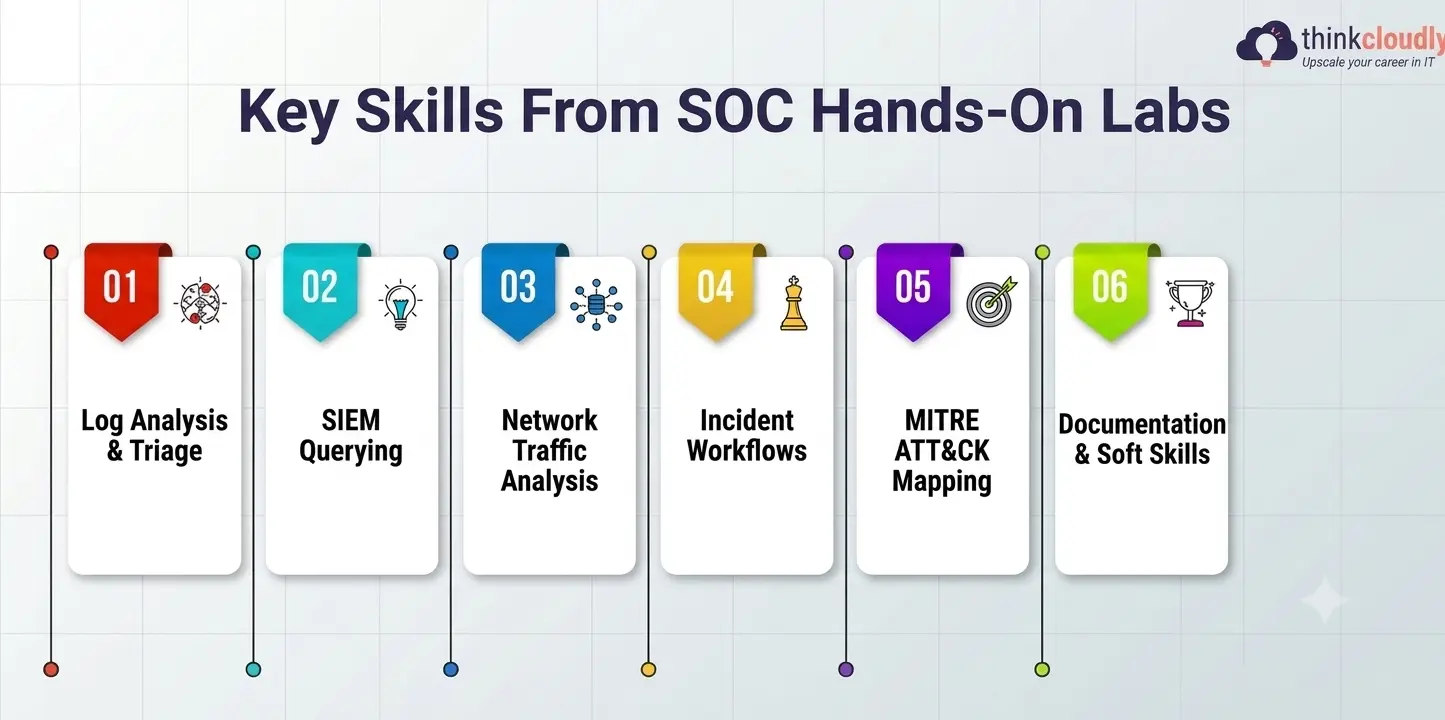
- Log analysis and alert triage—reading raw logs from endpoints, firewalls, and servers to decide what’s noise and what’s a real incident
- SIEM querying—hands-on practice inside Splunk, the Elastic Stack (ELK), or Microsoft Sentinel, since job postings routinely name these tools directly
- Network traffic analysis—using Wireshark and similar tools to understand what normal traffic looks like so abnormal traffic stands out
- Incident escalation workflows—knowing when to close a ticket, when to escalate to Tier 2, and how to document the decision
- Basic malware behavior analysis—recognizing common indicators of compromise without needing to reverse-engineer code
- MITRE ATT&CK mapping—tying what you see in logs back to known attacker tactics and techniques, which is how most modern SOCs talk about threats
- Documentation and soft skills—writing a clear incident summary a non-technical manager can actually understand
A program missing more than one or two of these isn’t really SOC analyst training—it’s a theory course wearing a SOC-shaped costume.
Building Your Own SOC Analyst Home Lab
You don’t need a data center in your spare bedroom. A functional SOC analyst home lab can run on a single laptop with 16GB of RAM, a free hypervisor, and a weekend of patience. The goal of this kind of setup isn’t realism for its own sake—it’s repetition. You want to generate the same kind of alert fifty times until recognizing it becomes automatic, something no amount of reading can substitute for.
Devo’s guide to building a SOC analyst home lab makes a point worth repeating: start small, use open-source tools, and lean on a guided training platform if setting up infrastructure from scratch feels overwhelming. There’s no prize for building the most complicated lab possible—the prize is the number of real investigations you can run inside it.
Core Tools Every SOC Analyst Home Lab Needs
Keep this list pinned somewhere visible while you’re setting things up:
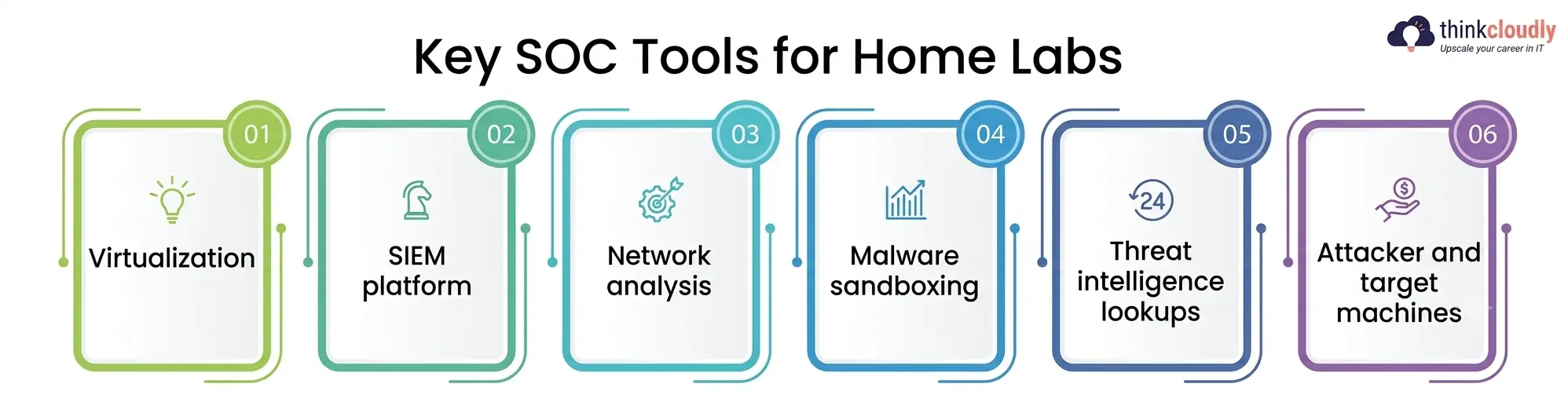
- Virtualization—VMware Workstation Player or Oracle VirtualBox to run multiple machines safely on one computer
- SIEM platform—Security Onion (free, pre-built for SOC work) or a free-tier Splunk instance
- Network analysis—Wireshark for packet capture, Nmap for scanning and reconnaissance practice
- Malware sandboxing—REMnux or Cuckoo Sandbox for safely observing suspicious file behavior
- Threat intelligence lookups—VirusTotal and MISP to check indicators against known threat data
- Attacker and target machines—Kali Linux or Parrot OS as the “attacker,” a vulnerable Windows or Linux VM as the “target”
Every one of these tools is free. The only real cost is time, and the only real risk is quitting before the lab starts feeling familiar instead of intimidating.
SOC Hands-On Lab Training Online vs. a Fully Self-Built Lab
Not everyone has the time or patience to configure a hypervisor from zero, and that’s fine—plenty of people get hired after doing all their practice through SOC hands-on lab training online instead of a home-built setup.
TryHackMe’s comparison of beginner SIEM platforms puts it bluntly: reading about how a SIEM works is not the same skill as being fast and accurate inside one during a live alert, and most entry-level interviews now include a practical investigation exercise that rewards exactly that kind of repetition.
Platforms built for SOC hands-on lab training—TryHackMe’s SOC Level 1 path, LetsDefend, RangeForce, and Security Blue Team, among them—hand you a browser-based environment with real tools and simulated attacks already loaded. You skip the setup headaches and go straight to practice, which is a genuinely good trade-off if you’re short on time or hardware.
The honest answer for most SOC analysts for beginners is a mix of both: use SOC hands-on lab training online platforms for structured, guided repetition, then build a smaller home lab once you understand what you’re trying to recreate.
Comparing the Main Learning Paths
|
Learning Path |
Typical Cost | Best Suited For |
Rough Time to Job-Ready |
|
Self-built SOC analyst home lab |
Free – $150 (hardware/software) | Self-directed learners who enjoy troubleshooting |
3–6 months |
|
SOC hands-on lab training online platforms |
$0 – $50/month | Beginners who want structure without setup hassle |
2–4 months |
|
SOC analyst course with certificate (bootcamp-style) |
$500 – $3,000 | Career-changers who need proof of training on a resume |
3–6 months |
|
Community college or university cybersecurity program |
$3,000+ per term | Long-term career builders, degree-focused employers |
1–4 years |
None of these paths is objectively “best”—the right one depends on your budget, your timeline, and whether an employer in your target market cares more about a credential or a demonstrated skill set.
Choosing a SOC Analyst Course with a Certificate
A certificate alone rarely gets anyone hired, but a SOC analyst course with a certificate that’s built around labs—not just slides and a multiple-choice exam—solves two problems at once: it gives you practice, and it gives an applicant tracking system a keyword to match against the job description.
When you’re comparing options, look for a program like that which explicitly includes graded lab exercises, maps its content to the NIST NICE framework, and ends in a project or simulated investigation you can describe in an interview—not just a PDF you can frame.
Be skeptical of any certificate-granting bootcamp that promises a job guarantee without requiring you to actually touch a SIEM, a packet capture, or a ticketing system during the course. If the entire program could be completed by watching videos at 2x speed, it isn’t going to prepare you for a live incident any better than a textbook would.
Common Mistakes Beginners Make
A few patterns show up again and again among SOC analysts for beginners struggling to break in, even after months of effort:
- Collecting certifications back-to-back without ever opening a terminal or a SIEM in between
- Treating SOC analyst training as something that ends once the exam is passed, instead of an ongoing practice habit
- Skipping documentation practice, even though writing a clear incident report is tested in almost every real interview
- Never simulate pressure—real alerts arrive messy, incomplete, and sometimes wrong, and a lab that’s too clean doesn’t prepare you for that
- Ignoring the “boring” fundamentals (networking basics, Linux command line, Windows event logs) in favor of flashier topics like threat hunting
Fixing even two of these is usually enough to move a resume from the “maybe” pile to the interview list.
A Realistic 90-Day Plan
If you want a timeline rather than a vague goal, this is a reasonable one for most beginners starting from zero, built around steady SOC analyst training rather than a single cram session:
- Weeks 1–2: Cover networking and OS fundamentals, then start a foundational certification like CompTIA Security+ alongside your reading
- Weeks 3–6: Build a basic home lab with a hypervisor, Security Onion, and one attacker/target VM pair
- Weeks 7–10: Move into structured, platform-guided hands-on practice—a guided SOC path—to practice triage, escalation, and SIEM queries against simulated attacks
- Weeks 11–12: Enroll in a SOC analyst course with a certificate if you want a formal credential, complete a capstone investigation, and run mock interviews focused on walking through real alerts step by step
By the end of twelve weeks of consistent SOC hands-on lab training, most beginners have enough material — labs completed, incidents documented, tools used — to build a resume and portfolio that actually matches what SOC job postings are asking for, rather than one built around certificates alone.
What U.S. Employers Are Looking For Heading Into 2027?
Hiring patterns rarely reverse overnight, and every signal from 2026 points toward the same expectation carrying into 2027: employers want proof of applied skill from SOC analyst for beginners, not just a list of exam names. With BLS projecting continued double-digit growth in information security roles through the mid-2030s and CyberSeek’s data showing hundreds of thousands of openings still unfilled, the opportunity is real — but so is the filtering.
Candidates who can speak fluently about a specific investigation they ran, a specific SIEM query they wrote, or a specific false positive they caught during their own SOC hands-on lab training will keep having an advantage over candidates who can only describe what they read about.
A Personal Note
I’ll be honest about the part nobody puts in these guides: the first two weeks of building a home lab are genuinely frustrating. Virtual machines won’t boot, Security Onion will eat more RAM than you budgeted for, and you’ll question whether any of this is worth it before you’ve triaged a single real-looking alert. It is worth it.
The moment it clicked for me wasn’t a certificate landing in my inbox — it was the first time I caught a simulated attack in my own lab before the write-up told me what to look for. That feeling is the entire reason hands-on practice outperforms passive studying, and it’s the reason I’d tell anyone starting today to build something small and keep it running, rather than waiting until their setup feels “ready.”