If you’re building anything on AWS right now, you’ve probably hit the same wall every developer eventually hits: AWS RDS or DynamoDB. Which one actually fits your project? It sounds like a small decision until you’ve already written half your data layer and realized the database you picked is fighting your application instead of supporting it.
I’ve watched teams burn weeks migrating off the wrong choice, and almost every time, the root cause wasn’t bad code—it was a decision made without understanding what each service is genuinely good at.
This guide walks through the real differences between RDS and DynamoDB, not the marketing-page version. By the end, you should be able to look at your own project and know, with some confidence, which side of the AWS RDS or DynamoDB question you land on and why.
New to these services? Our AWS certification training courses cover RDS, DynamoDB, and more with hands-on practice.
What Is Amazon RDS?
RDS is AWS’s managed relational database service. Instead of installing and patching MySQL, PostgreSQL, MariaDB, Oracle, or SQL Server yourself, RDS handles provisioning, backups, patching, and failover for you while you still work with a familiar relational engine underneath.
If your application already thinks in tables, foreign keys, and joins, this service lets you keep that mental model without managing the physical servers behind it. Multi-AZ deployments add a standby replica in a second availability zone automatically, so a single hardware failure doesn’t take your primary workload down with it.
The appeal is that it doesn’t ask you to change how you think about data. An SQL database built on RDS behaves like the relational system you already know—you write standard queries, enforce referential integrity, and run complex multi-table lookups exactly the way you would on a self-managed server. That familiarity is a real advantage for teams with existing relational schemas or staff who already think in SQL.
What Is Amazon DynamoDB?
DynamoDB takes the opposite approach. It’s a fully managed, serverless, non-relational database built for key-value and document data, designed from the ground up for predictable performance at massive scale.
There’s no server to patch, no instance size to pick, and no rigid schema to design upfront—you define a primary key, and DynamoDB handles partitioning, replication, and scaling behind the scenes. Data is automatically replicated across multiple availability zones by default, so durability doesn’t depend on a manual standby configuration the way it sometimes does elsewhere.
Where RDS optimizes for structured relationships, DynamoDB optimizes for speed and scale under unpredictable load. It’s the engine behind some of Amazon’s own highest-traffic systems, and as of 2026, it also supports native vector search, letting teams store embeddings alongside regular item data for AI-driven features like semantic search and recommendation systems—a capability that didn’t exist on the platform a couple of years ago.
AWS RDS or DynamoDB: The Core Difference
Every other distinction in this guide traces back to one core idea: AWS RDS or DynamoDB is really a choice between a relational model and a key-value model. RDS organizes data into tables with defined relationships, enforced by schemas and constraints. DynamoDB organizes data into items identified by keys, with no enforced relationships between tables at all.
That single difference cascades into how each service scales, how each prices usage, and how each fits into a broader system design. Picking a side before understanding this root distinction is how teams end up retrofitting the wrong tool mid-project.
10 Differences Between RDS and DynamoDB
Here’s a side-by-side breakdown of where these two services genuinely diverge.
|
Difference |
RDS |
DynamoDB |
|
Data model |
Relational—tables, rows, foreign keys |
Key-value / document—items and partitions |
|
Query language |
Standard queries and joins are supported. |
PartiQL or native API calls, no joins |
|
Scaling |
Vertical scaling (bigger instance) plus read replicas |
Horizontal, automatic, near-limitless scaling |
|
Schema |
Fixed schema, enforced at the database layer |
Flexible schema, enforced in application code |
|
Latency |
Single-digit to low double-digit milliseconds typically |
Single-digit millisecond at virtually any scale |
|
Consistency |
Strong consistency by default (ACID transactions) |
Eventually by default, strong consistency is optional. |
|
Pricing model |
Pay for provisioned instance size and storage. |
Pay per request (on-demand) or provisioned capacity |
|
Maintenance |
Scheduled maintenance windows, engine patching |
No maintenance windows, fully serverless |
|
Best fit |
Complex relationships, reporting, transactions |
High-velocity reads/writes, unpredictable traffic |
|
Newer capability |
Aurora integration, read-replica fan-out |
Native vector search for AI and RAG workloads |
Reading that table in isolation can make this decision look purely technical, but in practice it’s shaped just as much by your team’s existing skills and how much operational overhead you’re willing to carry.
Scaling: Vertical vs. Horizontal
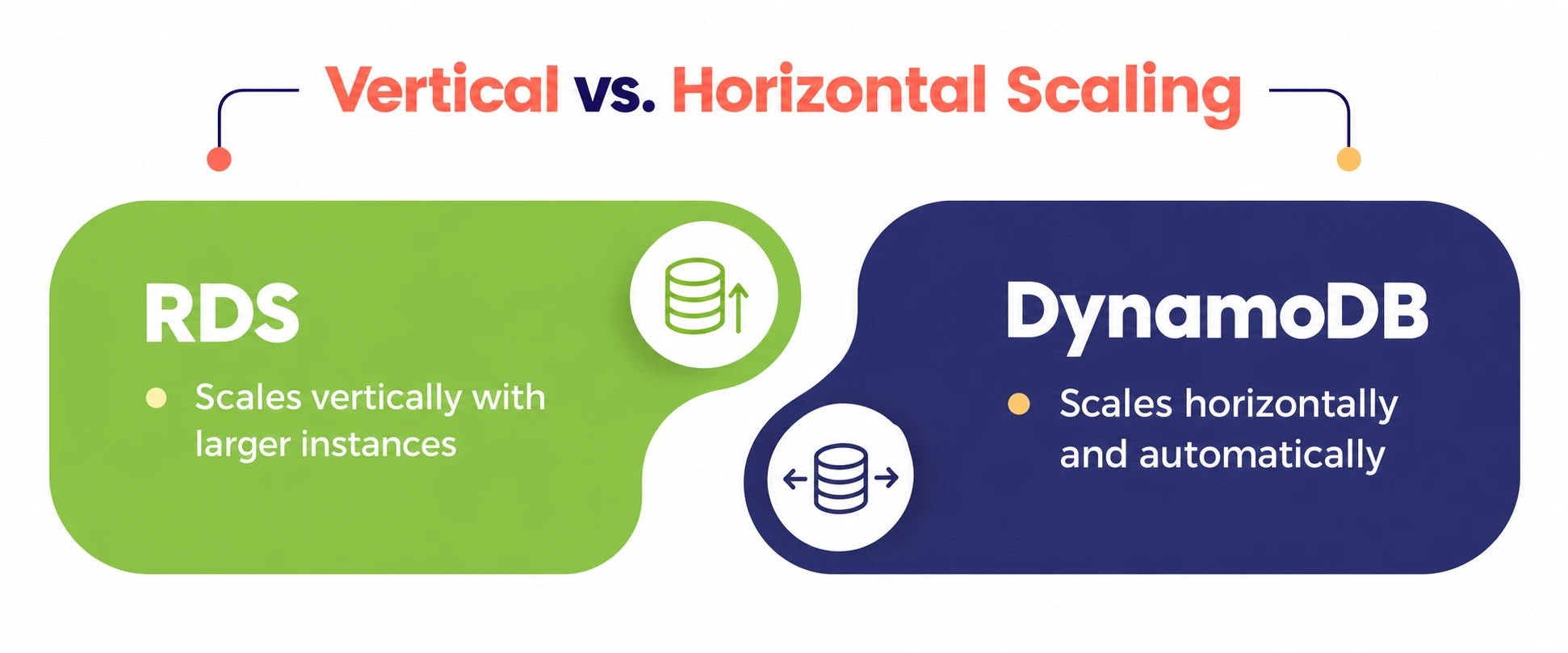
Scaling is where the gap between the two becomes obvious under real traffic. RDS scales mostly by moving to a bigger instance class or adding read replicas to spread out read traffic—effective, but there’s a ceiling, and resizing a production relational database under heavy load is never something you do casually.
DynamoDB was built to sidestep that ceiling entirely. It scales horizontally and automatically, adding partitions behind the scenes as traffic grows, without you ever touching an instance size. For applications with spiky, unpredictable, or viral-growth traffic patterns, that difference alone can decide the AWS RDS or DynamoDB question before anything else is considered.
Pricing: Predictable vs. Usage-Based
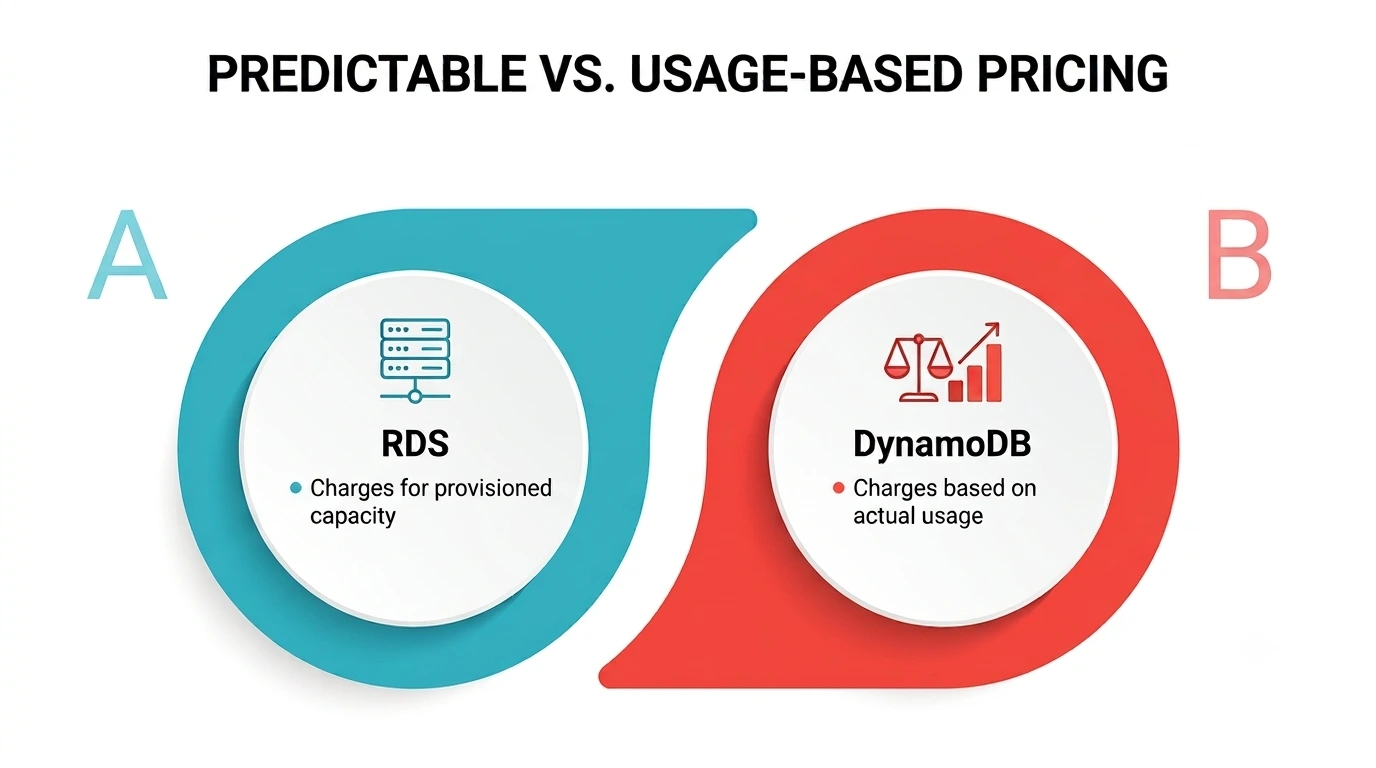
Cost structure is another place the two diverge sharply. RDS pricing is largely driven by the instance class you provision, plus storage and I/O—predictable if your traffic is steady, but you’re paying for capacity whether you use it or not.
A small relational workload on an oversized instance quietly wastes money every month, which is why right-sizing the instance class before launch is one of the cheapest optimizations a team can make.
DynamoDB flips that model: with on-demand capacity, you pay per read and write request, which can be far cheaper for spiky or low-traffic workloads but less predictable at sustained high volume. Teams weighing cost alone should model both pricing structures against their actual traffic pattern, not a rough guess, since the cheaper option flips depending on how steady or bursty the load really is.
Database Security: What Changes Between the Two
Database security looks different depending on which service you’re running, even though both sit inside the same AWS shared-responsibility model. For Amazon RDS, AWS’s own security guidance centers on IAM-based access control, least-privilege permissions for every user touching the instance, network isolation through VPC security groups, and automated credential rotation through AWS Secrets Manager rather than static passwords buried in application code.
DynamoDB’s approach to database security is simpler in some ways because there’s no operating system or engine to patch—AWS manages that layer entirely. Your responsibility narrows to IAM policies controlling table-level and even item-level access, encryption at rest (on by default), and VPC endpoints for private connectivity that never touches the public internet.
Whichever way the AWS RDS or DynamoDB decision goes, security still comes down to the same fundamentals: least privilege, encrypted data, and credentials that rotate instead of sitting static for years. This is also where compliance audits tend to focus first, so it’s worth documenting whichever model you choose, especially if your industry requires evidence of regular access reviews.
Cloud Application Architecture: Where Each One Fits
The AWS RDS or DynamoDB decision isn’t made in a vacuum—it’s made in the context of a broader cloud application architecture, and that context usually settles the debate faster than a feature checklist does.
An application built around complex reporting, multi-table joins, and strict transactional guarantees (think financial ledgers, inventory systems with strong referential rules, or anything regulators will eventually audit) fits naturally into an architecture built on RDS and a traditional relational engine.
An application built around high-velocity, simple-shaped data—session state, shopping carts, IoT telemetry, gaming leaderboards, or the kind of user-facing feature that needs to respond in single-digit milliseconds no matter how many people show up at once—tends to fit better into a design centered on DynamoDB.
A lot of real systems, especially microservice-based ones, end up using both: RDS for the core transactional data and DynamoDB for the high-throughput edges of the same cloud application architecture, each handling the part it’s actually good at.
Event-driven patterns, where a write to one service triggers a downstream update in the other through something like DynamoDB Streams or an EventBridge rule, are a common way teams stitch the two together without forcing a single service to do a job it isn’t built for.
Common Use Cases for Amazon RDS
Amazon RDS tends to show up in systems where the data genuinely has structure worth enforcing: e-commerce order management with strict inventory rules, financial applications needing ACID transactions, content management systems with deeply related tables, and internal business applications migrated from an on-premises SQL database with minimal rework.
If your team already writes complex queries and your data has clear, stable relationships, RDS usually wins this comparison without much debate.
It also tends to be the safer default for reporting-heavy workloads, since a mature relational query optimizer handles ad hoc joins and aggregations far more gracefully than a key-value store ever will.
Teams running business intelligence tools or scheduled analytics jobs against production data often find that a familiar relational engine, with its mature ecosystem of drivers and reporting integrations, saves far more engineering time than it costs in raw throughput.
Common Use Cases for Amazon DynamoDB
Amazon DynamoDB earns its place in systems built for scale and speed over structure: real-time bidding platforms, gaming backends tracking millions of concurrent sessions, IoT data ingestion pipelines, shopping-cart and session-state storage, and — as of the 2026 vector search rollout — AI applications doing retrieval-augmented generation or semantic product search directly against live application data.
AWS’s own announcement on the feature notes single-digit-millisecond latency at scale, which matters enormously for AI features users expect to feel instant rather than batch-processed.
If unpredictable traffic spikes, global low-latency access, or sheer write volume are the defining pressure on your system, DynamoDB is usually the stronger half of the AWS RDS or DynamoDB equation, even if it means giving up the convenience of a traditional relational engine.
Making the Decision: A Practical Checklist
Rather than treating this as an abstract architecture debate, it helps to ask a few concrete questions about the actual workload in front of you:
- Does the data have real relationships that need enforcing, or is it mostly standalone records? Relationships point toward a SQL database; standalone records point toward a key-value store.
- Is traffic steady and forecastable, or spiky and hard to predict? Steady traffic favors provisioned pricing on RDS; unpredictable traffic favors DynamoDB’s on-demand model.
- How much security overhead can your team realistically own? DynamoDB removes an entire layer of patching and OS-level work that RDS still requires, which matters a lot for database security planning.
- Will this component need to scale past what a single instance plus replicas can handle? If yes, that alone often settles the question in DynamoDB’s favor.
- Does the broader cloud application architecture already lean one way? Teams rarely build a system entirely from scratch, and consistency with existing services often outweighs a marginal technical edge.
- How often does the schema actually change? A product still finding its shape benefits from DynamoDB’s flexibility, while a stable, well-understood domain model usually benefits more from the guardrails a fixed schema provides.
A Personal Note
I used to think the AWS RDS or DynamoDB debate was something you could resolve once, early, and never revisit — pick the “right” database and move on. That’s not really how it works in practice.
Nearly every production cloud application architecture I’ve seen past a certain size ends up using both, not because anyone made a mistake, but because real systems have parts that genuinely want structure and parts that genuinely want raw speed.
The best engineers I’ve worked with aren’t the ones who picked correctly on day one; they’re the ones who noticed early when a piece of the system had outgrown its database and weren’t too attached to the original decision to change it.
Want to practice this hands-on? Try our AWS live projects.