If you have ever sat with a job listing open in one tab and a certification website open in another, wondering if the letters after someone’s name actually mean anything—you are not alone. I get asked some version of “Is it worth it?” more often than any other career question, and the honest answer is it depends on what you’re trying to prove and to whom.
This guide walks through what a network administrator certification actually does for your career, which options are worth your money in 2026, what the exams cover, and how to plan a realistic path from beginner to hired. No fluff, no recycled listicle advice—just what actually matters when you’re the one paying the exam fee.
By the end, you should have a clear sense of which network administrator certification fits your goals and how to start preparing for it today.
Why Does a Network Administrator Certification Still Matters?
Networks are the plumbing of every organization. Email, cloud apps, video calls, point-of-sale systems — none of it works without a functioning network behind it. That’s why the demand for skilled network administrators keeps climbing even as more workloads move to the cloud.
In fact, U.S. labor data shows network administrator roles growing faster than average through the early 2030s, driven largely by cloud migration, hybrid work environments, and rising enterprise security demands — a trend confirmed in this 2026 CCNA market breakdown.
A network administrator certification doesn’t replace hands-on experience, but it does three things experience alone can’t:
- It gives hiring managers a quick, standardized way to trust your skills before they’ve seen you work.
- It forces you to learn topics you might otherwise skip—like security fundamentals or automation basics.
- It signals commitment. Anyone can claim they “know networking.” Fewer people sit a timed, proctored exam to prove it.
Multiple training providers echo the same point: a network administrator certification is a practical way to build job-ready skills and demonstrate to employers that you can handle real operational problems, not just recite terminology, as outlined in the comparison of top networking certificates.
Vendor-Neutral vs. Vendor-Specific: The First Big Decision
Before you pick an exam, you need to understand this split, because it shapes everything else.
Vendor-neutral certifications (like CompTIA Network+) teach concepts that apply no matter whose hardware you’re working on. Vendor-specific certifications (like Cisco’s CCNA) go deep into one company’s equipment and configuration style.
According to ITU Online’s certification comparison, vendor-neutral options work best when you want a general foundation that applies across many environments, while vendor-specific paths are stronger when your target jobs rely heavily on that vendor’s gear and terminology. A school district running a mixed-equipment network might value broad knowledge. A large enterprise standardized on Cisco gear will care much more about Cisco-specific skills.
This is exactly why Cisco certification and CompTIA credentials keep coming up together in every serious discussion of networking careers—they’re not competitors so much as two different doors into the same room.
A Cisco certification tends to carry extra weight in enterprise hiring specifically because so much of the world’s networking hardware still runs on Cisco systems, and recruiters know exactly what that credential represents.
CompTIA Network+: The Entry-Level Standard
For most beginners, CompTIA Network+ is the natural starting point. It covers networking basics—IP addressing, network topology, cabling, wireless standards, and troubleshooting methodology—without requiring you to know a specific vendor’s command syntax. Getting comfortable with these networking basics early makes every certification exam after this one significantly easier.
A few practical facts worth knowing before you commit:
- Pricing sits around $369–$399 USD depending on region and reseller.
- The exam includes performance-based questions where you actually configure settings in a simulated environment, not just answer multiple-choice questions.
- Academic and military discounts can meaningfully lower the price, sometimes by up to 50%.
Network+ alone can qualify you for network technician and junior network administrator roles, particularly in government, education, and managed service provider environments, based on this Network+ study guide. But if you want to work in a Cisco-heavy enterprise, employers often expect you to go a step further.
CCNA: The Certification Most Employers Actually Ask For
If Network+ is the foundation, Cisco’s CCNA is where most serious networking careers actually begin. It’s the certification most consistently named in job postings for network administrators, and for good reason—Cisco equipment still dominates enterprise networking. For many hiring managers, this specific CISCO certification is treated as shorthand for “this person can actually configure a production network,” not just talk about one.
Good CCNA training covers six major domains under exam code 200-301:
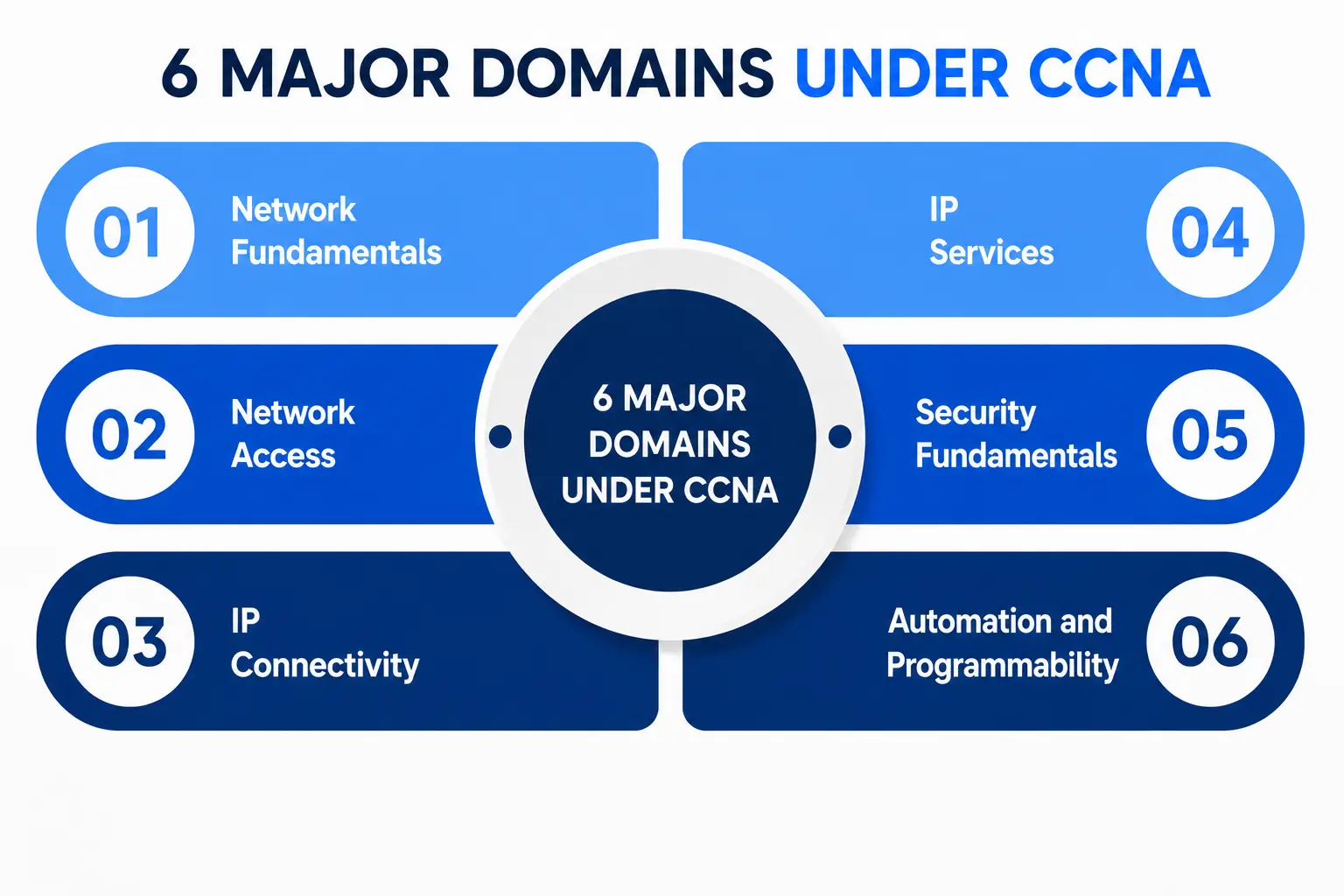
- Network Fundamentals
- Network Access
- IP Connectivity
- IP Services
- Security Fundamentals
- Automation and Programmability
Importantly, Cisco updated the CCNA syllabus in February 2026. The new version puts more weight on multi-vendor compatibility and open standards such as OSPF and REST APIs, while reducing emphasis on pure Cisco-proprietary content.
The exam also leans more heavily on simulation-based questions that require you to configure VLANs, ACLs, routing, and DHCP directly, rather than just recognizing the right answer from a list.
Here’s the good news: there are no formal prerequisites. As one 2026 CCNA guide puts it plainly, Cisco doesn’t require previous certifications or a specific education background to sit the exam, though Cisco does recommend at least a year of hands-on experience.
On the timeline: most people with zero networking background should budget 10 to 14 weeks of dedicated study at around 12 to 15 hours a week, though that can shrink to 8–10 weeks if you already have CompTIA A+ or help desk experience, per this CCNA study plan guide.
Building Real IT Infrastructure Knowledge
Certifications matter, but they’re a proxy for something bigger: real understanding of how IT infrastructure actually holds together. This is the part students often rush past, and it’s the part that shows up in interviews and on the job every single day.
Solid IT infrastructure knowledge means you can look at a business’s setup and understand how the pieces connect—routers, switches, firewalls, servers, and endpoints, all working as one system rather than isolated boxes. The CCNA syllabus reflects this directly: candidates are expected to understand how devices like firewalls, servers, access points, switches, and routers are deployed to manage a network.
This is also where hands-on labs matter more than reading. Simulators like Cisco Packet Tracer, GNS3, and EVE-NG let you build and break networks safely — and that repetition is what actually prepares you for a real network administrator certification exam, not passive video-watching. Any solid CCNA training program will lean heavily on these labs rather than slides alone because Cisco’s own exam format now tests configuration skills directly.
Routing Protocols: The Heart of Every Network Exam
If there’s one topic that trips up beginners more than any other, it’s routing protocols. This is where a lot of study time should go, because it’s tested heavily and used constantly on the job.
At a basic level, routing protocols are the rules routers use to decide the best path for data to travel across a network. You’ll encounter protocols like OSPF, EIGRP, and BGP repeatedly across both Network+ and CCNA material.
The 2026 CCNA update specifically increased focus on open standards like OSPF, moving away from some of the older Cisco-proprietary approaches, as noted in the SPOTO CCNA guide.
Understanding routing protocols isn’t just exam trivia — it’s the difference between a network that recovers gracefully when a link fails and one that goes down for hours. Employers test this heavily in interviews because it separates candidates who memorized flashcards from those who actually understand traffic flow.
Network Topology and Server Management: The Practical Building Blocks
Two more areas deserve their own spotlight because they show up constantly in both exams and real jobs.
“Network topology” refers to how devices are physically or logically arranged—star, mesh, bus, hybrid, and so on. According to iCert Global’s CCNA breakdown, candidates need to learn how to create reliable network infrastructures using designs such as mesh, star, and hybrid topologies. Understanding topology helps you design networks that are easier to troubleshoot and more resilient to single points of failure.
Server management, meanwhile, is where networking meets the systems that actually host your organization’s applications, files, and services. A network administrator isn’t just responsible for cables and switches — they’re often the first line of defense when a server goes down, storage fills up, or a service stops responding. Strong server management skills mean knowing how to monitor uptime, manage user permissions, apply patches, and keep backups current, all while making sure the network path to that server stays healthy.
Together, network topology design and server management practices form the day-to-day reality of the job—far more than any single exam question ever could.
A Quick Comparison Table
|
Certification |
Best For | Prerequisites |
Approx. Cost (2026) |
|
CompTIA Network+ |
Absolute beginners, vendor-neutral roles | None |
$369–$399 |
|
Cisco CCNA |
Cisco-heavy enterprise roles, career growth | None (1 yr experience recommended) |
Varies by region |
|
CompTIA Security+ |
Adding security depth to networking skills | None |
~$425 |
|
Cisco CCNP |
Mid-to-senior network engineers | CCNA recommended |
Higher, multi-exam |
Pricing and requirements shift periodically, so always confirm current numbers directly on the vendor’s official site before you register.
How to Actually Plan Your Path to a Network Administrator Certification?
If you’re starting from zero, here’s a realistic sequence:
- Learn the networking basics first. Don’t jump straight into paid exams. Spend a few weeks understanding IP addressing, subnetting, and how devices talk to each other—these networking basics form the foundation everything else is built on.
- Pick your starting certification. If you’re unsure about vendor lock-in, start with Network+. If you already know you want to work with Cisco equipment, go straight for CCNA.
- Build lab time into every week. Use Packet Tracer or GNS3 consistently, especially if you’re following structured CCNA training rather than studying alone.
- Layer in security early. Even entry-level roles now expect basic security awareness, since networking and security overlap more than they used to.
- Keep momentum after certifying. A certification opens the interview door—ongoing hands-on practice and small home lab projects are what keep you sharp once you’re inside it.
A Personal Note
I’ve watched a lot of people treat certification as the finish line, and it never is—it’s more like a passport stamp. The exam proves you can learn a structured body of knowledge under pressure. The job proves whether you can apply it when a switch is flapping at 2 a.m. and nobody knows why.
If you’re just starting out, don’t chase every acronym you see online. Pick one path, build a home lab even if it’s just two old routers and a used switch from eBay, and let curiosity — not just the certificate — pull you through the hard weeks. That’s genuinely what separates people who pass the exam from people who actually become good at this work.
Whichever route you choose, remember that a network administrator certification is a milestone, not a destination — it opens doors, but the real learning continues long after you pass.