Every few months I get the same message from a student or a career changer: “I want to get into cloud computing; which AWS certification should I start with?” It’s a fair question and also the wrong first question.
The right first question is what you actually want to be doing in eighteen months—designing systems, writing code, running operations, or building AI pipelines—because that answer, not a ranking list, is what should decide which path you take.
In 2026, AWS runs twelve active credentials across four levels, and three of the most popular exams were rebuilt this year to cover generative AI, agentic workflows, and automation at a depth that didn’t exist two years ago.
That’s a lot of moving pieces for anyone trying to make one decision, and most of the comparison pages written about an AWS certification talk about exam domains and weightings without ever addressing the question that actually matters: which one fits the life you’re trying to build, not just the resume you’re trying to pad.
This guide breaks it down the way I’d explain it to someone sitting across from me, not the way a certification vendor’s marketing page presents it.
The Four AWS Certification Levels in 2026
Before picking a specific exam, it helps to understand the four tiers AWS organizes its credentials into. Each one assumes a different starting point and leads somewhere different.
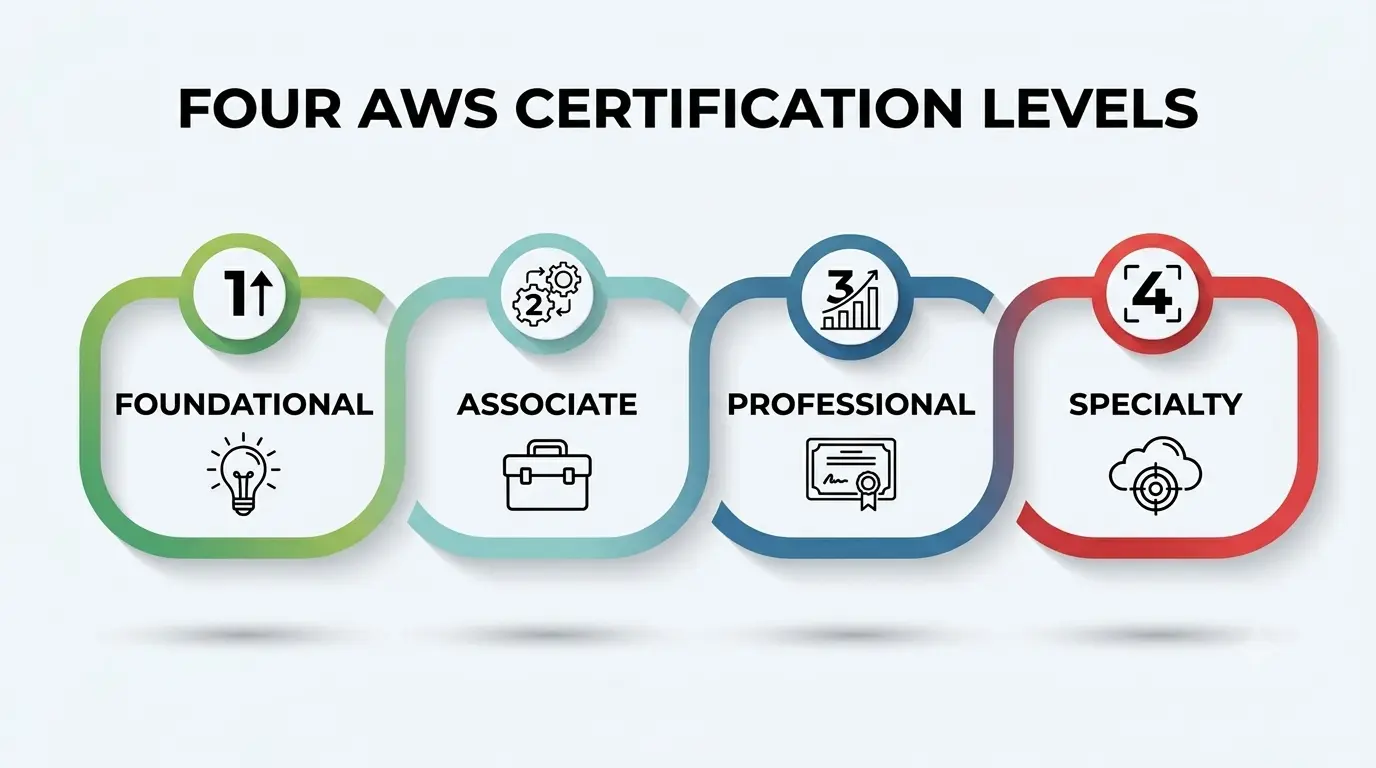
- Foundational—entry-level, no coding or lab work required; built for people who need cloud vocabulary and basic billing knowledge, including the Cloud Practitioner and AI Practitioner exams.
- Associate—role-specific, technical, and the level most working professionals actually need; covers Solutions Architect, Developer, CloudOps Engineer, Data Engineer, and Machine Learning Engineer.
- Professional—advanced, scenario-heavy exams for people already doing the job; includes Solutions Architect – Professional, DevOps Engineer – Professional, and the newer Generative AI Developer – Professional.
- Specialty—deep, narrow expertise in one domain, such as security, for people who already hold a broader credential and want to go deeper in a single lane.
Each level also assumes a different relationship with technical architecture. Foundational exams ask you to recognize concepts and vocabulary. Associate exams ask you to apply technical architecture judgment to a specific, graded scenario. Professional exams assume you’ve already made those calls inside a live environment and want to test how you handle genuinely ambiguous trade-offs under pressure.
Most people trying to decide on their first credential are really choosing between foundational and associate. Skipping straight to Associate makes sense if you already have real experience behind you—a bootcamp project, a junior technical role, or months of tinkering in a personal account.
Starting at Foundational makes more sense if the cloud is still unfamiliar territory and you want a lower-stakes way to confirm this field is worth pursuing before committing serious study time. Neither choice is permanent, either—plenty of people who start at the bottom end up sitting a professional-level exam within two or three years, once the fundamentals genuinely click.
Role Tracks and the AWS Certification Path for Each
Once you know your level, the next decision is which role track to follow. AWS doesn’t force you onto a single path, so matching the exam to the actual job you want matters more than chasing whichever credential sounds most impressive.
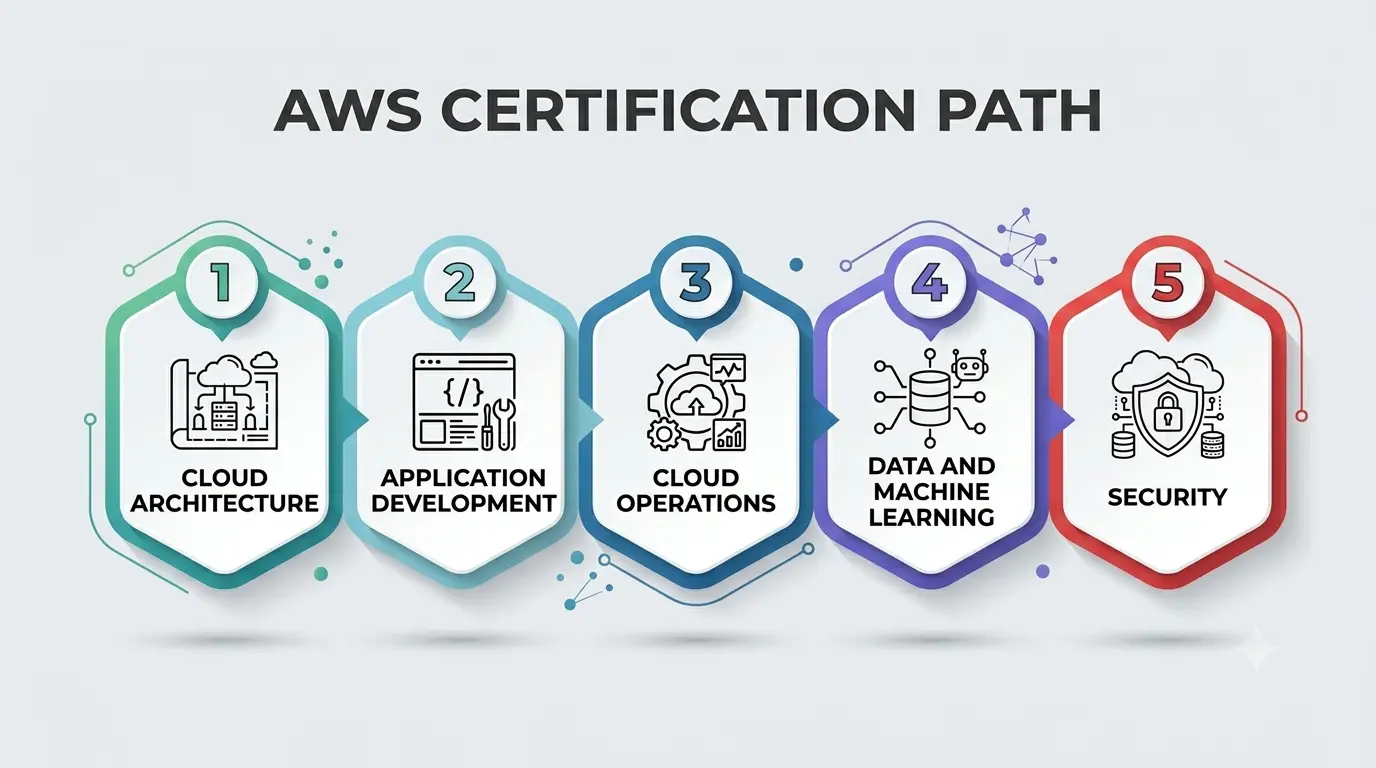
- Cloud Architecture—Cloud Practitioner → Solutions Architect – Associate → Solutions Architect – Professional. Best for people who enjoy designing whole systems and explaining trade-offs to non-technical stakeholders.
- Application Development—Cloud Practitioner → Developer – Associate → Generative AI Developer – Professional. Built for people who write and ship code, not just diagram it.
- Cloud Operations—Cloud Practitioner → CloudOps Engineer – Associate → DevOps Engineer – Professional. Fits people who like keeping live systems healthy and building the infrastructure automation that keeps repetitive work off a human’s plate.
- Data and Machine Learning—AI Practitioner → Data Engineer or Machine Learning Engineer—Associate → a specialty or professional credential later. For people drawn to pipelines, models, and the infrastructure that feeds them.
- Security—Solutions Architect—Associate → Security—Specialty. For people who want to own the risk and compliance layer sitting underneath every other track.
Application development and cloud operations overlap more than that bullet list suggests. Plenty of engineers end up doing both in the same week—shipping a feature on Monday and fixing a broken piece of infrastructure automation on Thursday. Treat these five tracks as a starting direction worth committing to for a year, not a permanent label stapled to your resume forever.
A Side-by-Side Look at the Main Options
Here’s how the most commonly chosen certifications compare on the factors that actually matter when you’re the one paying the exam fee and the study hours.
|
Certification |
Level | Typical Cost (2026) | Best Suited For |
Rough Prep Time |
| Foundational | $100 | True beginners, non-technical roles |
4–6 weeks |
|
|
AI Practitioner |
Foundational | $100 | Beginners focused on AI/GenAI literacy. |
4–6 weeks |
| Associate | $150 | Future architects, consultants, engineers |
2–3 months |
|
|
Developer – Associate |
Associate | $150 | Software engineers building on AWS |
2–3 months |
|
CloudOps Engineer – Associate |
Associate | $150 | Operations and reliability-focused roles |
2–3 months |
| Associate | $150 | Pipeline and data-platform builders |
2–3 months |
|
|
Solutions Architect – Professional |
Professional | $300 | Senior architects with real production exposure |
3–4 months |
| Specialty | $300 | Specialists layering security on existing AWS skills |
2–3 months |
That table narrows the field, but it doesn’t make the call for you. The next few sections dig into the parts of the decision a comparison chart can’t capture.
Matching the AWS Certification to Your Technical Background
Your technical background matters more than almost anything else in this decision, and it’s the factor people are most tempted to ignore because it feels like admitting a weakness. It isn’t. A developer with three years of Python experience and zero cloud exposure is not in the same position as a systems administrator who has been quietly running AWS workloads for a year without ever labeling it “cloud experience.”
If your technical background is mostly in traditional IT support, infrastructure, or networking, the solutions architect or CloudOps tracks usually feel more natural, because they build on instincts you already have about how systems fit together.
If your technical background leans toward writing application code, the Developer – Associate path will feel far more familiar than a pure architecture exam, since it tests how you build and deploy, not just how you’d whiteboard a diagram.
Being honest about where your skill set actually sits — not where you wish it sat — is what keeps people from failing an exam they weren’t ready for yet.
Why 2026 Changed Calculus?
Three of AWS’s biggest exams got rebuilt this year, and it’s worth understanding why before you pick one, because the exam you take in January looks different from the one your friend took eighteen months ago.
The AWS Training and Certification team confirmed that the Solutions Architect – Professional exam (SAP-C03) now folds in generative AI integrations using Amazon Bedrock, AI agent architectures, post-quantum cryptography, and resilience engineering—a noticeably heavier emphasis on technical architecture that spans beyond traditional compute and storage design.
The Developer – Associate exam went through a similar shift, adding AI-assisted coding tools and new content on securing GenAI applications against risks like prompt injection. And the technical architecture questions across both updated exams increasingly test infrastructure automation directly—not whether you can recognize a service name, but whether you understand how to automate deployment, scaling, and recovery without manual intervention.
This matters most for anyone on the CloudOps or DevOps track, where entire exam domains are now built around infrastructure automation—writing it, testing it, and recovering from it when a deployment goes wrong at 2 a.m.
The AI Business Strategist and Generative AI Developer—Professional credentials, both introduced in 2026, exist specifically because AWS no longer treats automation and generative AI as separate skill sets from core technical architecture.
If you’re choosing a credential right now, you’re effectively choosing to study material that assumes automation and AI aren’t optional extras anymore; they’re baked into how AWS expects every certified professional to work.
Hands-On Experience Beats Memorization, Every Time
Here’s the part nobody wants to hear: reading alone will not get you through an Associate- or Professional-level AWS Certification exam. Hands-on experience is what separates candidates who pass comfortably from candidates who scrape through or fail on the first attempt.
The scenario-based questions on these exams describe a business problem and ask you to pick the design that actually solves it—a skill that only develops by actually building things, breaking them, and fixing them. The same logic applies to infrastructure automation specifically: reading about Infrastructure as Code is nothing like watching a CloudFormation stack fail halfway through a deployment and having to trace exactly why.
AWS’s own Skill Builder platform offers free hands-on labs that pair reasonably well with whichever exam guide you’re following, and they’re a cheap way to log real console time before you ever pay for the exam itself. Build a free-tier AWS account and spend real time in it before exam day. Deploy a small application, break its deployment pipeline on purpose, and fix it without looking up every step.
Candidates who treat lab time as optional tend to pass by memorizing exam-dump patterns, which shows up fast in actual job interviews when someone asks a follow-up question that isn’t on any practice test. If there’s one piece of advice that applies across every track in this guide, it’s that hands-on experience is non-negotiable, no matter which path you’re aiming for.
What an AWS Certification Actually Does for Your Career?
Money isn’t the only reason to pursue a credential, but it’s a fair thing to ask about honestly. According to the latest Tenth Revolution Group guide, the majority of AWS professionals now hold at least one certification, and the large majority of certified professionals say it makes them a more competitive candidate in a crowded market.
Among those who saw a raise tied directly to earning a credential, the average increase landed at a sizable 20% — a meaningful number whether you’re negotiating a promotion or switching employers entirely.
That return shows up differently depending on your track. Someone pursuing application development roles tends to see the credential open doors to mid-level engineering positions faster than someone relying on project experience alone to make the case.
Someone on the architecture or operations side often sees the credential function more like a filter that gets a resume past automated screening before a human ever reads it.
Either way, the credential tends to pay for itself well before the two- or three-year recertification cycle comes back around, especially once you factor in how quickly job postings now list a specific credential as a stated requirement rather than a nice-to-have.
How to Actually Decide?
Strip away the marketing and the decision gets simpler than it looks. Ask yourself three questions in order: What’s my current technical background — coding, infrastructure, data, or none of the above? What kind of work do I actually enjoy, not just tolerate? And how much hands-on experience can I realistically build before exam day, given my schedule?
If the honest answers point toward “I like building and shipping software,” go toward application development and the Developer track. If they point toward “I like designing how whole systems fit together,” Solutions Architect is the stronger match.
If data pipelines or AI genuinely interest you more than either of those, the Data Engineer or Machine Learning Engineer path will hold your attention longer than forcing yourself through architecture content that doesn’t click. There’s no universally “best” credential — there’s only the one that matches a track you’ll actually stick with long enough to finish.
A Personal Note
I’ve sat across from enough students to notice a pattern: the people who pick their first AWS Certification based on which one “looks the most impressive” almost always stall out somewhere in the middle of studying, because the material stops feeling connected to anything they actually care about.
The people who pick based on genuine curiosity — even if it’s the “less prestigious” foundational exam — tend to finish, pass, and immediately start asking what to learn next. Credentials are supposed to open doors, not become the whole destination. Pick the one tied to work you’d want to keep doing even if nobody was grading you on it, and the studying stops feeling like a chore somewhere around week three.