If you’ve ever lost an assignment because your laptop crashed the night before a submission, you already know why cloud storage matters. I’ve been there—a half-finished thesis chapter, a dead hard drive, and zero backups. That single evening taught me more about the best cloud storage services than any tech blog ever could.
This guide breaks down everything from scratch: what cloud storage actually is, how various data storage solutions compare in 2026, and how students and everyday users can pick the right one without getting lost in jargon.
What Is Cloud Storage, Really?
Cloud storage lets you save your files—documents, photos, videos, projects—on remote servers instead of your device’s hard drive. You upload something once, and it becomes accessible from your phone, laptop, or a friend’s computer, as long as you’re logged in and online.
The cloud storage market is now used by over 2.3 billion people worldwide, which tells you how mainstream this technology has become. Instead of carrying a USB drive that you’ll inevitably misplace, you get data storage solutions that live safely online, sync across devices, and are available the moment you need them.
That’s the whole appeal — no cables, no “wrong version” confusion, no drama. Modern data storage solutions have essentially replaced physical drives as the default way most students and professionals manage their files today.
Why Do Students Especially Need the Best Cloud Storage Services?
College life is chaotic. Group projects, research papers, internship applications, scanned notes — it piles up fast. Here’s why picking one of the best cloud storage services early on saves you serious stress later:
- Secure storage for assignments, ID documents, and certificates you can’t afford to lose, since secure storage is the one feature you genuinely can’t compromise on
- Collaboration tools that let you and your groupmates edit the same file in real time
- Backup and recovery options so a dead laptop doesn’t mean a dead semester
- Instant data availability across your phone, tablet, and campus computer lab
Whether you’re storing lecture recordings or a dissertation draft, this isn’t optional anymore—it’s basic digital hygiene.
How Does Cloud Storage Actually Work?
When you upload a file, it travels over the internet to a data center — basically a massive warehouse full of servers — where it’s stored, duplicated, and protected. Most credible providers use encryption both while your file is traveling (in transit) and while it’s sitting on their servers (at rest).
Some go further and offer zero-knowledge encryption, meaning even the company itself can’t peek inside your files. This is where the difference between average and best cloud storage services becomes obvious. Free apps often skip strong encryption; the trusted names build it in from day one.
Key Features That Define the Best Cloud Storage Services
Before comparing providers, it helps to understand exactly what you should be judging them on.
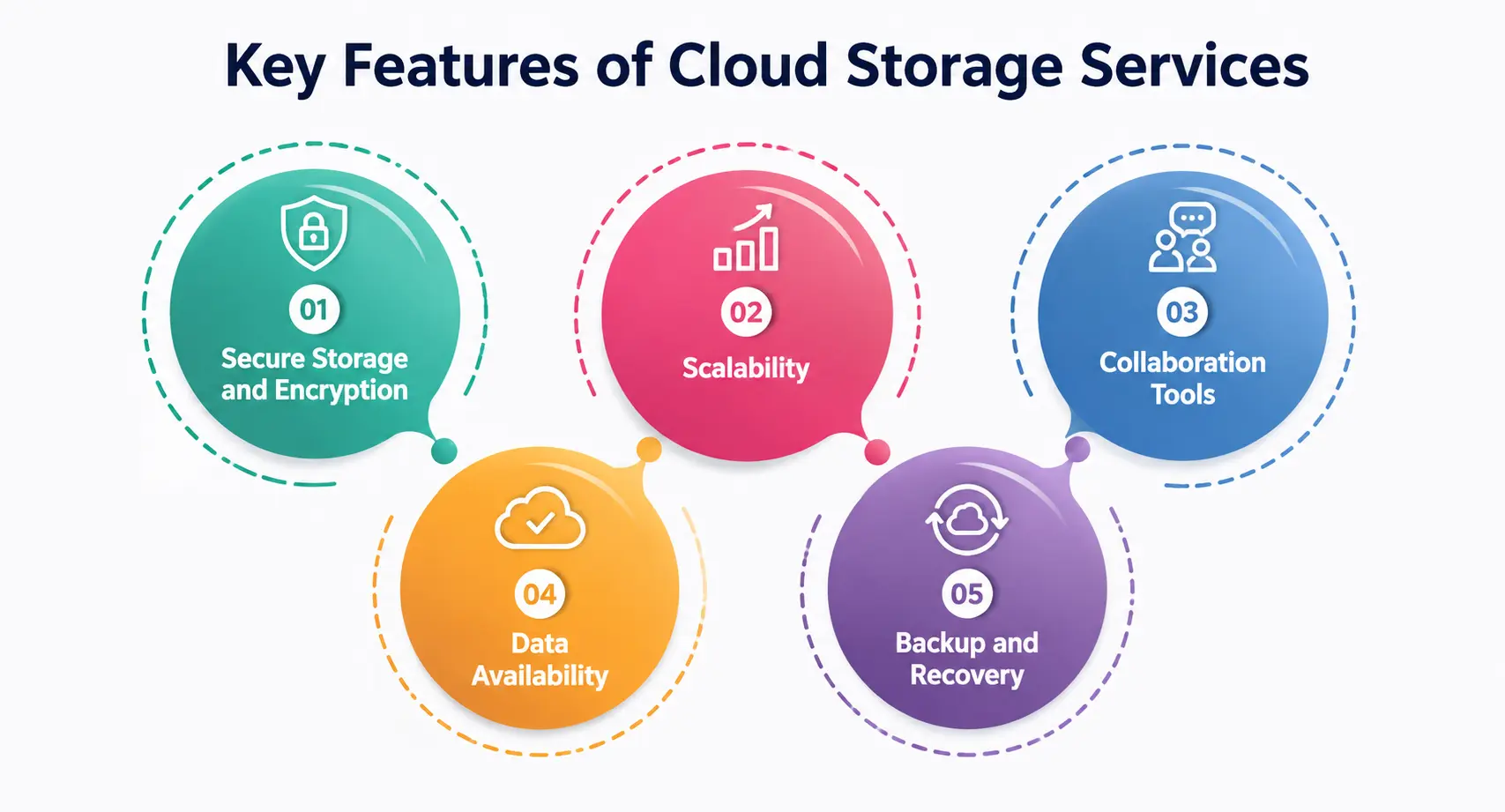
1. Secure Storage and Encryption
Nobody wants their personal documents floating around unprotected. Look for AES-256 encryption at rest and TLS encryption in transit — the industry standard. Providers offering zero-knowledge encryption guarantee that not even their own staff can access your files.
2. Scalability
Your storage needs today (a few GBs for notes) won’t match your needs in three years (a portfolio, thesis files, or a small business). Scalability means you can start small and expand your plan without migrating everything to a new platform. Providers that lack proper scalability often force awkward, time-consuming migrations down the line.
3. Collaboration Tools
Real-time editing, shared folders, and comment threads matter enormously for group assignments and remote teams. The best collaboration tools turn cloud storage from a “digital locker” into an actual workspace.
4. Data Availability
Downtime is unacceptable when a deadline is at stake. Reliable data availability — meaning your files are accessible whenever and wherever you need them — separates dependable providers from shaky ones.
5. Backup and Recovery
Accidentally deleted a folder? Good providers keep version history and let you restore files from days or even weeks earlier. Strong backup and recovery systems are your safety net against human error, ransomware, or hardware failure.
Best Cloud Storage Services in 2026 — Compared
The market has genuinely matured this year. Here’s an honest look at where things stand, based on current comparisons across the industry.
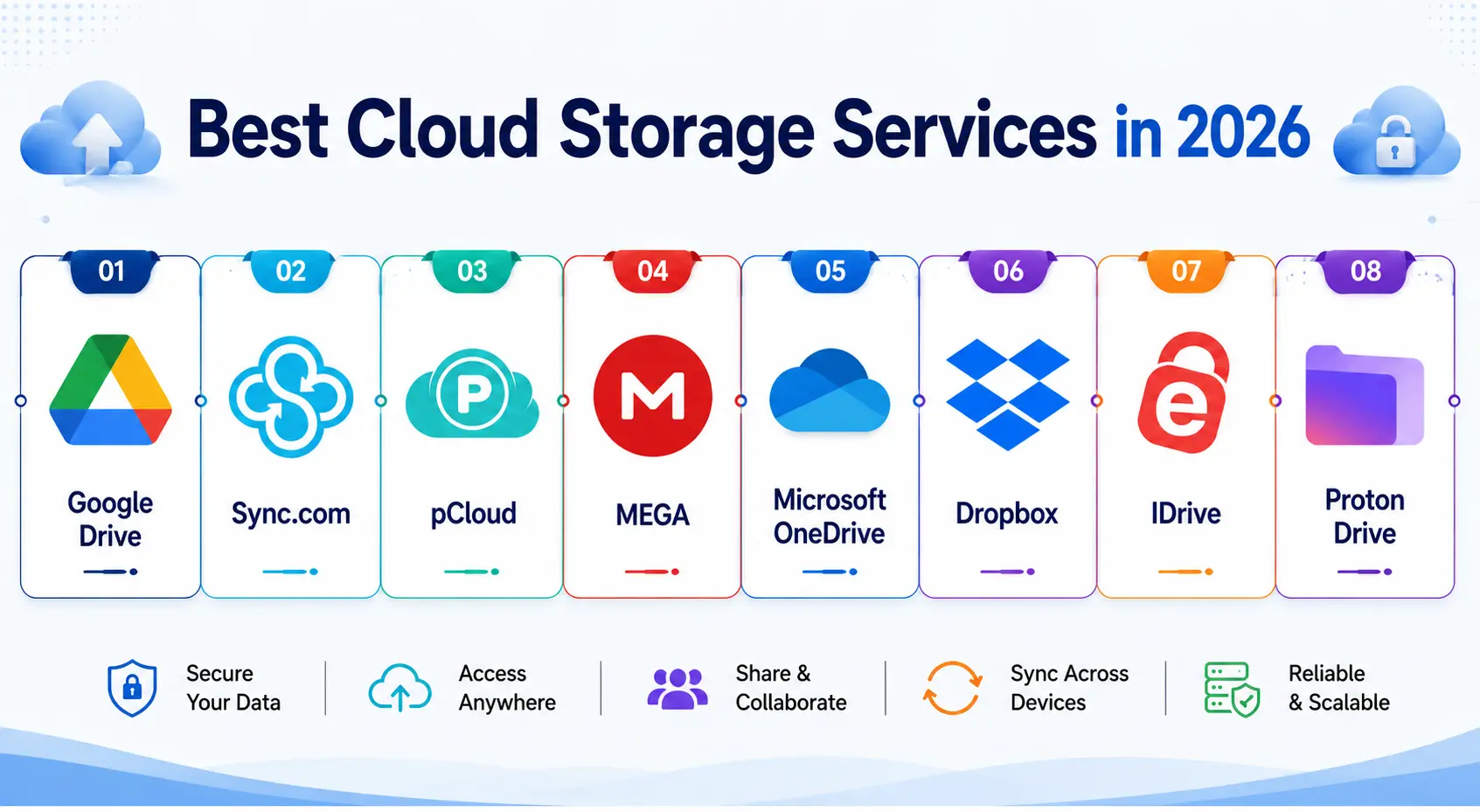
Google Drive, bundled as Google One, is widely considered the best cloud storage service for most everyday users in 2026, offering 15 GB free and paid plans starting from roughly $1.99 a month, with deep integration into Gmail, Google Docs, and Android. For students already living inside Google Classroom or Google Docs, it’s often the path of least resistance.
If your priority is privacy over convenience, Sync.com offers zero-knowledge encryption for around $8 a month covering 2 TB of storage, making it a favorite among privacy-conscious users and small teams handling sensitive files.
For a one-time payment model rather than a monthly subscription, pCloud sells lifetime plans starting at $199, which can work out cheaper over several years compared to recurring subscriptions.
If you simply want the biggest free tier possible, MEGA provides 20 GB of free storage with end-to-end encryption, making it the largest free allowance among major providers.
Microsoft OneDrive tends to work best for Windows and Office users; Google Drive leads for collaboration with its generous free tier; pCloud stands out specifically for its secure lifetime storage plans; and Dropbox remains strong for reliable file syncing, and iCloud suits Apple-first users.
For heavy-duty storage at low cost, IDrive has built a reputation as a veteran cloud provider offering large amounts of storage—around 10TB for under $4 in the first year—along with support for unlimited devices and an extensive file versioning system.
It’s worth being cautious about convenience trade-offs too. Providers like Google Drive, Dropbox, and OneDrive generally don’t offer end-to-end encryption by default, meaning the company can technically access your files if required; for genuinely confidential material, dedicated privacy-first tools like Proton Drive or pCloud’s Crypto add-on are worth considering.
Best Cloud Storage Services: Quick Comparison Table
|
Provider |
Free Storage | Starting Paid Price | Encryption Type |
Best For |
|
Google Drive (Google One) |
15 GB | ~$1.99/month | Standard (at rest & in transit) |
Students using Google Docs/Classroom |
|
MEGA |
20 GB | Varies by plan | End-to-end encryption |
Largest free tier, privacy-conscious users |
|
Sync.com |
5 GB | ~$8/month (2TB) | Zero-knowledge encryption |
Privacy-first individuals and teams |
|
pCloud |
10 GB | $199 lifetime plan | Optional Crypto add-on |
One-time payment, long-term users |
|
IDrive |
10 GB | ~$3.98/year (10TB, intro) | Standard encryption |
Bulk storage on a tight budget |
|
Microsoft OneDrive |
5 GB | Bundled with Microsoft 365 | Standard encryption |
Windows and Office-heavy users |
This table should give you a quick, honest snapshot before you commit to any single platform.
How to Choose the Right Provider for You?
There’s no single “best” answer—it genuinely depends on your habits. Ask yourself:
- How sensitive are my files? If you’re storing scanned ID cards or financial documents, prioritize encryption and zero-knowledge privacy over free storage size.
- Do I collaborate often? If group projects are a regular part of your life, prioritize strong collaboration tools over price.
- Will my storage needs grow? Think ahead about scalability — don’t pick a plan you’ll outgrow in six months. Good scalability means upgrading storage is as simple as clicking a button, not migrating your entire file library elsewhere.
- What happens if I lose a file? Check the provider’s backup and recovery policy and how many days of version history they keep.
- Do I need constant access? If you travel or switch devices often, prioritize data availability and offline sync support.
Once you weigh these factors, narrowing down the best cloud storage services for your specific situation becomes far easier.
Common Mistakes People Make With Cloud Storage
- Relying on only one provider with no backup elsewhere
- Ignoring two-factor authentication, even though your cloud account often holds your entire digital life
- Assuming “cloud” automatically means “encrypted”—it doesn’t; always verify
- Letting free storage fill up silently until uploads suddenly fail mid-project
- Never testing file recovery until an actual emergency hits
Avoiding these mistakes is just as important as picking the right platform in the first place. Good data storage solutions are only useful if you actually use them properly, and even the best data storage solutions can’t protect you if basic security habits are ignored.
A Quick Note on Enterprise-Grade Storage
While this guide focuses on personal and student use, it’s worth knowing that larger organizations rely on more complex infrastructure. Among major enterprise providers, AWS S3 tends to lead on features and ecosystem depth, Azure works well for hybrid setups, Google Cloud is known for pricing transparency, and IBM is often preferred by regulated industries.
Final Thoughts
There is no universal winner here — only the right fit for your habits, budget, and how much you value privacy versus convenience. If you’re a student juggling assignments, a free plan from a trusted name is often enough to start. If you’re handling sensitive data, prioritize secure storage and encryption over flashy features.
Take your time; compare a couple of the best cloud storage services mentioned here, and pick one that actually matches how you work—not just the one with the biggest free storage banner. When in doubt, always lean toward secure storage over flashy extras you’ll rarely use.
My Personal Note
I still remember panicking at 2 AM because my only saved copy of a research paper vanished with a corrupted pen drive. That night pushed me to actually understand cloud storage instead of ignoring it like most of us do until disaster strikes.
Since then, I’ve tested a handful of these platforms myself, and honestly, the peace of mind is worth far more than the few dollars a month it costs. If there’s one thing I’d tell my younger self, it’s to back up before you need to, not after.